
ASRock PG 1600G ATX 3.1 1600W Power Supply
4.4Editor score
Cybenetics Platinum efficiency rating
Native 12V-2×6 connectors
Japanese capacitor internal components
Compare the top 1600W power supplies for high-end builds. We review efficiency, safety, and features of leading 1600W PSUs from Seasonic, Corsair, and more.
Finding the right power supply is critical for high-performance systems. A 1600W unit ensures stable power for top GPUs and CPUs without compromising efficiency or safety standards.
We analyzed ten leading models based on efficiency ratings, cable quality, and compliance with modern ATX 3.1 standards. Our focus is on reliability for demanding workloads and gaming setups.
Each pick highlights unique strengths like silent operation or premium capacitors. Please note that prices and availability change frequently, so check current listings before purchasing.
4.4Editor score

4.7Editor score

4.3Editor score
This side-by-side comparison highlights key specifications across all ten selected units. It helps you identify which model fits your specific case dimensions and performance needs best.




The ASRock PG 1600G stands out as an affordable entry into the 1600W space. It achieves 80 Plus Gold and Cybenetics Platinum certifications for solid efficiency in a fully modular design.
We may earn a commission when you buy through this link, at no additional cost to you.
It features native 12V-2×6 connectors with TempGuard technology to monitor terminal heat. The internal build uses high-quality Japanese capacitors to ensure stability during transient spikes.
Users should verify their case clearance for the 180mm depth before installation. The fan includes an iCool Mode to keep it off at low loads for silence.
This unit is best for budget-conscious builders needing extreme power headroom. It balances cost and performance well for high-end GPU setups.
Cybenetics Lambda A rating ensures ultra-quiet operation under load while maintaining high efficiency standards.
Fully compliant with ATX 3.1 and PCIe 5.1 standards to handle modern GPU power excursions.
We may earn a commission when you buy through this link, at no additional cost to you.
The Seasonic Prime TX-1600 Noctua Edition is engineered for silence without compromising performance. It features a custom Noctua fan and semi-passive operation that stops the fan at low loads.
We may earn a commission when you buy through this link, at no additional cost to you.
With 80 Plus Titanium certification, it achieves top-tier efficiency levels. The 12V-2×6 connectors are native and safe for the latest NVIDIA and AMD graphics cards.
The price is significantly higher than standard units, reflecting the premium fan and electrical components. It is designed for users who prioritize a silent environment above all else.
This is the ideal choice for quiet workstations or silent gaming PCs. If noise is your main concern, this unit delivers the best acoustic results.
The custom optimized fan grill helps reduce noise further, achieving Cybenetics Lambda A++ certification for minimal acoustic output.
Titanium level efficiency reduces waste heat and overall power consumption significantly compared to lower rated units.
We may earn a commission when you buy through this link, at no additional cost to you.
The ASUS ROG Thor 1600W Titanium III brings unique tech to power supplies. Its magnetic OLED display shows real-time power consumption and can be placed on either side of the unit.
We may earn a commission when you buy through this link, at no additional cost to you.
Inside, GaN MOSFETs improve efficiency by up to 30% and aid internal layout. The GPU-First voltage stabilizer enhances power delivery directly to your graphics card for smoother gaming.
The cost is steep and setup requires care with the magnetic display and modular cables. It offers a premium look and advanced protection features for serious enthusiasts.
Buy this if you want the latest tech and visual feedback. It is best for high-end RGB builds that value aesthetics and stability.
The OLED display allows users to monitor power draw at a glance without opening system software tools.
Intelligent Voltage Stabilizer improves voltage delivered to the GPU by up to 45% for consistent performance.
We may earn a commission when you buy through this link, at no additional cost to you.
Seasonic continues to lead with the Prime TX-1600. It offers standard Titanium certification without extra bells and whistles. It is built for stability and reliability in demanding workstations.
We may earn a commission when you buy through this link, at no additional cost to you.
The fully modular design simplifies cable management. Japanese capacitors ensure long-term reliability under heavy loads. It handles PCIe 5.1 power excursions with confidence.
Compared to the Noctua edition, it is slightly louder under load. It trades silence for a slightly lower price while maintaining top-tier efficiency.
This is a safe bet for professional AI workstations. It delivers consistent power where uptime and stability are paramount.
Hybrid fan control ensures quiet operation during light use while ramping up only when necessary for cooling.
Cybenetics Titanium A certification confirms high efficiency and low noise across various load conditions.
We may earn a commission when you buy through this link, at no additional cost to you.
The CORSAIR HX1500i (2025) bridges hardware and software monitoring. iCUE software lets users create custom fan curves and toggle protection modes on-the-fly. It is perfect for Corsair ecosystem users.
We may earn a commission when you buy through this link, at no additional cost to you.
With 1500W output it covers most high-end dual GPU systems. Zero RPM fan mode ensures silence at idle. It uses ATX 3.1 standards to handle transient spikes.
Some may prefer physical switches over software control for critical settings. However, the software adds great utility for system monitoring.
This unit is best for users already using CORSAIR fans. It provides seamless integration and modern protection for next-gen GPUs.
iCUE software allows granular control over fan curves and OCP settings for customized performance.
Fully modular cables simplify installation and improve airflow for better overall thermal management.
We may earn a commission when you buy through this link, at no additional cost to you.
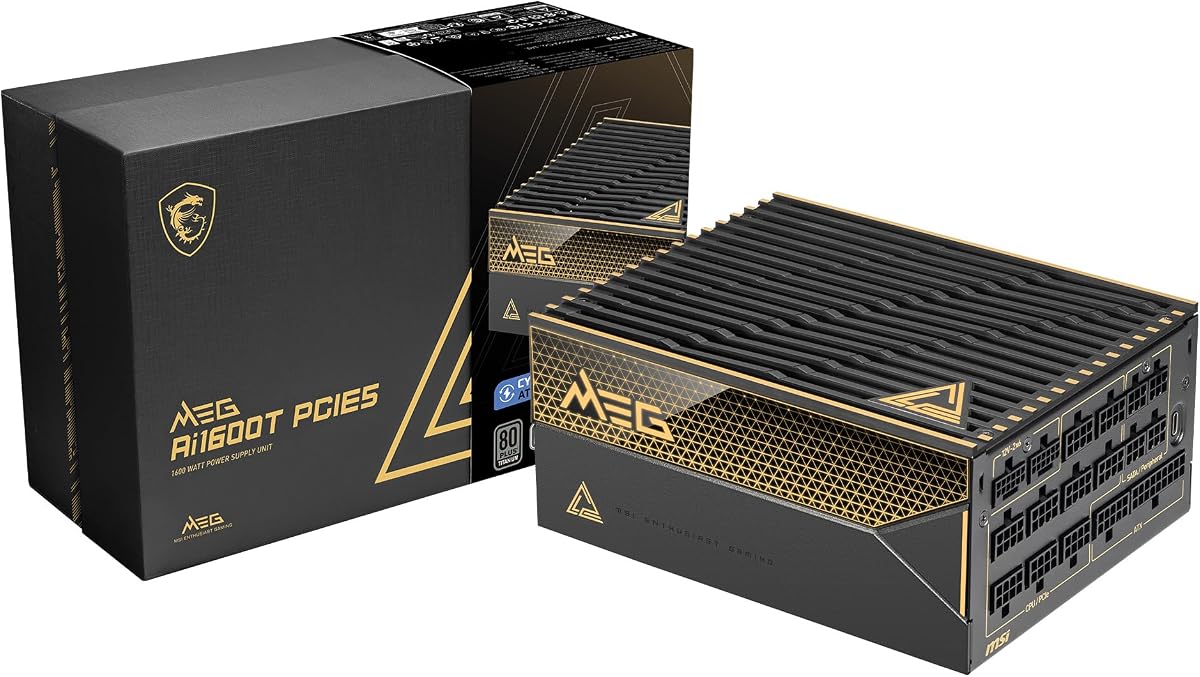
The MSI MEG Ai1600T PCIE5 targets gamers wanting durability. It uses server-grade capacitors and dual 12V-2×6 connectors for stable power to high-end graphics cards.
We may earn a commission when you buy through this link, at no additional cost to you.
Its protection suite includes OCP, OTP, OPP, SCP, OVP, UVP, SIP, and NLO for comprehensive safety. The 12 year warranty shows confidence in its long-term reliability.
The braided cables are durable but may be stiff during routing. It offers excellent value considering the components and warranty length.
Buy this if you want a secure, long-term solution. It is ideal for gaming rigs that need top-tier protection.
Server-grade capacitors ensure the unit can handle heavy loads and frequent power cycles without degradation.
Industrial level protection covers all major electrical risks to safeguard your components from damage.
We may earn a commission when you buy through this link, at no additional cost to you.
The be quiet! Dark Power Pro 13 offers unique control. Its digital control and full bridge LLC technology provide unmatched signal stability. It features an overclocking key to switch rails.
We may earn a commission when you buy through this link, at no additional cost to you.
The full mesh front with funnel-shaped air inlet ensures efficient cooling. It is fully modular and meets ATX 3.1 standards for modern hardware.
The overclocking key allows switching between six rails or one massive rail for specific needs. This flexibility appeals to extreme enthusiasts.
This unit is best for high-performance overclockers. It balances power stability with advanced control features for tuning.
The funnel-shaped air inlet directs air efficiently to cool the internal components even under heavy loads.
Fully modular cables allow for clean builds and better airflow inside your PC case.
We may earn a commission when you buy through this link, at no additional cost to you.
The EVGA SuperNOVA 1600 G2 is a legendary unit. It is fully modular and features a 140mm double ball bearing fan for longevity. It offers strong efficiency for its price.
We may earn a commission when you buy through this link, at no additional cost to you.
It is SLI and Crossfire ready for multi-GPU setups. Heavy-duty protections safeguard your investment. However, it lacks newer ATX 3.1 connectivity.
While efficient, it uses older connector standards for modern GPUs. You may need adapters if using the latest RTX cards.
This is best for legacy upgrades or those prioritizing cost. It delivers power but lacks next-gen connectivity features.
Double ball bearings ensure long fan life and reliable operation over many years of use.
Fully modular design reduces clutter and allows users to connect only the cables they require.
We may earn a commission when you buy through this link, at no additional cost to you.
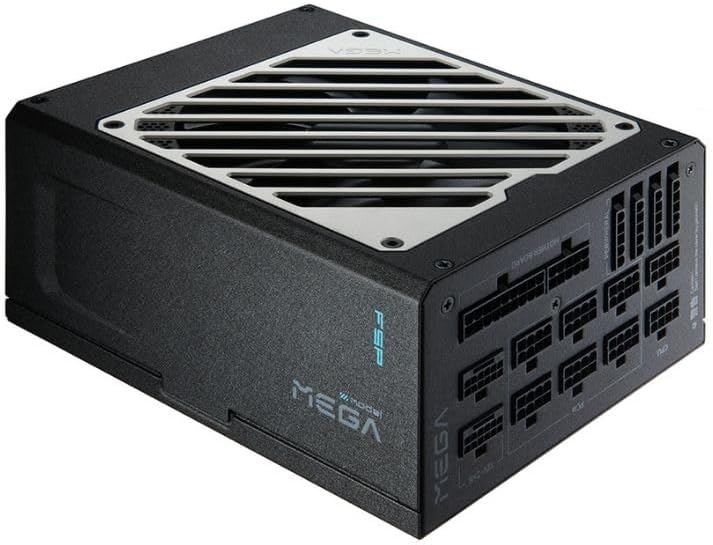
The FSP MEGA TI 1650W offers massive power in a compact design. Its 180mm depth fits many cases better than deeper units. It uses Japanese bulk capacitors for stability.
We may earn a commission when you buy through this link, at no additional cost to you.
With an Eco semi-fanless mode, it stays silent below 40% load. It features dual native 12V-2×6 connectors for modern GPUs.
FSP is a reputable manufacturer often seen in OEM builds. This unit brings that quality to retail with strong efficiency ratings.
This is best for compact high-power builds. It balances size with extreme power delivery for modern systems.
The Zero RPM mode ensures the fan stays off during low loads for a truly silent computing experience.
Certified Titanium efficiency reduces power loss and heat, making the unit cooler overall.
We may earn a commission when you buy through this link, at no additional cost to you.
The EVGA SuperNOVA 1600 P2 is a proven workhorse. It offers 80 Plus Platinum certification for high efficiency and reliability. Its ECO Mode reduces fan speed based on load.
We may earn a commission when you buy through this link, at no additional cost to you.
Japanese capacitors ensure long-term performance. The fully modular design helps keep cables organized. It remains a top pick for those avoiding newer proprietary cables.
Like the G2, it lacks ATX 3.1 connectors. It suits systems where standard power delivery is sufficient for your GPU needs.
This is best for stable traditional setups. It delivers proven performance with a long warranty for peace of mind.
Platinum level efficiency means less wasted energy and lower electricity bills over time.
ECO mode adjusts fan behavior to balance cooling and noise based on current system demand.
We may earn a commission when you buy through this link, at no additional cost to you.
Selecting the right 1600W power supply involves balancing power, efficiency, and future compliance. Use this guide to identify the features that match your needs.
Efficiency ratings like 80 Plus Gold, Platinum, or Titanium show how much electricity is converted to power versus wasted as heat. Higher tiers like Titanium are best for high-wattage builds to reduce electricity costs.
Look for units with at least Platinum certification for 1600W to ensure optimal performance and lower heat output.
Modern GPUs require transient power handling. ATX 3.1 and PCIe 5.1 compliance ensures the PSU can handle sudden power spikes without crashing.
Always choose a unit that explicitly states compliance with these newer standards for future-proofing.
Native 12V-2×6 connectors are safer than adapters. They connect directly to modern GPUs to reduce connection risks.
Verify that the unit includes the specific cables your GPU requires before purchasing.
Fully modular PSUs let you use only the cables needed. This improves airflow and makes installation much cleaner.
Always choose fully modular units for high-wattage builds to simplify cable management.
Japanese capacitors and high-grade internal components ensure longevity. They withstand heat better than standard parts.
Look for units explicitly stating they use 100% Japanese capacitors for reliability.
High-wattage PSUs can be loud under load. Units with FDB fans or semi-passive modes stay quieter at low loads.
Prioritize units with noise certifications like Cybenetics Lambda A if silence matters to you.
A longer warranty indicates manufacturer confidence. High-end units often come with 10 to 12 years of coverage.
Check the warranty terms to ensure they cover parts and labor fully.
Connect the main 24-pin and CPU cables first. Secure all connections to ensure stable power delivery.
Keep the intake vents clean. Dust buildup reduces cooling efficiency and may shorten lifespan.
Avoid overloading the PSU with unnecessary peripherals. Use only the cables required for your system.
Yes 1600W is sufficient for most high-end dual-GPU setups. It provides headroom for future upgrades.
If you have an RTX 4090 or similar, a native 12V-2×6 cable is safest. It avoids risky adapters.
Yes. Japanese capacitors handle heat better and last longer. They are standard for high-end PSUs.
Higher efficiency reduces waste heat and electricity costs. It is crucial for continuous high loads.
Check case dimensions. Some units are 180mm deep and may not fit all chassis sizes.
A modular PSU lets you attach only the cables you need. This improves airflow and looks cleaner.
We reviewed top models like the ASRock PG 1600G for value and the Seasonic Prime TX-1600 for silence. Each offers distinct strengths.
Prioritize ATX 3.1 compliance and modularity for your setup. Ensure your case has enough space for the unit depth.
Always check current prices as they change frequently. Use this guide to find the best option for your build.