
Wathai 2 Pack 120mm PC Fan Dust Filter Cover
4.7Editor score
PVC material construction
120mm standard size
Helps minimize fan noise
Keeping your computer clean is vital for longevity and performance. Dust filters act as the first line of defense against debris that can clog fans and cause overheating issues over time.
We analyzed ten highly rated options based on material quality, ease of installation, and filtration efficiency. This list covers magnetic, DIY, and standard screw-on styles for various case sizes.
Each pick highlights specific strengths like airflow balance or durability. Please note that prices and availability change frequently, so verify current details before making your final purchase decision.
4.7Editor score

4.6Editor score

4.8Editor score
As an Amazon Associate we earn from qualifying purchases.
The following table provides a side-by-side comparison of all ten selected products. It highlights key specifications like size, material, and package contents to help you quickly identify the right fit for your setup.




The MoKo 400x300mm DIY PC Case Dust Mesh Fan Filter stands out as a top choice for users needing flexible protection. With a high 4.6 rating, it offers a wide range of size selection for various cooling ports.
We may earn a commission when you buy through this link, at no additional cost to you.
Its standout feature is the magnetic strip system. You can peel off the adhesive backing and attach the mesh easily to iron shells without drilling. This makes disassembly and cleaning incredibly simple and time-saving.
The 1mm hole design prevents dust and hair from entering while avoiding airflow restriction. However, note that it relies on magnetic attachment so non-metal surfaces may require extra steps for secure mounting.
This filter is ideal for custom cases or large chassis where standard sizes fail. It is also suitable for gaming consoles or speaker grills. For those prioritizing versatility and ease of use, this is a reliable recommendation.
The large sheet size allows you to cut exactly what you need for unique or oversized vents.
Strong magnets ensure a tight seal against dust without permanent screws or tools.
We may earn a commission when you buy through this link, at no additional cost to you.
The Wathai 120mm dust filter is an excellent budget option for standard cases. It holds a 4.7 rating due to its practical size and effective dust protection for home computer chassis fans.
We may earn a commission when you buy through this link, at no additional cost to you.
It is made of durable PVC and fits standard fans perfectly. The main benefit is cost-effectiveness while still minimizing noise and extending the lifespan of your components.
The only trade-off is the lack of a built-in frame or magnetic system. You may need to secure it with screws or tape which adds a bit of effort to installation.
This product is perfect for users on a tight budget who have standard 120mm intake fans. It is a solid choice for maintaining cleanliness without spending much money.
The filter helps dampen airflow turbulence which can reduce overall system noise.
With two filters in the pack, you can cover multiple intake points affordably.
We may earn a commission when you buy through this link, at no additional cost to you.
With a 4.8 rating, this 360mm filter offers premium performance for large radiators or intake panels. It features an ultra-fine mesh design that effectively blocks dust particles while ensuring efficient operation.
We may earn a commission when you buy through this link, at no additional cost to you.
The high-quality PVC material resists deformation and is designed for long-lasting everyday use. Installation requires no tools or screws as the magnetic frame allows quick placement.
One consideration is the specific size which may not fit smaller fans. However, for large case fans or radiator mounts, it provides superior protection without airflow restriction.
If you need a reliable solution for a large intake area, this is a top-tier choice. Its ease of use and durability make it worth the investment for serious builders.
The fine mesh captures smaller dust particles that larger holes might let through.
Magnetic attachment makes removing the filter for cleaning effortless every week.
We may earn a commission when you buy through this link, at no additional cost to you.
This filter features a thickened aluminum frame with ultra-fine stainless steel mesh. It is designed for standard 120mm fans and comes with 16 screws for secure mounting.
We may earn a commission when you buy through this link, at no additional cost to you.
The metal construction provides extra durability compared to plastic options. It also acts as a finger guard to prevent accidental contact with spinning blades inside the case.
Installation involves screwing the frame into place which is more permanent. However, it ensures a robust barrier against dust and physical damage to internal components.
Choose this if you prefer metal durability over magnetic flexibility. It is an ideal choice for rigs where safety and sturdy construction are top priorities.
The rigid grid prevents fingers from touching hot spinning fan blades.
Aluminum and stainless steel resist warping better than plastic over time.
We may earn a commission when you buy through this link, at no additional cost to you.
This 400x300mm mesh filter provides effective dust protection for long-term PC longevity. It is an essential accessory for maintaining a clean gaming PC or workstation.
We may earn a commission when you buy through this link, at no additional cost to you.
The flexible magnetic mounting system allows tool-free removal for washing. It is waterproof so you can rinse it under water to restore performance without buying replacements.
The fine mesh pattern balances dust filtration with minimal airflow restriction. It ensures your fans can pull in cool air efficiently while keeping the internal environment clean.
This product suits those who need to cover large areas like bottom intakes. Its washable nature saves money over time compared to disposable plastic filters.
Simply rinse under tap water to remove dust without degrading the material.
The big sheet size helps cover multiple large vents easily.
We may earn a commission when you buy through this link, at no additional cost to you.
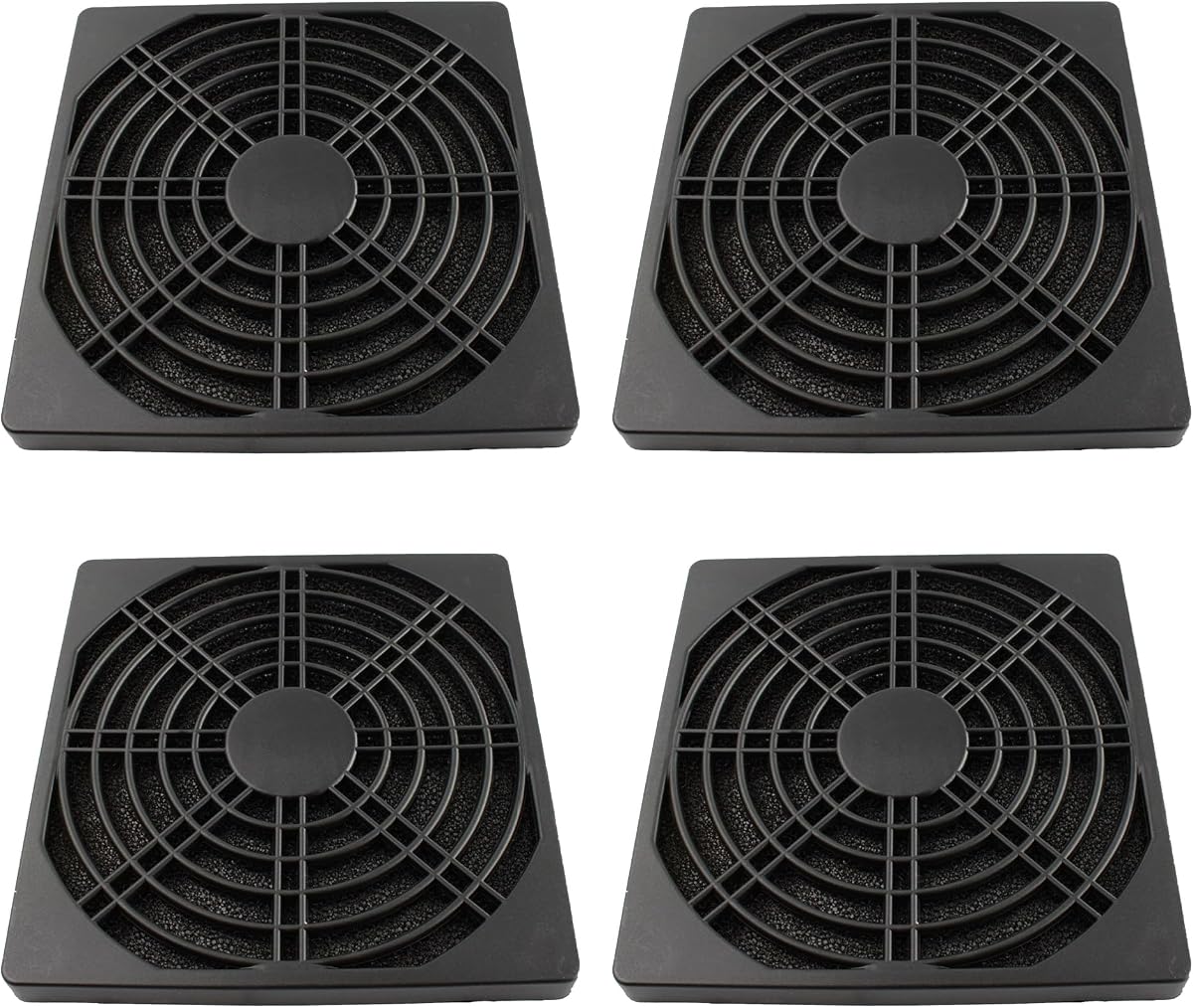
These filters are designed to fit perfectly over PC computer case fans with 120mm square dimensions. They trap dust effectively using a fine mesh that allows maximum airflow.
We may earn a commission when you buy through this link, at no additional cost to you.
The square shape ensures compatibility with various computer case fan models. They are made from durable plastic materials to resist wear and tear over time.
While they lack magnetic features, they offer reliable protection for desktops and servers. The four-pack value makes them cost-effective for covering multiple intake fans.
This option is great for standard cases where you need basic reliable protection. It helps improve overall system performance by keeping internal components clean.
High-quality plastic ensures the filters do not crack during cleaning.
Designed specifically to match common 120mm square fan outlines.
We may earn a commission when you buy through this link, at no additional cost to you.
This bulk pack offers 12 filters which is perfect for systems needing multiple intake points. It is suitable for home computer chassis fans and speaker grilles.
We may earn a commission when you buy through this link, at no additional cost to you.
The PVC material helps protect your computer from overheating by blocking dust. It also minimizes noise from the fan while extending the lifespan of your components.
Because it is a bulk pack, you can cover every vent easily. However, you will need to screw them in as they do not include magnetic strips.
This value set is ideal for extensive builds or server racks. It provides comprehensive dust protection without needing to buy individual units separately.
Buying twelve units at once saves money for large multi-fan setups.
Blocking dust reduces friction which can lower fan sound levels.
We may earn a commission when you buy through this link, at no additional cost to you.
This pack includes 5 filters designed for 140mm fans. The ultra-fine PVC mesh has a hole diameter of 0.5mm to capture fine dust effectively.
We may earn a commission when you buy through this link, at no additional cost to you.
It attaches tool-free to any computer case with magnetic frames. The premium material withstands repeated washing without deformation over time.
The only drawback is the hole size which might restrict airflow more than larger holes. However, it ensures maximum dust protection for sensitive hardware.
Choose this if you have 140mm fans and need easy removal for washing. It is a practical solution for maintaining optimal circulation of airflow.
Smaller holes trap finer particles that larger filters might miss.
Rinse under tap water every few months to keep it clean.
We may earn a commission when you buy through this link, at no additional cost to you.
This filter features a 0.8mm mesh optimized for airflow efficiency of 68%+. It is excellent for shedding seasons because it traps cat and dog hair before it jams fans.
We may earn a commission when you buy through this link, at no additional cost to you.
It includes 40 steel screws for vibration-proof mounting which is more secure than magnets. The mesh holes are large enough to resist moisture clogging in humid climates.
The rigid PVC grid also shields spinning blades to keep fingers safe. It is essential for homes with kids or pets near the computer setup.
This is a strong choice for pet owners needing reliable protection. The screw mount ensures the filter stays in place during heavy usage.
The mesh size stops fur from entering the fan blades easily.
Steel screws prevent the filter from vibrating loose over time.
We may earn a commission when you buy through this link, at no additional cost to you.
This 4-pack offers standard 120mm filters with a magnetic frame for easy placement. They effectively reject dust entry when inhaling cold air into the case.
We may earn a commission when you buy through this link, at no additional cost to you.
The PVC mesh is exceptionally long-lasting and can be washed with water. They are designed to be mounted on casing or power supply units easily.
Be gentle when cleaning to avoid bending the frame. Regular maintenance every couple of weeks helps maintain efficiency.
Choose this if you want reliable standard-sized filters. It provides efficient dust reduction properties to protect your computer from overheating.
Place anywhere on metal chassis without tools or screws.
Blocks dust while letting cold air pass through efficiently.
We may earn a commission when you buy through this link, at no additional cost to you.
Selecting the right filter depends on your case size and mounting preferences. This guide breaks down the critical factors to consider.
Ensure the filter matches your fan dimensions. Standard sizes are 120mm and 140mm. Larger intakes may need DIY cut-to-fit options.
Always measure your fan intake area before purchasing to ensure compatibility.
Filters come in plastic, metal, or PVC. Metal is durable but heavier while plastic and PVC are lightweight and easy to clean.
Choose plastic for weight and metal for durability and safety.
Magnetic frames offer easy removal but require metal surfaces. Screw-in options are more secure for high vibration setups.
Consider your case material when choosing between magnetic or screw mounts.
Finer mesh blocks more dust but restricts airflow. Coarser mesh allows better airflow but lets more dust through.
Balance filtration with cooling needs based on your climate and dust levels.
Reusable filters save money. Ensure the material can be washed without deforming or losing structural integrity.
Look for PVC or metal options that are waterproof and durable.
Buying multi-packs is often cheaper. Calculate how many intake fans you have to avoid overbuying or underbuying.
A 4-pack or more is usually ideal for standard desktop towers.
Filters accumulate dust over time. Select options that remove quickly to make regular maintenance simple.
Tools-free options save significant time during cleaning routines.
Filters should match your build theme. Black mesh blends with most cases but check frame colors if visible.
Keep the look consistent for a clean final build appearance.
To install a magnetic filter, peel off the backing and press firmly onto the metal chassis or fan frame. Ensure a tight seal to prevent dust leaks.
Screw-in filters require aligning the holes with your fan mount. Use the included screws to secure them tightly before turning on the power.
Clean your filters every few weeks using warm water. Let them dry completely before reattaching to avoid moisture damage inside the case.
Most filters are designed to balance airflow and filtration. While any mesh restricts airflow slightly, high-quality options minimize this impact to avoid overheating.
It is recommended to clean them every two to four weeks. Frequency depends on your environment so check them if they appear dusty.
Magnetic filters only work on metal surfaces. If your case is plastic, you may need to use adhesive or screw-on alternatives for secure mounting.
DIY cut-to-fit filters allow you to cover multiple intakes with one piece. However, ensure the airflow is not restricted by blocking all openings completely.
PVC is generally more flexible and washable while hard plastic is rigid. PVC is often preferred for easy cleaning and fitting around curved edges.
Yes, filters designed for pet hair have a specific mesh size to trap fur. They are highly effective for owners with cats or dogs near the computer.
Most filters are tool-free or come with screws. The process is straightforward but requires careful alignment to avoid gaps or misalignment.
No, hand washing is recommended. Metal filters can bend or rust in a washing machine so rinse under water and dry them manually.
We reviewed ten top choices ranging from DIY sheets to premium magnetic options. The MoKo DIY and MoKo 120mm stand out for versatility and standard sizing.
Prioritize material quality and mounting system based on your specific case. Magnetic frames are convenient while screw-in options offer better security.
Remember that prices change regularly so check current listings before buying. Investing in a good filter now extends the life of your expensive components.