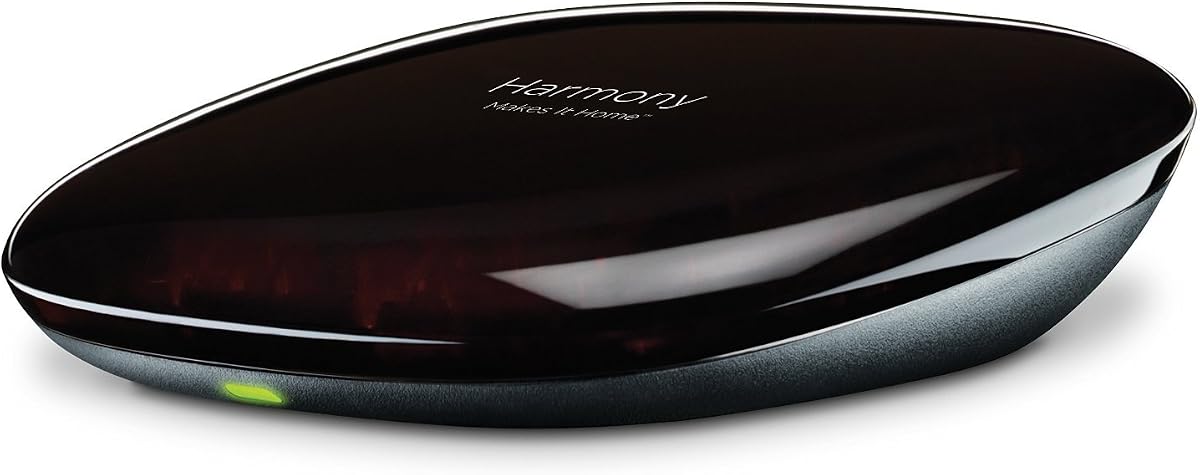
Logitech Harmony Home Hub for Smartphone Control of 8 Home Entertainment and Automation Devices (Renewed)
3.9Editor score
Closed cabinet control included
Compatible with Alexa voice
Combines up to eight remotes
This comprehensive guide compares the top Logitech Harmony Home Hub models available in October 2026 to help you find the perfect universal control solution
Finding the right universal remote system can transform how you interact with your home entertainment setup. A quality hub allows seamless control over multiple devices from a single interface, reducing clutter and simplifying daily use.
We have analyzed ten different Logitech Harmony Home Hub models based on their features, compatibility, and user feedback. This list covers everything from budget-friendly renewed options to premium models with advanced touchscreen capabilities.
Each selection highlights specific strengths to help you match a product to your unique setup needs. Please note that prices and availability change frequently, so verify current details before making your final purchase decision.
3.9Editor score

3.7Editor score

3.8Editor score
This side-by-side comparison outlines the key specifications and capabilities of each Logitech Harmony Home Hub model to help you quickly identify which device fits your specific home automation and entertainment needs.
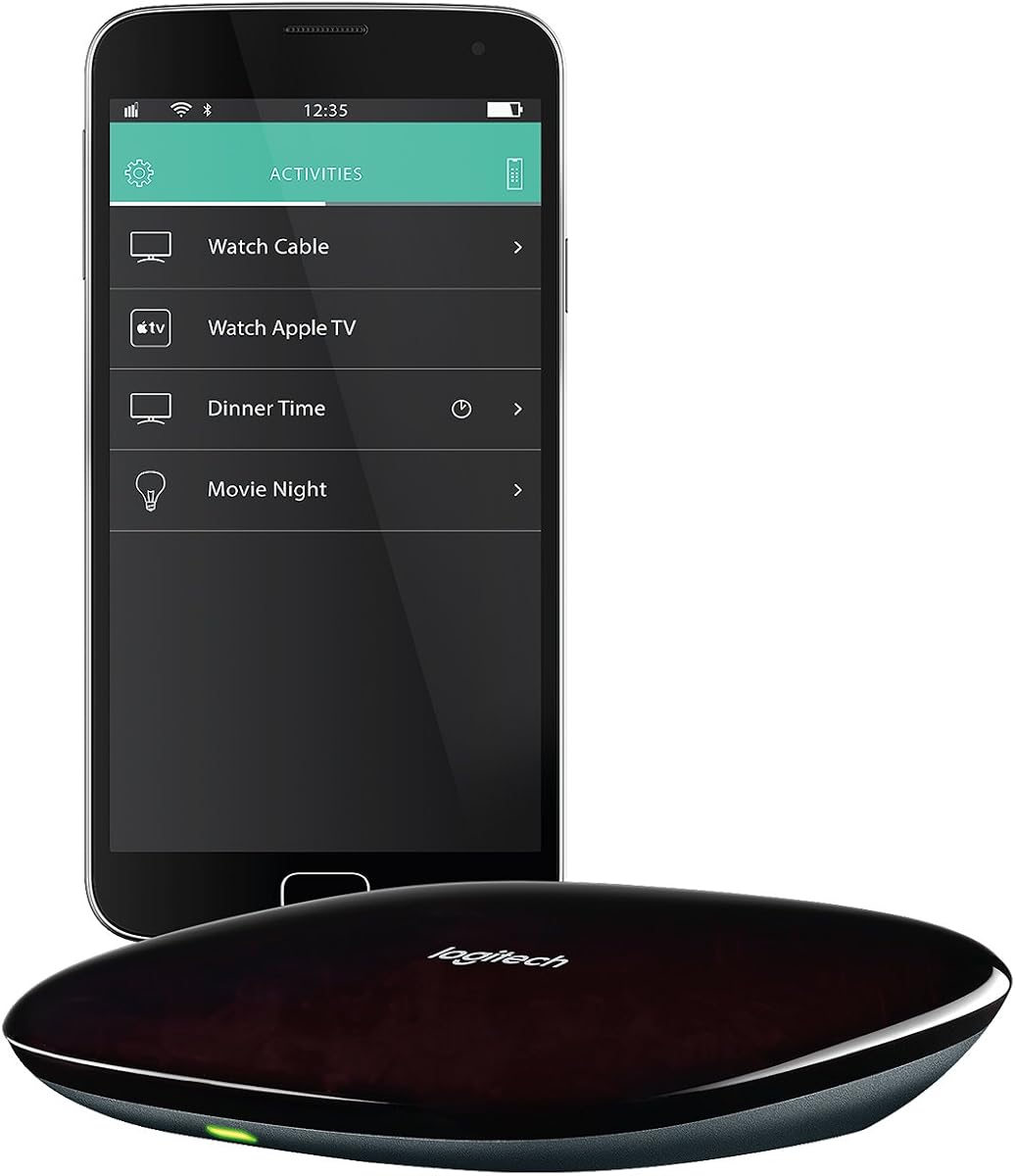


The Logitech Harmony Hub serves as a foundational entry point for those seeking basic universal remote capabilities. With a rating of 3.9 stars it offers reliable control over up to eight home entertainment devices without requiring complex setup procedures or advanced technical knowledge.
We may earn a commission when you buy through this link, at no additional cost to you.
This model focuses on core functionality allowing users to consolidate multiple remotes into one central device. It supports standard infrared signals which means it works with most televisions cable boxes and media players currently in use. The compact design ensures it does not add unnecessary bulk to your entertainment center.
However users should be aware that this specific model has been discontinued by the manufacturer which may affect long-term support or replacement parts availability. It lacks the advanced smart home integration and touchscreen interfaces found in newer models so it is best suited for straightforward entertainment control needs.
If you need a simple and cost-effective way to manage your media devices without needing voice control or smart home automation this hub provides a solid starting point. It is ideal for users who prioritize basic reliability over cutting-edge features and do not require extensive automation capabilities.
This hub uses standard infrared technology to communicate with your devices which ensures compatibility with most existing equipment without needing additional bridges or adapters for basic operation.
The hardware supports up to eight devices which is sufficient for standard living room setups but may require careful management if you have an extensive collection of entertainment equipment to control.
We may earn a commission when you buy through this link, at no additional cost to you.
The Logitech Harmony Elite stands out as a comprehensive solution for users who want ultimate control over their home entertainment and connected devices. Despite a rating of 3.7 stars it offers an interactive full-color touchscreen that simplifies navigation through complex device menus and settings for up to fifteen different devices.
We may earn a commission when you buy through this link, at no additional cost to you.
Its One-touch Activities feature allows you to initiate complex tasks like watching a movie with a single tap by automatically powering on and adjusting all connected devices to ideal settings. The integration with Amazon Alexa provides convenient voice command options adding another layer of accessibility to your daily use.
While the functionality is robust the initial setup can be time-consuming as it requires pairing multiple devices and configuring custom activities. The reliance on the mobile app for certain features means you need a smartphone nearby if you want to utilize the full range of capabilities available.
This model is best suited for tech-savvy users who value convenience and automation in their home entertainment setup. If you want to manage lights thermostats and media devices from a single interface and are willing to invest time in configuration this Elite remote offers powerful and seamless integration.
The full-color touchscreen allows for intuitive swipes and taps to adjust channels volume and settings which makes navigating through menus significantly easier than using traditional button-based remotes.
Full compatibility with Amazon Alexa enables streamlined voice control and activation meaning you can change channels or launch activities without touching the remote or opening the smartphone app.
We may earn a commission when you buy through this link, at no additional cost to you.
The Logitech Harmony Smart Control bridges the gap between traditional remotes and modern smartphone integration. With a 3.9 star rating it allows you to use your iOS or Android device as a powerful universal remote while including a physical remote for those who prefer tactile buttons.
We may earn a commission when you buy through this link, at no additional cost to you.
The included Harmony Hub lets you control devices hidden behind cabinet doors or walls which expands your setup options significantly. It supports Wi-Fi connectivity and offers future-proof control for up to eight devices including popular streaming players and game consoles.
One limitation is its reliance on internet access for certain features which means you need a stable connection to utilize the full range of capabilities. The physical remote includes a removable battery which adds convenience but also requires occasional maintenance to keep it operational.
This model is ideal for users who want the flexibility of controlling their entertainment system from their smartphone but also appreciate having a backup physical remote. It works well for standard entertainment setups where advanced smart home automation is not a primary requirement.
You can switch between using the smartphone app for advanced features and the included physical remote for basic functions which provides versatility for different user preferences in the household.
The Harmony Hub component allows you to control devices that are hidden behind cabinet doors using infrared signals that can pass through materials or use an IR blaster extension.
We may earn a commission when you buy through this link, at no additional cost to you.
The Logitech Harmony Ultimate Hub is specifically designed to solve the common problem of controlling devices hidden inside entertainment cabinets. With a rating of 3.9 stars it works with the mobile app and an IR mini-blaster to ensure reliable signal transmission even when devices are not directly in line of sight.
We may earn a commission when you buy through this link, at no additional cost to you.
This model focuses on practical utility by allowing you to access streaming services like Netflix and YouTube on various platforms through the mobile interface. It supports advanced control of up to eight devices which covers most standard home theater configurations effectively.
The primary dependency is on the mobile app for navigation meaning you may need to carry your phone to access all features. It does not include a dedicated touchscreen remote so the experience relies heavily on the smartphone interface which might not appeal to all users.
If you frequently store your media players or consoles behind cabinet doors this hub offers a reliable solution. It is best for users who prioritize functionality and hidden device access over having a dedicated physical touchscreen remote for everyday use.
The included IR mini-blaster ensures that signals reach devices even when they are inside a closed cabinet which removes the need to open doors every time you want to adjust settings.
Using your iOS or Android smartphone as a universal remote provides a flexible interface that is easy to update and use without requiring additional physical hardware in your living room.
We may earn a commission when you buy through this link, at no additional cost to you.
The renewed Logitech Harmony Home Hub provides an accessible entry point for users seeking automation without a high upfront cost. It maintains a strong 3.9 star rating by offering essential features like closed cabinet control and Alexa compatibility which are often reserved for more expensive models.
We may earn a commission when you buy through this link, at no additional cost to you.
This model allows you to combine up to eight remotes and countless apps into one easy-to-use smartphone app. You can create customized activities such as turning on specific lights launching Netflix and adjusting your TV settings with a single tap on your device.
As a renewed product the physical condition may vary and the battery life might not match that of a brand new unit. However the core functionality remains intact making it a practical choice for those who want smart control features at a reduced price point.
If you are looking for a cost-effective way to automate your entertainment system and do not need a physical touchscreen remote this hub is a solid choice. It works well for users who already own a smartphone and prefer app-based control over traditional remotes.
By choosing a renewed option you can access premium features like closed cabinet control and voice integration at a fraction of the original price which makes smart home automation more affordable.
You can create tailored activities that control multiple devices at once such as setting your lights and media player to specific states for different times of day or events.
We may earn a commission when you buy through this link, at no additional cost to you.
The Logitech Ultimate Home Touch Screen Remote (Renewed) offers a physical interface for users who prefer holding a dedicated device over using a phone. With a 3.7 star rating it brings the convenience of a touchscreen to your living room at a more accessible price through the renewed program.
We may earn a commission when you buy through this link, at no additional cost to you.
This model includes the core features of the Ultimate series such as the ability to control multiple devices and customize icons for easy navigation. The black finish provides a sleek look that blends well with modern entertainment centers while offering reliable signal transmission.
Users should note that as a renewed product there may be minor cosmetic imperfections and the software may not include the very latest updates. The setup process can be complex because it requires programming multiple device codes which can be time-consuming for beginners.
If you want the feel of a real remote with a touchscreen and are comfortable with a slightly older version of the software this is a good option. It is best for users who do not need voice commands but want the convenience of a dedicated control device.
Having a dedicated touchscreen remote means you do not need to rely on your smartphone battery or connectivity to control your media which provides a more stable and independent control experience.
You can customize the screen to match your specific needs by adding or removing buttons which makes the device adaptable to your exact entertainment setup preferences.
We may earn a commission when you buy through this link, at no additional cost to you.
The renewed Logitech Harmony Elite brings voice control capabilities to a more budget-friendly package. With a rating of 3.5 stars it still offers the core Elite features like the full color touchscreen and extensive device compatibility which remain valuable for most entertainment setups.
We may earn a commission when you buy through this link, at no additional cost to you.
This model allows you to control up to fifteen home entertainment and connected home devices from one tool. The One-touch Activities feature lets you automate routines such as watching a movie by powering on and adjusting settings automatically with a single touch.
As a renewed unit the hardware may have been refurbished which could result in slight differences in battery performance or cosmetic condition. The reliance on the app for full functionality means you need to keep your mobile device updated for best performance.
If you want the premium Elite experience with voice control but prefer to save money by choosing a renewed option this model fits the bill. It is suitable for users who want a powerful all-in-one remote without paying full retail price.
Compatibility with Amazon Alexa allows you to control your devices using voice commands which is helpful when your hands are busy or you are across the room from your entertainment center.
Setting up one-touch activities simplifies your daily routine by automating complex sequences of commands that would otherwise require multiple button presses on different remotes.
We may earn a commission when you buy through this link, at no additional cost to you.
The renewed Logitech Harmony Elite kit provides a complete control solution with the hub remote and smartphone app all included in one package. Its 3.9 star rating reflects strong satisfaction among users who value having all necessary components for a unified control experience.
We may earn a commission when you buy through this link, at no additional cost to you.
This setup transforms your smartphone into a personal universal remote for the whole house which offers flexibility in how you interact with your devices. The included hub ensures that devices can be controlled even when they are hidden behind cabinets or walls.
Because it is a renewed product you may encounter cosmetic imperfections or variations in battery life compared to a new unit. The initial setup requires time to register all devices and customize activities which might be a hurdle for some users.
If you want a complete and reliable system without paying full price this kit is a solid investment. It works best for users who prefer a combination of physical remote and app control for managing their home entertainment setup.
Receiving the hub remote and app together ensures you have all the necessary tools to control your devices from any angle without needing to buy extra accessories separately.
Turning your smartphone into a remote means you can control your devices from anywhere in the house as long as you have internet connectivity and the app installed.
We may earn a commission when you buy through this link, at no additional cost to you.
The renewed Logitech Harmony Elite Remote Control provides just the physical remote component for users who already have a hub or want to expand their current setup. With a 3.8 star rating it delivers the core touchscreen experience and automation features that define the Elite line.
We may earn a commission when you buy through this link, at no additional cost to you.
This remote supports up to fifteen home entertainment and connected home devices which is great for complex setups. The One-touch Activities feature allows you to launch routines like watching a movie by automatically switching devices to the right settings with a single tap.
One important note is that this product is the remote alone so you will need a compatible hub for it to function properly. As a renewed item you may see signs of prior use which does not affect functionality but could impact aesthetics.
If you need a replacement remote or want to add a physical control option to an existing system this is a practical choice. It is best for users who are already familiar with the Harmony ecosystem and just need the handheld interface.
Buying just the remote allows you to keep your existing hub while adding a convenient physical control option which is helpful for guests or family members who prefer buttons over screens.
With support for over 270000 devices this remote can handle virtually any brand of TV audio system or smart home accessory you might own.
We may earn a commission when you buy through this link, at no additional cost to you.
The Logitech Harmony 1100 represents a premium legacy model that focuses on robust hardware and RF wireless capability. With a 3.8 star rating it offers a large 3.5-inch full-color touch screen that delivers a smooth and responsive user experience for managing up to 225000 devices.
We may earn a commission when you buy through this link, at no additional cost to you.
Unlike newer IR-based models this remote uses RF technology which means you can control devices even when they are hidden behind closed doors or inside cabinets without needing a separate hub. The rechargeable battery ensures you can use it for extended periods without constant battery changes.
One major drawback is that it lacks modern smart home integrations like voice commands or app control which limits its compatibility with current ecosystems. The high price point also makes it a less attractive option compared to newer models that offer more connectivity features.
If you need a dedicated physical remote with high build quality and do not care about app or voice control this model is a strong candidate. It is best for users who value reliability and RF control over modern connectivity features.
The RF capability allows you to control devices through obstacles which means you can hide your media players in a cabinet without sacrificing control convenience.
You can customize commands icons and screens to match your specific needs which makes the device highly adaptable to your personal preferences.
We may earn a commission when you buy through this link, at no additional cost to you.
Selecting the right Harmony hub depends on several factors ranging from device count to control methods and automation needs.
Ensure the hub supports all your current entertainment and smart home devices. Most models work with over 200000 devices but some older or specific brands may require additional verification during setup.
Check the compatibility list on the product page to confirm your specific TV audio receiver and streaming devices are supported before purchasing.
Decide whether you want a physical remote an app-based system or both. Some models include only a hub while others bundle a physical remote which may be preferred by those who do not want to rely on a smartphone.
Consider how your family uses the system and whether a tactile interface is more practical for daily use than a touchscreen app.
If you want to control lights locks and thermostats choose a model that explicitly supports smart home devices. Not all hubs have this capability so verify that the model supports the specific brands you own.
Integration with assistants like Alexa or Google Home adds convenience but may require a compatible model that supports voice protocols directly.
One-touch Activities are a key feature to look for if you want to automate routines like watching a movie. These features allow multiple devices to be controlled with a single command which simplifies the user experience.
Evaluate how customizable these activities are and whether the setup process fits your technical comfort level.
Choose between IR and RF technologies based on your device placement. IR requires line of sight which means devices cannot be behind closed doors while RF can penetrate obstacles but may require a specific model.
If you plan to hide devices in cabinets prioritize models that include IR blasters or RF capabilities for reliable signal transmission.
A robust mobile app is essential for configuring the hub and accessing advanced features. Check that the app supports your operating system and is regularly updated to ensure security and compatibility.
Review user feedback regarding app stability since a poorly functioning app can make the hub difficult to use effectively.
New models generally cost more but come with warranties and latest features while renewed options offer significant savings. Assess whether a renewed unit meets your needs based on the warranty and seller reputation.
Consider the long-term value of a more expensive model that may last longer or support more devices over time.
The physical design and interface type play a major role in user satisfaction. Touchscreens offer customization while physical buttons provide tactile feedback that some users prefer for quick access.
Choose a design that feels comfortable in your hand and provides an intuitive layout for your most used functions.
Start by downloading the official Harmony app and connecting the hub to your home Wi-Fi network. Follow the on-screen instructions to add your devices by selecting them from the database and testing basic commands like power and volume.
Once your devices are added create custom Activities that combine multiple commands into one action. For example create a Watch TV activity that turns on the TV soundbar and cable box simultaneously with a single button press.
Keep the hub firmware updated through the app to ensure security and performance. Clean the remote and sensors gently with a dry cloth and avoid exposing the hub to extreme temperatures or moisture.
Many Harmony models including the Elite and Home Hub support smart home devices like Philips Hue lights. You can control these devices directly through the app or include them in custom Activities to automate your environment along with media devices.
Yes certain models like the Ultimate Hub or Elite include IR mini-blasters that allow you to place a sensor near your hidden devices. This ensures that signals reach the equipment even when it is behind closed cabinet doors.
Voice control via Alexa is supported on select newer models like the Elite but not all hubs have this feature. Check the product specifications to confirm compatibility with voice assistants before purchasing if this is a priority.
Some models include a physical remote that functions independently of the smartphone app. If you choose a bundle with a remote you can control your devices even when your phone is not nearby or turned off.
Most models support up to eight devices while premium options like the Elite allow up to fifteen. This range covers most standard home theater setups but you may need to prioritize essential devices if you exceed the limit.
There are no ongoing subscription fees to use the basic functionality of the hub. However certain advanced features or cloud services may require an internet connection which you likely already have for other smart home devices.
We have reviewed ten different Logitech Harmony Home Hub models to help you find the right fit for your home entertainment needs. The top picks cover a range of budgets and feature sets from basic hubs to premium options with advanced automation.
When selecting a model prioritize compatibility with your specific devices and the control method that suits your lifestyle. Whether you prefer a physical remote or smartphone control there is a Harmony hub available to meet your requirements.
Prices and availability for these products change regularly so check current listings and reviews before finalizing your purchase. Choosing the right hub can significantly improve your daily interaction with your home entertainment system.