
HDMI Adapter for N64/ Game Cube/SNES
4.2Editor score
HDMI cable included
720P/1080P support
Plug and play
This guide compares the top GameCube HDMI adapters for modern TVs, evaluating video quality, compatibility, and features to help you choose the best adapter.
Connecting your classic Nintendo GameCube to a modern television requires a reliable adapter that preserves the original gaming experience. These adapters convert analog signals into digital HDMI output, ensuring compatibility with high-definition screens without sacrificing performance or introducing lag.
We compared ten leading GameCube HDMI adapters based on video fidelity, signal processing, ease of use, and build quality. Our analysis focuses on how each device handles resolution upscaling, aspect ratio options, and power requirements to provide a comprehensive overview for retro gaming enthusiasts.
Each pick highlights unique strengths such as GCVideo support, S-Video extraction, or plug-and-play simplicity. While prices fluctuate, these models represent the current market leaders for delivering crisp visuals and stable connections on today’s displays.
4.2Editor score

4.6Editor score

4.4Editor score
This side-by-side comparison evaluates all ten adapters across key specifications including video output, compatibility, and additional features to help you identify the most suitable option for your setup.



The Kaico Gamecube HDMI Adapter stands out as a premium solution for retro gamers seeking enhanced visual fidelity. With a 4.6-star rating, it delivers GCVideo Operating System support and line doubling features without needing extra power.
We may earn a commission when you buy through this link, at no additional cost to you.
Its standout qualities include a USB port for easy firmware updates and a remote for menu navigation. The included 3D printed shelf reduces strain on the digital connector, ensuring long-term durability while maintaining excellent signal quality.
Trade-offs involve compatibility only with DOL-001 GameCubes equipped with a digital port. The price is higher than basic converters, but the advanced features and warranty justify the investment for enthusiasts prioritizing performance.
Ideal for users wanting plug-and-play simplicity with upgrade potential. Choose this adapter if you value image clarity, remote control, and the flexibility to update firmware as new features emerge.
The adapter’s line doubling and scanlines features improve picture quality significantly compared to standard AV cables without external power.
A 3D printed shelf protects the digital connector from strain, extending the accessory’s lifespan during regular use.
We may earn a commission when you buy through this link, at no additional cost to you.
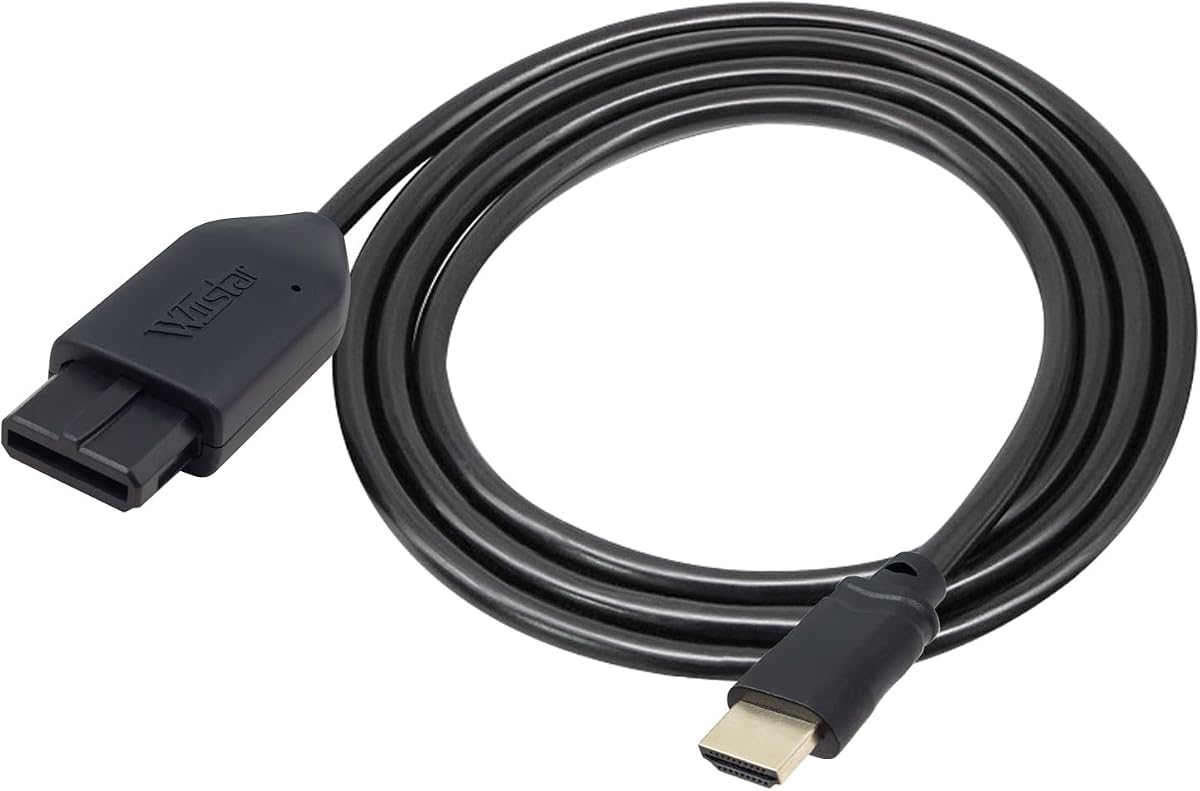
This HDMI adapter offers an affordable entry point for connecting legacy consoles like the GameCube to modern TVs. Rated 4.2 stars, it supports 720P/1080P output and includes the HDMI cable for immediate use.
We may earn a commission when you buy through this link, at no additional cost to you.
Key strengths lie in its plug-and-play functionality and lag-free performance. The smooth picture quality ensures classic games run seamlessly on high-definition displays without requiring complex setup steps.
However, it demands an external power supply which adds to the overall cost. The feature set is basic compared to advanced adapters lacking remote or firmware options.
Best for budget-conscious users prioritizing simplicity and performance. Select this if you need a reliable converter without extra bells and whistles or advanced customization features.
The adapter requires no additional software installation, allowing immediate gaming after connecting the console and TV.
At a lower price point, it delivers clear visuals and supports multiple legacy consoles beyond just the GameCube.
We may earn a commission when you buy through this link, at no additional cost to you.
The BITFUNX NGC to HDMI Adapter delivers premium performance with full digital HDMI format and zero transmission loss. Rated 4.4 stars, it features a remote for menu navigation and a bracket to protect the adapter.
We may earn a commission when you buy through this link, at no additional cost to you.
Standout qualities include advanced signal processing for precise colors and resolution. The adapter also supports homebrew software and offers storage expansion options for game backups via microSD cards.
Trade-offs include compatibility limited to DOL-001 consoles and the need for external power. The price is higher, but the feature-rich design justifies the cost for advanced users.
Perfect for enthusiasts seeking maximum control and quality. Choose this if you want remote access, firmware updates, and the ability to customize video modes and save game data securely.
Video and audio are transmitted in full digital HDMI format, ensuring no loss of quality during signal conversion.
A small black bracket protects the adapter from physical stress and enhances overall functionality and longevity.
We may earn a commission when you buy through this link, at no additional cost to you.
This Tengchi converter transforms analog composite input into HDMI 1080p output for modern displays. Rated 4.4 stars, it supports multiple TV formats and includes HDMI and USB cables for setup.
We may earn a commission when you buy through this link, at no additional cost to you.
Strengths include its plug-and-play nature and compatibility with various legacy devices. The external USB power ensures stable operation without relying on the console's limited output.
Downsides involve the requirement for an external power source and lack of 4K support. It is ideal for users needing a straightforward RCA to HDMI solution without complex features.
Recommended for basic retro gaming setups. Select this if you prioritize affordability and ease of use over advanced video processing or digital port compatibility.
Supports PAL, NTSC, and SECAM formats, ensuring it works with most standard composite devices including the GameCube.
No drivers or complicated software are required, making it easy to connect and start playing instantly.
We may earn a commission when you buy through this link, at no additional cost to you.
This all-in-one HDMI link cable converts analog RGB signals to digital HDMI without requiring extra cables. Rated 4.1 stars, it provides brighter and sharper image quality using S-Video signal output.
We may earn a commission when you buy through this link, at no additional cost to you.
Key strengths include its design that eliminates the need for additional cables. The built-in console-specific port and HDMI plug simplify the setup significantly for users seeking convenience.
Trade-offs include no sound output and limited to 1080p60hz resolution. Ensure your TV settings match the supported output to avoid blue screens or connection issues.
Best for users wanting a streamlined setup. Choose this if you value simplicity and cleaner cable management over advanced audio or video customization options.
The S-Video signal output provides better quality than standard composite, resulting in sharper graphics and colors.
Built-in console-specific ports remove the need for extra cables, allowing direct connection to your console.
We may earn a commission when you buy through this link, at no additional cost to you.
This 3-in-1 HD LINK adapter supports NGC, N64, and SNES with a 4:3 and 16:9 aspect ratio switch. Rated 4.4 stars, it features a detachable design allowing extended HDMI cables to be used.
We may earn a commission when you buy through this link, at no additional cost to you.
Strengths include its low latency toggle switch for responsive gaming and the ability to switch aspect ratios easily. The detachable HDMI port offers flexibility in cable management.
Trade-offs rely on using S-Video signals which may not be available on all consoles without extra adapters. Ensure your setup supports S-Video output for optimal performance.
Ideal for owners of multiple legacy consoles. Select this if you want a single adapter for different systems with convenient aspect ratio and cable flexibility.
A toggle switch allows switching between 4:3 and 16:9 aspect ratios to match your display preferences instantly.
The detachable design lets you use higher-end or longer HDMI cables for extended distances without hassle.
We may earn a commission when you buy through this link, at no additional cost to you.
The OLCLSS HDMI Adapter converts analog signals into crisp 1080P digital output for modern displays. It features a 4:3 and 16:9 switch and operates with USB power for stable performance.
We may earn a commission when you buy through this link, at no additional cost to you.
Strengths include its wide compatibility across classic consoles like GameCube and SNES. The plug-and-play setup ensures you can start gaming instantly without drivers or software.
Trade-offs involve no user rating data to validate long-term reliability. If using additional accessories, connecting external power ensures stable performance beyond standard operation.
Best for users seeking an affordable HD upscaler. Choose this if you prioritize 1080P output and simplicity for retro gaming on current TVs.
The adapter delivers crisp digital HDMI signals supporting resolutions up to 1080P for sharp picture quality.
Ultra-low input lag and stable signal transmission ensure color accuracy and responsive performance during gaming.
We may earn a commission when you buy through this link, at no additional cost to you.
This Kaico adapter works seamlessly with N64, SNES, and Gamecube consoles through a proprietary analogue port. Rated 4.2 stars, it offers passthrough HDMI support without requiring additional power.
We may earn a commission when you buy through this link, at no additional cost to you.
Strengths include its plug-and-play nature and the absence of messy cables. It supports SVideo and composite outputs for basic connectivity to modern HDMI displays.
Trade-offs involve limited features compared to advanced adapters. Ensure your console supports the proprietary analogue port connection for this adapter to function correctly.
Ideal for users seeking a straightforward solution. Choose this if you want a simple, reliable adapter that connects your console directly to HDMI without extra hardware.
The adapter works directly with the proprietary analogue port eliminating the need for additional power or software.
No installation required allows for instant gaming setup across multiple classic consoles.
We may earn a commission when you buy through this link, at no additional cost to you.
This converter supports 16:9 conversion on HDTVs with included HDMI cables for immediate use. Rated 4.1 stars, it features a plug-and-play design without needing additional power supply.
We may earn a commission when you buy through this link, at no additional cost to you.
Key strengths include its ease of use and clear picture quality. The setup ensures legacy systems run on newer TVs without introducing screen lag or complex steps.
Trade-offs involve reliance on console power which may not be stable for all setups. Contact support if you encounter connection issues or screen problems after installation.
Best for straightforward retro gaming needs. Select this if you want a ready-to-use adapter without extra power requirements or complicated installation.
Designed for legacy systems to run on newer TVs, offering better gaming experience with clear visuals.
The package includes the necessary HDMI cable for immediate setup without needing to purchase extras separately.
We may earn a commission when you buy through this link, at no additional cost to you.
This adapter converts the S-Video signal to HDMI for use on modern displays without external power. Rated 3.9 stars, it provides a cleaner and more defined image compared to standard RCA cables.
We may earn a commission when you buy through this link, at no additional cost to you.
Strengths include nickel-plated connectors for stable transmission and direct connection to AV Multi-Out ports. The adapter preserves original console resolution without upscaling.
Trade-offs involve lack of HD upscaling and reliance on S-Video signal availability. Ensure your console supports S-Video output to fully utilize this adapter's features.
Best for purists preferring original resolution. Select this if you prioritize image clarity and simplicity without additional power requirements.
Extracts the S-Video signal path to provide a cleaner and more defined image than standard RCA composite cables.
Simply connect the Multi-Out plug to the console and HDMI cable to the display to start playing instantly.
We may earn a commission when you buy through this link, at no additional cost to you.
Selecting the right adapter depends on your console model and desired video quality. This guide outlines essential factors to consider before purchasing.
Ensure the adapter supports your specific GameCube model (DOL-001) or other consoles like N64 and SNES. Some adapters require a digital port while others use composite or S-Video inputs.
Verify the connection type before purchasing to avoid buying an incompatible adapter for your setup.
Higher-end adapters offer resolutions up to 1080p or 480p with GCVideo support. Check if the adapter supports your desired output format for your TV's capabilities.
Choose an adapter with resolution matching your display for the best visual clarity.
Some adapters require external USB power while others draw power from the console. Ensure you have access to a power source if needed.
Adapters with built-in power options offer more flexibility in setup locations.
Advanced features include remote control, firmware updates, and aspect ratio switching. Consider if you need these extras or just basic HDMI output.
Prioritize features that enhance your specific gaming experience without overpaying for unnecessary options.
Check whether HDMI and power cables are included. Some models provide these, saving you the hassle of buying them separately.
Ensure all necessary cables are part of the package for a ready-to-use setup.
Look for durable connectors and protective features such as brackets. These improve longevity and signal stability.
Invest in models with solid build quality to avoid frequent replacements.
Reputable brands offer warranties and customer support. Review the warranty terms for repairs or replacements.
Choose adapters with reliable support policies for peace of mind.
Prices vary based on features and brand. Determine your budget while balancing essential features.
Avoid overly cheap adapters that may lack stability or support.
Connect the adapter to your GameCube or other console using the appropriate cable. Ensure the console is powered off before connecting to avoid electrical damage.
Plug the HDMI output into your TV and power source if required. Turn on the console and switch the TV input to the corresponding HDMI port.
Adjust settings if the adapter supports them via a remote or toggle. Keep the adapter in a well-ventilated area to prevent overheating.
Some adapters require external USB power while others draw power from the console's AV port. Check the product specifications to confirm power requirements.
Not all adapters work with every GameCube model. Most require the DOL-001 console with a digital port or S-Video output for full functionality.
Yes, many adapters support multiple legacy consoles including N64 and SNES via composite or S-Video ports. Verify compatibility in the product description.
Most adapters support up to 1080p output, while some offer 480p with GCVideo features. Check the specific adapter’s specs for resolution limits.
Simply connect the adapter to your console and HDMI to your TV. Most are plug-and-play without needing software installation or drivers.
A blue screen typically indicates no video signal. Check your cable connections and ensure the adapter is properly powered and the console is on.
Some premium adapters like Kaico and BITFUNX include USB ports for firmware updates. Ensure you have the latest firmware for optimal performance.
Our top picks include the Kaico Gamecube HDMI Adapter for its advanced features and GCVideo support, the HDMI Adapter for N64/ Game Cube/SNES for budget-friendly performance, and BITFUNX NGC to HDMI for premium quality.
Prioritize adapters that match your console model and offer stable power options. Consider additional features like aspect ratio switching or firmware updates based on your needs.
Always check current prices and reviews before purchasing. Prices fluctuate and warranties may vary, so verify details to ensure the best value.