
Acer Aspire Laptop 2026
4.8Editor score
32GB RAM + 2TB SSD
Intel Core Ultra 7
Touchscreen design
Choosing the right laptop for vlogging requires balancing power, portability, and display quality. Vloggers need machines that handle 4K editing, live streaming, and color grading without breaking the bank or weighing down their travel kits.
We analyzed ten top-rated laptops focusing on processor speed, graphics capabilities, and battery life. Each model was evaluated for its ability to support demanding creative workflows while remaining reliable for daily use on the go.
Our picks highlight specific strengths for different vlogging styles. Prices and availability change frequently, so verify current offers before purchasing to ensure you get the best value for your content creation needs.
4.8Editor score

4.3Editor score

5.0Editor score
As an Amazon Associate we earn from qualifying purchases.
This side-by-side comparison helps you evaluate key specifications across ten top models to find the perfect match for your vlogging workflow.



The NIMO 15.6 AI Creator Laptop is a compelling entry-level choice for vloggers starting their journey. With a perfect 5.0 rating, it delivers reliable performance for standard editing tasks without overwhelming users with complex specs.
We may earn a commission when you buy through this link, at no additional cost to you.
Its AMD Ryzen 5 6600H processor provides ample power for multitasking while running video conferencing and editing software simultaneously. The 16GB DDR5 RAM ensures smooth operation even when several browser tabs are open alongside your creative tools.
While it may not handle heavy 4K color grading effortlessly, it is more than capable of managing 1080p footage and exports efficiently. The upgradeability of RAM and storage makes it a smart long-term investment for growing channels.
Vloggers on a budget seeking a stable workhorse will find this laptop ideal for daily content production. Its comprehensive port selection eliminates dongle needs, keeping your mobile setup streamlined and efficient.
With two USB-C ports and multiple USB-A options, you can connect cameras and drives directly without extra adapters.
Dual SO-DIMM and M.2 slots allow future upgrades to 64GB RAM and 4TB SSD as your storage needs expand.
We may earn a commission when you buy through this link, at no additional cost to you.
The GEEKOM GeekBook X14 Pro stands out for vloggers prioritizing color accuracy and portability. Its 2.8K OLED display brings true blacks and vibrant hues, essential for precise color grading and content review.
We may earn a commission when you buy through this link, at no additional cost to you.
Powered by the latest Meteor Lake architecture and a Core Ultra 9 processor, it handles intensive tasks with ease while maintaining efficiency. The 32GB RAM ensures zero lag during heavy multitasking scenarios involving complex video edits.
Travelers will appreciate its featherlight 2.2 lb weight and aerospace-grade magnesium chassis. Combined with up to 16 hours of battery life, it supports all-day shooting and editing sessions without hunting for outlets.
Ideal for professional creators needing high-end specs in a portable form factor, this laptop balances premium features with practical utility. Its privacy features like the camera shutter add an extra layer of security during remote work.
Self-lit OLED pixels deliver 100% DCI-P3 color coverage for stunning media playback and editing.
The dedicated NPU works with Copilot to enable intelligent noise reduction and on-device AI tasks.
We may earn a commission when you buy through this link, at no additional cost to you.
The HP 17 Laptop offers a spacious 17.3-inch screen that serves well as a desktop replacement for stationary editing sessions. Its anti-glare display ensures clear visibility even under bright conditions.
We may earn a commission when you buy through this link, at no additional cost to you.
The AMD Ryzen 5 7520U processor outperforms older Intel models in multi-core tasks, making it suitable for rendering and editing work. Windows 11 Pro adds enterprise-level security features beneficial for protecting sensitive project files.
Although 8GB RAM might be tight for heavy 4K editing, the system is optimized for efficiency. The included mouse and tablet stand add practical value, helping streamline your mobile setup immediately upon unboxing.
Best for vloggers needing a larger canvas for timeline management at a low cost, this laptop delivers reliable performance for daily use. Its full-size keyboard also aids in rapid typing during scriptwriting or documentation.
The narrow-bezel design maximizes screen area for detailed video editing and spreadsheet analysis.
Physical camera shutter and enterprise features ensure privacy and data protection for professionals.
We may earn a commission when you buy through this link, at no additional cost to you.
This variant of the HP 17 Laptop offers similar powerful internals with a perfect user rating. It maintains the large 17.3-inch display preferred by editors who need ample screen real estate for timelines and tool palettes.
We may earn a commission when you buy through this link, at no additional cost to you.
The Ryzen 5 7520U provides high-efficiency multitasking, allowing smooth transitions between video software and browser resources. Its architecture is specifically optimized for handling video workloads effectively.
Users value the full-size keyboard and numeric keypad, which enhances productivity for data entry and long-form content creation. Wi-Fi 6 ensures stable connections when uploading large footage to cloud storage.
Ideal for home-based vloggers requiring a dedicated workstation that is also portable, this model balances cost and capability. The included accessories help organize cables and protect the device during transport.
USB-C and HDMI ports enable direct connections to external monitors for expanded workspace.
Optimized architecture reduces lag during memory-intensive tasks and high-bitrate streaming.
We may earn a commission when you buy through this link, at no additional cost to you.
The Dell 16 Laptop DC16251 focuses on user comfort and productivity with its edge-to-edge clarity display. The 16:10 aspect ratio offers more vertical space for editing timelines compared to standard widescreen formats.
We may earn a commission when you buy through this link, at no additional cost to you.
Equipped with an Intel Core 7 150U processor, it manages virtual connections well with a high-quality FHD camera that includes noise reduction. This feature is vital for maintaining professionalism during client video calls.
Dell ComfortView Plus reduces harmful blue light emissions, making it safer for eyes during extended daily editing sessions. The adaptive thermals ensure efficient power management based on the surface the laptop is placed on.
Best for remote professionals who spend many hours editing, this model supports sustained usage with minimal fatigue. Its onsite service adds peace of mind for users relying on their device for daily revenue-generating work.
Edge-to-edge clarity and 16:10 ratio maximize workspace efficiency for creative applications.
FHD camera with wide dynamic range ensures sharp images in varied lighting conditions.
We may earn a commission when you buy through this link, at no additional cost to you.
This NIMO model delivers desktop-level performance in a 15.6-inch chassis thanks to the AMD Ryzen 7 8745HS processor. With 32GB of DDR5 RAM, it handles heavy code compiling and 4K video editing without lag.
We may earn a commission when you buy through this link, at no additional cost to you.
The integrated Radeon 780M graphics offers discrete-GPU level performance for light gaming and rendering, reducing the need for extra battery drain. Its USB4 port allows future expansion via external GPU connections for even more power.
Vloggers appreciate the 75Wh battery that supports over 10 hours of office work or 15 hours of standby. The 100W PD fast charger ensures quick power replenishment during busy travel days.
For creators needing robust multitasking capabilities without the cost of a dedicated graphics card, this laptop is a top contender. Its local US warranty further guarantees reliable long-term support.
8 cores and 16 threads deliver sustained performance for massive spreadsheets and editing tasks.
Dual SODIMM and M.2 slots allow upgrades to 64GB RAM and 4TB SSD effortlessly.
We may earn a commission when you buy through this link, at no additional cost to you.
The Acer Aspire Laptop 2026 is built for the remote work era with its dedicated NPU enabling local AI features like background blur and auto-framing. This is a significant advantage for streamers and vloggers needing real-time effects.
We may earn a commission when you buy through this link, at no additional cost to you.
Equipped with 32GB of RAM and 2TB of SSD storage, it provides ample space for massive media files and ensures near-instant boot times. The touchscreen enables intuitive photo retouching and precise editing without relying solely on mouse inputs.
Included accessories like a USB hub eliminate the need for multiple adapters, simplifying the setup process for home offices. WiFi 6E ensures fast file uploads and stable video calls in crowded networks.
Best for freelancers and digital nomads needing desktop performance in a portable package, this laptop handles complex creative workflows smoothly. Its AI capabilities streamline repetitive tasks, saving valuable editing time.
Local AI acceleration runs effects like background blur securely offline for better privacy.
2TB PCIe SSD offers massive capacity for 4K media files and research data.
We may earn a commission when you buy through this link, at no additional cost to you.
The Lenovo Yoga 7i 2-in-1 Laptop offers superior performance with its smart 12-core processor and versatile design. Its 360-degree flip-and-fold capability allows switching between laptop, tablet, and tent modes for client reviews.
We may earn a commission when you buy through this link, at no additional cost to you.
The 16-inch 2K touchscreen provides vivid color and clarity, essential for precise creative work. Windows 11 supports natural finger-touch navigation, making media scrubbing and UI adjustments more intuitive.
Enhanced connectivity with Gigabit LAN and multiple USB options ensures reliable connections during live streaming or large data transfers. WiFi 6E delivers lower latency, crucial for real-time content delivery.
Vloggers who often share content on-site will benefit from the tent mode and large screen. This laptop balances productivity features with physical adaptability for varied working environments.
Lenovo Transition automatically adjusts applications to full screen as you change between modes.
2K IPS display offers wide viewing angles and energy-efficient LED backlighting.
We may earn a commission when you buy through this link, at no additional cost to you.
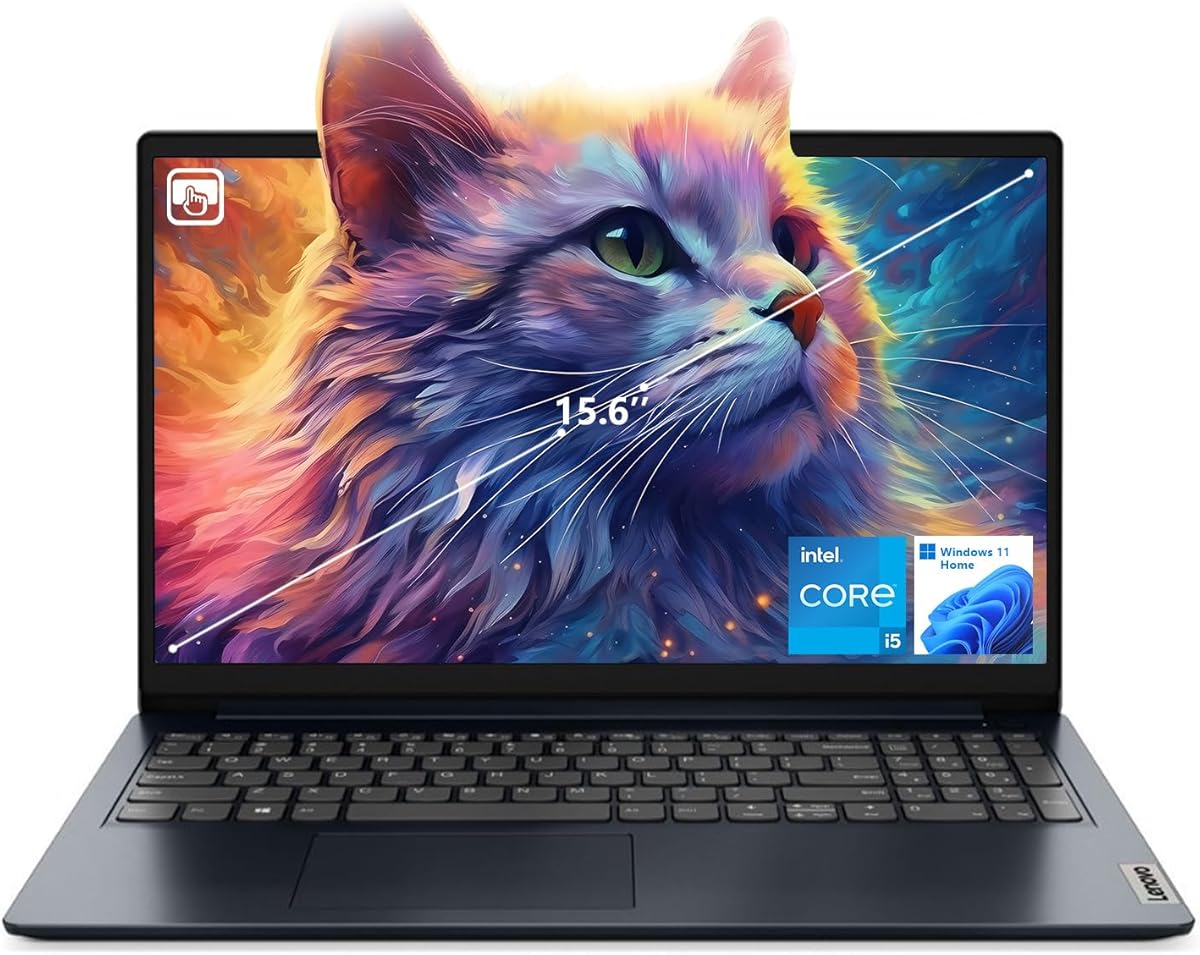
The Lenovo IdeaPad 1i Laptop offers massive memory with 16GB DDR4 RAM, ensuring smooth multitasking across applications. Its 10-core processor balances speed and efficiency for everyday editing tasks.
We may earn a commission when you buy through this link, at no additional cost to you.
The 15.6-inch FHD touchscreen provides flexibility for touch-based navigation and quick edits. While brightness is moderate, the anti-glare coating helps maintain visibility in typical indoor environments.
Connectivity includes USB-C and HDMI, allowing simple setups for external displays and peripherals. Windows 11 Home supports essential management tools and dynamic provisioning for flexible device use.
For creators needing a touch-capable device on a strict budget, this laptop is a strong entry point. It handles light editing workloads well while keeping the system responsive for daily tasks.
512GB PCIe NVMe SSD ensures rapid boot-up and data transfer speeds.
Comprehensive ports including HDMI and USB-C cover basic peripheral needs.
We may earn a commission when you buy through this link, at no additional cost to you.
The second NIMO variant offers similar powerhouse specs with a focus on adaptability and robust performance. It includes native AI computing support and 3D rendering capability for diverse creative scenarios.
We may earn a commission when you buy through this link, at no additional cost to you.
Users can expand RAM up to 64GB and utilize dual SSD slots for massive storage expansion. This future-proof design prevents hardware bottlenecks as your vlogging channel grows and demands more resources.
Supports 1080P live streaming with low latency thanks to the integrated Radeon 780M graphics. The 100W PD universal fast charger reduces the bulk of carrying multiple power adapters during travel.
Ideal for creators needing a versatile workstation that can evolve with their needs, this laptop provides reliable after-sales support. Its 180-degree lay-flat hinge simplifies collaboration and sharing on the desk.
Reserves dual SSD slots for additional storage expansion without replacing the whole laptop.
Flexible hardware upgrade design meets heavy-duty office and 3D modeling needs.
We may earn a commission when you buy through this link, at no additional cost to you.
Selecting the right vlogging laptop requires weighing several critical factors against your specific content needs and budget.
Your CPU is the engine of your workflow. Aim for multi-core processors like Ryzen 5 or Core i5 minimum, though Ryzen 7 and Ultra-series chips provide better rendering speeds for 4K footage.
Look for 8 cores or more to handle background tasks without slowing down editing software.
Vide editing is memory intensive. 16GB is a good starting point, but 32GB ensures smooth playback of high-resolution timelines and multiple apps.
DDR5 RAM is preferred for faster data throughput and better energy efficiency in modern laptops.
Video files consume vast storage. A 1TB NVMe SSD is recommended for active projects. Ensure the laptop has extra slots for future expansion.
Upgradability extends the device lifespan, allowing you to add more space as your library grows.
Color accuracy matters for grading. Look for high-resolution screens with wide color gamuts like sRGB or DCI-P3 coverage.
15-inch or larger screens offer better workspace for timelines, while OLED panels deliver deeper blacks and contrast.
Integrated graphics have improved significantly. Modern iGPUs can handle 1080p and light 4K editing efficiently.
If you need heavy rendering or 3D work, ensure the laptop supports external GPU expansion via USB4 or Thunderbolt.
Vloggers work on the go. Aim for a battery lasting at least 10 hours of standard use. Fast charging support minimizes downtime.
USB-C charging with high wattage (like 100W) keeps power compact and universal for travel adapters.
Avoid dongle clutter. Ensure the laptop has USB-C for data and power, HDMI for monitors, and SD card slots for camera footage.
Multiple USB-A ports allow connecting peripherals like mice and webcams directly.
Windows 11 Pro offers better security and management tools for business users. Home versions are sufficient for most creators.
Ensure compatibility with your preferred editing software like Premiere Pro or DaVinci Resolve.
Keep your laptop in a padded case to prevent physical damage during travel. Avoid placing heavy objects on top of it in your bag.
Clean the screen regularly with a microfiber cloth to maintain visibility and reduce glare while editing. Do not use harsh chemicals on the display.
Update your drivers and OS frequently to ensure compatibility with new creative software and security patches.
Not necessarily. Modern integrated graphics like Radeon 780M or Intel Arc can handle 1080p and basic 4K editing well. A dedicated card helps if you do heavy 3D rendering or 8K video processing regularly.
Video files take up significant space. Aim for at least 1TB of SSD storage. Use external drives or cloud backup for older archives to keep your active workspace clutter-free and fast.
Larger screens offer more workspace for timelines and tools. However, 15-inch models are lighter and easier to carry. Choose based on whether you prioritize screen real estate or portability more.
Yes, modern integrated GPUs support 4K playback and rendering. Performance depends on your workflow complexity. For simple cuts, it works well, but heavy effects may slow down rendering times.
You often edit in locations without power outlets like cafes or outdoor sets. Long battery life ensures uninterrupted workflow and prevents lost data or frustration during critical production moments.
USB-C with power delivery is essential for fast data and charging. HDMI allows connecting to external monitors for better editing views. SD card slots simplify importing footage directly from cameras.
Our top picks like the GEEKOM GeekBook X14 Pro and NIMO 15.6 AI Creator Laptop offer balanced performance for different budgets and needs. Each model brings specific strengths to streamline your content creation process.
Prioritize specs that match your workflow intensity. If you edit 4K footage frequently, focus on RAM and processor cores. For travel-heavy creators, weight and battery life are just as critical.
Verify current prices and availability before buying to secure the best value. Technology evolves quickly, so ensuring you get the right fit today maximizes your investment for future content.