
AOC 24 Gaming Monitor FHD 200Hz
4.6Editor score
200Hz refresh rate
Full HD clarity
Frameless design
Discover the top AOC monitors for gaming and work in October 2026. This guide compares ten models on speed, color, and value.
Finding the right display is crucial for immersive gaming and productive work. AOC offers a wide range of monitors known for reliability and performance across various price points.
We have evaluated ten top models based on refresh rates, panel types, and connectivity options. This list covers everything from budget-friendly options to premium OLED experiences.
Each pick highlights key strengths and potential trade-offs to help you decide. Note that prices and availability may change over time, so verify details before purchasing.
4.6Editor score

4.6Editor score
4.4Editor score
Here is a side-by-side comparison of the ten best AOC monitors available. Use this table to quickly see specifications and features for each model.


This AOC monitor stands out as a top choice for competitive gamers seeking speed and clarity. It holds a 4.6 rating from verified buyers who praise its performance in fast-paced titles.
We may earn a commission when you buy through this link, at no additional cost to you.
The 240Hz refresh rate ensures silky smooth motion while the 0.3ms response time minimizes blur. The IPS panel delivers vibrant colors and wide viewing angles ideal for shared screens.
While it lacks height adjustment features, the tilt range offers basic ergonomic benefits. The frameless design enhances immersion without distracting bezels during intense gameplay sessions.
If you need a high refresh rate monitor for FPS games, this model delivers exceptional value. It balances speed and visual fidelity effectively for most gaming setups today.
The 240Hz refresh rate and ultra-fast response times give players a distinct edge in fast-paced shooters and racing games.
Wide viewing angles and accurate color reproduction ensure that content looks stunning whether gaming or working on creative projects.
We may earn a commission when you buy through this link, at no additional cost to you.
This budget-friendly option proves you do not need to spend a fortune for high performance. It has earned a 4.6 rating for delivering solid gaming specs at a low cost.
We may earn a commission when you buy through this link, at no additional cost to you.
With a 200Hz refresh rate and rapid response time, motion remains clear even during chaotic scenes. The color gamut ensures images look vivid and true to life for media consumption.
Though it lacks higher resolution, the Full HD display is sharp enough for most desktop uses. It is also optimized for consoles to unlock higher frame rates on supported systems.
For gamers on a tight budget, this monitor offers the best bang for your buck. It balances performance and affordability better than many competitors in this price segment.
Designed to work well with modern consoles, this monitor helps unlock higher frame rates for a smoother experience on Xbox or PlayStation.
The wide color gamut coverage provides rich and accurate colors that make movies and games pop without needing expensive calibration.
We may earn a commission when you buy through this link, at no additional cost to you.
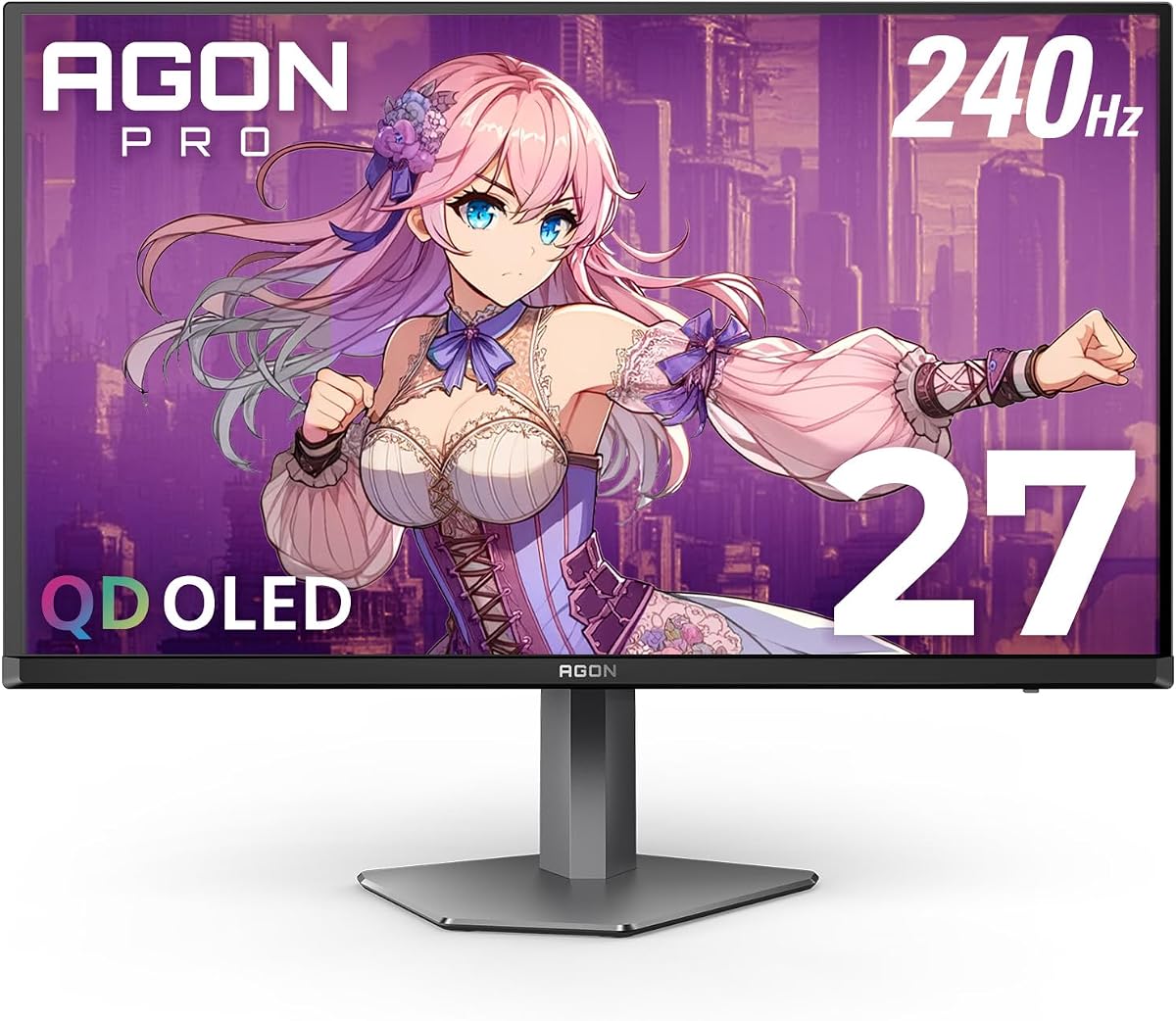
This premium model leverages OLED technology to deliver unparalleled image quality for enthusiasts. Users give it a 4.4 rating for its stunning visuals and near-instantaneous response times.
We may earn a commission when you buy through this link, at no additional cost to you.
The self-luminous panel creates true blacks and vibrant colors that LCDs cannot match. Combined with a 240Hz refresh rate, it offers a fluid experience that dominates competitive fields.
While the price is higher, the visual fidelity justifies the cost for those seeking the best. Care is needed to avoid static elements that could cause burn-in over long periods.
If you want the absolute best gaming experience, this OLED monitor is hard to beat. It sets a new standard for clarity and speed in the current monitor market.
The OLED panel produces perfect blacks by turning off pixels completely, resulting in stunning contrast and depth for dark scenes.
With a 0.03ms response time, motion blur is virtually non-existent, ensuring every frame is crisp and clear during rapid action.
We may earn a commission when you buy through this link, at no additional cost to you.
This monitor prioritizes visual clarity for professional and multimedia use cases. It has received a 4.2 rating for its sharpness and reliability in non-gaming environments.
We may earn a commission when you buy through this link, at no additional cost to you.
The 4K resolution provides immense screen real estate allowing multiple windows to sit side by side easily. The IPS panel ensures colors remain consistent across the entire screen area.
Built-in speakers add convenience for media playback without needing extra peripherals. However, the refresh rate is standard so it is not suited for fast motion content.
For office work or content creation where detail matters most, this is an excellent choice. It delivers crisp text and images at a reasonable price point for professionals.
The high pixel density makes text incredibly sharp reducing eye strain during long work sessions with complex spreadsheets or documents.
Built-in speakers provide a simple way to hear system sounds or media without cluttering the desk with external audio devices.
We may earn a commission when you buy through this link, at no additional cost to you.
This monitor pushes speed boundaries at an accessible price point for casual competitive players. It maintains a 4.6 rating for reliability and smooth performance in various games.
We may earn a commission when you buy through this link, at no additional cost to you.
Overclocking to 260Hz allows for incredibly fluid motion that reduces perceived blur significantly. The low power consumption helps keep energy costs down during extended usage sessions.
While the resolution is standard Full HD the high refresh rate prioritizes smoothness over pixel density. This makes it ideal for titles where fast reactions matter most.
Gamers looking for high refresh rates without breaking the bank will find this appealing. It delivers consistent performance that supports fast-paced gameplay effectively.
The ability to overclock to 260Hz provides a competitive edge by ensuring every frame appears smoothly without lag or stuttering.
Eco Mode technology reduces power consumption while maintaining performance helping lower electricity bills over time for daily users.
We may earn a commission when you buy through this link, at no additional cost to you.
The curved design of this monitor creates a deeply immersive experience for single player games. It holds a 4.3 rating for its large screen presence and vibrant color output.
We may earn a commission when you buy through this link, at no additional cost to you.
With a 1500R curve and QHD resolution, details pop vividly across the wide display. The VA panel delivers deep blacks that enhance the realism of dark environments.
While VA panels sometimes suffer from ghosting the fast response time mitigates this mostly. It is a great choice for immersion focused players who enjoy cinematic visuals.
If you prefer a larger screen that wraps around your vision this model is perfect. It balances size and quality well for those seeking immersion over pure speed.
The VA panel technology provides superior contrast compared to IPS making dark scenes look richer and more detailed in games.
LowBlue Mode and Flicker-Free features reduce eye strain during long sessions allowing for comfortable extended gameplay or work.
We may earn a commission when you buy through this link, at no additional cost to you.
This large curved monitor is optimized for consoles delivering high frame rates for next-gen systems. It has a 4.6 rating for its responsive performance and broad device compatibility.
We may earn a commission when you buy through this link, at no additional cost to you.
The combination of 32 inch size and 240Hz refresh creates a fast and immersive field of view. Low latency modes ensure input delay is minimized for precise actions.
While Full HD is lower than native 4K the high refresh rate benefits shooters and racers significantly. The frameless design makes multi-monitor setups cleaner and more attractive.
Console players wanting high speeds on a large screen will appreciate this setup. It offers a unique balance of size and performance that few competitors match effectively.
Support for 120Hz on consoles ensures a smooth experience on PS5 or Xbox Series X without needing a high-end PC rig.
Low input lag combined with high refresh rates makes aiming and reaction times feel snappy and natural during competitive matches.
We may earn a commission when you buy through this link, at no additional cost to you.
Another OLED option in the lineup this model focuses on pure visual fidelity and speed. It holds a 4.4 rating for the incredible detail and color it brings to the screen.
We may earn a commission when you buy through this link, at no additional cost to you.
The QD OLED panel delivers a wide color gamut that makes images look vivid and lifelike. Combined with instant response times it offers a flawless experience for single player games.
G-Sync compatibility ensures smooth performance across NVIDIA GPUs without tearing artifacts. However the premium price point requires a budget that prioritizes quality above all else.
For those who want the absolute best picture quality possible this monitor is a great fit. It represents the cutting edge of display technology for enthusiasts.
The quantum dot OLED tech produces over a billion colors ensuring that every hue appears accurate and vibrant during gameplay.
240Hz combined with zero lag ensures that every visual element renders instantly without motion blur or stuttering.
We may earn a commission when you buy through this link, at no additional cost to you.
This premium model adds practical features like a USB hub to the OLED experience. It has earned a 4.4 rating for blending convenience with top-tier visual performance.
We may earn a commission when you buy through this link, at no additional cost to you.
The OLED panel provides deep contrast and vivid colors that look stunning in HDR content. A height adjustable stand makes ergonomics easier for long sitting sessions compared to others.
While it is pricey the additional ports and stand flexibility add real value to the package. It serves as a complete hub for gaming peripherals without extra dongles needed.
If you want OLED visuals with extra utility this model stands out as a top contender. It is a well rounded choice for power users who value convenience.
Having a built-in USB hub reduces cable clutter and allows easy access to peripherals without reaching behind the PC tower.
The adjustable stand lets you raise the screen to eye level reducing neck strain during long work or gaming sessions.
We may earn a commission when you buy through this link, at no additional cost to you.
This compact model offers a budget-friendly entry point into gaming displays. It holds a 4.7 rating for its reliability and decent performance at a very accessible price.
We may earn a commission when you buy through this link, at no additional cost to you.
The 100Hz refresh rate offers smoother visuals than standard 60Hz screens helping reduce motion blur in casual games. Eye care features help reduce fatigue during regular use.
Its small size makes it perfect for tight desks or secondary setups. While not the most powerful it delivers a solid experience for users with limited space or budgets.
For entry-level users or students needing a compact screen this is an ideal choice. It provides essential gaming features without costing too much.
Flicker-free technology and blue light filters help protect eyes during long periods of screen use reducing strain and fatigue.
The small screen size saves desk space making it a great option for smaller rooms or multi-monitor arrangements.
We may earn a commission when you buy through this link, at no additional cost to you.
Choosing the right AOC monitor requires understanding your specific needs and how different specs affect performance. Here are the key factors to consider before purchasing.
Refresh rate determines how many frames the screen displays per second. Higher rates like 144Hz or 240Hz provide smoother motion which is crucial for competitive gaming.
Look for at least 144Hz for gaming to ensure fluid visuals that reduce blur and improve reaction times during fast-paced matches.
Panel types like IPS, VA, and OLED each offer unique strengths. IPS provides wide angles and color accuracy while VA offers deeper blacks and contrast.
Choose IPS for color work or wide viewing angles and VA for deeper contrast in dark rooms or OLED for premium quality if budget allows.
Resolution defines the clarity and sharpness of images on screen. Higher resolutions like QHD or 4K provide more screen real estate for multitasking and detail.
For gaming 1080p offers better performance but QHD balances clarity and speed well for most modern systems and displays.
Response time measures how quickly pixels change color affecting motion clarity. Lower response times like 1ms reduce ghosting and blur during rapid movement.
Select a monitor with 1ms or lower for gaming to ensure sharp images and reduce visual artifacts during fast motion.
Adaptive Sync technologies like G-Sync or FreeSync match the monitor refresh rate to your GPU output. This prevents screen tearing and stuttering during gameplay.
Ensure the monitor supports Adaptive Sync compatible with your graphics card to enjoy smooth and tear-free visual performance.
Connectivity options determine which devices can connect to the monitor. HDMI and DisplayPort are essential for PCs while USB hubs add convenience for peripherals.
Check for enough ports like HDMI 2.0 or DisplayPort 1.4 to support your desired refresh rates and resolutions.
Ergonomic features such as tilt height adjustment help maintain comfort during long sessions. A stand that adjusts well prevents neck strain and improves posture.
Look for stands offering height and tilt adjustments to customize viewing angles and reduce physical strain over time.
Budget dictates which features are accessible as prices range from entry level to premium. Determine how much you can spend before comparing specific models and specs.
Set a clear budget to narrow down choices and ensure you get the best value for your money without overspending.
Start by connecting the monitor to your PC using the included cables like HDMI or DisplayPort. Adjust settings in the graphics card control panel to match the refresh rate and resolution.
Use the on-screen display menu to customize picture settings such as brightness contrast and color temperature to fit your environment.
Keep the screen clean with a soft microfiber cloth and avoid harsh chemicals to protect the panel surface and maintain image quality.
Yes AOC offers many monitors with high refresh rates and low response times ideal for competitive play. Their gaming lines include features like Adaptive Sync and quick response panels.
Many AOC models support NVIDIA G-Sync or compatible Adaptive Sync. Check the specific product page to confirm G-Sync compatibility before purchasing.
For gaming QHD 1440p is a popular balance of clarity and performance. Full HD is also common for high refresh rates on a budget.
Yes most AOC monitors include a standard warranty often lasting three years. Some models also offer advance replacement or accidental damage coverage.
All OLED panels carry some risk of burn-in with static images. However modern AOC OLEDs include features to mitigate this risk.
Most AOC monitors are VESA compatible meaning they can be mounted on wall or desk mounts. Check the manual for specific mount size requirements.
Some models include built-in speakers for basic audio. However many models do not and may require external speakers for sound.
Press the physical buttons on the monitor to open the on-screen display. Navigate menus to change resolution brightness and game settings.
We highlighted ten top AOC monitors ranging from budget to premium options. Whether you need high refresh rates or crisp resolution there is a model for your needs.
Prioritize features that match your usage like refresh rate for gaming or resolution for work to get the best value from your investment.
Prices and availability change frequently so check current deals and details before finalizing your purchase decision today.