
ASUS NUC 14 Pro
4.9Editor score
Intel Ultra 7 155H Processor
64GB DDR5 RAM Included
Thunderbolt 4 Connectivity
This comprehensive guide compares the top ten Linux Mini Pcs for performance, compatibility, and value to help you choose the ideal compact system for your
Linux Mini Pcs offer a powerful yet compact computing solution for users who value open-source flexibility and efficient hardware. These devices are designed to deliver robust performance while maintaining a small footprint suitable for various environments.
We have evaluated ten leading models based on their processor capabilities, memory configurations, storage options, and overall compatibility with popular Linux distributions. Our analysis ensures you find a machine that fits your specific workflow requirements effectively.
Each pick highlights key strengths and ideal use cases so you can make an informed decision. Please note that product specifications and availability may change, so verify details before purchasing.
4.9Editor score

4.8Editor score
4.4Editor score
The following table provides a side-by-side comparison of all ten products to help you quickly assess their specifications and key features against one another.


The TK Node Mini PC stands out as a reliable choice for users seeking a pre-configured Linux environment. It ships with Zorin OS Core which provides a familiar desktop experience that transitions easily from Windows. The hardware includes an AMD Ryzen R2314 processor paired with 8GB RAM and a 512GB SSD.
We may earn a commission when you buy through this link, at no additional cost to you.
This device is designed for continuous operation making it suitable for virtualization and automation tasks. Users can upgrade memory to 64GB using dual SO-DIMM slots and add storage via dual NVMe SSD slots up to 4TB total. Connectivity includes triple 4K display support through HDMI DisplayPort and USB-C.
While the base configuration offers modest RAM the expansion capabilities ensure longevity. The 2-year warranty and US-based assembly provide peace of mind for business deployments. It is an excellent choice for those needing a sturdy and expandable Linux workstation.
Buyers who prioritize stability and local support will appreciate this model. It balances performance and flexibility well making it a top recommendation for professional environments.
Zorin OS offers a secure and familiar Ubuntu-based desktop that simplifies the transition for new Linux users.
With upgradeable RAM and storage this unit supports demanding workloads like containers and professional development environments.
We may earn a commission when you buy through this link, at no additional cost to you.
The Beelink SER3 delivers solid value for everyday productivity tasks with its 16GB of RAM and 500GB SSD. It features an AMD Ryzen 3 3200U processor that ensures smooth multitasking for standard office applications. The system supports dual displays for efficient workflow management.
We may earn a commission when you buy through this link, at no additional cost to you.
Beelink is known for its durable build quality and extensive connectivity options. This model includes dual-band WiFi and Bluetooth along with multiple USB ports and HDMI outputs. It is designed to handle video playback and light design software without issues.
Although the processor is older than current flagship models it remains effective for general use. The lifetime technical support adds significant value for users needing long-term assistance. It is a practical choice for home offices and students.
This unit is ideal for those needing a ready-to-use system without immediate upgrades. Its balance of performance and features makes it a strong contender in the budget segment.
The 16GB DDR4 RAM ensures that multiple applications can run simultaneously without slowdowns.
Dual HDMI ports and wireless options provide flexible setup possibilities for various display needs.
We may earn a commission when you buy through this link, at no additional cost to you.
The ASUS NUC 14 Pro represents the pinnacle of mini PC performance with its Intel Ultra 7 155H processor and 64GB DDR5 RAM. It comes pre-installed with Linux Mint offering a lightweight and stable environment for developers and power users. The system is built for heavy workloads like AI model training.
We may earn a commission when you buy through this link, at no additional cost to you.
This device features Thunderbolt 4 and WiFi 6E which ensure ultra-fast data transfer and network speeds. The Intel Arc GPU handles stunning visuals and 8K display support making it suitable for creative professionals. Advanced cooling keeps it running silently even under load.
The premium build quality and expandability justify the higher cost for professional environments. It supports up to four 4K displays enabling immersive multitasking setups. Users get a VESA mount kit and a wireless keyboard mouse bundle included.
Buyers seeking top-tier hardware and future-proofing will find this model exceptional. It is the best choice for those needing maximum power in a compact form factor.
Linux Mint provides a clutter-free and privacy-focused experience ideal for coding and cloud development.
Thunderbolt 4 and WiFi 6E deliver industry-leading speeds for high-performance data workflows.
We may earn a commission when you buy through this link, at no additional cost to you.
The Beelink Mini S12 Pro is designed for energy efficiency with its Intel N100 processor. It offers 16GB DDR4 RAM and a 500GB SSD making it suitable for office tasks and light media editing. The system supports dual 4K displays for enhanced productivity.
We may earn a commission when you buy through this link, at no additional cost to you.
This unit includes WiFi 6 and Bluetooth 5.2 ensuring fast wireless connections. The cooling system is upgraded with a silent fan and copper heat sink to maintain performance under load. It also supports NAS functionality and auto power on features.
The single SODIMM slot limits memory expansion but the 16GB base is sufficient for most users. It is an ideal choice for home media centers and light business use. The compact footprint saves desk space effectively.
Buyers looking for a balance of performance and power savings will appreciate this model. It delivers reliable operation without generating excessive heat or noise.
The Intel 7 process ensures low power draw while maintaining sufficient speed for daily tasks.
Multiple USB 3.2 ports and dual HDMI outputs offer flexible connectivity options for peripherals.
We may earn a commission when you buy through this link, at no additional cost to you.
The KAMRUI Pinova P2 excels in visual capabilities with its triple 4K display support. Powered by an AMD Ryzen 7 3300U processor it handles multimedia tasks and multitasking efficiently. The integrated Radeon Graphics provide fluid rendering for 4K video.
We may earn a commission when you buy through this link, at no additional cost to you.
This mini PC includes 16GB LPDDR4X RAM and two storage expansion slots allowing up to 4TB total capacity. Connectivity is robust with USB-C supporting 10Gbps transfer speeds and display output. It is perfect for home entertainment or office setups.
The efficient cooling system keeps the fan quiet during operation even under load. While the base storage is modest the expansion options make it easy to add space later. The VESA mount allows for clean wall installations.
Buyers needing multi-screen setups will find this unit highly effective. It offers a great balance of graphics performance and connectivity features for the price.
HDMI DP and USB-C outputs enable simultaneous 4K resolution across three screens for maximum productivity.
The USB-C 10Gbps port ensures rapid external drive connectivity for large file movements.
We may earn a commission when you buy through this link, at no additional cost to you.
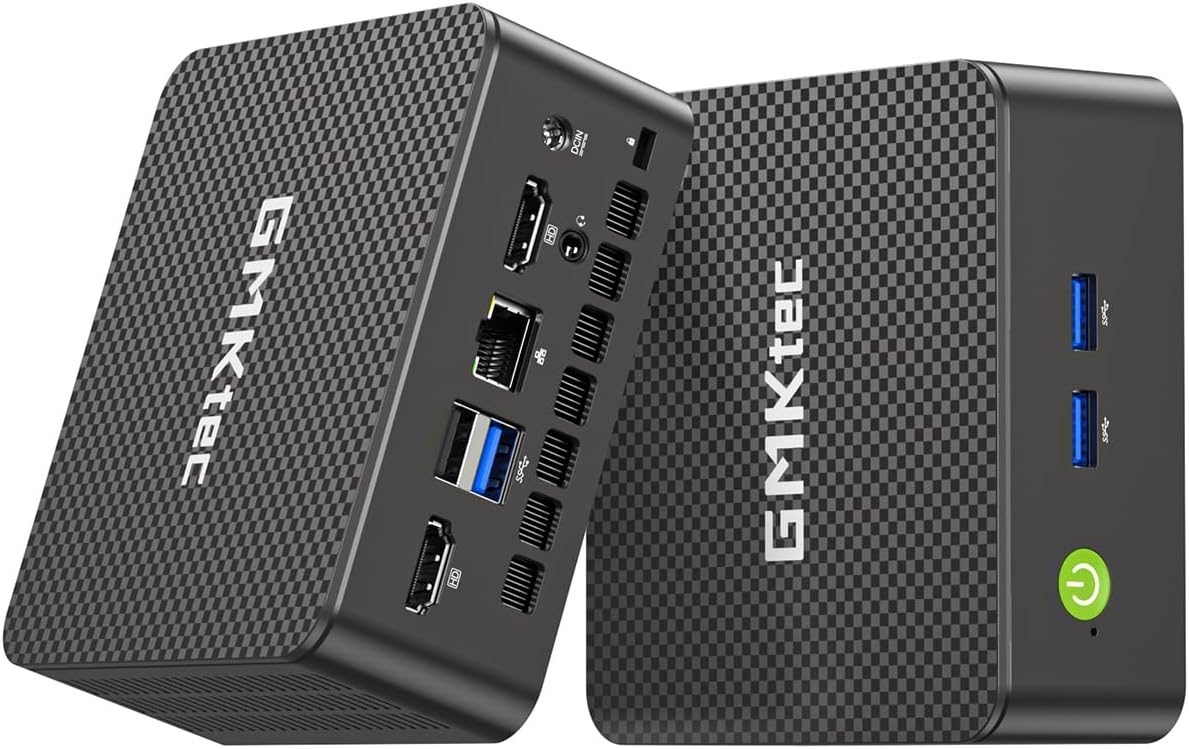
The GMKtec G11 is optimized for networking tasks with its dual 2.5GbE Ethernet ports. It features an AMD R2514 embedded processor that offers strong performance for virtual machines and routers. The dual channel memory ensures high throughput for data processing.
We may earn a commission when you buy through this link, at no additional cost to you.
This unit supports three 4K displays making it versatile for control room setups. The Radeon GPU outperforms many competing integrated graphics solutions allowing for light gaming or 3D rendering. WiFi 6E provides low latency wireless connectivity.
Ideal for home lab enthusiasts the G11 supports software like pfSense for firewall duties. The design is compact enough for discreet placement yet powerful enough for professional use. It includes a 1-year warranty for reliability.
Buyers focused on network infrastructure or server applications should consider this model. Its unique networking features set it apart from standard mini PCs.
Dual 2.5GbE ports allow for firewall routing or dedicated server connections without external adapters.
The dedicated shader core GPU handles high intensity tasks better than typical low power processors.
We may earn a commission when you buy through this link, at no additional cost to you.
The CyberGeek Mini PC delivers desktop-class power with its 11th Gen Intel i9-11900H processor. It comes with 32GB DDR4 RAM and 1TB PCIe SSD ensuring fast performance for demanding software. The system is preloaded with Ubuntu Linux for a robust computing experience.
We may earn a commission when you buy through this link, at no additional cost to you.
This model supports triple 4K displays which is excellent for content creators needing multiple screens. It includes dual LAN ports and six USB ports for extensive peripheral connectivity. The cooling system is advanced to handle high frequency operation effectively.
While the CPU is powerful it generates more heat than lower end chips. This makes it ideal for users needing high performance in a small form factor. It is a great option for light gaming on Linux.
Buyers seeking maximum processing power for a compact system will find this unit appealing. It bridges the gap between workstation and portable PC.
With 8 cores and 16 threads it handles heavy multitasking and rendering tasks efficiently.
Options for up to 64GB RAM allow for customization based on specific workload requirements.
We may earn a commission when you buy through this link, at no additional cost to you.
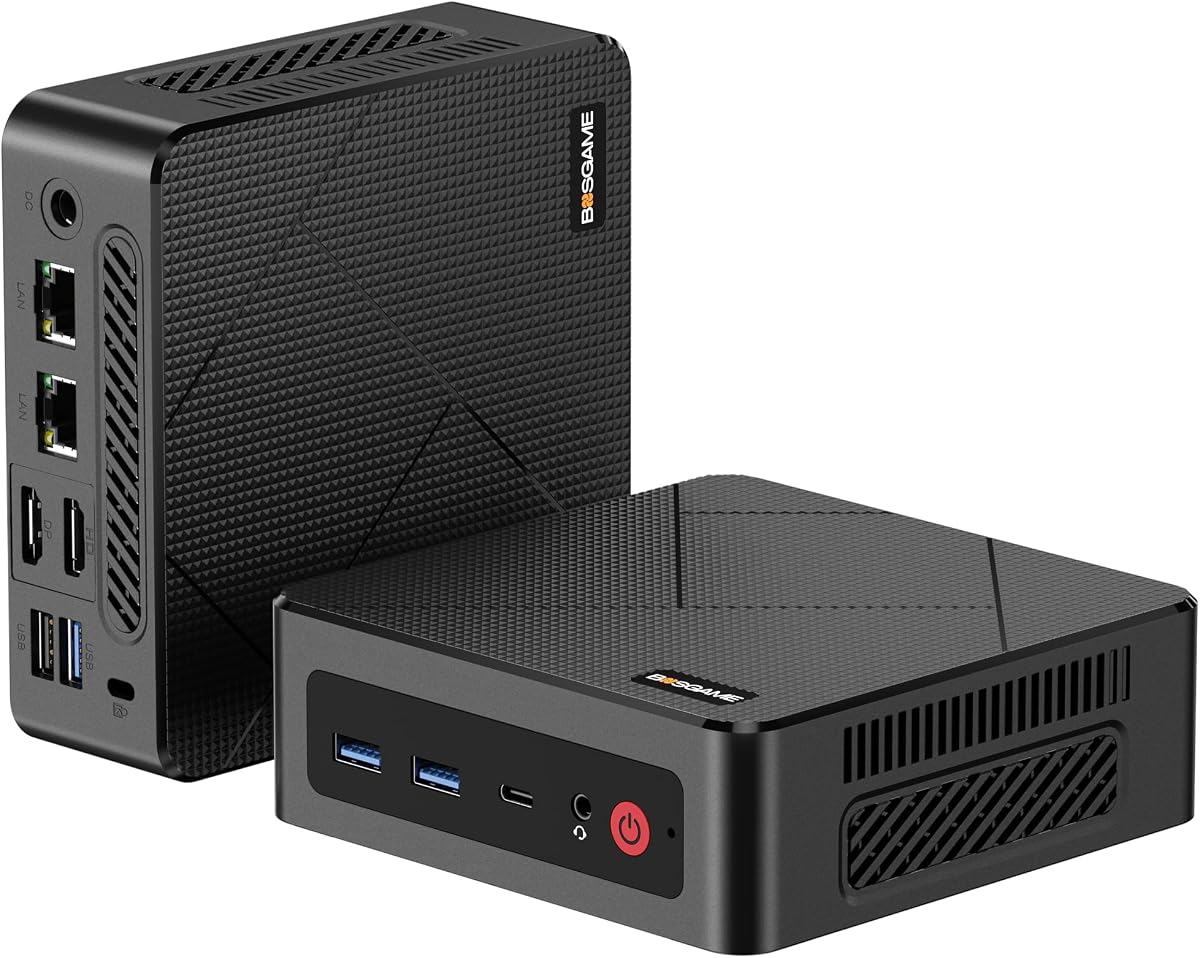
The BOSGAME E5 is tailored for professional environments with its dual 2.5GbE LAN ports. It features an AMD Ryzen 3 5300U processor and 16GB DDR4 RAM for smooth business workflows. The storage configuration includes a 512GB NVMe SSD with an additional slot for expansion.
We may earn a commission when you buy through this link, at no additional cost to you.
Connectivity includes a full-function Type-C port supporting power delivery and display output. The cooling system is optimized for quiet operation during long sessions. It supports triple 4K displays for efficient multitasking across multiple monitors.
This model is ideal for home servers and network appliances due to its networking features. The build quality is robust enough for daily business use. It supports upgrades to 64GB RAM for heavier workloads.
Buyers needing advanced networking and storage expansion will appreciate this unit. It provides a solid platform for both personal and professional server tasks.
Dual 2.5GbE ports enable fast data transfer for NAS or firewall appliances.
Dual SO-DIMM slots allow memory upgrades to 64GB for increased performance headroom.
We may earn a commission when you buy through this link, at no additional cost to you.
The BOSGAME E4 Air offers an affordable entry point into mini PC computing with its Ryzen 5 3500U. It includes 8GB RAM and a 256GB SATA SSD which is sufficient for everyday tasks and HD video streaming. The device supports triple 4K displays for broad utility.
We may earn a commission when you buy through this link, at no additional cost to you.
This model is built with a focus on quiet efficiency and reliability. It features dual RJ45 LAN ports for network flexibility even at lower speeds. The design is compact and includes a 1-year warranty for parts and machine.
While the SATA SSD is slower than NVMe options it keeps costs low. It is perfect for basic home office use and media playback. The USB-C port adds modern convenience for peripherals.
Buyers seeking a budget-friendly option with decent performance will find this suitable. It provides essential features without unnecessary cost.
The 3500U delivers capable speed for web browsing and document editing at a low price.
Triple display support allows users to extend their workspace across multiple screens easily.
We may earn a commission when you buy through this link, at no additional cost to you.
The GMKtec G3S is one of the most affordable options available with its Intel N95 processor. It comes with 8GB RAM and a 256GB M.2 SSD providing a fast boot experience. The system supports dual 4K displays for enhanced visual utility.
We may earn a commission when you buy through this link, at no additional cost to you.
This model is designed for routine office tasks and home entertainment. It consumes minimal power which is ideal for always-on setups. The Intel UHD graphics ensure smooth video playback and streaming.
While the memory is not expandable the base 8GB works for basic use cases. It is an excellent choice for media centers or light web browsing. The compact design fits easily on any desk.
Buyers looking for a cost-effective solution will find this unit highly satisfying. It delivers essential performance features at an unbeatable price.
The N95 processor offers improved performance over older low-end chips while staying energy efficient.
At its price point it offers one of the best values for a capable mini PC.
We may earn a commission when you buy through this link, at no additional cost to you.
Choosing the right Linux Mini Pc requires understanding your specific needs and matching them with the correct hardware specifications. This guide outlines the critical factors to consider.
The processor determines the overall speed and capability of the system. Look for newer architectures like Intel Core Ultra or AMD Ryzen 7000 series for demanding tasks.
Ensure the CPU matches your workload whether it is web browsing or heavy virtualization to avoid bottlenecks.
RAM is crucial for multitasking and running modern applications smoothly. Aim for at least 16GB if you plan on running multiple browser tabs and tools.
Check if the RAM is upgradeable to future-proof your investment against memory limitations.
Solid State Drives (SSD) offer significantly faster boot and load times than traditional hard drives. NVMe SSDs are preferred over SATA ones for higher speeds.
Choose a capacity that fits your file storage needs while allowing room for future expansion.
Ensure the hardware supports your preferred Linux distribution to avoid driver issues. Some units come pre-installed which can simplify the setup process.
Verify that WiFi and graphics drivers are open-source compatible before purchasing a new unit.
Consider the number and type of ports available for your peripherals. USB-C with display support is highly convenient for modern setups.
Ethernet ports are vital for reliable network connections especially if you are setting up a server.
If you need multiple screens for productivity check the number of HDMI and DisplayPort outputs. Some units support triple 4K outputs for maximum workspace.
Ensure the graphics processor can handle the resolution you require without stuttering or lag.
Mini PCs are often used in 24/7 scenarios making power consumption a key factor. Low TDP processors help reduce electricity costs and heat output.
Efficient models allow for passive cooling or quieter fan operation in home environments.
Reliable customer support is essential for troubleshooting technical issues. Look for manufacturers offering at least a one-year limited warranty.
US-based support options can simplify the resolution process for complex hardware or software problems.
Connect the unit to your power source and monitor using the included cables. Press the power button to boot up the pre-installed Linux operating system.
Regularly update your system packages to keep security patches and features current. Avoid installing unnecessary software to maintain system speed.
Keep the vents clean from dust to ensure proper cooling. Use a surge protector to shield the device from electrical spikes.
Yes most of these Mini PCs support installing custom Linux distributions. However pre-installed models like Zorin OS provide a smoother out-of-box experience for new users. Check BIOS settings for UEFI boot options if needed.
Definitely these Mini PCs offer sufficient processing power for software development. Models with 16GB RAM and SSD storage are ideal for running code editors and virtual machines simultaneously.
Some high-end models support Thunderbolt 4 which allows for external GPU enclosures. This is useful for users who need more graphics power than the integrated solution offers.
Most models have M.2 slots for additional SSDs. Some include 2.5-inch drive bays for larger storage capacity. Always check the specific model's manual for expansion limits.
Yes Mini PCs are excellent for home servers due to their low power draw. You can install server OS like Ubuntu Server to host websites or media files efficiently.
Generally these units do not include peripherals unless stated in the bundle. You will need to purchase a keyboard and mouse separately to use the system.
The ten models highlighted provide a wide range of options for every user type. From the high-performance ASUS NUC to the budget-friendly GMKtec G3S there is something for everyone.
Prioritize features like memory expandability and processor speed based on your primary use case. Choosing the right configuration ensures longevity and satisfaction.
Remember to verify current stock and specifications before making a purchase decision as models update frequently.