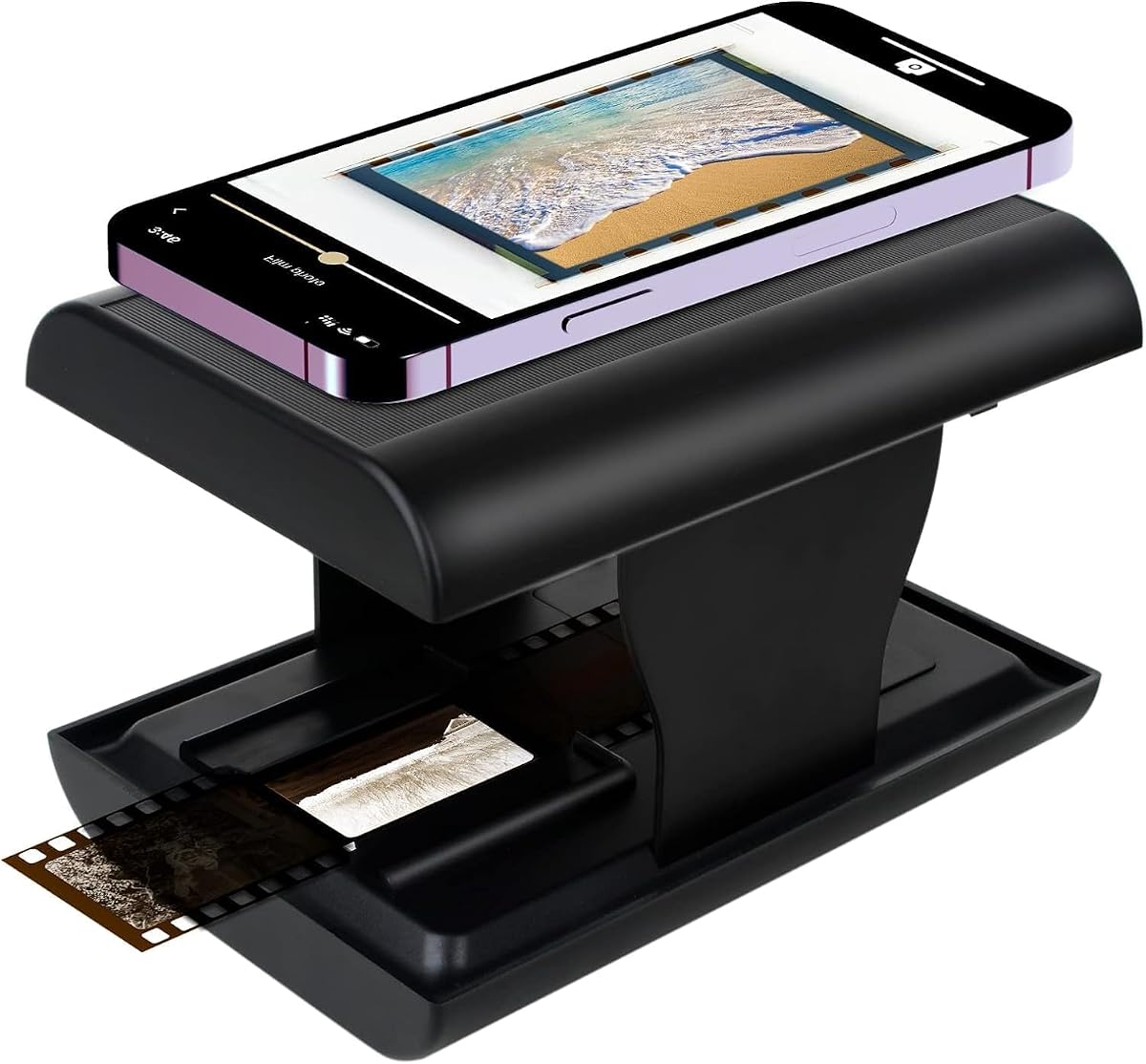
TCNEWCL 35mm Negative Slide Scanner
4.3Editor score
Foldable portable design
Works with smartphone
Free app included
This guide compares the top Black and White Negative Scanner models to help you digitize old photos easily with reliable performance and quality results.
Preserving family memories requires converting old film into digital formats safely. A reliable Black and White Negative Scanner makes this process simple and efficient for everyone.
We compared ten models based on resolution, ease of use, and support for various film types. Our list covers options ranging from portable tools to desktop scanners.
Each pick shows key features and pros to help you choose wisely. Remember that product prices and availability can change over time on major retailer sites.
4.3Editor score

4.2Editor score

4.3Editor score
This table provides a side-by-side comparison of all ten scanners. Use it to quickly check specs and features before making your final decision.


The BEONEGLOBAL ClearScan MINI is a top rated scanner for digitizing film. It offers 16MP resolution for clear images and has an ergonomic design.
We may earn a commission when you buy through this link, at no additional cost to you.
Its advanced CMOS sensor ensures true-to-life colors and details. You can adjust brightness and rotate images directly on the device without a computer.
The screen is smaller than desktop units but perfect for portability. Saving to SD cards means you can share photos instantly on social media.
This scanner is ideal for families wanting to preserve memories easily. It balances performance and convenience better than most competitors in this range.
The 16MP CMOS sensor captures fine details from old negatives.
Adjust colors and orientation on the scanner itself.
We may earn a commission when you buy through this link, at no additional cost to you.
This HP scanner delivers professional quality results with a large touchscreen. It captures every detail from color and black and white film accurately.
We may earn a commission when you buy through this link, at no additional cost to you.
The touch screen allows easy previewing and editing. You can use gallery mode to display photos like a digital picture frame for enjoyment.
USB-C power adds flexibility for connection to PC or external adapters. The high interpolation ensures crisp files suitable for printing large images.
Buy this if you want top tier performance and ease of use. It stands out for its display quality and modern connectivity options.
Navigate menus and edit images directly on the device.
USB-C ensures compatibility with current devices.
We may earn a commission when you buy through this link, at no additional cost to you.
This is the most affordable way to digitize 35mm film and slides. It works by placing a phone camera over the slide shell.
We may earn a commission when you buy through this link, at no additional cost to you.
The foldable design makes it easy to store or take on trips. You simply click to record using a free app provided by the manufacturer.
While quality depends on your phone camera it is still convenient. It is a great gift for parents or an interesting toy for children.
Choose this for low cost archiving without needing a dedicated machine. It simplifies the process significantly for casual users.
Digitize memories without expensive equipment.
Folds into a small box for easy storage.
We may earn a commission when you buy through this link, at no additional cost to you.
The Magnasonic scanner offers a large 5 inch screen for viewing scans. It converts 35mm and other formats into 24MP digital files quickly.
We may earn a commission when you buy through this link, at no additional cost to you.
You can connect it to a TV via HDMI for family viewing. This feature makes sharing memories with relatives easy and enjoyable.
The included trays load fast for frustration free operation. It supports a wide range of film types including Super 8 film.
This unit is great for those who want to view on a big screen. It balances size and features well for home use.
View your photos directly on your television.
SD slot supports up to 128GB.
We may earn a commission when you buy through this link, at no additional cost to you.
This scanner is designed for simple at-home use with clear buttons. It automatically improves brightness and color to restore faded memories.
We may earn a commission when you buy through this link, at no additional cost to you.
The kit includes holders and a brush so you can start immediately. It converts slides to digital JPEG files without complicated software.
While the rating is lower it is very user friendly. Parents and grandparents can use it comfortably to view scanned memories instantly.
Consider this if you need a straightforward solution for old photos. It simplifies the process for those less tech savvy.
Built-in LCD and simple buttons for ease.
Improves faded photos automatically.
We may earn a commission when you buy through this link, at no additional cost to you.
This KODAK scanner features a smooth tray that feeds film efficiently. It captures images up to 22MP interpolation for large crisp files.
We may earn a commission when you buy through this link, at no additional cost to you.
You can save directly to SDHC cards without needing a computer. The one touch editing helps resize and adjust images easily.
It handles various formats like 110mm and 126mm well. This versatility makes it a good option for mixed collections.
Buy this if you need high interpolation for printing. It is reliable for straightforward conversion tasks.
Delivers large files up to 22MP.
Save photos directly to SD card.
We may earn a commission when you buy through this link, at no additional cost to you.
This model is extremely lightweight and easy to carry anywhere. You can enjoy your film memories without hassle or setup.
We may earn a commission when you buy through this link, at no additional cost to you.
The front facing buttons allow comfortable operation. It captures ultra-clear true-to-life images with a premium sensor.
It saves to SD cards up to 32GB. This makes sharing with family easy on any device.
Choose this for travel or limited workspace. It brings digitization to any location easily.
Simple to carry anywhere.
16MP sensor ensures clarity.
We may earn a commission when you buy through this link, at no additional cost to you.
This scanner accommodates 135mm 110mm and 126mm formats. It handles both slides and color or black-and-white negatives well.
We may earn a commission when you buy through this link, at no additional cost to you.
The software provides resizing and adjustments without complex menus. This simplifies photo digitization for everyone.
Saving to SDHC cards eliminates the need for a computer. It enhances portability and convenience significantly.
Pick this for mixed media collections. It covers a wide range of needs.
Handles 135 110 and 126mm.
Provides resize and convert tools.
We may earn a commission when you buy through this link, at no additional cost to you.
This device is a great gift for parents to revive old memories. It can also be an interesting toy for children to explore.
We may earn a commission when you buy through this link, at no additional cost to you.
You simply insert the slide and use the phone camera. The LED backlight ensures good lighting during capture.
The foldable design saves space in a box. It is convenient to take with you when traveling.
This makes it a fun and useful present. It connects generations through old photos.
Great for kids to explore.
Folds into a small size.
We may earn a commission when you buy through this link, at no additional cost to you.
This unit converts Super 8 film negatives quickly and easily. It also supports 35mm 110 and 126 formats.
We may earn a commission when you buy through this link, at no additional cost to you.
The large 5 inch LCD helps view images directly. No complicated photo editing software is required for basic use.
You can adjust RGB color correction directly on the scanner. This gives you control over the final look.
Consider this for film collectors needing Super 8 support. It is comprehensive for home archiving.
Handles Super 8 film negatives.
Adjust colors on device.
We may earn a commission when you buy through this link, at no additional cost to you.
Selecting the right scanner depends on your budget and needs. Consider these key factors to make the best decision.
Higher resolution like 16MP or 24MP ensures detailed images suitable for printing. Always check if the model uses a true CMOS sensor.
Look for high resolution specs to preserve fine details from old negatives.
Check if the scanner supports 35mm 110mm and 126mm or Super 8. Most models cover common formats but specific needs require verification.
Ensure the device handles your specific film types correctly.
Some scanners connect to computers via USB while others save directly to SD cards. Decide if you want standalone operation or PC integration.
Choose standalone for ease or USB for editing.
Models with 5 inch screens offer better viewing than 2.31 inch LCDs. Larger screens help verify quality immediately after scanning.
Prioritize a larger display if you preview often.
Foldable or lightweight designs are easier to carry. Portable units save space and are ideal for occasional use.
Pick compact models for travel or small rooms.
Simple buttons and intuitive menus help beginners and seniors. Avoid complex setups that require installing drivers.
Look for devices with simple interfaces.
Built-in tools for rotating or adjusting brightness save time. Some models include software for enhancements too.
Choose models with on-device editing.
Budget options exist under $20 while premium units cost more. Balance cost with the features you actually need.
Select a model that fits your budget.
Begin by connecting the scanner to power or inserting batteries. Ensure the lens is clean with a soft brush.
Load your film strips or slides into the provided trays. Place them carefully to avoid scratching the image area.
Press the scan button to capture the image. Save files to an SD card for safe storage and easy sharing.
It is a device used to digitize film negatives and slides. It converts old analog photos into digital formats you can view on computers.
No, many models allow saving directly to SD cards. This makes them standalone devices that work without a computer connection.
Only specific models support Super 8 film. Most focus on 35mm and 126 formats so always check the product details.
Resolution of at least 16MP is recommended for quality prints. Higher specs ensure the image stays sharp when enlarged.
Usually they are not included. You may need to purchase one separately to store your digital photos.
Yes, most scanners handle color negatives and slides. They also support black and white options for versatility.
We reviewed ten models to help you preserve your memories easily. The top picks cover budget portable and premium options effectively.
Prioritize resolution and format support to ensure your photos digitized correctly. Ease of use matters for family archiving.
Check current prices before buying to find the best deal. These tools ensure your family history remains safe forever.