
RK ROYAL KLUDGE R75 Wireless
4.4Editor score
Gasket mount design
Creamy smooth switches
CNC metal volume knob
Over twenty RGB modes
This guide compares the top 75 Percent Mechanical Keyboards for 2026 focusing on layout, switches, and build quality to help you choose the best typing
Finding the perfect typing tool requires balancing size and functionality. A 75 Percent Mechanical Keyboard offers a compact form factor while retaining essential function keys and arrow clusters for productivity and gaming.
We evaluated ten top models based on build quality, switch feel, connectivity options, and customization features. Our analysis covers wired and wireless variants to ensure you find a reliable partner for your desktop setup.
Each pick highlights unique strengths like gasket mounting, hot-swap capabilities, and premium keycaps. Remember that availability and stock levels change frequently so check current listings before making your final selection today.
4.4Editor score

4.6Editor score

4.6Editor score
This side-by-side comparison highlights the core specifications and unique selling points of each keyboard to help you quickly identify which model matches your specific needs and preferences.


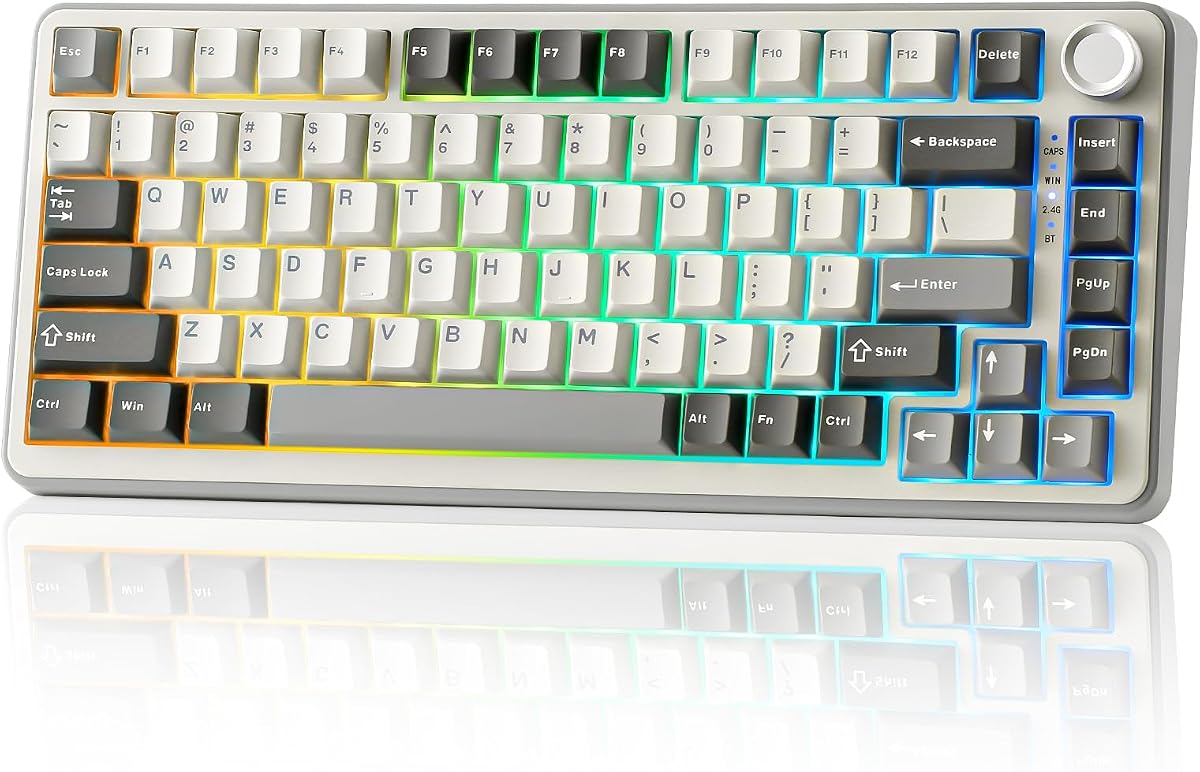


The AULA F75 Pro stands out as a top contender in the 75 percent mechanical keyboard category with its impressive combination of wireless connectivity and custom features. Its solid build quality and rich feature set make it a favorite among enthusiasts looking for a reliable daily driver.
We may earn a commission when you buy through this link, at no additional cost to you.
Key strengths include its tri-mode connection which supports Bluetooth, 2.4GHz, and USB-C allowing you to switch between devices seamlessly. The hot-swap base means you can change switches without soldering while the pre-lubed Reaper switches provide a satisfyingly smooth typing experience right out of the box.
Trade-offs involve the driver software which is currently limited to Windows systems for advanced macro customization. Additionally while the side-printed keycaps are stylish they might not appeal to everyone compared to traditional legends depending on your aesthetic preferences.
Anyone seeking a versatile keyboard that balances gaming performance with office utility should consider this model. It is an excellent choice for users who value connectivity options and customization potential without breaking the bank.
The ability to connect up to five devices via Bluetooth or 2.4GHz ensures you can manage multiple workflows efficiently without constant cable swapping.
Pre-lubricated stabilizers and switches combined with the five-layer filling silencer create a solid thocky sound and feel that rivals much more expensive custom kits.
We may earn a commission when you buy through this link, at no additional cost to you.
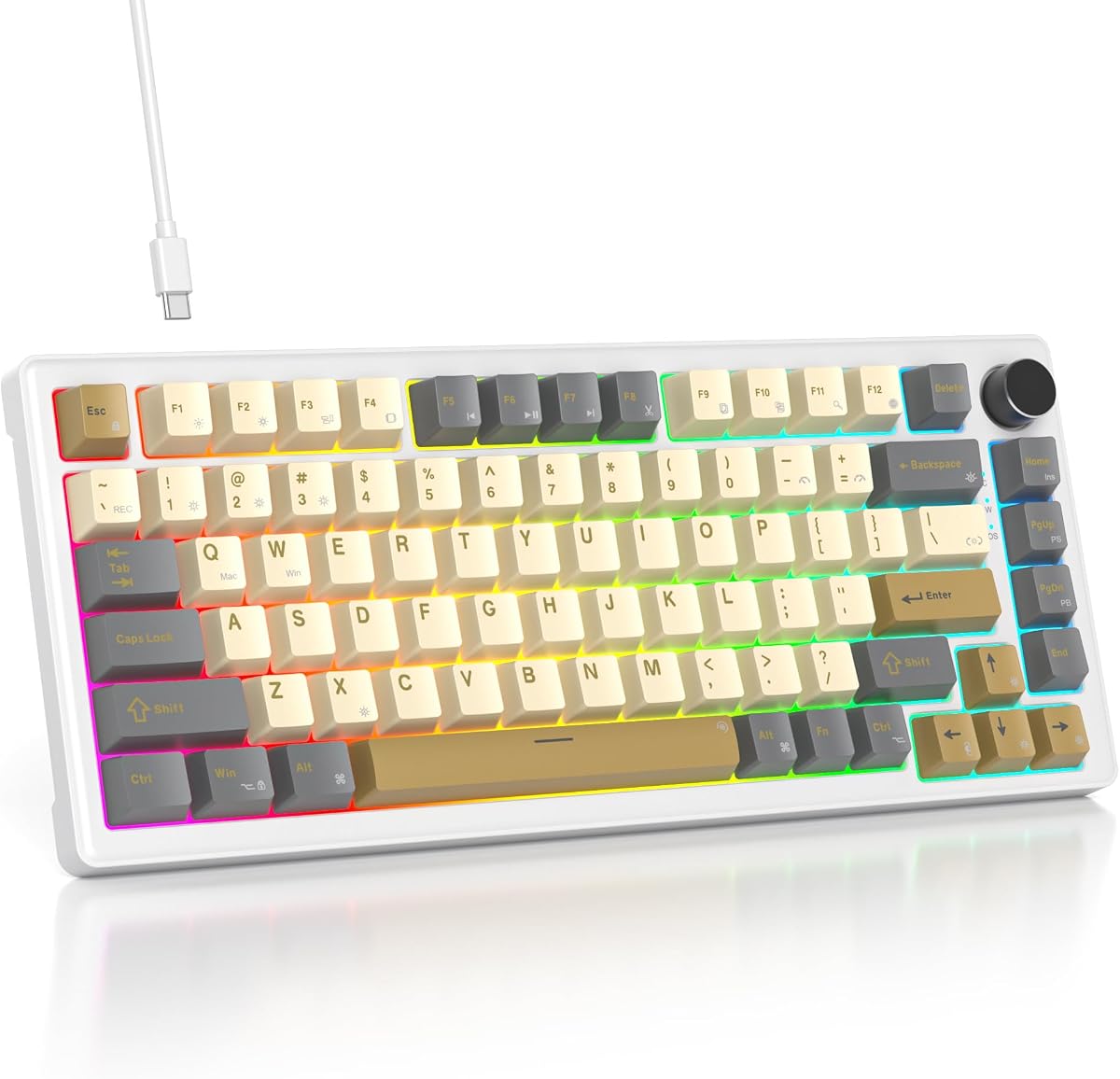
The RK ROYAL KLUDGE R75 offers a compelling entry point into the world of custom mechanical keyboards by delivering high-end features like gasket mounting at a very accessible price. It proves you do not need to spend a fortune to get a premium typing feel.
We may earn a commission when you buy through this link, at no additional cost to you.
Its gasket mount design combined with five layers of sound-absorbing material creates a quiet and cushioned typing experience that reduces fatigue during long sessions. The included cream switches are pre-lubed for a smooth linear feel that enhances both typing and gaming accuracy.
While the RGB backlighting is vibrant it can drain the battery faster if left on constantly so users should manage lighting modes for extended wireless use. Also the software integration is not as robust as higher-end models limiting deep customization options.
This keyboard is perfect for budget-conscious buyers who still want modern features like hot-swap sockets and wireless connectivity. It is ideal for students or professionals needing a compact reliable keyboard for shared or mobile workspaces.
The flexible gasket structure allows for slight board movement during typing which absorbs shock and reduces the harsh bottom-out impact found in rigid plate-mounted boards.
The CNC metal knob doubles as a volume control and mute button providing tactile feedback and quick access to audio settings without reaching for on-screen menus.
We may earn a commission when you buy through this link, at no additional cost to you.
The AULA S75 PRO elevates the 75 percent form factor with the addition of a customizable LCD screen that adds both utility and visual flair to your desk. This model targets users who want maximum customization and a premium look.
We may earn a commission when you buy through this link, at no additional cost to you.
Its standout feature is the interactive LCD screen which displays battery status and time or GIFs making it a focal point of your setup. The tri-mode connectivity ensures seamless switching between devices while the advanced structure provides a thocky satisfying sound profile.
Setting up the screen requires a Windows connection which can be inconvenient for Mac users who need to rely on the basic functionality initially. The price is also higher than standard models but the unique features justify the cost for enthusiasts.
Gamers and tech enthusiasts who enjoy personalizing their hardware will love this board. It is best suited for those who want to stand out and need a keyboard that offers both robust performance and distinctive aesthetic appeal.
The LCD screen allows you to display custom images or system stats turning your keyboard into a dynamic dashboard that reflects your mood or current activity.
Five layers of filling silencer and integrated silicone pads effectively dampen noise to ensure every keystroke sounds deep and consistent without hollow cavity resonance.
We may earn a commission when you buy through this link, at no additional cost to you.
This retro-styled mechanical keyboard delivers a premium gasket mounted experience for those who prefer a direct wired connection without the battery concerns of wireless models. It focuses heavily on acoustic performance and typing stability for a consistent user experience.
We may earn a commission when you buy through this link, at no additional cost to you.
The five-layer padding design creates a soft and cushioned typing feel that significantly reduces vibration and noise during intense typing sessions. The pre-lubed white jade switches provide a smooth linear path that is ideal for rapid input and comfortable prolonged use.
Because it is wired it lacks the convenience of wireless switching which might be a drawback for users who need to switch between multiple devices quickly. The RGB software is also fairly basic compared to more advanced competitors offering fewer customization options.
Ideal for office environments or stationary gaming setups where cable management is handled easily. It is a great pick for users who prioritize a quiet and smooth typing feel over wireless features and advanced connectivity options.
The combination of gasket mounting and multi-layer padding ensures a silent operation that is respectful of shared office spaces or late night gaming sessions.
Full-key programmability allows you to assign complex macros to single keys enhancing productivity for software development or complex gaming command structures.
We may earn a commission when you buy through this link, at no additional cost to you.
The MageGee 75% is a straightforward and reliable option for gamers who need a compact board without unnecessary wireless complexity. It focuses on essential performance features to ensure fast response times and durability in high-pressure gaming scenarios.
We may earn a commission when you buy through this link, at no additional cost to you.
Its red mechanical switches are known for linear smooth action which minimizes resistance during rapid key presses. The metal panel adds structural rigidity to the chassis ensuring the board remains stable even during intense gaming sessions where keys are pressed heavily.
The LED backlighting is limited to blue and static modes which may not appeal to users who want vibrant customizable RGB lighting for their desk aesthetic. It also lacks wireless options which reduces portability compared to modern hybrid models.
This keyboard is perfect for budget gamers or users with limited desk space who want a no-nonsense tool. It suits those who prefer a simple plug-and-play experience and do not need extensive software customization or wireless connectivity.
The N-key rollover feature ensures every key press is registered accurately even when multiple keys are pressed simultaneously during complex gaming combos.
By removing the numpad while keeping arrow keys this layout frees up significant mouse space allowing for a wider range of movement without hitting the keyboard edge.
We may earn a commission when you buy through this link, at no additional cost to you.
This gasket-mounted keyboard prioritizes acoustic quality and tactile comfort making it an excellent choice for typists and developers who value a quiet working environment. Its focus on sound dampening materials sets it apart from standard mass-produced options.
We may earn a commission when you buy through this link, at no additional cost to you.
The inclusion of sound-absorbing pads and a gasket structure creates a soft and cushioned feel that reduces the noise of key bottoms significantly. High-quality PBT keycaps resist wear and oil ensuring the texture remains consistent over long periods of heavy use.
The lack of wireless connectivity limits its portability for users who travel frequently or switch desks often. Additionally while the RGB lighting is vibrant the software for customization is relatively basic compared to other models in this price range.
It is best suited for stationary office setups where silence and typing feel are top priorities. Users who want a reliable and comfortable typing experience without needing wireless flexibility will find this model meets their needs perfectly.
Premium PBT keycaps are significantly more durable than ABS alternatives resisting fading and shine over time to maintain a clean professional look.
Integrated pads fill internal voids to prevent hollow resonance ensuring a solid thocky sound that reduces noise pollution in shared spaces.
We may earn a commission when you buy through this link, at no additional cost to you.
The AULA S75 PRO redefines the standard mechanical keyboard with a customizable LCD screen that adds both utility and visual flair to your desk. This model targets users who want maximum customization and a premium look for their workspace.
We may earn a commission when you buy through this link, at no additional cost to you.
Its standout feature is the interactive LCD screen which displays battery status and time or GIFs making it a focal point of your setup. The tri-mode connectivity ensures seamless switching between devices while the advanced structure provides a thocky satisfying sound profile.
Setting up the screen requires a Windows connection which can be inconvenient for Mac users who need to rely on the basic functionality initially. The price is also higher than standard models but the unique features justify the cost for enthusiasts.
Gamers and tech enthusiasts who enjoy personalizing their hardware will love this board. It is best suited for those who want to stand out and need a keyboard that offers both robust performance and distinctive aesthetic appeal.
The LCD screen allows you to display custom images or system stats turning your keyboard into a dynamic dashboard that reflects your mood or current activity.
Five layers of filling silencer and integrated silicone pads effectively dampen noise to ensure every keystroke sounds deep and consistent without hollow cavity resonance.
We may earn a commission when you buy through this link, at no additional cost to you.
The Keychron K2 is renowned for its seamless compatibility with Apple ecosystems making it a top choice for Mac users. It balances compact design with the functionality of essential keys while supporting multi-device switching for diverse workflows.
We may earn a commission when you buy through this link, at no additional cost to you.
With its Super Red switches it offers a smooth linear typing experience that is ideal for both coding and gaming. The battery life is exceptional allowing for days of typing on a single charge which enhances its utility for wireless users.
Lack of RGB lighting may be a downside for those who want a colorful desk setup but the clean white LED backlight is functional and elegant. The keycaps are fixed so swapping them might require extra effort compared to hot-swap boards.
This keyboard is perfect for professionals who work across Mac and Windows devices. It is a reliable daily driver for those who prioritize build quality and OS compatibility over flashy lighting or advanced customization features.
Extra keycaps and specific layout support ensure every Mac shortcut works intuitively without needing complex remapping software to adapt to your system.
Bluetooth 5.1 connectivity provides a stable connection with low latency while conserving battery power for extended use without frequent recharges.
We may earn a commission when you buy through this link, at no additional cost to you.
The YUNZII B75 PRO delivers a refined typing experience with a focus on acoustic performance and modern connectivity options. Its gasket mounting ensures a solid feel that reduces vibration and creates a premium tactile sensation for every keystroke.
We may earn a commission when you buy through this link, at no additional cost to you.
Cream switches are pre-lubed to offer a smooth linear path that enhances speed and comfort during rapid typing or gaming. The hot-swap sockets give you the freedom to experiment with different switches without any soldering or technical skills required.
Software for macro customization is currently limited to Windows systems which might inconvenience Mac users who need to rely on basic settings until a broader solution is available. Battery performance can also vary based on RGB usage levels.
Ideal for enthusiasts who value a satisfying sound profile and wireless freedom. It suits users who want to switch between devices easily and appreciate a clean aesthetic with high-quality double-shot keycaps and south-facing LEDs.
Five layers of padding and noise cancellation design work together to produce a clean and muted sound that is pleasing to the ear and less distracting.
Tri-mode support lets you switch between wired and wireless connections instantly allowing for flexibility depending on your current battery needs or usage mode.
We may earn a commission when you buy through this link, at no additional cost to you.
The Newmen GM326 is an entry-level powerhouse that brings mechanical typing and customization features to budget users. It proves that you do not need a high-end budget to enjoy a compact layout and hot-swap capabilities.
We may earn a commission when you buy through this link, at no additional cost to you.
Its hot-swappable design allows you to try different switches to find your preferred feel without commitment. The multi-function knob adds a touch of convenience for volume control and quick mode switching which is rare at this price point.
ABS keycaps are cheaper than PBT and may show wear over time with heavy use so expect to replace them later for a fresh look. Wired-only connectivity limits portability making it less ideal for travel compared to wireless models.
Best for students or casual gamers needing a reliable and affordable keyboard. It is a solid starting point for beginners interested in customization without investing heavily in expensive hardware upfront.
Hot-swap sockets let you experiment with tactile or linear switches to discover what suits your typing style before committing to expensive custom sets.
Stepped keycaps and adjustable tilt legs provide a natural wrist angle that reduces fatigue during long typing sessions and improves typing efficiency.
We may earn a commission when you buy through this link, at no additional cost to you.
The Womier SK80 brings a creative flair to mechanical keyboards with a color multimedia display that can show custom GIFs and system stats. This feature turns a standard input device into an interactive centerpiece for your desk setup.
We may earn a commission when you buy through this link, at no additional cost to you.
Its gasket mount design combined with EVA padding ensures a soft and responsive feel that reduces noise and provides a comfortable typing experience. The hot-swappable PCB allows for easy customization of switches to match your preferred sound and tactile profile.
Setting up the display requires a driver and wired connection which can be limiting for users who rely primarily on wireless modes. The price is higher than average due to the advanced display technology but justified for customizers.
Ideal for content creators and gamers who want to showcase personality through their hardware. It is best suited for users who value unique visual features and do not mind managing a driver for full functionality.
The multimedia screen supports GIFs and custom images allowing you to display memes or system data making your keyboard a unique part of your room decor.
Music syncing mode changes RGB lighting in rhythm with your music adding an immersive dynamic visual layer to your gaming or listening sessions.
We may earn a commission when you buy through this link, at no additional cost to you.
Choosing the right 75 percent mechanical keyboard involves evaluating several critical factors to ensure the device matches your typing preferences and workflow needs.
Switches determine the tactile and auditory experience of the keyboard. Linear switches are smooth and quiet ideal for gaming while tactile switches provide a bump for feedback suitable for typing.
Select a switch type based on whether you prioritize speed in gaming or feedback in writing tasks to avoid fatigue.
Wireless keyboards offer freedom from cables and are great for clean desks while wired models ensure zero latency and no battery anxiety.
Consider your usage environment to decide between tri-mode wireless flexibility or stable wired performance for competitive gaming.
Hot-swap sockets allow you to change switches without soldering making future customization easy and affordable.
Look for boards with hot-swap support if you plan to experiment with different switch profiles over time.
Gasket mounts reduce vibration and provide a softer typing feel compared to plate-mounted boards which are stiffer.
Choose gasket mounts for comfort during long sessions and plate mounts for precise feedback during fast typing.
PBT keycaps are durable and resist shine while ABS keycaps are cheaper and allow for better lighting effects.
Prioritize PBT for longevity and a textured feel especially if you type frequently or want a premium look.
The 75 percent layout balances compactness with functionality by keeping arrow keys and function rows in a smaller footprint.
Ensure the board fits your desk space and provides all essential keys you need without extra bulk like a numpad.
Advanced software enables macros and lighting control which enhances productivity and personalization options significantly.
Check software compatibility with your operating system before buying to ensure full functionality of all features.
For wireless keyboards battery capacity dictates how often you need to recharge especially with RGB lighting active.
Look for batteries with at least 4000mAh capacity to ensure consistent performance across multiple days of use.
Begin by connecting your keyboard via USB or pairing it through Bluetooth settings on your device. Ensure the battery is charged and the correct input language is selected for your operating system.
Use the included software to configure macros and lighting effects to suit your workflow. Adjust the tilt legs for ergonomic comfort during long typing sessions to reduce strain on your wrists.
Regularly clean the keycaps and switches with a compressed air canister to remove dust. If hot-swap sockets are present consider testing different switches to find the ideal balance for your needs.
Yes 75 percent keyboards offer a compact layout that saves desk space without sacrificing essential keys like arrow keys and function rows. They provide a balanced solution for productivity and gaming.
Many modern 75 percent mechanical keyboards support both operating systems with keycap sets included. Always verify the compatibility list in the product description before purchasing.
Hot-swap sockets allow you to replace switches without soldering which makes customization easy and affordable for beginners who want to experiment with different feels.
High quality wireless keyboards using 2.4GHz dongles have virtually no input lag making them suitable for gaming. Bluetooth may have slight delays for but is fine for typing.
Most mechanical switches are rated for 50 million to 100 million keystrokes which ensures durability over many years of daily use without failure or degradation.
Gasket mounts reduce vibration and provide a softer more cushioned typing experience compared to traditional rigid mounting. They are highly recommended for users seeking comfort.
We explored ten top models ranging from budget-friendly to premium options with unique features like screens and gasket mounts. Each offers a balance of layout efficiency and typing performance for diverse user needs.
Prioritize features like switch type and connectivity options that align with your primary usage whether it is office work or competitive gaming. Comfort and durability are key factors for long-term satisfaction.
Remember that stock and pricing fluctuate frequently so verify availability and current listings before making your final decision today.