
Rongta Thermal Portable Printers Wireless for Travel
4.0Editor score
Affordable entry point for thermal printing
Simple Bluetooth setup via dedicated app
Compact size fits easily in any bag
Finding the right inkless portable printer for travel can transform how you handle documents on the go. These devices eliminate the need for bulky cartridges and mess, offering a clean solution for professionals and students alike.
We evaluated ten top models based on connectivity, print quality, and portability. Each option offers unique benefits for different travel scenarios, from business trips to study sessions on campus or abroad.
Every pick highlights key strengths and trade-offs to guide your decision. Prices and availability change frequently, so check current listings before purchasing to ensure you get the best value for your needs.
4.0Editor score
4.1Editor score

4.6Editor score
As an Amazon Associate we earn from qualifying purchases.
The following table provides a side-by-side comparison of all ten models. It highlights their key specifications and unique features to help you quickly identify the best match for your specific travel requirements.



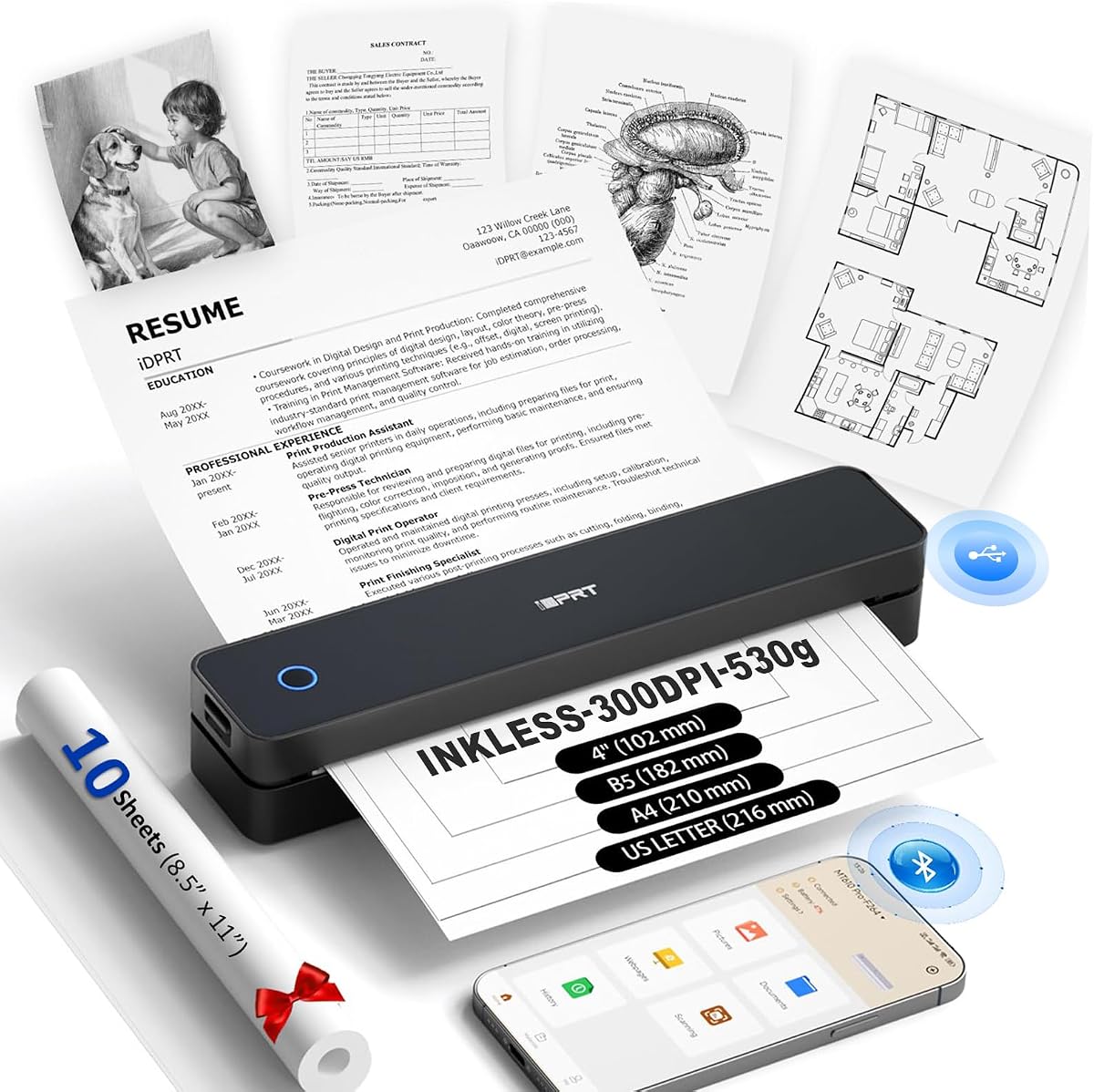
The MT610Pro stands out as a leading choice for travelers needing reliable on-demand printing. With a 4.1 rating from users, it delivers consistent performance for contracts and notes.
We may earn a commission when you buy through this link, at no additional cost to you.
Its advanced thermal technology ensures crisp output without ink. The 300 DPI resolution handles diagrams and text well. The compact form factor makes it easy to slip into a work bag.
While it only prints in black and white, this limitation suits most business needs. You must use thermal paper, but it is widely available. The app interface is straightforward for mobile users.
Ideal for business travelers and students, this model balances portability with functionality. It is a strong recommendation for anyone seeking a clean and efficient printing solution on the go.
The inkless design eliminates cartridge mess and reduces long-term costs significantly for frequent users.
A 2000mAh battery supports up to 200 pages per charge ensuring you are never stuck without power.
We may earn a commission when you buy through this link, at no additional cost to you.
The D90E is designed for users who need to print standard document sizes on the road. It supports 8.5 by 11-inch thermal paper which is rare in this category. The 4.3 rating reflects its reliability for office documents.
We may earn a commission when you buy through this link, at no additional cost to you.
It connects via Bluetooth to phones and USB to computers. The included travel case adds durability for rough handling. Users can quickly resolve paper jams by pressing the power button to eject paper.
Its weight is slightly higher than others but justified by the full-size output. You must download specific drivers for laptops to ensure compatibility. The app is simple for mobile printing tasks.
This printer is best for professionals who need contracts or reports ready quickly. It offers a practical balance of size and capability for formal documentation needs while traveling.
Unlike most portable units it handles standard US Letter paper making it ideal for formal business documents.
A dedicated travel case is included to protect the device during transit in backpacks or luggage.
We may earn a commission when you buy through this link, at no additional cost to you.
The Gloryang printer offers a great value bundle for new users. It comes with three rolls of thermal paper and a carrying case. This setup allows you to start printing immediately after unboxing.
We may earn a commission when you buy through this link, at no additional cost to you.
Its design includes a built-in paper bin which keeps your workspace tidy. Connectivity is seamless via Bluetooth to smartphones. The printer handles standard document sizes well for office or school use.
You must ensure you use compatible thermal paper for best results. The driver setup for laptops is straightforward but required. It is a practical choice for students or professionals needing portability.
This model is recommended for those who want a complete kit out of the box. The included accessories make it a thoughtful gift option for anyone needing portable printing.
The package includes extra paper rolls and a case so you are ready to print right away.
A built-in paper bin reduces clutter and keeps your travel area organized efficiently.
We may earn a commission when you buy through this link, at no additional cost to you.
The N80 is a versatile option that supports tattoo transfer paper in addition to standard documents. This makes it unique for artists or creative professionals. It is rated 4.1 for its reliability.
We may earn a commission when you buy through this link, at no additional cost to you.
It weighs only 1.5 pounds and fits easily in a backpack. The app allows for easy printing of photos and web pages. The battery lasts for about 160 sheets which is sufficient for daily use.
You will need to purchase a separate charging adapter as it is not included. The driver installation for laptops is simple. It is a good choice for those needing a secondary printer.
This model is excellent for users with diverse printing needs including creative projects. Its affordability and unique capabilities make it a standout option for specific niche requirements.
Supports tattoo transfer paper which expands its utility beyond standard office documents significantly.
Weighing only 1.5 pounds it is easy to carry anywhere without adding bulk to your bag.
We may earn a commission when you buy through this link, at no additional cost to you.
The A285M supports a wide range of paper widths from 2 inches to full US Letter. This flexibility is rare in the portable category. It is a solid choice for varied printing tasks.
We may earn a commission when you buy through this link, at no additional cost to you.
Its built-in paper bin keeps your area tidy. You can connect via Bluetooth to mobile devices or USB to computers. The device is compact enough to fit in small bags comfortably.
You need to download the driver from the official site for laptop use. Be sure to use the correct voltage for charging to avoid issues. It is reliable for on-site work.
This printer is ideal for mobile notaries or field workers needing diverse formats. Its ability to handle various paper sizes makes it a practical tool for professional services.
Accommodates five different paper widths so you can choose the size that fits your task.
An integrated paper bin eliminates the need for external holders and keeps your workspace organized.
We may earn a commission when you buy through this link, at no additional cost to you.
The Rongta printer offers an affordable entry point for thermal printing. It is rated 4.0 for its performance in schools and offices. The simple setup makes it accessible for all users.
We may earn a commission when you buy through this link, at no additional cost to you.
You connect through a dedicated app to pair the device. It supports USB for laptops and Bluetooth for phones. The 203 DPI resolution is sufficient for text and forms.
Pairing must be done through the app interface. It does not work with Chromebooks but supports most other systems. It is a great choice for budget-conscious buyers.
This model is recommended for students or home users seeking low cost. It provides essential features without unnecessary complexity for everyday printing tasks.
Priced lower than many competitors it provides an accessible way to start using portable thermal printing.
Bluetooth pairing via app and USB for computers ensures flexibility across multiple device types.
We may earn a commission when you buy through this link, at no additional cost to you.
The M832D features a touchscreen that simplifies settings and monitoring. You can check battery levels directly on the device. It is rated 4.2 for its smooth user experience.
We may earn a commission when you buy through this link, at no additional cost to you.
The print head is optimized for quiet operation which is useful in public spaces. It supports USB and Bluetooth connections effectively. The resolution ensures sharp text for documents.
The touchscreen adds value but increases the cost slightly. You need to be careful with the glass screen during travel. It is a premium choice for usability focused users.
This printer is ideal for those who prefer visual controls over app navigation. It offers a modern interface that enhances ease of use for everyone.
A built-in touchscreen display makes monitoring battery and status easier without extra apps.
Noise reduction technology ensures silent printing which is perfect for public or quiet environments.
We may earn a commission when you buy through this link, at no additional cost to you.
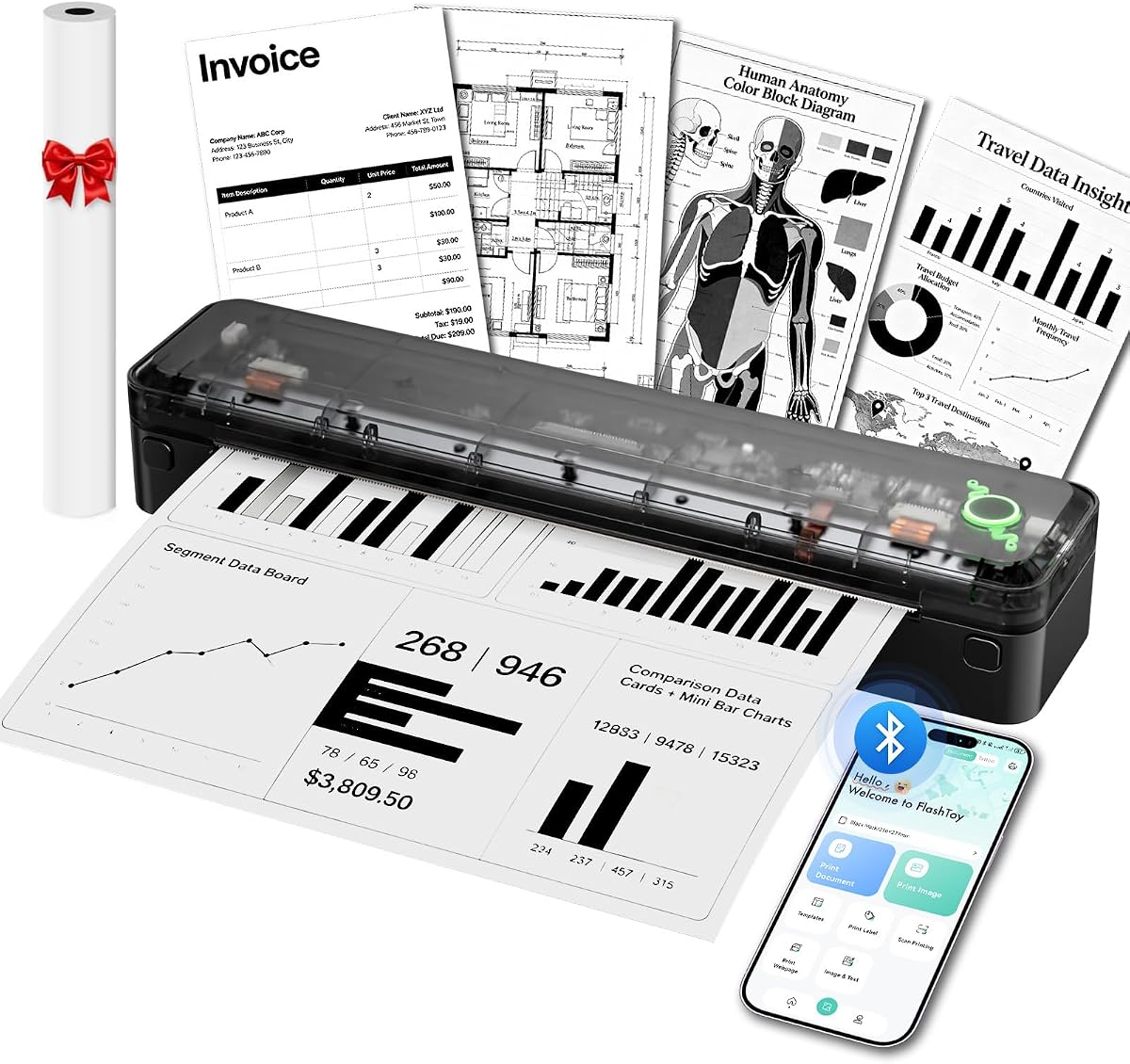
The Arrvel A8 stands out with its translucent graphite top cover that reveals internal components. It is rated 4.2 for its sleek look and solid performance. The design fits modern workspaces well.
We may earn a commission when you buy through this link, at no additional cost to you.
It features a 3000mAh battery for extended use. A velvet travel bag is included for protection. The built-in paper compartment keeps documents safe during transit.
The design is distinctive but you still need to install drivers for computers. Thermal paper is required which is standard for this tech. It is a stylish option for design enthusiasts.
This model is recommended for users who value both form and function. The aesthetic appeal makes it a conversation starter in any mobile office setting.
The translucent graphite top shows internal PCB components giving it a futuristic and tech aesthetic look.
A 3000mAh battery supports up to 200 sheets reducing the need for frequent recharging on trips.
We may earn a commission when you buy through this link, at no additional cost to you.
The M85 offers a premium experience with its large touchscreen and high battery capacity. It holds a 4.6 rating from users who appreciate its build quality. It is a top choice for frequent travelers.
We may earn a commission when you buy through this link, at no additional cost to you.
The touchscreen allows for previewing templates directly. It supports multiple systems and file formats easily. The included case and paper rolls add significant value to the package.
Its price is higher than standard models but justified by features. The weight is manageable for briefcases but may be heavy for hiking. It is a robust option for professionals.
This printer is best for those willing to invest in top tier reliability. The combination of display and battery life ensures smooth operation on extended trips.
A large touchscreen lets you preview and print templates directly without relying on external devices.
A 3500mAh battery ensures over 200 pages per charge keeping you productive all day.
We may earn a commission when you buy through this link, at no additional cost to you.
The MUNBYN printer is as small as a water bottle making it highly portable. It is rated 4.4 for its reliability and ease of use. The compact form fits even the smallest bags.
We may earn a commission when you buy through this link, at no additional cost to you.
It supports US Letter and A4 sizes effectively. The app is user-friendly and supports multiple formats. Setup takes seconds on most devices with strong support available.
MacOS requires USB connections instead of Bluetooth for printing. The adjustable slot handles various paper widths well. It is a practical tool for on-the-go business needs.
This model is recommended for those prioritizing extreme portability. Its small footprint ensures you can print anywhere without sacrificing full-size document support.
Measuring roughly the size of a water bottle it slides effortlessly into any bag or glove box.
An adjustable paper slot allows for both standard US Letter and A4 thermal paper without issues.
We may earn a commission when you buy through this link, at no additional cost to you.
Selecting the right inkless portable printer involves understanding your specific needs and priorities. This guide breaks down the key factors to help you make an informed decision.
Most models offer Bluetooth for mobile devices and USB for computers. Check if your laptop supports Bluetooth printing or requires a driver. Ensure your operating system is compatible before buying.
Look for devices that support both phone and computer printing to maximize flexibility during your travels.
Battery capacity ranges from 1500mAh to 3500mAh in this category. Higher mAh values mean more pages per charge. This is critical if you cannot charge during your trips.
Prioritize models with at least 2000mAh if you plan to print multiple documents daily.
Resolution impacts text sharpness and diagram clarity. Most models offer 203 DPI which is sufficient for standard documents. Higher resolution like 300 DPI is better for detailed images.
Choose higher DPI if you need professional-looking graphics or fine text for presentations.
All these printers require thermal paper which is heat sensitive and does not use ink. Ensure the model supports the paper sizes you need like US Letter or A4. Thermal rolls are generally affordable.
Check if the device supports custom widths if you have specific printing needs beyond standard sizes.
Weight and thickness determine how easy it is to pack. Look for models under 1.5 pounds for minimal impact on your load. A compact design helps in tight spaces like cars or trains.
Consider if the printer fits easily in your regular backpack or briefcase before purchasing.
Mobile printing relies on dedicated apps which vary in features. Some offer templates or cloud integration. Check user reviews for app stability and ease of setup.
Ensure the app supports your file formats such as PDF Word or Excel for seamless printing.
Travel often involves rough handling so build quality matters. Models with protective cases or robust plastics last longer. Look for warranties or support availability for peace of mind.
A sturdy design ensures your printer survives frequent transit and accidental drops.
Thermal printers eliminate ink costs but require special paper. The long term cost per page is low compared to inkjets. Compare roll prices to estimate your monthly expenses.
Select a device that uses standard thermal paper rolls to avoid expensive proprietary supplies.
To start using your printer download the recommended app for your phone or install the drivers for your computer. Pair the device via Bluetooth or connect it with a USB cable. Turn on the power button and wait for the status light to indicate readiness.
Insert thermal paper into the slot making sure the heat sensitive side faces the print head. Select your document file and choose the correct paper size settings in the app. Press print to see the output emerge from the front slot.
Keep the device clean by wiping it with a dry cloth after use. Avoid exposing it to extreme heat or moisture which can damage internal components. Store it in a protective case when not in use to prevent scratches.
No none of these printers require ink cartridges or toner. They use direct thermal technology which prints by applying heat to special paper. This makes them cleaner and easier to maintain for travelers.
Most models support 8.5 by 11 inch US Letter or A4 thermal paper. Check your specific model's specs before buying rolls. Some units also accept smaller widths for receipts or notes.
Yes most models support Windows and Mac via USB cables. Some also offer Bluetooth support for newer systems. Always download the specific drivers provided by the manufacturer for stable connections.
Battery life varies from 160 to over 200 pages per charge depending on the model. Most have capacities between 1500mAh and 3500mAh. Recharging usually takes a few hours via USB-C.
Thermal prints are permanent but can fade if exposed to direct sunlight or heat over time. Avoid leaving printed documents in hot cars for long periods. Use coated thermal paper for better longevity.
Yes many models support photo printing in black and white. The resolution is suitable for simple images and snapshots. Ensure your app supports image scaling to fit the page properly.
Paper jams are rare but can occur if paper is loaded incorrectly. Turn on the power and let the device eject the paper. Do not force open the cover as it may damage the print head.
The MT610Pro leads our list for its balance of weight and performance. The Rongta offers a budget friendly entry point while the M85 provides premium features for power users.
Prioritize battery life and paper compatibility when selecting your device. Consider whether you need full size output or smaller formats for your daily tasks to make the best choice.
Prices and stock change quickly so check current listings before purchasing. Ensure you have the correct thermal paper and drivers ready to start printing immediately.