
Apple 2025 MacBook Pro
4.7Editor score
Apple M5 Chip
16GB Unified Memory
Liquid Retina XDR Display
Choosing the right laptop for Adobe Premiere Pro is crucial for smooth video editing workflows. You need powerful processors, ample RAM, and dedicated graphics to handle high-resolution timelines without lag or crashes during rendering tasks.
We evaluated ten top-tier models ranging from workstations to creator laptops. Our comparison focuses on real-world performance metrics, display accuracy, thermal management, and connectivity options that matter most to professional video editors and content creators.
Each pick highlights specific strengths like raw power, portability, or value. Note that prices and availability change frequently, so check current listings before purchasing to ensure you get the best deal for your specific editing needs today.
4.7Editor score

4.4Editor score

As an Amazon Associate we earn from qualifying purchases.
This table provides a side-by-side look at the key specifications of our top ten selections. Use this to quickly compare processor power, memory capacity, and graphics capabilities across different price points and form factors.

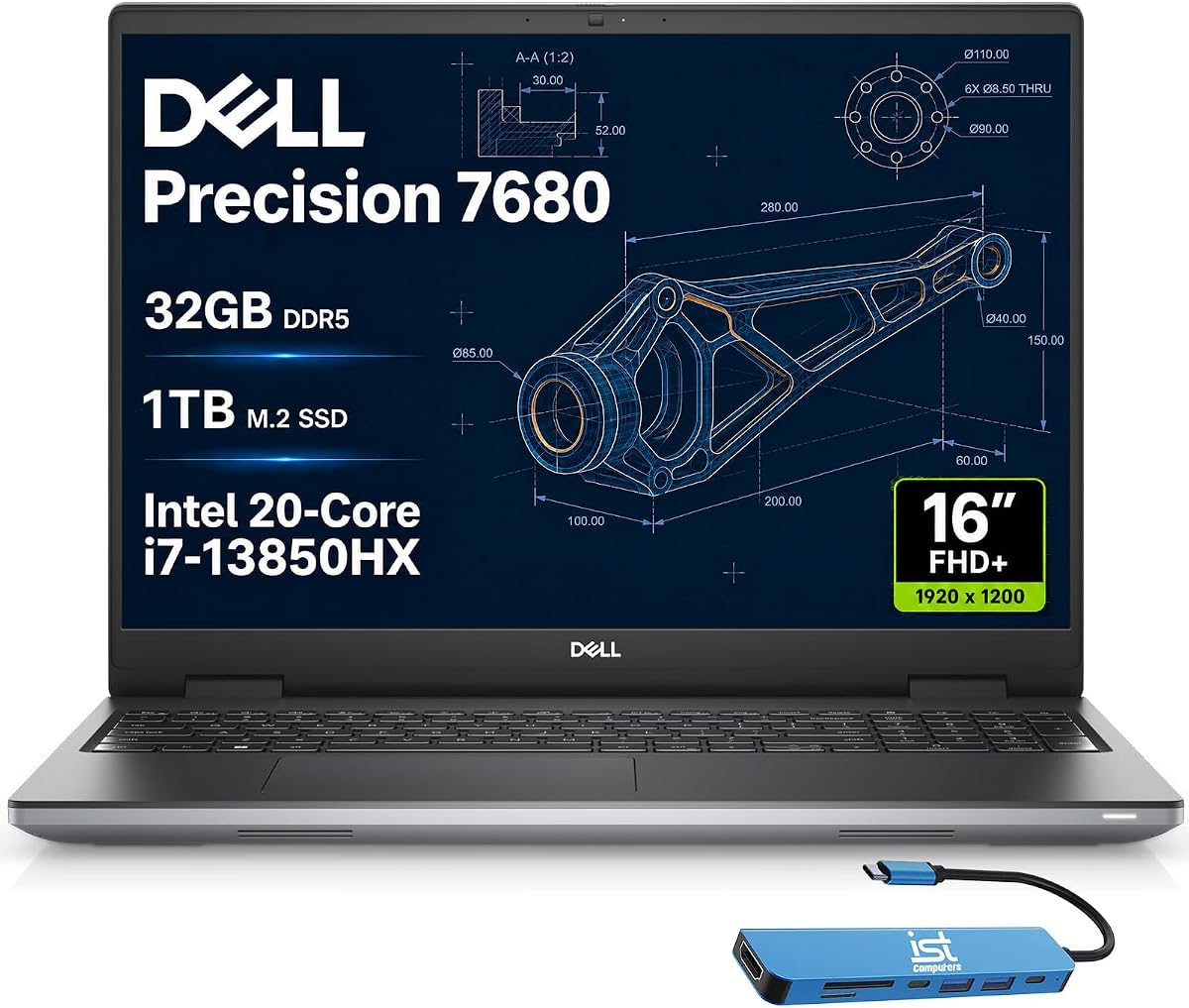


The Dell Precision 7680 tops our list for editors needing workstation-grade reliability. With a 4.4 rating, it delivers robust performance for 4K timelines using the powerful i9-13950HX processor and 32GB DDR5 RAM.
We may earn a commission when you buy through this link, at no additional cost to you.
Its flagship design features ISV certifications ensuring compatibility with Premiere Pro. The 16-inch display supports up to three external monitors via HDMI and Thunderbolt, perfect for multitasking while editing complex video sequences.
Trade-offs include weight and cost, but these are acceptable for professionals prioritizing uptime and scalability. The CAMM RAM design allows easier upgrades compared to traditional SODIMM modules found in most laptops.
Buy this if you manage large projects requiring stability. Its Pro Max series architecture makes it a top choice for creatives who cannot afford downtime during critical rendering or export operations.
ISV certifications guarantee professional software stability during intensive rendering and playback tasks.
CAMM RAM technology offers faster speeds and easier upgrades than standard laptop memory modules.
We may earn a commission when you buy through this link, at no additional cost to you.
This 2025 MacBook Pro with M5 chip sets a new standard for portable editing. Rated 4.7, it offers blazing speed through unified memory architecture and a stunning 1600-nit XDR display for color accuracy.
We may earn a commission when you buy through this link, at no additional cost to you.
Adobe Creative Cloud apps run lightning fast on Apple Silicon, leveraging Neural Accelerators for AI tasks. The battery lasts all day without sacrificing performance even when unplugged, which is rare for powerful laptops.
You must plan storage and memory carefully as upgrades aren't user-serviceable later. However, the seamless ecosystem with iPhone and iPad makes this ideal for creatives already invested in Apple's ecosystem.
Choose this for portability and display quality. It balances raw power with battery endurance better than any Windows competitor, making it perfect for editors on the go.
CPU and GPU share the same memory pool for faster data access and smoother multitasking.
Delivers consistent editing speed whether plugged in or running on battery power.
We may earn a commission when you buy through this link, at no additional cost to you.
The Precision 3581 offers workstation capabilities at a more accessible price. As a renewed model, it comes with a two-year warranty while delivering 32GB DDR5 RAM and a dedicated RTX A500 graphics card.
We may earn a commission when you buy through this link, at no additional cost to you.
Its 14-core processor handles multitasking well, allowing smooth playback of multiple browser tabs alongside Premiere. The 1TB SSD ensures fast file transfers for large video clips essential for modern editing workflows.
The screen resolution is limited to 1920×1080, which might lack detail for 4K grading compared to higher end displays. However, the core performance specs are strong enough for most entry-level professional needs.
Ideal for freelancers needing reliability without high costs. This renewed unit provides a cost-effective entry point into professional editing without compromising on RAM or processor power.
Brings professional workstation features to a more affordable renewed market segment.
Fast 4800MHz RAM ensures smooth application switching during heavy video editing sessions.
We may earn a commission when you buy through this link, at no additional cost to you.
This massive mobile workstation is built for the most demanding rendering tasks. With an incredible 128GB of RAM and RTX 3500 graphics, it can handle complex 8K workflows that would crash lesser machines.
We may earn a commission when you buy through this link, at no additional cost to you.
The 17.3-inch display provides ample space for tool panels and timelines simultaneously. ISV certifications ensure stability for professional engineering and design software used alongside video editing suites.
Portability is sacrificed for raw power, making it best for desk setups rather than coffee shops. The price reflects its specialized industrial design but offers unmatched memory capacity.
Best for studio environments needing maximum capacity. If you work with heavy 3D elements alongside video, this machine ensures you never run out of system memory.
128GB RAM allows handling multiple heavy projects simultaneously without performance drops.
RTX 3500 provides stability for creative workflows needing high VRAM capacity.
We may earn a commission when you buy through this link, at no additional cost to you.
The Precision 7680 i7 variant balances performance and value within the workstation line. Rated 4.3, it features a powerful 20-Core i7 processor and 32GB DDR5 RAM for demanding video workloads.
We may earn a commission when you buy through this link, at no additional cost to you.
This model focuses on efficiency and speed with a crisp 16-inch FHD+ display. Support for up to three external monitors allows for flexible setups without needing a dock.
While it uses integrated graphics for efficiency, this is fine for standard editing but might struggle with heavy GPU effects. The keyboard remains comfortable for long typing sessions with its backlit design.
Pick this if you need a reliable machine for daily office and editing tasks. It offers excellent expandability and connectivity for users who prioritize workflow over raw graphical horsepower.
The 20-Core processor ensures smooth multitasking across various editing tools.
Thunderbolt and HDMI ports enable complex multi-monitor configurations for production.
We may earn a commission when you buy through this link, at no additional cost to you.
This configuration prioritizes storage and memory over CPU speed. With 64GB RAM and a 2TB SSD, it keeps massive video libraries handy without needing external drives during sessions.
We may earn a commission when you buy through this link, at no additional cost to you.
The RTX 1000 GPU provides necessary acceleration for effects and playback in Premiere. Dell ProSupport Plus ensures rapid technical support if issues arise during critical production deadlines.
The 2TB capacity eliminates frequent cloud uploads for footage access. This setup is tailored for editors working with large file sizes that fill standard 1TB drives quickly.
Ideal for users managing multiple projects locally. If your workflow requires keeping many raw files on hand, this model offers the capacity to work uninterrupted.
64GB RAM ensures smooth playback even with high resolution timelines active.
2TB SSD reduces need for external drives during editing sessions.
We may earn a commission when you buy through this link, at no additional cost to you.
The Precision 5550 is a solid renewed option for budget-conscious editors. Rated 4.5, it features a 10th gen i7 and 32GB RAM, which is sufficient for 1080p editing without dedicated graphics.
We may earn a commission when you buy through this link, at no additional cost to you.
Windows 11 Pro ensures enterprise security features and better manageability for work environments. The chassis is durable and proven for professional use cases over years.
Since it relies on integrated graphics, expect lower performance with GPU-intensive effects or 4K grading. It is best suited for basic cuts and simple edits rather than heavy compositing.
Buy this for entry-level professional work. It offers a reliable platform to learn editing software without the high cost of modern workstation models.
Certified pre-owned units offer workstation reliability at a lower price.
Durable build quality ensures reliability for daily professional use.
We may earn a commission when you buy through this link, at no additional cost to you.
This HP laptop offers a large 17.3-inch display for viewing timelines clearly. Rated 5.0 by users, it features a Ryzen 5 processor that handles basic multitasking and lighter editing tasks efficiently.
We may earn a commission when you buy through this link, at no additional cost to you.
DDR5 RAM provides speed for system operations, but 8GB is the minimum for modern video editing. The 256GB SSD is fast but fills up quickly with video footage requiring external drives.
The physical shutter on the privacy camera ensures security during video calls. It supports up to 9 hours of battery life, which is good for portable productivity tasks.
Best for students or beginners on a tight budget. While not for heavy production, it works well for simple projects and learning the interface of editing software.
The 17.3-inch screen provides extra space for timeline viewing.
Ryzen 5 handles basic cuts but requires storage upgrades for media.
We may earn a commission when you buy through this link, at no additional cost to you.
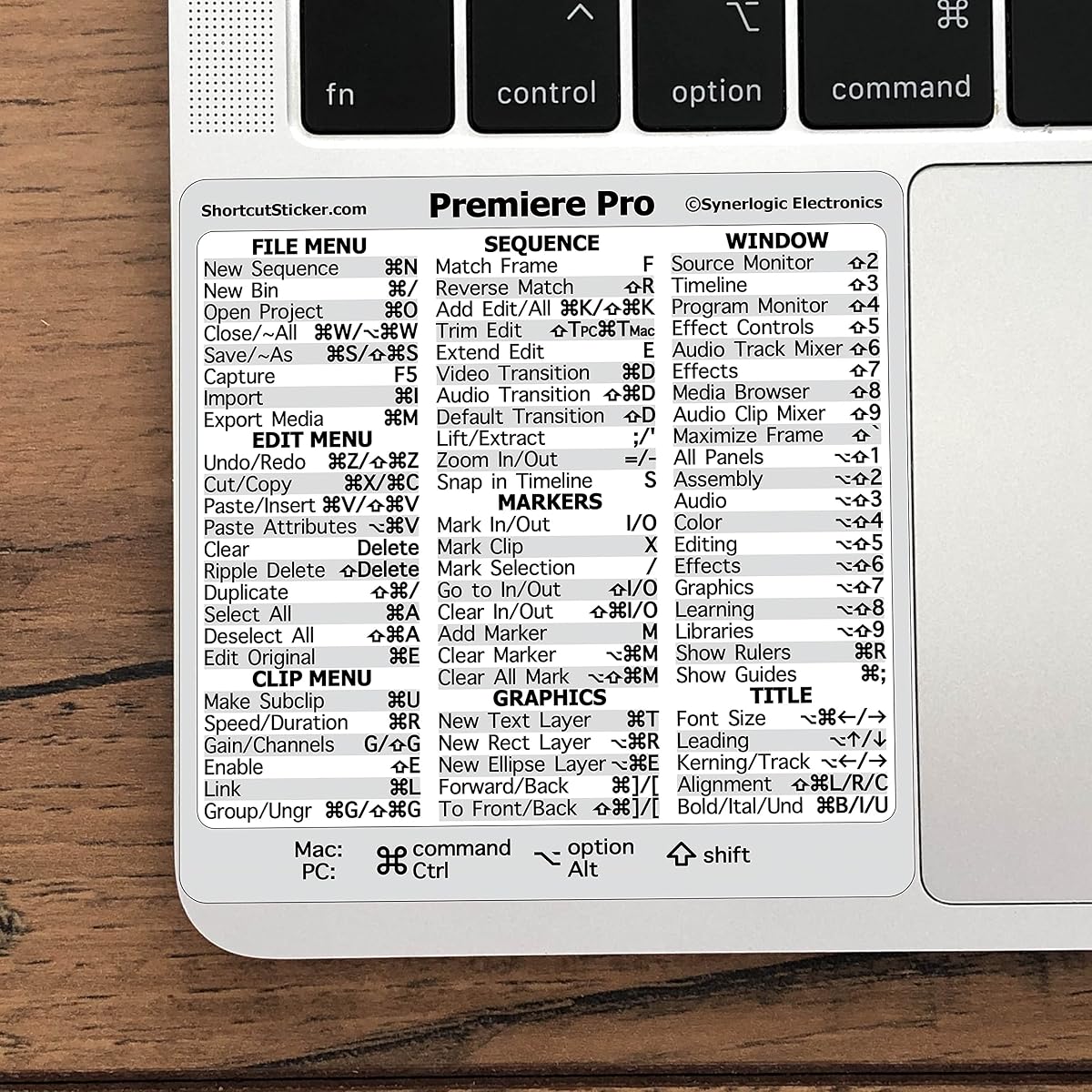
This sticker helps you master Premiere Pro shortcuts without stopping your work. Rated 4.6, it places essential commands directly on your keyboard for quick reference while editing.
We may earn a commission when you buy through this link, at no additional cost to you.
Made with durable military-grade vinyl, it maintains visibility even after prolonged use. It fits both PC and Mac keyboards, making it a universal tool for any editor.
Some might find it visually cluttered or prefer memory retention methods. However, the time saved learning commands makes it a worthwhile investment for improving productivity.
Use this alongside a laptop to improve your workflow. It is a simple accessory that helps you edit faster by reducing the need to lookup commands during a session.
Direct access to shortcuts reduces lookup time and speeds up editing.
Compatible with both Windows and macOS keyboard layouts seamlessly.
We may earn a commission when you buy through this link, at no additional cost to you.
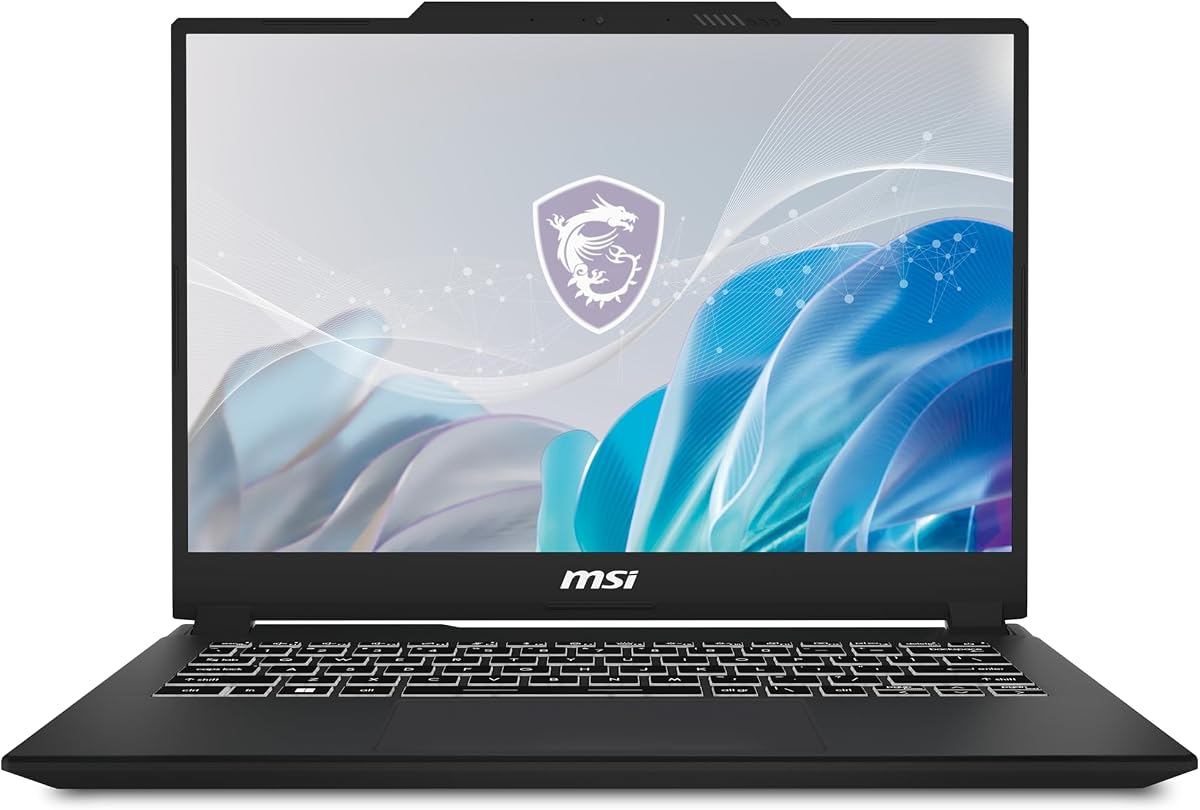
The MSI Creator M14 balances power and portability for on-the-go creators. Rated 4.7, its 2.8K display offers vivid colors perfect for color grading on a 14-inch panel.
We may earn a commission when you buy through this link, at no additional cost to you.
Powered by RTX 4050, it handles acceleration well. Cooler Boost technology helps manage heat during rendering, ensuring sustained performance when plugged in for long tasks.
Battery life may vary under heavy loads compared to Apple Silicon. However, the fingerprint unlock and Windows Hello offer quick access to secure your sensitive project files.
Choose this for a compact Windows creator device. It offers a high resolution screen and dedicated graphics in a small form factor ideal for travel work.
2.8K screen ensures accurate color viewing for professional grading.
Cooler Boost keeps the laptop cool during intensive rendering sessions.
We may earn a commission when you buy through this link, at no additional cost to you.
Selecting the right laptop requires balancing processing power, memory, and display quality against your budget. Consider these factors to ensure your system can handle your current and future editing needs.
A multi-core processor is essential for smooth playback and faster rendering. Look for Intel Core i7 or i9 H-series or AMD Ryzen 7 or 9 processors to handle complex timelines and background tasks without lag.
Prioritize processors with higher clock speeds and core counts for better performance in Adobe Premiere.
At least 32GB of RAM is recommended for professional video editing to prevent slowdowns. More RAM allows you to keep multiple applications open and ensures smoother scrubbing through high-resolution footage.
If budget allows, 64GB provides future-proofing for larger projects and multi-tasking.
A dedicated GPU like NVIDIA RTX series accelerates video rendering and effects. Look for at least 4GB of VRAM to handle color grading and transitions smoothly without relying solely on the CPU.
ISV certified professional graphics ensure stability for demanding creative workflows.
Accurate color reproduction is critical for grading. Look for displays with high sRGB or DCI-P3 coverage and at least 1080p resolution for clear timeline visibility during editing.
Higher resolutions like 2.8K or XDR offer better detail but may impact battery life.
Solid State Drives (SSD) are non-negotiable for loading media quickly. Aim for at least 1TB of NVMe storage to keep your operating system and active project files accessible without lag.
External drives are useful for archives, but internal storage should handle daily work.
Ports like USB-C and HDMI allow connecting external monitors for multi-screen editing. Thunderbolt 4 support enables fast data transfer speeds for moving large video files between drives.
Ensure the laptop has enough ports to avoid needing multiple dongles during setup.
If you edit outside a studio, long battery life is crucial. Apple Silicon laptops often lead here, but Windows devices vary. Check real-world tests to ensure the battery lasts your typical work session.
Performance usually drops on battery, so plan to plug in for rendering heavy tasks.
Rendering generates heat, which can slow down the processor if not cooled well. Look for laptops with robust cooling solutions to prevent throttling during long export sessions.
Better thermal designs ensure sustained performance and a longer lifespan for your machine.
Keep your system updated with the latest drivers and OS patches to ensure compatibility with Premiere updates. Regularly clearing your media cache prevents storage issues and maintains smooth playback over time.
Use an external hard drive for backups and to store archived projects. This keeps your main drive fast and your work secure in case of hardware failure.
Monitor temperatures and avoid blocking vents on the laptop during use. Regular cleaning of dust from fans helps maintain cooling efficiency and extends the life of your hardware.
Yes, a dedicated graphics card is highly recommended for smooth playback of effects and 4K footage. Integrated graphics can struggle with complex timelines or rendering tasks.
At least 32GB of RAM is standard for 4K editing to ensure smooth scrubbing and multitasking. 64GB provides a buffer for heavier effects and future projects.
Mac offers better battery life and display optimization while Windows provides more hardware variety. Choose based on your specific software needs and budget.
NVMe SSDs are the fastest choice for active projects to avoid lag. SATA SSDs are faster than HDDs but NVMe is preferred for professional video work.
Yes, with optimizations like lower resolution proxies, but a dedicated GPU and at least 16GB of RAM are minimums. Expect slower rendering times on lower-end machines.
Higher resolution screens provide better space for timelines and panels. 1080p is functional but 2K or 4K offers more detail for precise editing tasks.
Our top pick for 2026 is the Dell Precision 7680, offering robust workstation features for professional editing. The Apple 2025 MacBook Pro leads in portability and display quality for creatives on the move.
Prioritize RAM and processor speed over brand preference to ensure smooth performance. Investing in these core components prevents bottlenecks during your most demanding projects.
Prices change frequently, so check current listings before purchasing to find the best deal for your needs.