
Lian Li Strimer Wireless 24-Pin RGB Motherboard Power Cable with Controller
4.8Editor score
Wireless 2.4 GHz control
L-Connect 3 software support
Extended light strip coverage
This guide compares the top 10 light up cables for PC builds featuring ARGB synchronization LED density and flexible designs to help you choose the right power
Light up cables for PC transform a standard gaming rig into a stunning visual centerpiece. These extensions replace boring power wires with vibrant ARGB lighting that syncs with your motherboard. They offer both functionality and style for modern custom builds.
We evaluated ten top products based on LED density flexibility and sync compatibility. Each option supports 5V 3-pin headers for seamless integration. Our analysis covers build quality ease of installation and visual impact for every budget.
Every pick highlights unique strengths from wireless control to high-density LED strips. Prices fluctuate so check current listings before buying. This guide ensures you find the perfect cable to elevate your system aesthetics.
4.8Editor score

4.4Editor score
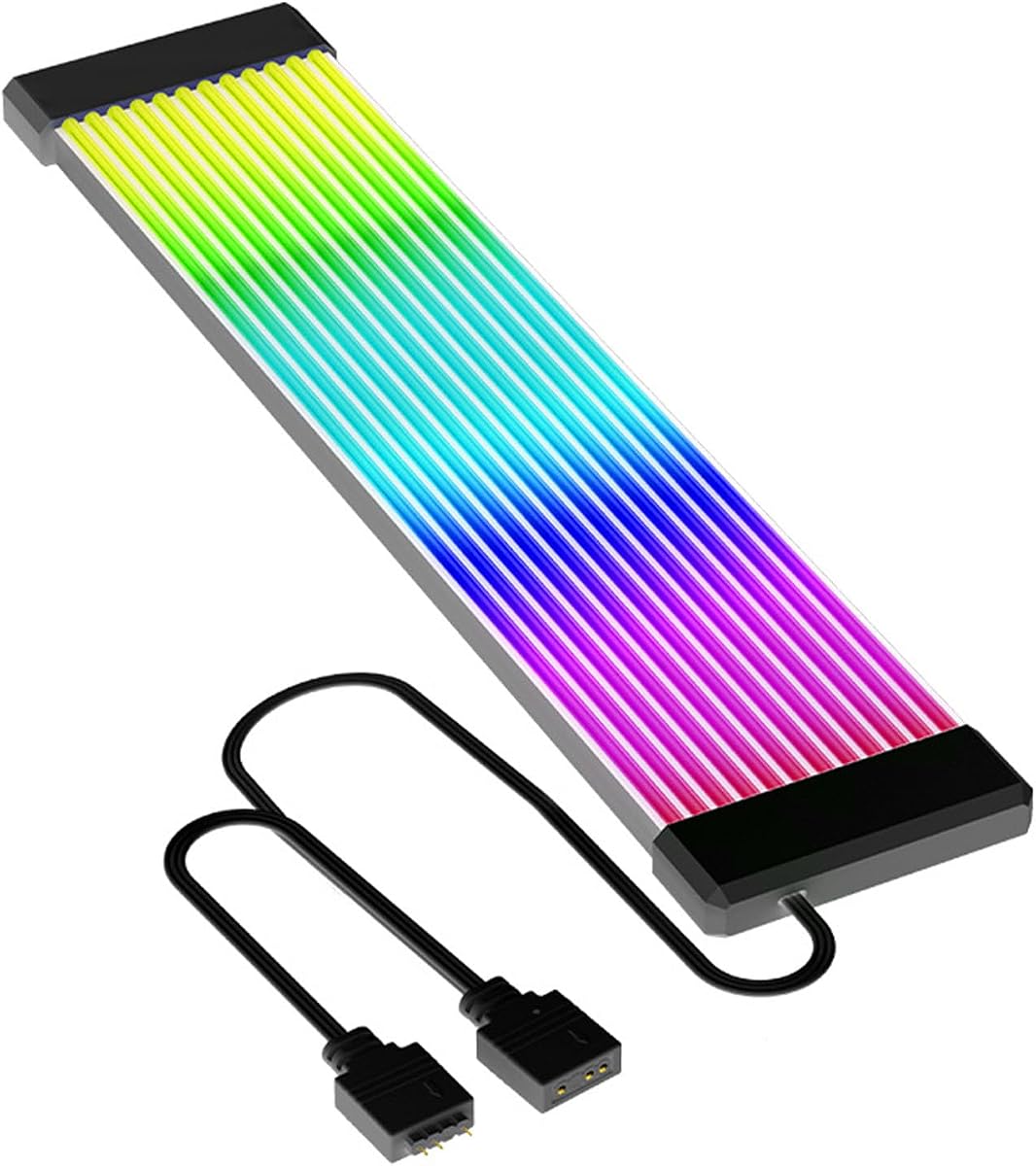
4.6Editor score
This table compares the top ten light up cables for PC based on key specifications and features. Review each option to find the best fit for your specific build needs and aesthetic preferences.


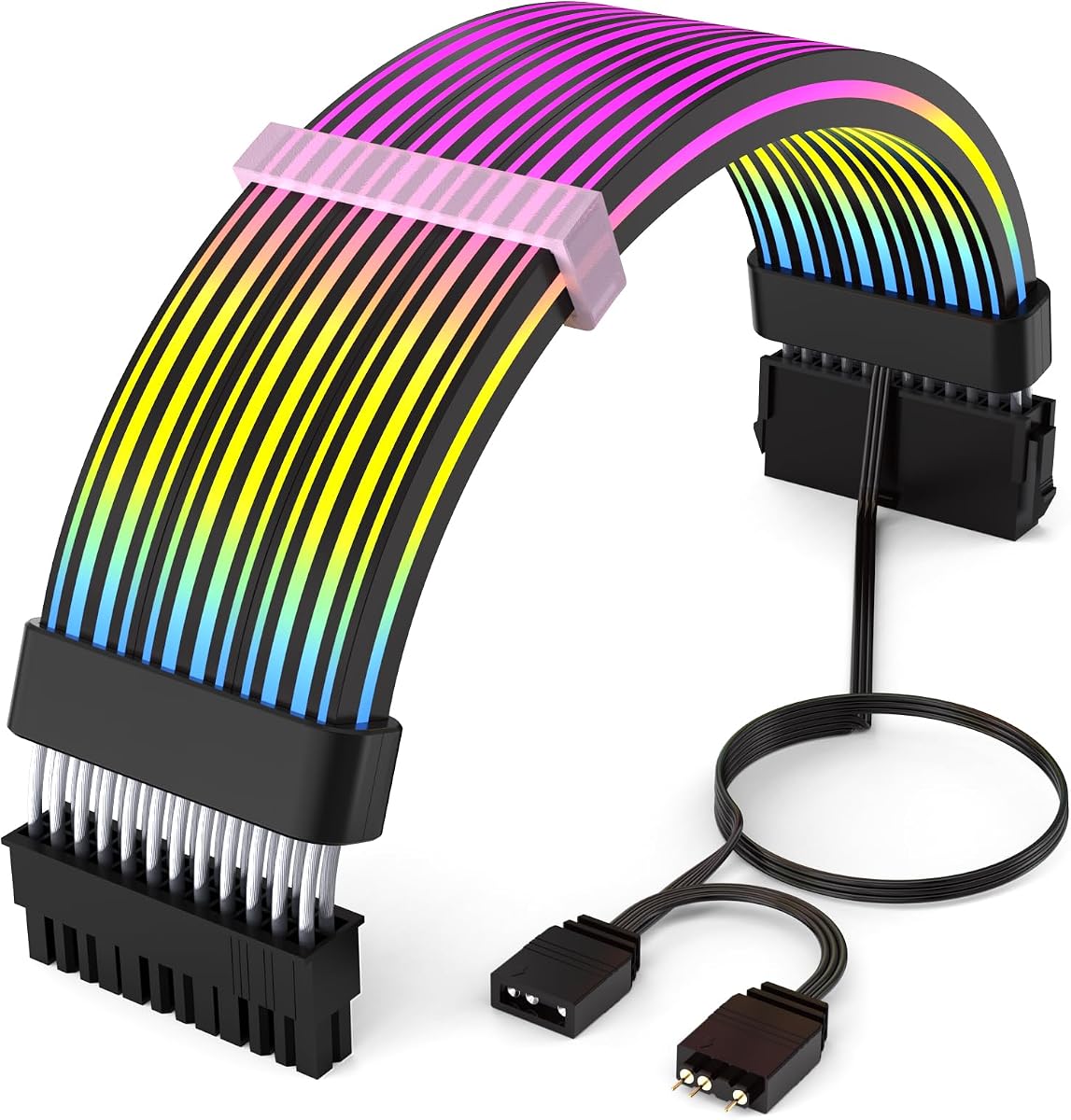

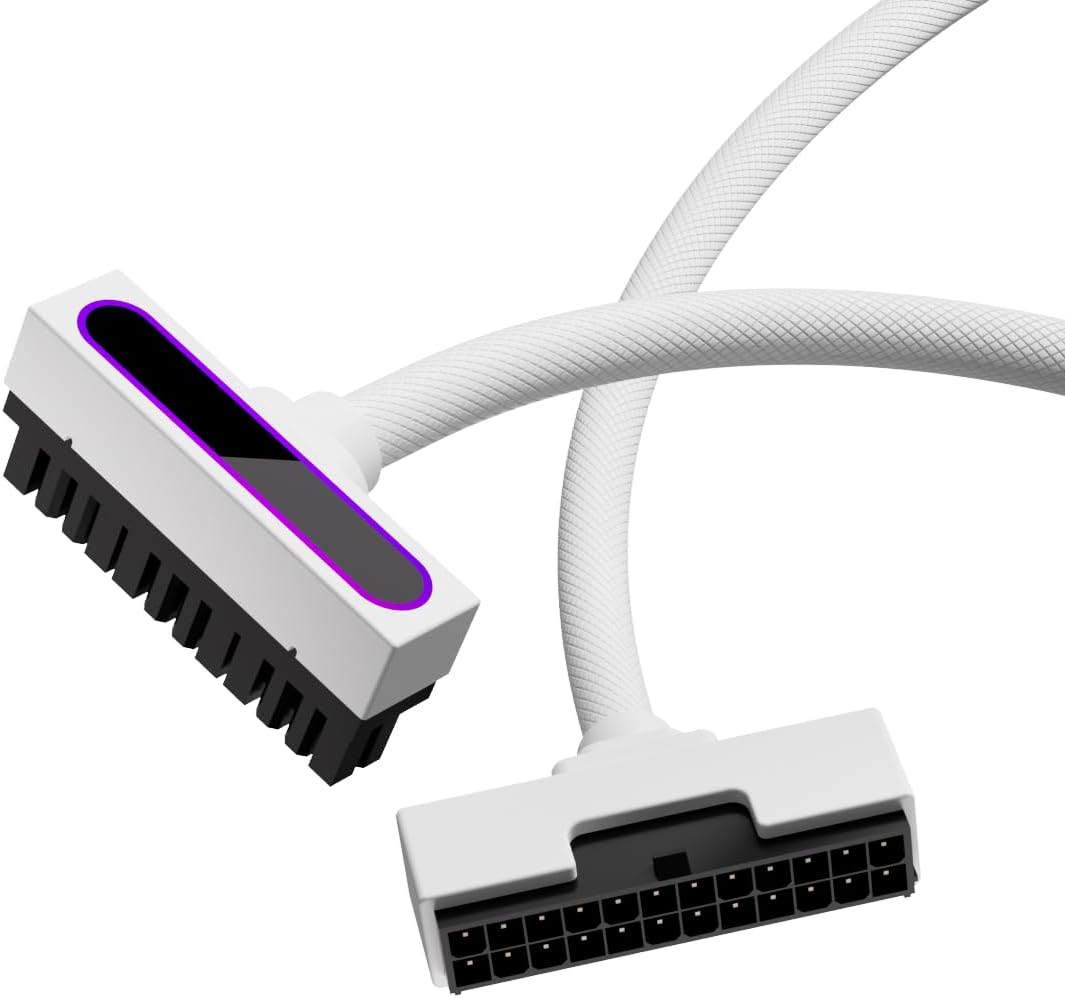
This kit delivers bright ARGB lighting for your PSU cables with high-density LED coverage. It earns an Editor's Choice badge for balancing quality and ease of use. The smooth color flow makes your PC interior look professional and vibrant.
We may earn a commission when you buy through this link, at no additional cost to you.
The flexible silicone sleeves fit standard 24-pin and 8-pin or 16-pin GPU cables. You can control the lighting using 5V 3-pin headers and popular software. Braces help keep cables tidy and ensure consistent bends around your chassis.
Installation is straightforward but lacks individual LED control. Each cable diffuses light evenly without visible hotspots. While not as advanced as fully addressable strips, it offers reliable performance for most custom builds.
Choose this if you want a clean look with minimal hassle. It suits gamers and enthusiasts upgrading existing setups. The included accessories save time and ensure a secure fit for long-term stability.
Soft silicone allows smooth bends around tight corners without kinking. This material protects cables while maintaining a sleek aesthetic throughout your case.
Connects via standard 5V 3-pin headers for unified lighting control. Works with most software to match fans and components seamlessly.
We may earn a commission when you buy through this link, at no additional cost to you.
This wireless solution brings next-gen convenience to RGB power cables. It earns Best Premium for its seamless control and robust hardware. The dedicated controller ensures smooth operation across Lian Li devices.
We may earn a commission when you buy through this link, at no additional cost to you.
Connectivity uses 2.4 GHz technology for reliable signal transmission. L-Connect 3 software provides fan speed control and temperature monitoring alongside lighting. This makes it a powerhouse for system optimization and aesthetics.
The cost is significant but justified by features. Installation requires careful alignment of connectors. Still, the wireless aspect reduces clutter and enhances flexibility within compact cases.
Pick this for high-end builds needing integrated control. Fans and liquid cooling systems sync perfectly. It delivers a polished look unmatched by standard cable extensions.
Eliminates extra cables with 2.4 GHz technology. Ensures reliable signal across complex builds with minimal interference.
Software tracks CPU and GPU metrics in real time. Offers hardware monitoring dashboards for optimized performance.
We may earn a commission when you buy through this link, at no additional cost to you.
This cable offers impressive LED count at a low price. It wins Best Budget for delivering solid value and vibrant effects. Silicone material ensures flexibility for various routing needs.
We may earn a commission when you buy through this link, at no additional cost to you.
Multiple interfaces simplify connections for expansion and control. It supports major RGB sync software for customization. The wide design covers large power connectors effectively.
It lacks premium combs but provides excellent visual results. Some users may find assembly slightly tricky without extra tools. Still, the cost efficiency is hard to beat for enthusiasts.
Ideal for tight budgets needing standout lighting. Works well in standard or budget builds. A great entry point into addressable power cable extensions.
Provides 120 beads without a high price tag. Excellent value for those prioritizing visual impact over premium hardware.
Soft silicone allows easy bending to fit any layout. Maintains consistent lighting even through tight bends.
We may earn a commission when you buy through this link, at no additional cost to you.
This kit focuses on universal compatibility and durability. It supports 24-pin and GPU cables with flexible sleeves. The LED lifespan ensures long-lasting performance without decay.
We may earn a commission when you buy through this link, at no additional cost to you.
High-density LEDs create uniform lighting with fewer shadows. Flexibility allows bending in any direction for perfect fit. Sync via 5V 3-pin is standard and reliable.
Customization is basic but functional. Users might need extra combs for perfect management. Still, it delivers a clean look for any PC case.
Select for dependable performance across builds. Great for those needing straightforward upgrades. The flexible design suits compact or unique chassis layouts.
Uses high-precision LEDs with a 20,000-hour lifespan. Ensures reliable brightness over years of daily use.
360-degree bendable design accommodates any cable path. Perfect for cramped cases or complex routing needs.
We may earn a commission when you buy through this link, at no additional cost to you.
This kit delivers Addressable RGB lighting for vibrant control. Its modular design integrates smoothly with existing cables. Front and side lighting create a 3D visual impact.
We may earn a commission when you buy through this link, at no additional cost to you.
High-density beads ensure bright output. Addressable features allow precise adjustments via motherboard software. Durable LED beads prevent fading over time.
Installation may require attention to wiring details. It hides cables well but lacks a power cord. Still, it offers premium effects for enthusiasts.
Choose for high-quality lighting upgrades. Ideal for builds needing detailed customization. The design ensures stability and a neat appearance.
Individual LED control enables detailed effects. Perfect for synchronized animations and color transitions.
Front and side LEDs add depth to lighting. Creates a more immersive glow inside your case.
We may earn a commission when you buy through this link, at no additional cost to you.
White sleeves offer a clean look for builds. Tool-free installation simplifies setup. Combs ensure cable management stays tidy.
We may earn a commission when you buy through this link, at no additional cost to you.
Major motherboard sync ensures compatibility. High LED count provides vibrant uniform light. Soft silicone allows free bending for any layout.
Limited to white options might not suit dark builds. Daisy chain restrictions apply for large setups. Still, it delivers strong visual results.
Select for white PC builds needing simplicity. Great for quick upgrades. The combs and sleeves save time during assembly.
Install quickly without extra tools. Ideal for users seeking fast aesthetic upgrades.
Syncs with ASUS MSI and other brands. Ensures seamless software control for lighting.
We may earn a commission when you buy through this link, at no additional cost to you.
This cover features 108 LEDs for smooth effects. Preset options simplify customization. Adjustable brightness helps match any room lighting.
We may earn a commission when you buy through this link, at no additional cost to you.
Modular design adapts to most cables. Software sync enables deep personalization. LED quality ensures accurate color rendering.
Price is moderate but justified by features. Setup might require patience for full use. Still, it offers strong performance.
Choose for builds needing precise lighting. Ideal for enthusiasts. The presets and brightness add versatile options.
108 LEDs deliver vibrant coverage. Minimizes gaps and ensures even light flow.
Ten levels allow tailored intensity. Adapt lighting to suit different times and moods.
We may earn a commission when you buy through this link, at no additional cost to you.
Four-side lighting ensures visibility from all angles. Includes a mini controller for standalone use. Black finish blends with dark builds.
We may earn a commission when you buy through this link, at no additional cost to you.
120 beads deliver strong brightness. TPE/silicone offers durability and flexibility. Integration reduces clutter inside the case.
Size may limit use in compact cases. Sync features are standard but effective. Good for mid to full towers.
Select for 360-degree effects. Ideal for those wanting integrated lighting. The controller adds convenience without motherboard dependency.
Lighting visible from all directions. Ensures no dark spots in any view.
Standalone control without motherboard. Great for systems lacking RGB headers.
We may earn a commission when you buy through this link, at no additional cost to you.
Designed specifically for GPU power cables. Compact size suits focused lighting. Includes a mini controller for easy control.
We may earn a commission when you buy through this link, at no additional cost to you.
Silicone material ensures flexible routing. Black finish matches dark GPU setups. Good performance for overclocking power.
Limited to 8-pin connectors. Fewer LEDs than full cable kits. Still delivers strong effects for graphics cards.
Choose for GPU-specific highlights. Ideal for builds emphasizing the graphics card. The controller adds versatility for sync.
Tailored for 8-pin power ports. Ensures perfect fit for graphics card connections.
Smaller size reduces clutter. Ideal for builds needing focused GPU lighting.
We may earn a commission when you buy through this link, at no additional cost to you.
Right-angle connector aids cleaner routing. Soldered terminals improve stability and reduce heat. Supports high power with 18AWG design.
We may earn a commission when you buy through this link, at no additional cost to you.
Single-cable integration removes extra wires. Matte finish resists scratches effectively. Sync offers 16.8M color options.
Fixed length limits some builds. Only available in white. Still delivers high performance and aesthetics.
Select for streamlined builds needing power efficiency. Ideal for right-angle setups. The terminal quality ensures safety and reliability.
90-degree design simplifies installation. Fits better into tight motherboard spaces.
Soldered terminals reduce resistance. Improves power delivery efficiency significantly.
We may earn a commission when you buy through this link, at no additional cost to you.
Selecting the right light up cables requires balancing aesthetics compatibility and build quality. This guide covers essential factors to ensure seamless integration and vibrant lighting.
Ensure cables match your motherboard headers like 5V 3-pin ARGB. Check PSU connections such as 24-pin or 8-pin GPU to avoid issues.
Match header types and connectors before buying.
Higher LED counts like 81 to 120 beads offer smoother lighting. More LEDs reduce visible gaps and enhance color transitions.
Prioritize high-density for uniform lighting.
Verify support for motherboard software like Aura Sync or Mystic Light. Software sync allows unified lighting across fans and accessories.
Choose options supporting your mainboard software.
Silicone and TPE materials allow flexible routing and better protection. Look for durable jackets that resist kinking during installation.
Pick flexible materials for easy cable management.
Some kits feature modular designs for separate strips and extensions. Others integrate lighting into sleeves for cleaner looks.
Select designs fitting your cable management goals.
Wireless or mini controllers enable standalone control without motherboard headers. This helps builds lacking ARGB support.
Check controller options if headers are limited.
Available in black or white to match chassis panels. Ensure color matches other components for cohesive aesthetics.
Match casing color for visual harmony.
Kits with cable combs and clear instructions simplify setup. Look for flexible sleeves that bend easily.
Prioritize user-friendly kits with accessories.
Install cables by plugging into motherboard 5V 3-pin headers first to ensure sync. Route power cables neatly using included combs to maintain a tidy interior.
Avoid bending too sharply as silicone sleeves resist but excessive force may damage LEDs. Check connections are secure to prevent flickering or failure.
Update motherboard software regularly for best sync performance. Clean dust off cables gently to preserve LED brightness and housing finish.
Most support 5V 3-pin ARGB headers common in modern boards. Always check your motherboard manual for compatibility. Wireless or controller kits may help if headers are missing.
Yes if they meet power ratings like 18AWG or 900W. Ensure secure connections to avoid shorts. High-quality materials reduce heat and improve safety.
Yes as long as they share the same sync standard like 5V 3-pin. Software can unify lighting. Avoid mixing 12V RGB headers to prevent damage.
81 to 120 LEDs provide smooth transitions without gaps. Higher counts reduce visible spots and improve color blending. This suits most custom PC builds.
If your motherboard supports ARGB headers you may not need one. Mini or wireless controllers add flexibility for builds without headers. They enable standalone control.
Use included combs to organize wires and hide excess length. Bend silicone sleeves gently around corners to avoid strain. Neat routing enhances the final look.
They draw minimal power and do not impact performance. Focus on quality terminals to ensure stable power delivery. Most kits are efficient and safe.
Yes many kits include remote or mini controllers for standalone use. This is useful if software control is unavailable. Check product details for controller type.
The TECWARE Flex and Lian Li Strimer Wireless stand out for quality and features. These picks balance aesthetics with reliable sync for modern builds.
Prioritize LED density and compatibility to ensure smooth lighting. Wireless or controller options offer flexibility for complex setups without header issues.
Check current listings for availability as prices fluctuate. Selecting the right cable transforms your PC into a stunning and functional centerpiece.