
MINISFORUM DEG1 Docking Station
4.5Editor score
Compact portable design for travel
OCuLink 4i interface support
Force power on capability included
This guide compares the top ten egpu docks for laptops and mini PCs, evaluating bandwidth, compatibility, and features to help you choose the right external
Choosing the right egpu dock can transform a modest laptop into a powerful workstation capable of handling demanding creative tasks and modern gaming experiences without compromise.
We evaluated ten leading models based on bandwidth capabilities, power supply flexibility, and overall build quality to ensure you find a reliable expansion solution for your specific needs.
Each pick highlights key strengths and trade-offs to guide your decision while noting that availability and pricing fluctuate frequently across major online retailers and regional markets.
4.5Editor score

4.4Editor score

4.8Editor score
This side-by-side comparison outlines the key technical specifications and interface options for each model to help you quickly identify the best fit for your setup.


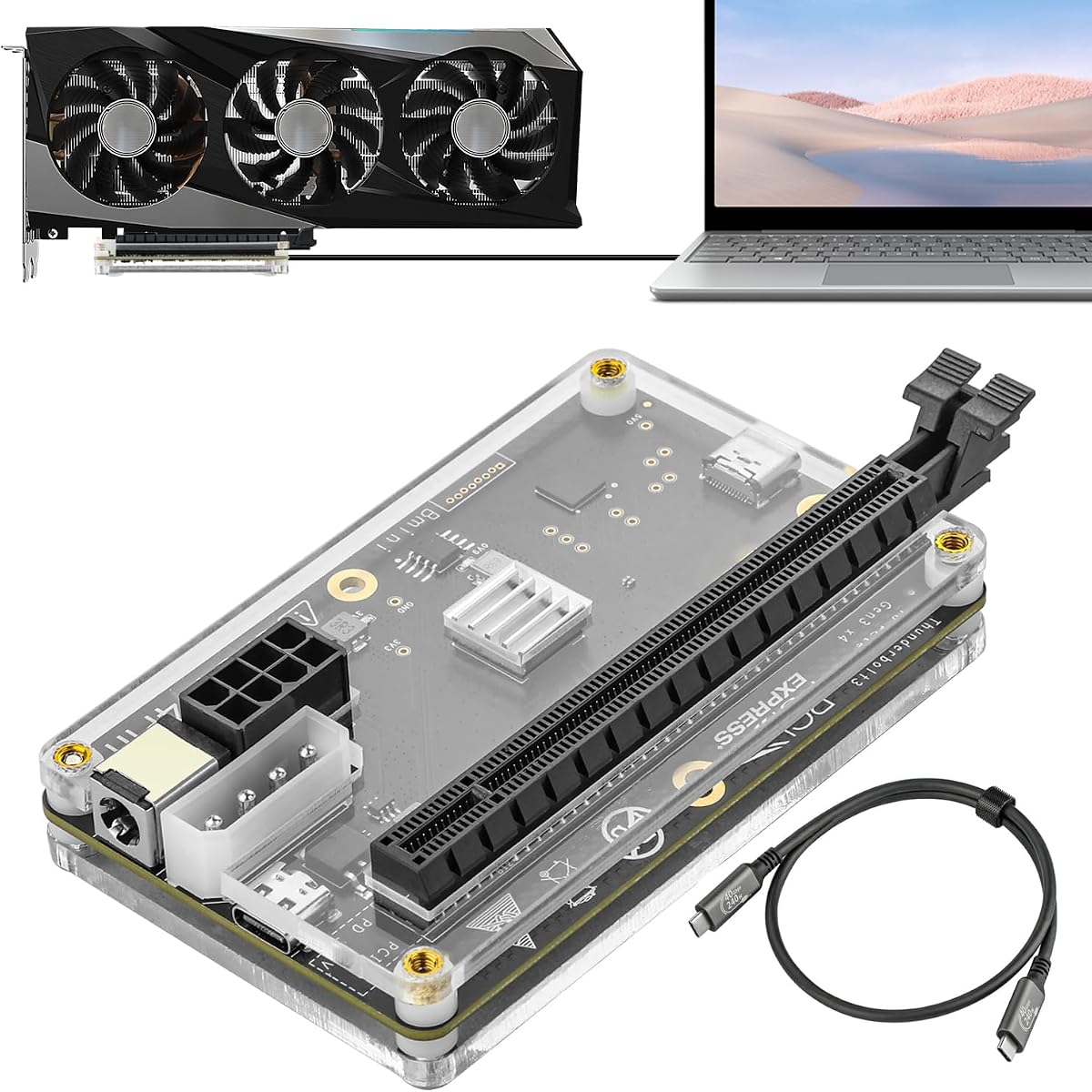


The MINISFORUM DEG2 stands out as a versatile solution for users needing both Thunderbolt compatibility and OCuLink speed. It offers robust bandwidth options and includes practical features like integrated storage.
We may earn a commission when you buy through this link, at no additional cost to you.
Its dual-mode hardware switch allows instant toggling between USB4 V2 and OCuLink without cable changes. This flexibility ensures optimal performance across different host devices and workflows.
While it lacks an included power supply, the support for universal ATX and SFX units provides long-term upgrade paths. The signal booster helps maintain stability during heavy rendering loads.
This dock is ideal for professionals who need to switch between mobile and desktop work seamlessly. Its ability to store assets locally enhances efficiency significantly.
The hardware switch simplifies switching between TB5 and OCuLink modes ensuring you get the best speed for your current device without manual reconfiguration.
The M.2 NVMe slot lets you keep AI models and project files directly on the dock reducing transfer times when switching between different laptops.
We may earn a commission when you buy through this link, at no additional cost to you.
This variant of the DEG2 offers rich connectivity including a 2.5G LAN port alongside its core TB5 and OCuLink interfaces. It ensures seamless interoperability across diverse setups.
We may earn a commission when you buy through this link, at no additional cost to you.
The physical toggle for mode switching simplifies workflow management significantly. You can switch between Thunderbolt and OCuLink without needing to swap cables or reboot your system.
While it does not work with specific MINISFORUM stations like the MS-02, it covers most modern laptops well. The auto-on feature adds a layer of convenience to daily use.
It is a strong choice for users who need network connectivity alongside GPU power. The included USB ports reduce the need for additional hubs.
Includes multiple USB ports and a LAN port making it a full docking solution that replaces the need for extra peripherals.
Heavy GPU tasks run on the desktop card while the laptop handles display reducing file transfers and smoothing your workflow significantly.
We may earn a commission when you buy through this link, at no additional cost to you.
The Razer Core X V2 delivers next-gen performance with Thunderbolt 5 support offering up to 80Gbps bandwidth. It is designed for heavy-duty creative applications and AAA gaming.
We may earn a commission when you buy through this link, at no additional cost to you.
Its steel chassis with active cooling ensures sustained performance even under load. The included tool-free install thumbscrews make swapping GPUs easy without extra tools.
Although it excludes compatibility with newer Mac chips, it supports a wide range of Windows laptops and handhelds. The 140W power delivery keeps your laptop charged while gaming.
This enclosure is perfect for users seeking a robust build quality and ease of use. It balances professional reliability with gaming performance effectively.
The built-in 120mm fan automatically ramps up during heavy loads ensuring your GPU stays cool without manual intervention or noise.
Connect via the included Thunderbolt 5 cable to get a graphical boost instantly. It is a straightforward plug-and-play experience for most users.
We may earn a commission when you buy through this link, at no additional cost to you.
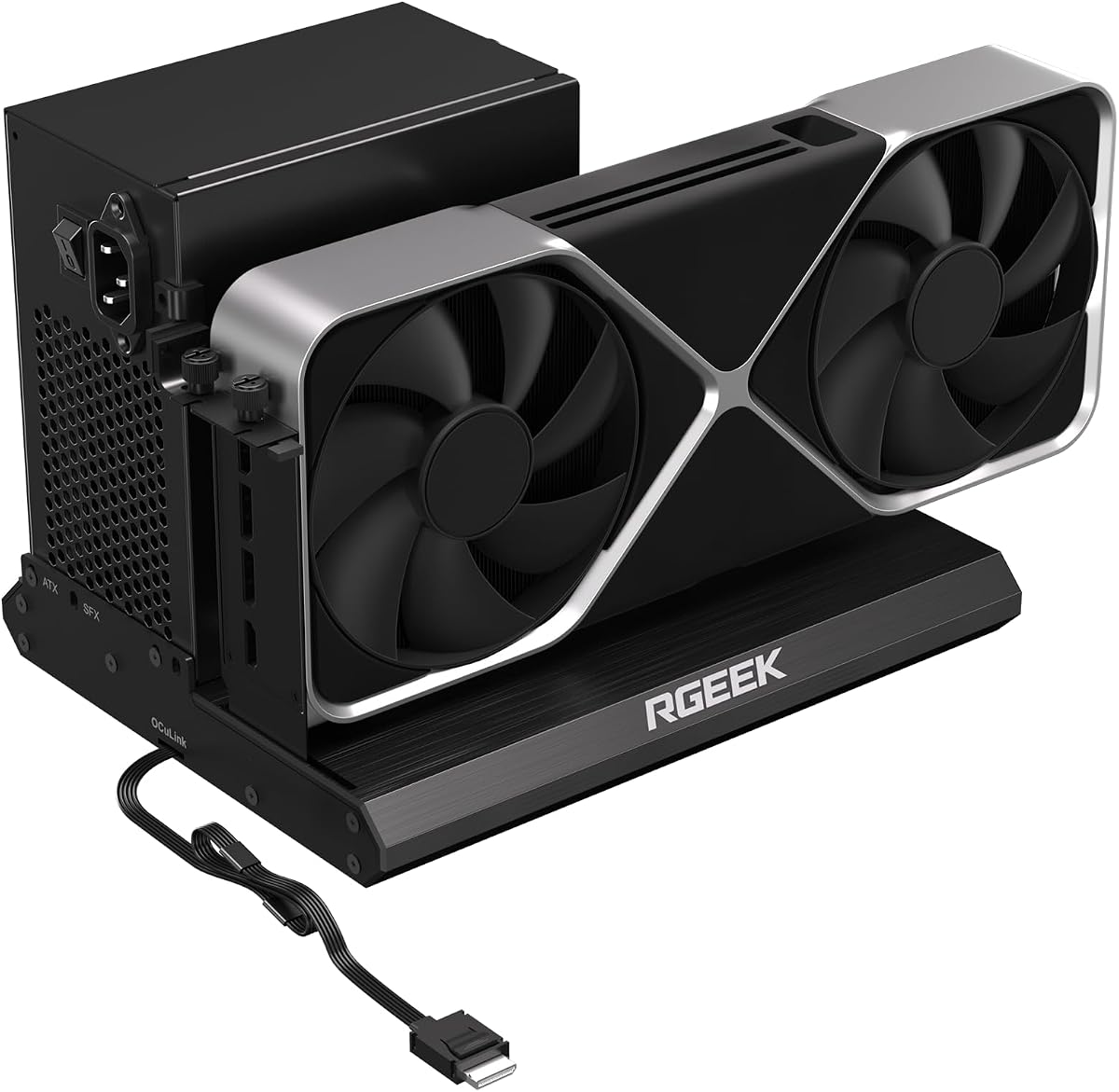
The DEG1 is a compact and portable solution ideal for travelers. Its small dimensions make it easy to carry while providing reliable OCuLink performance.
We may earn a commission when you buy through this link, at no additional cost to you.
It features a Force Power On function that allows one-click switching between startup modes. This simplifies operation and reduces the need for manual BIOS adjustments.
While it lacks Thunderbolt options, the PCIe 4.0 x4 interface delivers smooth transfer speeds. The locking mechanism on the connector prevents accidental disconnections.
This dock is perfect for users prioritizing portability without sacrificing GPU power. It offers excellent value for those on a budget seeking high performance.
Its 14 cm length fits easily in a backpack allowing you to upgrade your laptop performance anywhere without heavy gear.
The Force Power On LED and one-click switch ensure stable system operation without manual settings adjustments every time you use it.
We may earn a commission when you buy through this link, at no additional cost to you.
This dock offers a direct PCIe 4.0 x4 connection for fast data transfer. It supports standard ATX power supplies and accommodates various GPU sizes without restrictions.
We may earn a commission when you buy through this link, at no additional cost to you.
The detachable design on both ends improves portability for users who move their setup frequently. Gold-plated contacts ensure superior conductivity to reduce resistance.
LED indicators provide clear visual feedback on device status helping you monitor the connection health easily. The included cable is thin and flexible to prevent damage.
It is a solid choice for users who need a reliable link between mini PCs and GPUs. The price point offers good value for the bandwidth provided.
The enclosure can be detached on both ends improving portability and storage convenience for those who move their workstations often.
Gold-plated contacts ensure stable connections and reduce the risk of system crashes due to oxidation or resistance in the interface.
We may earn a commission when you buy through this link, at no additional cost to you.
This dock stands out with support for PCIe 5.0 x4 offering up to 128Gbps bandwidth. It is designed for enthusiasts wanting the fastest potential connection available today.
We may earn a commission when you buy through this link, at no additional cost to you.
Factory-soldered cables eliminate extra adapters reducing signal loss and improving reliability. The full aluminum chassis provides excellent heat dissipation and durability.
While current ports often max at 64Gbps this dock prepares you for future upgrades. It supports standard ATX and SFX power supplies for flexibility.
It is a great choice for users building high-performance workstations. The clean I/O layout keeps wiring neat and organized.
With 128Gbps potential this dock ensures you can fully utilize next-gen graphics cards for intensive AI and rendering tasks.
The full aluminum chassis helps dissipate heat effectively maintaining stable performance during long rendering sessions or gaming.
We may earn a commission when you buy through this link, at no additional cost to you.
The UGREEN LinkStation offers dual channel performance with OCuLink for speed and USB4 for universal compatibility. It supports GPUs up to 370mm in length.
We may earn a commission when you buy through this link, at no additional cost to you.
Its semi-open aluminum chassis helps keep noise levels low even under heavy load. The built-in signal booster ensures stable transmission for 4K gaming.
This dock is designed for enthusiasts who need to install large high-end cards. The removable top cover allows for flexible GPU sizing.
It is ideal for creators and gamers needing desktop-grade power. The cable storage compartment keeps your desk tidy and organized.
Choose OCuLink for zero latency or USB4 for compatibility ensuring your system gets the best performance for your current task.
The removable top cover allows you to install oversized GPUs up to four slots thick without restrictions or adapters.
We may earn a commission when you buy through this link, at no additional cost to you.
This dock supports Thunderbolt 3 and 4 connections for universal use across many laptops and consoles. It delivers decent speeds for creative and gaming tasks.
We may earn a commission when you buy through this link, at no additional cost to you.
It offers four different power input options allowing you to choose based on what you have available. The controller ensures better stability across Windows versions.
While it supports older GPUs effectively it may not be enough for the latest high-end cards. It is a good budget-friendly option for general use.
Consider this if you need flexibility with power sources. It covers a wide range of devices and is easy to integrate.
Choose between CPU Molex PD or DC5521 inputs to adapt to your existing power setup without needing extra adapters.
The JHL6340 controller ensures reliable performance across both Windows 10 and 11 reducing crashes and compatibility issues.
We may earn a commission when you buy through this link, at no additional cost to you.
This model supports Oculink and TBT5 modes allowing easy switching between high-speed and universal connections. It includes an M.2 slot for extra storage.
We may earn a commission when you buy through this link, at no additional cost to you.
The auto power-on feature syncs with your host device for seamless desktop-like operation. You do not need to manually start the dock every time.
While it does not work with certain models like the MS-02, it covers most modern systems well. The signal optimization helps minimize drops and errors.
It is a reliable choice for those needing versatile docking options. It balances performance with practical connectivity features effectively.
Switch between TB5 and Oculink with a physical toggle without needing to swap cables or tweak software settings.
Store assets on the internal M.2 slot to avoid file transfers and streamline your workflow between rendering and editing.
We may earn a commission when you buy through this link, at no additional cost to you.
This dock works with Thunderbolt 3 and 4 ports on many laptops and gaming machines. It delivers 85W charging to keep your device powered.
We may earn a commission when you buy through this link, at no additional cost to you.
It acts as a hub with a USB A port and a daisy chain port for extra connectivity. The JHL7440 controller ensures high performance for AI tasks.
While it is not compatible with all devices it supports a broad range of systems including NUCs and consoles. It is easy to integrate into your setup.
It is a practical choice for users needing universal connectivity. Ensure your device has the right port before purchasing.
With USB A and daisy chain ports this dock doubles as a hub making it easy to attach external devices as needed.
The JHL7440 module provides reliable performance for gaming and AI training ensuring your system runs smoothly.
We may earn a commission when you buy through this link, at no additional cost to you.
Selecting the right eGPU dock requires evaluating several factors to ensure it matches your laptop capabilities and your specific performance needs.
Check if your laptop supports Thunderbolt 3 4 or 5 or OCuLink. USB4 is often compatible with Thunderbolt but verify with your device manufacturer to avoid mismatches.
Ensure your system has the right port for high-speed transfer. Without it the dock cannot deliver optimal performance.
Thunderbolt 5 offers up to 80Gbps bandwidth while OCuLink can reach 64Gbps or higher. PCIe 5.0 docks go up to 128Gbps for maximum data transfer potential.
Higher bandwidth ensures better performance in gaming and rendering. Choose a dock that matches the GPU power you plan to use.
Most docks require an external ATX or SFX power supply which is usually not included. Verify the wattage and connector type needed for your graphics card.
Selecting the right power supply ensures stability. A supply that is too weak can cause crashes under load.
Consider the size of both the dock and the graphics card you plan to install. Some docks support large cards up to 370mm in length.
Ensure your workspace has enough room. A compact dock is ideal for travel but may limit GPU options.
Active cooling fans are essential for maintaining performance during heavy workloads. Look for docks with adjustable or quiet fan designs.
Good thermal management prevents throttling and extends GPU lifespan. Steel or aluminum chassis help dissipate heat effectively.
Some docks offer M.2 slots for storage or multiple USB ports for hub functionality. These features can simplify your desktop setup significantly.
Decide if you need extra storage or networking. Additional connectivity can reduce the need for other peripherals.
Verify that the dock supports your OS whether Windows Linux or macOS. Some models do not work with newer Mac chips like M1.
Check compatibility before purchasing to ensure the drivers are available. Most docks support Windows and Linux well.
Look for docks that support the latest standards like USB4 V2 or PCIe 5.0. This ensures your setup remains viable as hardware evolves.
A future-proof dock protects your investment. It allows for upgrades without replacing the entire enclosure.
Connect your GPU to the dock carefully aligning it with the PCIe slot. Secure it with thumbscrews if included to prevent movement during transport.
Plug in the power supply and connect the dock to your laptop via the appropriate cable. Ensure the connection is firm to avoid signal drops.
Power on the system and install necessary drivers. Keep the dock clean and dust-free to maintain proper airflow and cooling.
No. they require specific ports like Thunderbolt or OCuLink. Verify your laptop has a compatible port before purchasing to ensure functionality and performance.
Some docks support Intel-based macOS but many do not work with newer Apple Silicon chips. Check the product details for Mac compatibility.
Most docks do not include a power supply. You must purchase a compatible ATX or SFX unit separately based on your GPU's wattage needs.
Thunderbolt docks often support hot plugging but OCuLink connections typically require a reboot. Always check the specific model's specifications.
Any desktop GPU with available drivers usually works. Consider size and power requirements to ensure it fits your dock and power supply.
OCuLink is a connector for PCIe data offering faster bandwidth than Thunderbolt. It is often used for mini PCs and handheld gaming devices.
Compact models like the MINISFORUM DEG1 are portable while larger units are designed for desks. Choose based on whether you need to travel.
Most docks deliver close to native performance due to high bandwidth. Some loss may occur depending on the cable and interface used.
Our top picks offer a range of solutions from versatile dual-mode docks to budget-friendly portable options for all user needs.
Prioritize interface compatibility and power requirements to ensure smooth operation and long-term value in your setup.
Always verify current availability and pricing before purchasing since these details change frequently across different online retailers.