Compare the best laptop jiggler devices for remote work and office use. This guide reviews top undetectable mouse movers to keep your PC awake without software.
As an Amazon Associate we earn from qualifying purchases. We may earn a commission when you buy through links on this page, at no additional cost to you. Read our affiliate disclosure.As an Amazon Associate we earn from qualifying purchases.Purchases through our links may earn us a commission, at no extra cost to you. Read our affiliate disclosure.
Laptop jiggler devices are essential tools for professionals who need to keep their computers active during long sessions. These gadgets simulate mouse movement to prevent sleep modes and maintain presence on communication platforms like Teams or Zoom.
We evaluated ten top-rated models based on undetectability, ease of use, build quality, and compatibility. Our analysis focuses on hardware solutions that require no software installation and work seamlessly across various operating systems.
Each pick highlights unique features such as silent motors, adjustable timers, and ergonomic designs. Prices may fluctuate due to sales or regional differences, so check the linked pages for the most current information before purchasing.
Top 3 Picks for Best Laptop Jiggler
Best Budget
Mouse Jiggler Mover Wiggler Undetectable Shaker USB Port for Computer Laptop, Keeps PC Awake, Simulate Movement to Prevent Laptop Entering Sleep, No Software Plug-and-Play
TECH8 USA Undetectable Mouse Mover Jiggler with Ambient Glow Ring and Hologram Disc for Laptops, PC, No Software, Random Movement, Designed, Patented and Trademarked in USA – 3D Hologram Alien
This side-by-side comparison highlights the key specifications and features of all ten reviewed laptop jiggler models to help you choose the right device for your workflow needs.
ProductsSpecificationsEditor scorePrice
1
Editor's Choice
TECH8 USA Undetectable Mouse Mover Jiggler with Ambient Glow Ring and Hologram Disc for Laptops, PC, No Software, Random Movement, Designed, Patented and Trademarked in USA – 3D Hologram Alien
WFB Mouse Jiggler Undetectable 2 Pack, USB Mouse Mover for Laptop/Computer, Auto Keeps PC Awake, Simulates Movement Shaker, Prevents Sleep for Remote Work/Office (No Software)
USB Mouse Mover with Switch Button, Automatic Mini Mouse Shaker with 2 Jiggle Modes, Driver-Free, Plug & Play, Keep Computer/Laptop Awake, USB-C Adapter, Black
TECKNET Mouse Jiggler Undetectable USB Mover Device with 3 Modes, Color LED Indicator, Plug & Play to Keep PC Laptop Awake, One Button Control, No Interference
Mouse Jiggler Mover Wiggler Undetectable Shaker USB Port for Computer Laptop, Keeps PC Awake, Simulate Movement to Prevent Laptop Entering Sleep, No Software Plug-and-Play
TECH8 USA Undetectable Mouse Mover Jiggler with Ambient Glow Ring and Hologram Disc for Laptops, PC, No Software, Random Movement, Designed, Patented and Trademarked in USA – 3D Hologram Alien
Ambient glow ring
No software needed
Auto shut-off timer
3D hologram disc
The TECH8 USA jiggler stands out as the top choice for its innovative design and reliable performance. With a 4.7 rating, users appreciate its ambient glow ring and 3D hologram disc that adds style to any desk setup.
Pros
Unique hologram design
Austin-based support team
Customizable color glow
Plug and play setup
No IT permissions required
Cons
Higher price point
Hologram disc may slip
We may earn a commission when you buy through this link, at no additional cost to you.
This device simulates natural mouse movement without requiring any software downloads. It features an auto shut-off timer ranging from one to two hours, allowing you to customize activity levels based on your needs.
While the price is higher than budget options, the quality and unique features justify the cost. The hologram disc supports various mouse sizes, and the Austin-based customer support ensures you get help when needed.
For professionals who value both functionality and aesthetics, this is the best option. It keeps your computer awake seamlessly without interfering with your workflow or drawing unwanted attention from IT departments.
Unique Ambient Design
The glow ring combines function with style, allowing you to match the LED color to your workspace aesthetic or turn it off completely for a minimalist look.
No Software Required
Simulating movement physically means no drivers or apps are needed, ensuring your IT department sees it as a standard peripheral rather than suspicious software.
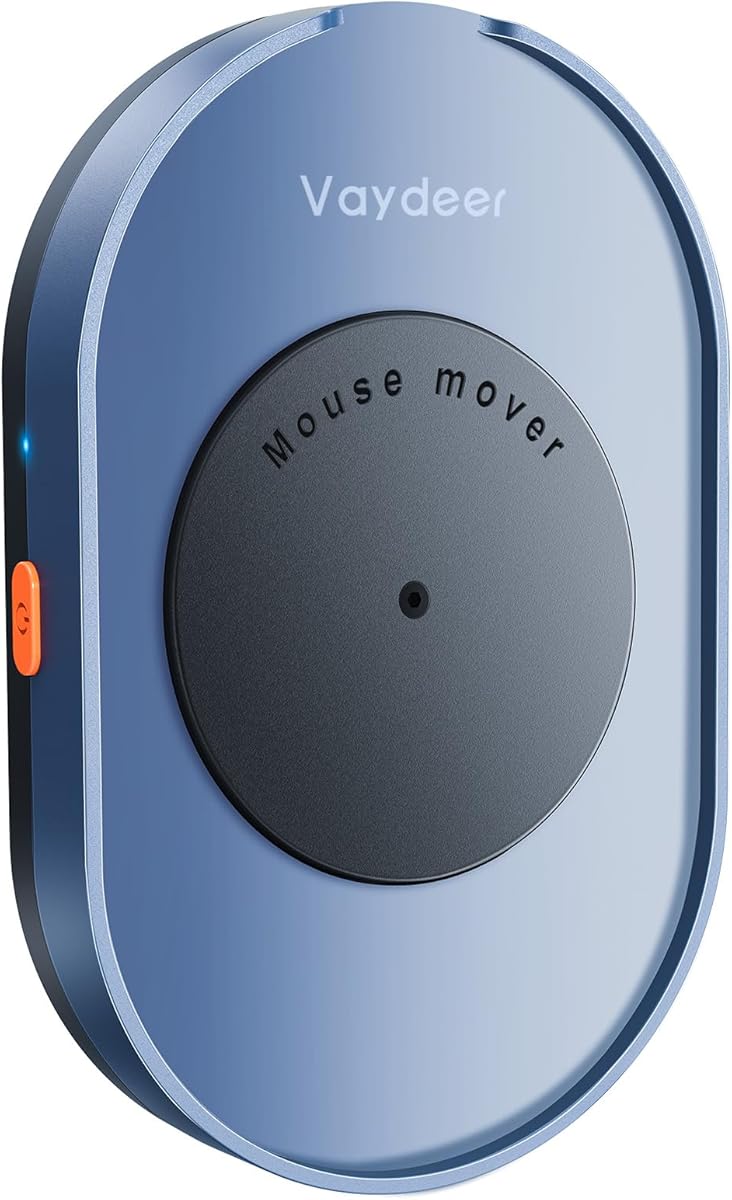
Vaydeer Undetectable Mouse Jiggler M4 Driver-Free Mouse Mover with Switch
ISO security certified
Ultra-silent motor
External power option
ON/OFF switch
The Vaydeer model is designed for quiet environments where noise could be disruptive. With an ultra-silent motor operating below 45 decibels, it is an excellent choice for shared workspaces or home offices.
Pros
Quieter than competitors
ISO certification adds trust
Switch avoids unplug
Great for office settings
Durable build quality
Cons
Requires external adapter
Bulkier than some models
We may earn a commission when you buy through this link, at no additional cost to you.
Its ISO certification indicates it passed rigorous security standards, which adds a layer of confidence when using it at work. The device can run on external power or USB, offering flexibility in setup.
The ON/OFF switch is a thoughtful addition that saves time compared to unplugging cables. While it is slightly bulkier, the robust construction ensures longevity and consistent performance over time.
If noise is your primary concern, this device delivers on that promise. It keeps your computer active without making a sound, ensuring your colleagues or family members remain undisturbed while you work.
Certified Security
ISO/IEC27001 certification ensures the device meets high standards for information security, making it a trustworthy choice for corporate environments.
Versatile Power
Powering it via an adapter means the USB port stays free for other peripherals, and it remains undetectable by hardware scans since it does not draw data.
This cordless trackpad jiggler offers a unique solution for laptop users who prefer not to use an external mouse. It simulates realistic fingertip movement directly on the trackpad, keeping the screen active without visible hardware.
Pros
No cables required
Works on touchpads
Portable and compact
Silent mechanical movement
Battery included in box
Cons
Requires touchpad sensitivity tweak
Higher price than wired
We may earn a commission when you buy through this link, at no additional cost to you.
Powered by an AA battery that lasts up to six months, it ensures long-term convenience without frequent recharging or replacements. The low RPM motor operates silently, maintaining a peaceful workspace.
For best results, you may need to adjust your touchpad sensitivity settings to ensure the device registers the movement. While this setup is slightly different from wired models, the cable-free experience is worth the effort.
Ideal for travelers or those who want a clutter-free desk, this device provides unmatched portability. It keeps your computer awake discreetly without leaving cables trailing across your workspace or laptop bag.
Cordless Freedom
Enjoy a clutter-free workspace with a device that needs no connections, making it perfect for remote work setups or when moving between rooms.
Battery Efficiency
An AA battery lasts up to six months with average use, ensuring you don't have to worry about charging cables or frequent power interruptions.
WFB Mouse Jiggler Undetectable 2 Pack, USB Mouse Mover for Laptop/Computer, Auto Keeps PC Awake, Simulates Movement Shaker, Prevents Sleep for Remote Work/Office (No Software)
Standard 2.4G mouse
1-2 pixel movement
No software needed
Windows Mac Android
The WFB 2-pack offers excellent value by providing two devices for a single low price. Each unit is recognized as a standard mouse, ensuring compatibility and undetectability across various operating systems.
Pros
Two devices for price
Recognized as standard mouse
Invisible cursor movement
Plug and play use
Compatible with most systems
Cons
Basic design and build
Limited feature set
We may earn a commission when you buy through this link, at no additional cost to you.
It moves the cursor only one to two pixels, making the movement invisible during work or meetings. This subtle action keeps your computer awake without disrupting your editing or presentation tasks.
While it lacks advanced features like timers or lights, it does the core job effectively. The 2-pack allows you to keep one at home and one at work or replace one if it ever fails.
For budget-conscious buyers who need reliable performance, this is an ideal choice. It delivers on its promise of keeping your PC awake without requiring any software installation or complicated setup steps.
Standard Recognition
IT systems view this as a regular peripheral, ensuring it passes security scans and keeps your online status active without raising any red flags.
Minimalist Design
Simple and effective, this device focuses on core functionality with no unnecessary features, keeping it affordable and easy to use.
AUEDROT Mouse Jiggler Undetectable USB-C Mouse Mover with Switch Button, Automatic Type-C Wiggler with 2 Jiggle Modes, Plug & Play, Keep Computer/Laptop Awake, Black
USB-C connector
2 jiggle modes
Long press off button
Plug and play use
With the rise of USB-C ports on modern laptops, this AUEDROT model provides a direct connection solution. It features two jiggle modes that you can switch between easily with the built-in button.
Pros
USB-C compatibility
Switch button for modes
Auto turn on feature
Sleek black design
Works with modern laptops
Cons
Limited to USB-C ports
Basic LED indicators
We may earn a commission when you buy through this link, at no additional cost to you.
The device is recognized as a trusted USB composite device, ensuring it works seamlessly without triggering security alerts. Simply plug it in for automatic activation and long press to turn it off.
While it is designed primarily for USB-C, it remains compatible with most operating systems. The compact black design fits well with modern setups without standing out or drawing attention.
For users with newer MacBooks or laptops lacking traditional USB ports, this is a practical choice. It delivers reliable performance and ease of use while maintaining a discreet profile on your desk.
USB-C Direct
A dedicated USB-C connector means no need for dongles, ensuring a clean and secure connection to your latest laptop or docking station.
Easy Mode Switch
Switch between slight movement or random irregular movement quickly without needing software, giving you control over how active your cursor appears.
Yonktoo Mouse Jiggler Undetectable, Slim Mouse Mover with On/Off Switch
Ultra-slim profile
4.9 FT USB cable
Auto start feature
Silent motor operation
The Yonktoo device features an ultra-slim design that fits neatly under most monitors without taking up desk space. Its long cable allows you to position the mouse mover exactly where it is needed most.
Pros
Fits under monitor easily
Long cable included
Simple button control
Works with optical mice
Compact and portable
Cons
Basic plastic build
No visual indicators
We may earn a commission when you buy through this link, at no additional cost to you.
It starts automatically upon connection, and the built-in button lets you pause or resume movement easily. The silent motor ensures your workflow remains undisturbed during quiet work sessions.
While it does not have LED lights or extra features, it does the job reliably. The hardware-based design works independently, meaning you do not need to install drivers or configure settings.
For those with limited desk space, this slim profile is a major advantage. It keeps your computer awake seamlessly and can be stored away easily when not in use or during travel.
Space Saving
The slim design minimizes clutter on your desk, allowing you to maintain an organized workspace while keeping your system active.
Long Cable Length
A 4.9-foot cable gives flexibility to route around equipment, making it easy to reach your mouse without stretching or strain.
Meatanty Mouse Mover Undetectable, Super-Silent Mouse Jiggler Device Move Randomly, Automatic Wiggler Shaker Giggler, Adjustable Interval Timer, Keep Computer Laptop Active for Office Home Remote Work
Adjustable interval timer
LED display feedback
Under 20 dB noise
Large turntable size
This Meatanty device offers an adjustable interval timer ranging from 5 to 60 seconds, giving you precise control over cursor movement frequency. The LED display visualizes your settings, ensuring you always know the current mode.
Pros
Customizable timer range
Visual LED display
Extremely quiet operation
Large platform for mice
Independent power options
Cons
Takes up desk space
Higher price than simple models
We may earn a commission when you buy through this link, at no additional cost to you.
With a motor that emits under 20 decibels of sound, it is one of the quietest options available. The large turntable accommodates different mouse sizes, including ergonomic and gaming models.
The random trajectory simulation mimics real human movement, making it highly undetectable. While the device is larger than others, the extra space and customization features justify the footprint.
For users who want control over movement frequency and a visual confirmation of settings, this is ideal. It keeps your computer active silently and effectively without needing IT permission or software installation.
Visual Feedback
The LED display shows your timer settings clearly, removing guesswork and ensuring your device operates exactly as intended without constant checking.
Large Turntable
A spacious surface ensures even large ergonomic mice stay secure during rotation, preventing slips and keeping the movement consistent and effective.
USB Mouse Mover with Switch Button, Automatic Mini Mouse Shaker with 2 Jiggle Modes, Driver-Free, Plug & Play, Keep Computer/Laptop Awake, USB-C Adapter, Black
Aluminum alloy build
2 jiggle modes
USB-C adapter
Long press off
This mouse mover features an aluminum alloy body that feels more premium than plastic alternatives. It includes two jiggle modes that you can switch using the integrated button for flexibility in usage.
Pros
Durable aluminum material
Switch mode selection
Plug and play setup
Modern minimalist design
Wide compatibility support
Cons
Heavier than plastic
No timer features
We may earn a commission when you buy through this link, at no additional cost to you.
The USB-C adapter ensures compatibility with modern ports without needing extra dongles. Simply plug it in for automatic activation and use a long press to turn it off when finished.
The sturdy build suggests long-term durability, and the compact design fits easily on any desk. It works with Windows, Mac, and Android, making it versatile for different setups.
For those looking for a durable and stylish device that offers basic functionality with ease of use, this is a solid choice. It keeps your system active without requiring software or complicated configuration steps.
Premium Build
Aluminum alloy construction provides better durability and a sleek appearance compared to standard plastic models, ensuring longevity and style.
Plug and Play
No drivers or apps are needed, allowing you to use it instantly across different operating systems without technical setup or permission requests.
TECKNET Mouse Jiggler Undetectable USB Mover Device with 3 Modes, Color LED Indicator, Plug & Play to Keep PC Laptop Awake, One Button Control, No Interference
3 auto movement modes
Color LED indicator
One button control
18-month warranty
TECKNET offers three distinct movement modes, each indicated by a different color LED light. This visual feedback ensures you always know which mode is active without having to guess or count clicks.
Pros
Unique color feedback
Multiple movement modes
Compact size design
18-month warranty
No interference issues
Cons
Basic plastic housing
No timer options
We may earn a commission when you buy through this link, at no additional cost to you.
The device is recognized as a standard USB mouse, ensuring it is undetectable by IT software. It works instantly on Windows, MacOS, and Linux, making it a versatile tool for any user.
A one-button control system simplifies switching between modes, and the compact design allows for discreet portability. The included 18-month warranty provides added peace of mind regarding reliability.
If you want visual confirmation of settings and reliable performance, this model delivers well. It keeps your online presence active across platforms like Teams and Zoom without drawing attention to itself.
Color Feedback
Invisible color LEDs show you which mode is running, offering clear visual confirmation without distracting from your workflow or workspace aesthetic.
Warranty Support
Backed by an 18-month warranty and dedicated support team, you can purchase with confidence knowing help is available if any issues arise.
Mouse Jiggler Mover Wiggler Undetectable Shaker USB Port for Computer Laptop, Keeps PC Awake, Simulate Movement to Prevent Laptop Entering Sleep, No Software Plug-and-Play
Recognized as mouse
Driver-free setup
Tiny compact size
12-month warranty
This model is recognized as a regular mouse by your system, ensuring it remains undetectable during scans. It features a tiny design that makes it easy to carry and store when traveling.
Pros
Lowest price available
Works with most systems
Plug and play setup
Tiny and portable
12-month warranty
Cons
Minimalist design
No adjustable settings
We may earn a commission when you buy through this link, at no additional cost to you.
No drivers are required for setup, allowing you to keep your communication apps active immediately. It simulates movement to prevent sleep, ensuring you can return to work without interruption.
While it lacks extra features like lights or timers, it is cost-effective and functional. A 12-month warranty adds value, protecting your purchase and ensuring satisfaction with its basic operation.
For those on a tight budget who need a straightforward solution, this device is highly recommended. It delivers exactly what is needed without unnecessary complexity or high costs.
Simple Functionality
Focuses on the core task of keeping your PC awake with minimal setup, making it accessible for any user without technical expertise.
Portable Design
Its small size allows it to fit in a laptop bag or pocket, perfect for remote workers who move between locations frequently.
We may earn a commission when you buy through this link, at no additional cost to you.
Buying Guide – How to Choose the Best Laptop Jiggler
Choosing the right laptop jiggler depends on your workspace, technical requirements, and budget. Below are the key factors to consider before making a purchase.
Undetectability
The most important feature is whether the device is undetectable by IT. Hardware-based jigglers that mimic a standard mouse are usually safest because they do not require software installation.
Look for devices that are recognized as standard peripherals to avoid triggering security scans.
Power Source
Some models use USB ports while others use external adapters or batteries. Cordless options are great for portability but may have limited battery life compared to direct USB power.
Choose a power source that matches your workspace and port availability.
Movement Modes
Advanced models offer different movement patterns like random or fixed intervals. Basic units might only move the cursor slightly, while others have timers or switchable modes for variety.
Select a device that matches your desired level of activity and control.
Build Quality
Materials range from plastic to aluminum alloy. Metal builds often last longer but cost more. Ensure the platform supports your mouse size so it does not slip during operation.
Invest in a durable device to ensure long-term reliability.
Connectivity Type
Ensure the connector matches your laptop. USB-C is becoming standard on newer devices, while older models use USB-A. Some include adapters for flexibility across ports.
Match the connector to your current hardware to avoid needing dongles.
Noise Level
If you work in a shared space, look for ultra-silent motors. Some units emit sound below 20 decibels, while others might be noticeable in quiet environments.
Prioritize silent models to maintain a professional or peaceful environment.
Ease of Use
Plug-and-play functionality is crucial. The device should work immediately after connecting without driver installation. Switches are convenient for turning on and off without unplugging cables.
Opt for simple controls to save time and reduce hassle.
Price and Warranty
Prices vary significantly. Basic units cost less but offer fewer features. Check warranty periods to ensure support is available in case the device stops working.
Balance cost with features and support to get the best value.
How to Use and Care for Your Laptop Jiggler
Place your mouse on the device surface and ensure the sensor is aligned correctly. Connect the USB or power cable to activate the movement automatically.
For battery-powered models, check the charge level periodically and replace batteries when needed. Keep the surface clean to avoid debris interfering with the mouse movement.
If the device does not work, try switching modes or restarting your computer. Ensure your mouse settings allow for the movement speed you need.
Frequently Asked Questions
Is a laptop jiggler detectable by IT?
Most hardware-based jiggler devices are undetectable because they mimic standard mouse input without requiring software installation. Always check for USB device recognition before using in secure environments.
Do I need to install drivers?
No, the reviewed models are plug-and-play and do not require any driver installation. They work immediately after connecting to your system or USB port.
Can I use it during meetings?
Yes, these devices keep your cursor active so you appear online. Some modes move the cursor subtly enough that it is not noticeable during presentations or video calls.
Will it affect my mouse usage?
Most units allow you to pause movement or work alongside your own cursor control. Ensure the jiggler does not block your physical mouse movements while you work.
Are these devices legal for work use?
They are generally acceptable for personal use to keep systems awake during legitimate work. Check your company policy to ensure compliance with IT security rules.
How long does the battery last?
Battery life varies by model, with some lasting up to six months on AA batteries. USB-powered models do not require charging and stay active as long as they are connected.
Can I use it on a trackpad?
Some specialized devices work directly on trackpads by simulating touch input. Most models are designed for external optical mice but may be adaptable to touchpads with proper settings.
Final Thoughts on Choosing the Best Laptop Jiggler
We highlighted top picks ranging from the TECH8 USA model with ambient glow to the affordable Phiginoo option. Each offers unique features to suit different work environments and budgets.
Consider your need for quiet operation, adjustable timers, or portability when selecting a device. Hardware-based solutions ensure you stay online without triggering security scans.
Remember to verify current pricing and stock availability on the linked pages. A suitable jiggler can streamline your remote work experience and prevent unexpected screen sleep.
This guide compares the top ten ham radio battery packs for 2026. We analyze capacity, compatibility, charging speed, and durability to help you choose…
This guide compares the top 1500 Watt Pond Heater options for winter protection, covering features, safety, and efficiency to help you choose the right…