
Lexar E31 64GB USB 3.2 Gen 1 Flash Drive
4.6Editor score
High-speed transfer up to 100MB/s
Durable all-metal build design
Integrated keyring loop included
This guide compares the top Lexar USB Flash Drive models for performance, durability, and value to help you choose the right portable storage solution.
Portable storage remains essential for professionals and students alike. A reliable flash drive ensures your files are accessible anywhere without relying on cloud services. Lexar offers a wide range of options to meet diverse needs.
We evaluated ten top-rated Lexar models based on speed, durability, and features. Our analysis highlights key specifications and real-world use cases. This list covers everything from budget-friendly options to high-performance dual drives.
Each pick highlights specific strengths to help you decide quickly. Prices and availability change frequently so verify details before purchasing. Use this guide to find the perfect match for your workflow and budget.
4.6Editor score

4.6Editor score

4.5Editor score
This side-by-side comparison showcases the key specifications of all ten featured models to help you identify the best option for your specific storage requirements.


The Lexar D50E stands out as the top pick for modern workflows. It delivers speeds up to 400MB/s which is four times faster than standard drives. This dual USB-C and Type-A design ensures compatibility with both old and new devices.
We may earn a commission when you buy through this link, at no additional cost to you.
Its solid-state performance handles large video files without slowdowns. The metal housing protects connectors from damage. You can back up mobile content directly using the free Lexar App which simplifies media management.
While it costs more than budget options the speed and durability justify the price. The dual connectors eliminate the need for dongles. This is a premium solution for professionals who need reliable high-capacity storage.
If you transfer large files regularly this drive is the best choice. It combines speed with future-proof USB-C support. We recommend it for creators and business users who value efficiency.
The dual USB-A and USB-C connectors work seamlessly with modern laptops and older desktops without needing adapters.
Use the Lexar App to backup photos directly from iOS or Android devices quickly and efficiently.
We may earn a commission when you buy through this link, at no additional cost to you.
The Lexar S80 offers premium performance with speeds up to 150MB/s. It uses advanced software to protect files with 256-bit AES encryption. This is ideal for sensitive data needing security alongside speed.
We may earn a commission when you buy through this link, at no additional cost to you.
Its retractable design keeps the connector safe without losing caps. The drive works with USB 3.2 Gen 1 and is backward compatible. It ensures you can use it on almost any device.
The price reflects its high-speed capabilities and security features. While write speeds vary the read performance is excellent for retrieving files. The three-year warranty adds extra peace of mind.
We recommend this for users prioritizing security and read speed. It handles daily transfers with ease. Ideal for students and professionals needing reliable secure storage.
Files are protected using 256-bit AES encryption via included software ensuring sensitive data stays secure.
Read speeds up to 150MB/s mean you can access documents quickly during presentations or meetings.
We may earn a commission when you buy through this link, at no additional cost to you.
The Lexar E31 provides excellent value with speeds up to 100MB/s. It features a durable all-metal build in a compact size. A keyring loop lets you attach it to keys so you never lose it.
We may earn a commission when you buy through this link, at no additional cost to you.
No software installation is needed for easy plug-and-play use. It works with PCs TVs and car audio systems. The quality testing ensures compatibility across over 1,100 devices.
While 64GB limits total storage it is perfect for daily files. The price makes it accessible for everyone. It performs well for standard transfers and backups.
We recommend this for budget-conscious users needing reliable portable storage. It balances cost and performance well. Great for students and casual users alike.
An integrated keyring loop allows you to attach the drive to keychains for on-the-go access.
The all-metal housing resists wear and tear making it ideal for daily use.
We may earn a commission when you buy through this link, at no additional cost to you.
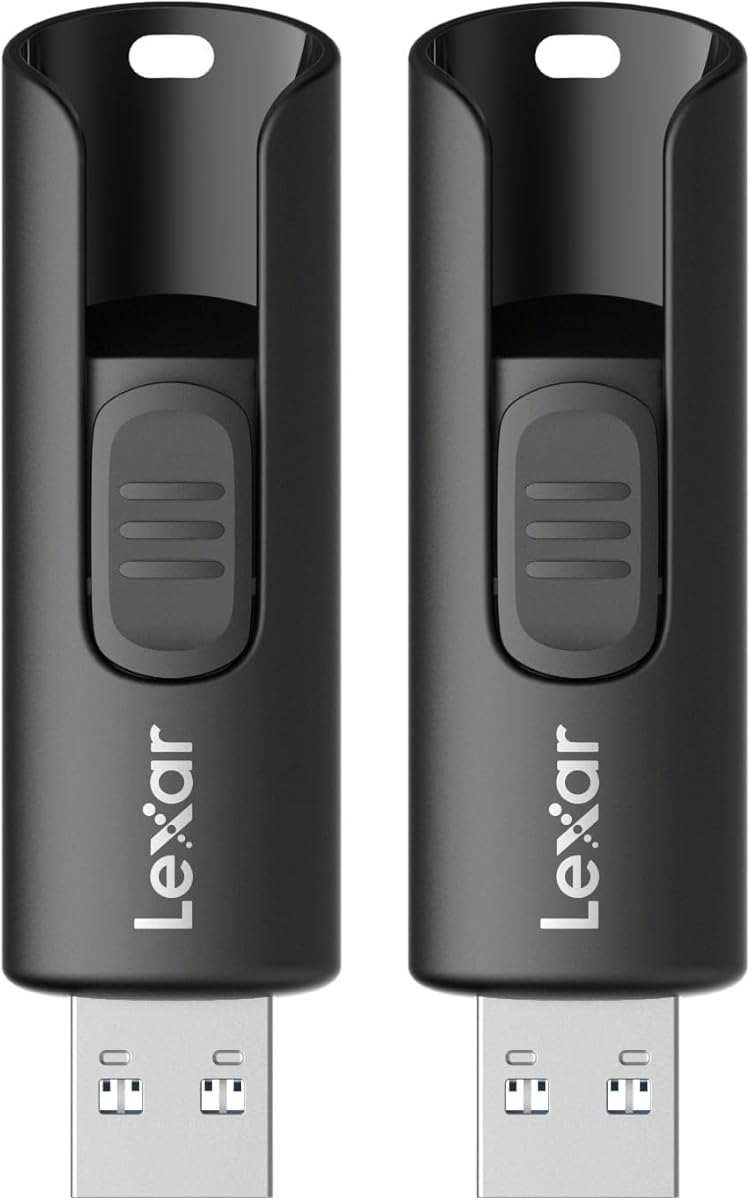
This 2-pack of Lexar A30E drives offers great value for families or offices. Each drive reaches speeds up to 100MB/s and features a push-button retractor. DataShield security helps you protect sensitive files easily.
We may earn a commission when you buy through this link, at no additional cost to you.
They are lightweight at 7.41g and compatible with tablets and Macs. The lanyard loop adds convenience for transport. No installation is required for immediate use.
Getting two drives allows you to back up data on separate devices. The average speed is suitable for documents and photos. The retractable design keeps the connector safe from damage.
We recommend this for users needing multiple reliable drives. It is perfect for classroom or office settings. A practical choice for shared storage needs.
Purchasing a 2-pack provides flexibility for sharing or separate backups without buying single units.
Lexar DataShield allows you to create password-protected safes to secure your important files automatically.
We may earn a commission when you buy through this link, at no additional cost to you.
The D40E features a 360-degree swivel design for easy switching between ports. It supports both Type-A and Type-C devices with speeds up to 100MB/s. The metal housing withstands temperatures and protects the connectors.
We may earn a commission when you buy through this link, at no additional cost to you.
Security software protects your files with 256-bit AES encryption. It is plug and play compatible with smartphones laptops and Macs. The lightweight design makes it easy to carry daily.
While the swivel is convenient the caps are not removable. This reduces the risk of losing them but requires care. The price is moderate for a dual-drive pack.
We recommend this for those wanting dual ports without cables. It suits modern mobile users needing quick access. A good choice for hybrid device environments.
The 360-degree swivel allows instant access to ports without the worry of losing a cap.
Files are protected using advanced software with 256-bit AES encryption ensuring data safety.
We may earn a commission when you buy through this link, at no additional cost to you.
The TwistTurn2 uses a simple twist mechanism to expose the USB interface. This eliminates the need for loose caps. It includes a hinged jacket that rotates to protect the connector during use.
We may earn a commission when you buy through this link, at no additional cost to you.
With three drives in the pack it is useful for sharing or rotating backups. It works with most PC and Mac computers. The USB 2.0 interface supports standard file transfers efficiently.
Speed is limited to USB 2.0 standards which is slower than newer options. However it remains affordable and reliable for small files. The design is proven and practical for daily use.
We recommend this for basic storage needs or sharing. It is a staple for office work environments. A solid choice for simple document transfers.
The twist-open mechanism removes the risk of losing caps while traveling.
A rotating jacket protects the USB interface from physical damage.
We may earn a commission when you buy through this link, at no additional cost to you.
The D400 provides dual USB-C and Type-A ports for universal connectivity. It delivers read speeds up to 130MB/s suitable for general use. The metal housing and swivel design add durability and style.
We may earn a commission when you buy through this link, at no additional cost to you.
It supports Android PC and Mac systems seamlessly. DataShield protects files with advanced encryption software. A high 256GB capacity stores large photo libraries or documents.
While it is not the fastest drive it balances price and capacity well. The swivel design makes it easy to use without extra parts. It fits well for mobile and desktop workflows.
We recommend this for users needing dual compatibility on a budget. It handles daily backups and transfers efficiently. A strong mid-range option for diverse needs.
256GB of storage allows you to carry large media libraries without needing extra drives.
Both USB-C and Type-A ports ensure you can connect to almost any computer or tablet.
We may earn a commission when you buy through this link, at no additional cost to you.
The M400 combines style with performance offering read speeds up to 150MB/s. It features a durable design that fits modern devices. DataShield secures your files with advanced software encryption.
We may earn a commission when you buy through this link, at no additional cost to you.
USB 3.2 Gen 1 compatibility ensures fast transfers on new systems. It is also backward compatible with older ports. The drive is compact and works well for laptops and desktops.
While write speeds are not specified read speeds make it great for accessing data. The aesthetic appeal suits professional environments. It balances looks with reliable functionality.
We recommend this for users wanting style and speed. It is ideal for presentations and quick transfers. A stylish solution for tech-savvy users.
The sleek design resists wear while maintaining a professional look for daily use.
150MB/s read speeds allow quick access to large files during work.
We may earn a commission when you buy through this link, at no additional cost to you.
This 5-pack of S60 drives provides excellent value for schools or families. Each drive features a sliding protective cover for convenience. The assortment of colors helps distinguish files or users easily.
We may earn a commission when you buy through this link, at no additional cost to you.
USB 2.0 interface supports basic transfers for photos and documents. It works with most PC and Mac systems. The 2-year limited warranty ensures quality and durability.
While speeds are standard for USB 2.0 the volume is the benefit. You can label drives for different purposes. It is a practical bulk solution for sharing.
We recommend this for classrooms or offices needing multiple drives. It simplifies file sharing across many devices. A practical choice for bulk distribution.
Assorted colors help users identify their own drives easily in shared environments.
A sliding cover keeps the connector safe without the need for removable caps.
We may earn a commission when you buy through this link, at no additional cost to you.
The S60 3-pack delivers simple reliable storage for everyday use. Each drive comes in black for a professional look. A sliding cover protects the connector while ensuring easy access.
We may earn a commission when you buy through this link, at no additional cost to you.
It works with most systems without needing drivers. The 2-year warranty supports long-term use. Users appreciate the consistent quality across all three units.
USB 2.0 speeds are sufficient for small files and documents. This pack is a budget-friendly solution for shared needs. It maintains high ratings from users.
We recommend this for office backups or simple transfers. It is a hassle-free choice for anyone. A dependable option for general use.
The black design maintains a professional look for office or business environments.
A sliding cover secures the connector and prevents damage during daily carry.
We may earn a commission when you buy through this link, at no additional cost to you.
Choosing the right USB flash drive depends on your storage needs budget and device compatibility. Here are key factors to consider.
Consider how much data you need to store. For documents and photos 32GB or 64GB is enough. For videos and large media files opt for 128GB or higher.
Select a capacity that matches your daily file volume.
Look for USB 3.2 Gen 1 drives for faster transfers up to 100MB/s or more. Faster speeds reduce wait times for large files.
Prioritize speed if you transfer media or backups regularly.
Choose between Type-A only or dual USB-C and Type-A drives. Dual connectors offer flexibility for laptops and phones.
If you use both old and new devices dual drives are more versatile.
Metal housings resist heat and physical damage better than plastic. Check for retractable designs or protective covers to avoid losing caps.
Invest in durable materials if you carry the drive daily.
Many Lexar models include DataShield for password protection and encryption. This keeps sensitive data safe if the drive is lost.
Ensure the drive includes security software if privacy is a priority.
Lexar drives often come with 2-year to 3-year limited warranties. Check the warranty period to understand support options.
Longer warranties indicate better manufacturer confidence in the product.
Ensure the drive works with your OS including Mac PC Android or iOS. Plug-and-play compatibility means no drivers are needed.
Verify system support before purchasing to avoid connection issues.
Always eject the drive safely from your system before removing it to avoid data corruption. Right-click the drive icon and select eject before unplugging.
Keep the drive in a protective case to prevent physical damage from drops or scratches. Avoid leaving it in extreme heat or cold.
Regularly back up important data to multiple locations. Use the drive as a secondary storage method rather than a primary one.
Yes most Lexar USB Flash Drives are compatible with Mac systems. They plug and play without needing drivers. Ensure the drive is formatted correctly for macOS to avoid read errors.
Use a USB 3.0 or higher port for faster speeds. Avoid USB 2.0 ports if possible. Also remove unnecessary files to improve performance.
Lexar DataShield is security software that lets you create password-protected folders. It uses encryption to keep files secure. This prevents unauthorized access if the drive is lost.
Yes dual USB-C and Type-A drives work with Android phones. For iOS devices you need a Lightning compatible model. Check the product specs for specific phone support.
Use file recovery software like Recuva to retrieve deleted files. Act quickly to prevent data overwriting. Regular backups can prevent permanent loss in the future.
The limited warranty covers manufacturing defects but not physical damage. Dropped or water-damaged drives are generally not covered. Handle the drive carefully to extend its life.
The Lexar D50E leads for speed and dual connectivity while the E31 offers great budget value. The S80 remains a top pick for users needing encryption and fast reads.
Prioritize speed and security if you handle large files daily. For basic needs budget options like the TwistTurn2 suffice.
Prices and stock change often so check current deals before buying. Ensure the model fits your specific device needs for the best experience.