
CORSAIR XC7 RGB Elite LCD CPU Water Block
4.1Editor score
480×480 IPS LCD Screen
31 RGB LEDs
USB-C Connectivity
Selecting the right CPU water block is crucial for effective liquid cooling systems. A high-quality block ensures efficient heat transfer from your processor to the coolant, maintaining stable temperatures under heavy workloads. Compatibility with your specific socket and material quality are key factors to consider.
We evaluated ten leading CPU water blocks based on thermal performance, build quality, and compatibility across various platforms. Our analysis includes detailed specifications, user feedback, and expert insights to help you make an informed decision. Each product was assessed for its ability to handle modern high-performance processors.
Each pick in this guide highlights unique strengths, whether it is superior cooling, advanced RGB lighting, or budget-friendly pricing. Note that product availability and pricing can fluctuate frequently. Always verify current details before making your purchase to ensure you get the best value for your setup.
4.1Editor score

4.6Editor score
4.6Editor score
As an Amazon Associate we earn from qualifying purchases.
This side-by-side comparison highlights the key specifications and features of the top ten CPU water blocks available today. Each entry includes essential details to help you quickly identify the best option for your specific cooling needs.




The EKWB EK-Quantum Velocity 3 CPU Water Block stands out as a top-tier option for enthusiasts seeking maximum cooling performance. With a rating of 4.6 stars, it has earned trust among users who require reliable thermal management. Its standout qualities include optimized internal geometry and precise mounting pressure for superior efficiency.
We may earn a commission when you buy through this link, at no additional cost to you.
This block features a nickel-plated copper cold plate that ensures excellent thermal conductivity. Compared to its predecessor, the Velocity 2, the Velocity 3 achieves up to 2 degrees C improvement in thermal performance. This makes it ideal for demanding workloads where every degree counts.
While the cost is higher than budget options, the performance gains justify the investment for serious builders. The precise mounting ensures consistent contact across the CPU surface. The only trade-off is the specific socket compatibility, which limits it to AM5 and Intel LGA 1700/1851 platforms.
If you are building a high-performance system with modern Intel or AMD processors, this block is a highly recommended choice. It delivers top-tier cooling that supports overclocking and sustained heavy usage. Its reliability and performance make it a favorite among custom loop builders.
The internal design ensures coolant flows efficiently over the cold plate, maximizing heat dissipation.
Nickel-plated copper provides durability and superior thermal transfer properties for long-term use.
We may earn a commission when you buy through this link, at no additional cost to you.
The CORSAIR XC7 RGB Elite LCD CPU Water Block combines performance with visual flair, offering a unique experience for PC builders. With a rating of 4.1 stars, it appeals to those who want customization beyond standard RGB. Its standout qualities include a high-resolution IPS LCD screen and vivid lighting.
We may earn a commission when you buy through this link, at no additional cost to you.
This block features a 480×480 IPS LCD screen that can display real-time CPU temperature, animated GIFs, or logos. The Hexa-Flow cooling engine mitigates laminar flow, ensuring even cooling across all CPU cores. It also includes USB-C connectivity for streamlined setup without a separate controller.
The premium price reflects the advanced display and lighting features. While the screen adds complexity, it offers unparalleled personalization. Some users may find the setup more involved than traditional blocks, but the integration with iCUE software is smooth for compatible systems.
If visual customization and high-end performance are your priorities, this block is an excellent choice. It transforms your PC into a showcase while maintaining strong cooling capabilities. It is perfect for enthusiasts who want their hardware to reflect their personality.
Showcase creativity with real-time data and custom images on a bright, high-resolution screen.
The Hexa-Flow engine ensures all cores receive adequate cooling, vital for multi-chip packages.
We may earn a commission when you buy through this link, at no additional cost to you.
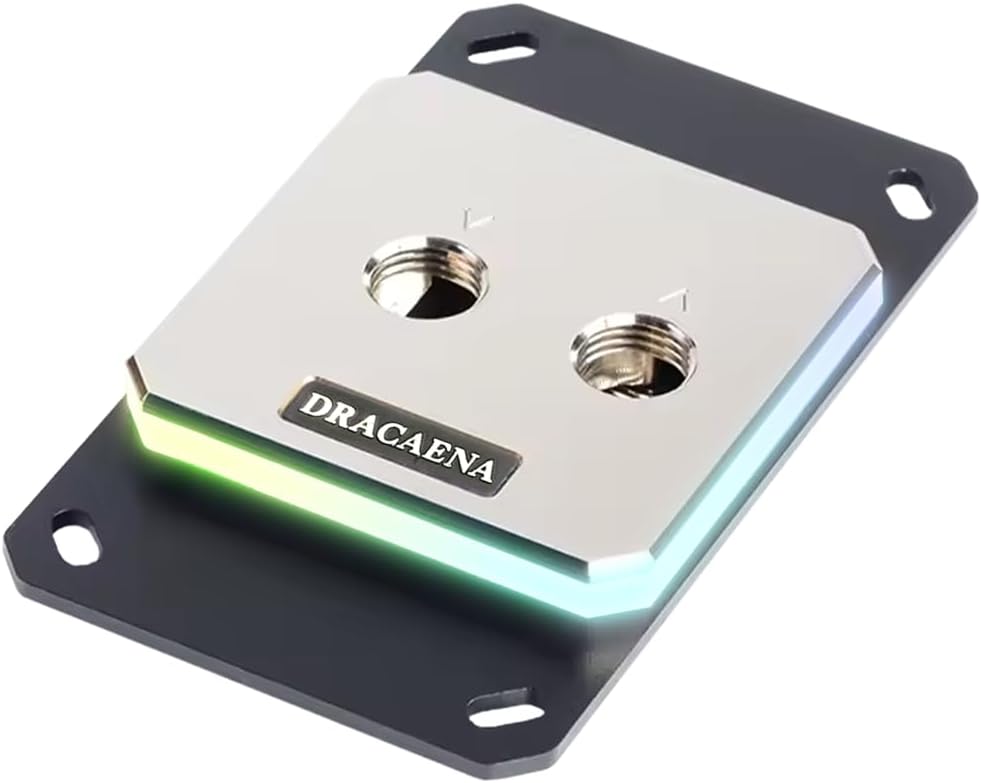
The Dracaena.io CPU Water Block offers exceptional value for AMD users looking for reliable liquid cooling without breaking the bank. Rated 4.6 stars, it provides robust performance through all-copper construction. Its standout qualities include broad socket compatibility and an easy installation process.
We may earn a commission when you buy through this link, at no additional cost to you.
This block supports AM5 AM4 AM3 and AM2 platforms, covering nearly every AMD system in the last 15 years. It features a 0.4mm microfin base plate and full copper water channels for maximum thermal conductivity. The included kit has all necessary hardware for a hassle-free setup.
The compact design makes it suitable for smaller cases. While it requires manual thermal paste application, the installation is straightforward. The main limitation is AMD-only support, but for those users, it is a highly versatile and affordable option.
If you are an AMD user seeking cost-effective cooling, this block is a top recommendation. It delivers excellent thermal performance and aesthetic appeal through ARGB lighting. It is ideal for budget-conscious builders who do not want to compromise on quality.
Compatible with a wide range of AMD sockets, making it a versatile choice for upgrades.
Pure copper contact from inlet to outlet ensures superior thermal conductivity and corrosion resistance.
We may earn a commission when you buy through this link, at no additional cost to you.
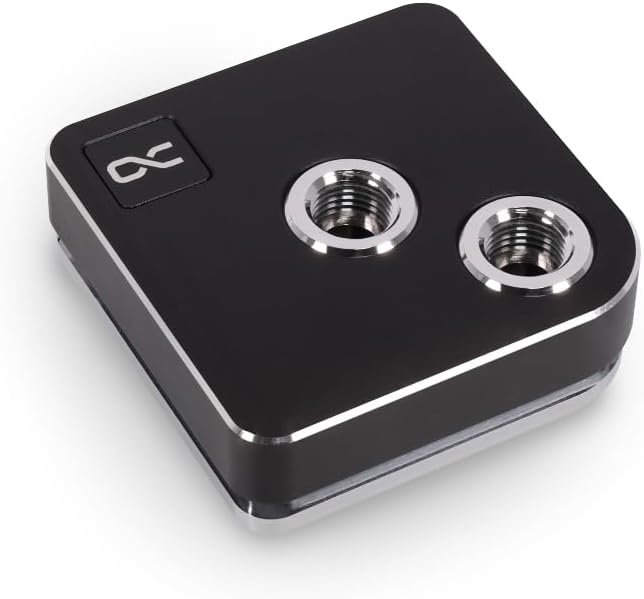
The Alphacool Core 1 CPU Water Block provides a straightforward and effective cooling solution for both Intel and AMD users. With a rating of 4.6 stars, it is known for reliability. Its standout qualities include broad socket compatibility and a durable design.
We may earn a commission when you buy through this link, at no additional cost to you.
This block supports Intel LGA 1700 and AMD AM4/AM5 platforms. The nickel-plated copper cold plate ensures efficient heat transfer. It maintains a compact size of 72mm x 72mm, fitting well in most custom loop setups.
While it lacks advanced RGB or display features, it focuses on core cooling functionality. The price is competitive but slightly higher than basic models. It is a reliable choice for users prioritizing performance over flashy aesthetics.
If you need a dependable water block for Intel or AMD setups, this is a great option. It delivers solid performance and integrates easily into existing loops. Its simplicity makes it a safe choice for many builders.
Works with major Intel and AMD sockets, reducing the need for adapters.
Quality materials ensure long-term reliability in custom cooling systems.
We may earn a commission when you buy through this link, at no additional cost to you.
The Generic Copper Water Block offers a budget-friendly entry point for basic liquid cooling needs. With a rating of 4.2 stars, it serves well for older hardware or simple builds. Its standout qualities include a large copper base and low cost.
We may earn a commission when you buy through this link, at no additional cost to you.
This block supports legacy sockets like AMD 940 and Intel 775. It features a 50mm copper base with inner water channels for heat dissipation. The design is simple and functional, fitting well in retro or budget systems.
While it is affordable, it lacks modern features like RGB or support for newer CPUs. The build quality is adequate but not premium. It is suitable for users with older hardware who need basic cooling improvements.
If you are working with legacy hardware or on a tight budget, this block is a viable option. It provides basic cooling functionality without complex requirements. Just ensure compatibility with your specific older CPU socket.
A large copper base ensures efficient heat absorption from older CPU designs.
Supports older sockets that are no longer covered by modern high-end blocks.
We may earn a commission when you buy through this link, at no additional cost to you.
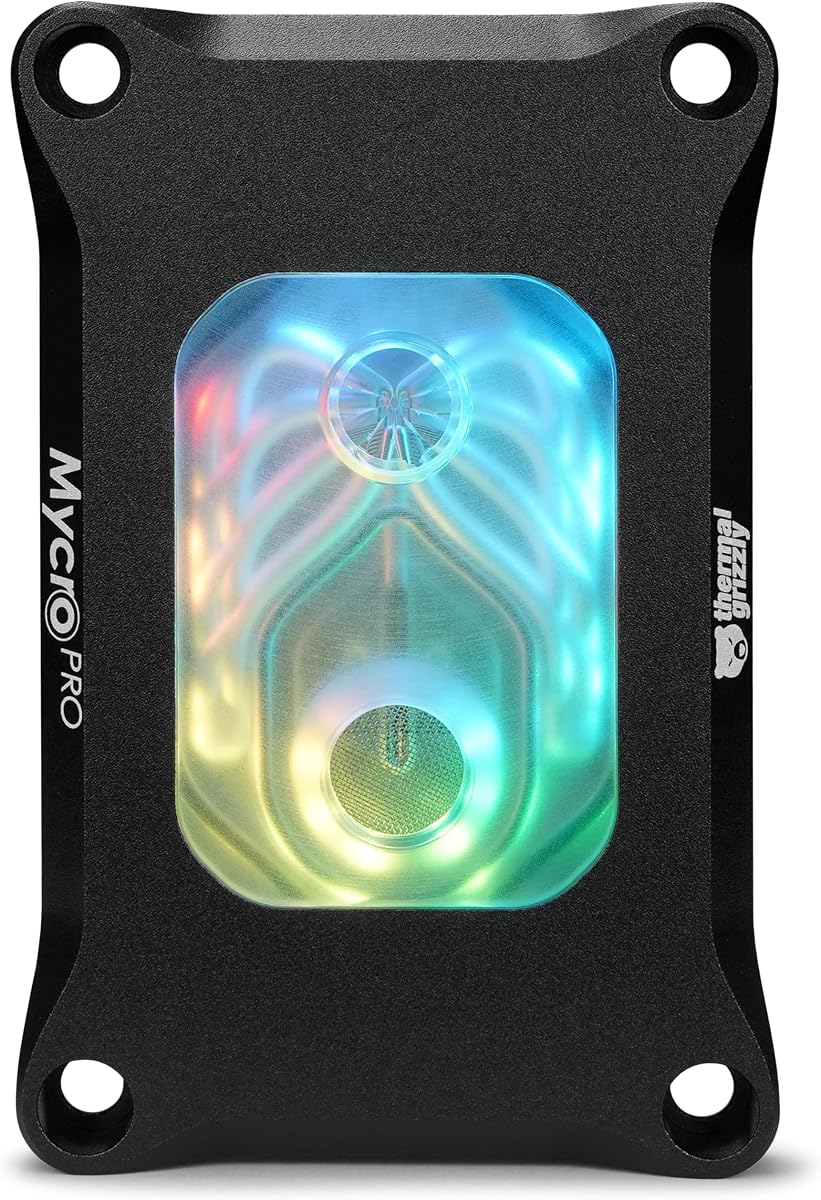
The Thermal Grizzly Mycro Pro RGB is designed for high-end AMD liquid cooling systems that demand efficiency. With a rating of 4.6 stars, it excels in heat dissipation. Its standout qualities include precision microfins and an integrated filter.
We may earn a commission when you buy through this link, at no additional cost to you.
This block features 68 microfins with a 0.2 mm structure for maximum heat transfer. It is compatible with AMD AM5 and AM4 sockets. An integrated fine mesh filter helps trap particles, supporting consistent coolant flow through the microfin structure.
The focus on performance makes it ideal for demanding setups. The filter adds convenience by reducing maintenance needs. However, it is limited to AMD platforms, which may not suit all users. It is priced higher but offers professional-grade features.
If you are an AMD enthusiast needing top-tier cooling, this block is an excellent choice. The combination of precision manufacturing and filtering ensures reliable performance. It is perfect for custom loops that prioritize efficiency.
68 microfins increase surface area for faster and more efficient thermal performance under load.
Traps particles to maintain consistent coolant flow and protect the microfin structure from clogging.
We may earn a commission when you buy through this link, at no additional cost to you.
The TRYX Panorama WB offers a unique visual experience with a curved AMOLED screen and built-in features. With a rating of 3.6 stars, it has mixed reviews but stands out for innovation. Its standout qualities include high-resolution display and VRM cooling.
We may earn a commission when you buy through this link, at no additional cost to you.
This block features a 6.67 inch 2K AMOLED screen with GIPHY integration for GIFs. It includes a PWM VRM fan to cool voltage regulators. It supports a wide range of Intel and AMD CPUs, including LGA 1851.
The display provides immersive visual effects but may not appeal to users focused purely on performance. The VRM fan adds functional value for overclocking. While it is expensive, the unique features justify it for those wanting a statement piece.
If you want a standout look with added functionality, this block is worth considering. It combines cutting-edge display tech with effective cooling. It is best for users who value aesthetics alongside hardware performance.
Vivid color reproduction and high pixel density create immersive visual effects.
Built-in fan cools motherboard voltage regulators to support heavy overclocking loads.
We may earn a commission when you buy through this link, at no additional cost to you.
The Alphacool Core XP3 CPU Water Block is a reliable choice for both Intel and AMD users. With a rating of 4.4 stars, it is known for steady performance. Its standout qualities include durable materials and standard connectivity.
We may earn a commission when you buy through this link, at no additional cost to you.
This block supports Intel and AMD platforms with nickel-plated copper cooling. The Acetal material ensures durability. It features G1/4 threads for easy integration into custom loops. The max working temperature is 60°C, suitable for most systems.
It offers a balance of performance and affordability. The compact size fits well in tight spaces. While it lacks advanced features, it delivers on core cooling needs effectively. It is a good option for standard builds.
If you need a reliable and affordable water block, this is a great pick. It integrates seamlessly into most loops. It is suitable for users prioritizing functionality over flashy features.
Acetal material provides resistance to corrosion and ensures long-term stability.
G1/4 threads ensure easy integration with standard loop components.
We may earn a commission when you buy through this link, at no additional cost to you.
The CORSAIR iCUE Link XC7 RGB Elite integrates smart features for modern builds. With a rating of 4.1 stars, it offers seamless control. Its standout qualities include the iCUE Link ecosystem and transparent flow chamber.
We may earn a commission when you buy through this link, at no additional cost to you.
This block supports Intel LGA 1700 and AMD AM5. It features Hexa-Flow cooling engine and a built-in temperature sensor. You can daisy-chain components using universal connectors for reduced cable clutter.
The iCUE Link hub adds convenience but requires separate purchase. RGB lighting is customizable via iCUE software. It is ideal for those invested in the CORSAIR ecosystem who want centralized control.
If you value smart connectivity and streamlined setup, this block is a strong option. It combines effective cooling with intelligent system management. It is best for users already using other iCUE Link components.
Daisy-chain components using universal connectors to reduce cable clutter and simplify setup.
Built-in sensor enables precise cooling control via iCUE software for better management.
We may earn a commission when you buy through this link, at no additional cost to you.
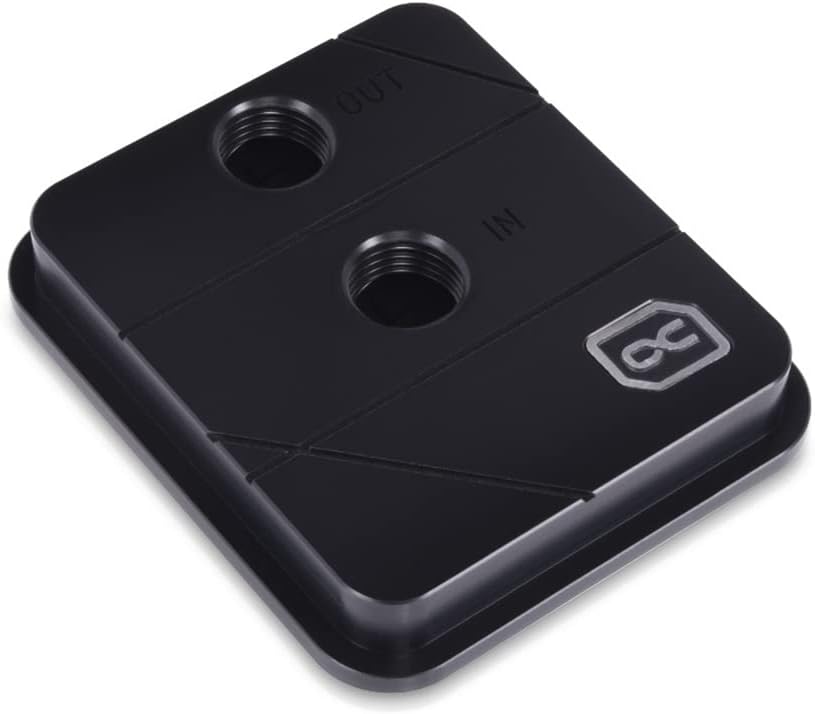
The Alphacool Core 1 LT CPU Water Block adds a stylish acrylic touch to custom loops. With a rating of 4.1 stars, it balances aesthetics and function. Its standout qualities include digital RGB lighting and an acrylic finish.
We may earn a commission when you buy through this link, at no additional cost to you.
This block supports Intel LGA 1700 and AMD AM4/AM5. The digital RGB lighting is customizable. It maintains the compact dimensions of the Core 1 series. The acrylic finish gives it a distinct look.
Acrylic can be less durable than metal over time. The design is appealing but similar in cooling to the original Core 1. It is suitable for users who prioritize aesthetics and RGB effects in their setup.
If you want a stylish block with digital lighting, this is a good choice. It integrates well into modern systems. It is ideal for users prioritizing visual impact in their build.
Customizable digital lighting enhances visual appeal with precise control.
Distinct aesthetic finish that complements modern build styles.
We may earn a commission when you buy through this link, at no additional cost to you.
Choosing the right CPU water block involves considering socket compatibility, material quality, and desired features. This guide breaks down key factors to help you select the ideal block for your system.
Ensure the block supports your specific CPU socket such as LGA 1700 or AM5. Some blocks offer broad compatibility across generations which can be useful for upgrades. Always verify manufacturer specifications before purchasing to avoid installation issues.
Check socket support first to ensure your block fits your processor correctly and avoids compatibility problems.
Nickel-plated copper cold plates are preferred for superior thermal conductivity. Avoid blocks with aluminum in the water path as they may cause corrosion. High-quality materials ensure long-term durability and optimal heat transfer.
Select nickel-plated copper for best heat transfer and avoid aluminum in contact with water.
Look for blocks with high-density microfins or optimized internal geometry for maximum heat dissipation. A larger surface area improves cooling efficiency under load. This is crucial for high-performance CPUs that generate significant heat.
Higher microfin density increases surface area for better thermal performance during heavy workloads.
Decide if you want basic RGB lighting or advanced LCD screens for customization. Some blocks integrate with specific software ecosystems which simplifies control. Balance aesthetic preferences with performance needs.
Choose RGB or LCD based on how much customization you want versus core cooling performance.
Consider blocks with USB-C or proprietary connectors for easy setup. Standard G1/4 threads ensure compatibility with most pumps and radiators. Ease of installation reduces build time and potential errors.
Standard G1/4 threads and convenient connectors streamline the loop assembly process.
Budget blocks may lack advanced features but still provide solid cooling. Premium options cost more but offer better materials or customization. Determine your budget to find the best performance-to-cost ratio.
Balance your budget with necessary features to get the best value for your build.
Established brands often provide better build quality and customer support. Research user reviews to gauge reliability. A reputable brand can offer peace of mind regarding long-term use.
Opt for reputable brands to ensure quality and reliable customer support.
Verify if mounting hardware and backplates are included. Some blocks need separate kits for different sockets. Proper installation is critical to prevent leaks and ensure good thermal contact.
Check included mounting kits to ensure proper installation and avoid leaks.
Before installation, apply high-quality thermal paste evenly on the CPU surface. Secure the block with mounting hardware ensuring even pressure. Connect tubing to G1/4 ports using fittings that match your loop.
Periodically monitor fluid levels and check for leaks. Clean the block periodically to prevent buildup inside. Replace coolant regularly to maintain optimal flow and cooling efficiency.
Ensure your pump has enough head pressure for the block's flow rate. Maintain consistent system temperatures to prolong the life of your block. Proper care ensures reliable performance for years.
No, CPU water blocks are designed for specific socket types such as LGA or AM series. Always check compatibility with your exact CPU model before buying. Using an incompatible block will prevent proper installation.
Nickel plating adds corrosion resistance and improves durability without significantly reducing heat transfer. It is generally recommended over plain copper for long-term use in liquid loops.
Microfins increase the surface area of the cold plate allowing more heat to be transferred to the coolant. This design is crucial for maintaining low temperatures under heavy CPU loads.
Standard high-quality pumps work with most G1/4 blocks. Ensure the pump has sufficient flow rate to overcome the block's resistance. Compatibility is usually straightforward with standard loop components.
It is recommended to replace coolant every six to twelve months. Regular replacement prevents biological growth and maintains flow efficiency. Clean the loop thoroughly during each replacement.
Yes, you can mix brands as long as fittings and thread sizes match. Ensure all materials are compatible to prevent galvanic corrosion. Most modern blocks follow standard G1/4 specifications.
Monitor for leaks and clean the block periodically to remove sediment. Ensure tubes are not kinked restricting flow. Regular checks prevent performance drops and potential damage.
Higher prices often reflect better materials more advanced cooling structures or integrated features like RGB or displays. Premium blocks offer superior durability and aesthetics.
Choosing the right CPU water block is essential for efficient liquid cooling performance. We compared ten top models highlighting their unique strengths and suitability for different systems.
Prioritize compatibility material quality and required features when making your decision. Consider whether you need advanced RGB or simple reliable cooling to fit your build goals.
Always check current availability and details before finalizing your purchase. Prices and stock vary frequently so verify information on the product page.