
Thermalright TL-P9 CPU Fan
4.7Editor score
4PIN PWM speed control
S-FDB bearings for durability
Soft silicone vibration feet
Discover the top 92mm case fans for silent cooling and high airflow. We compare performance, noise, and features to help you choose the right fan for your
Finding the right cooling solution for your compact build requires careful attention to fan size and performance. A 92mm case fan offers a perfect balance of airflow and noise control for small form factor PCs. This guide helps you select the best option for your specific hardware needs.
We evaluated ten top-rated models based on their static pressure, noise levels, and build quality. Each product was analyzed for its compatibility with modern motherboards and cooling radiators. Our comparison ensures you understand the unique benefits of every fan in this list.
Each pick highlights specific strengths like silent operation, high RPM ranges, or premium build materials. We include detailed specs and real-world performance expectations to aid your decision. Keep in mind that availability and pricing may change over time.
4.7Editor score

4.8Editor score

4.8Editor score
The following table provides a side-by-side overview of every model discussed in this guide. We highlight key specifications like speed range, bearing type, and dimensions to make comparison easier.


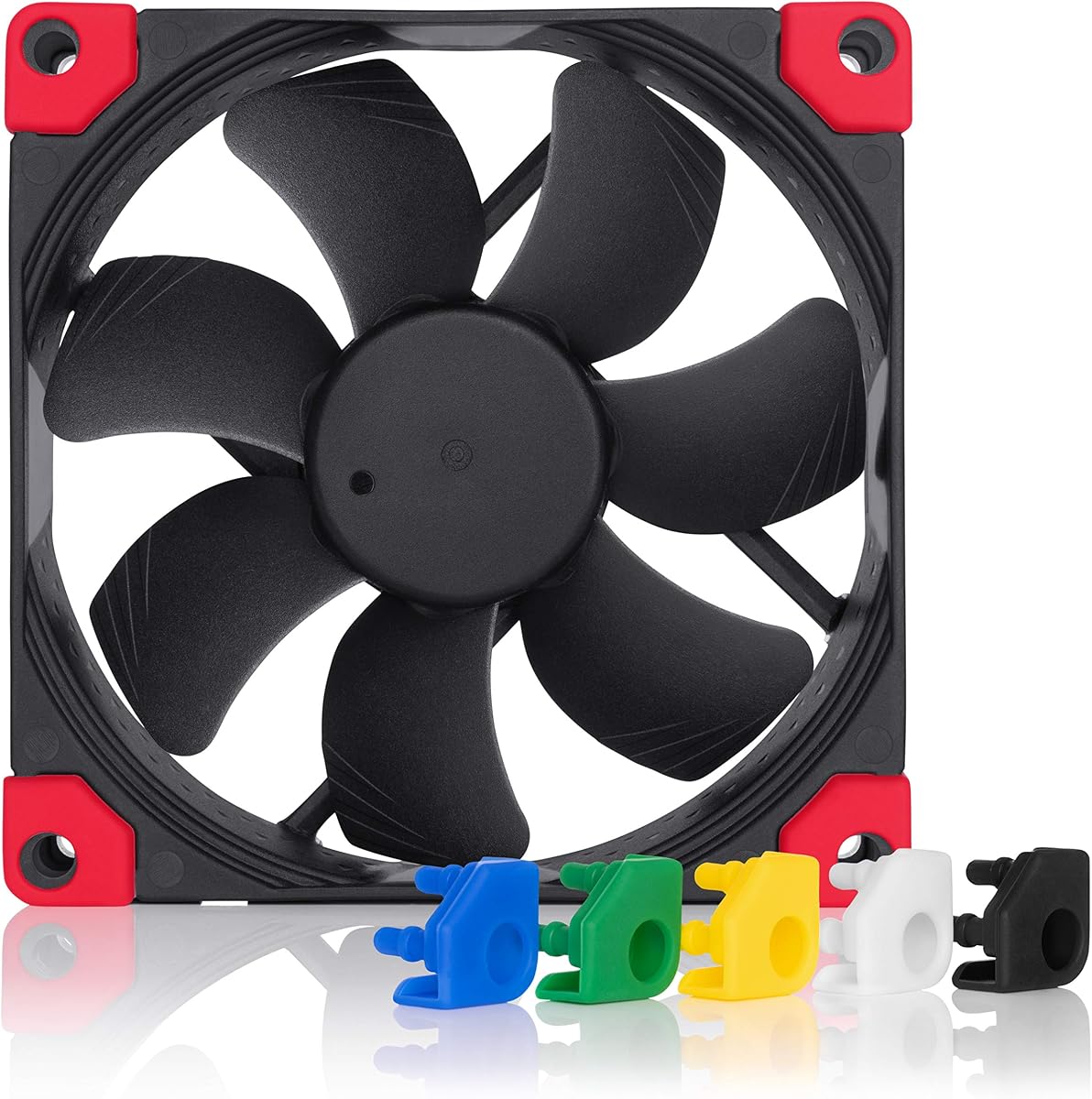


The Noctua NF-A9 PWM stands out as the premier choice for 92mm cooling in 2026. It combines a top-rated performance with whisper-quiet operation. This fan is ideal for users prioritizing acoustic comfort without sacrificing thermal management capabilities.
We may earn a commission when you buy through this link, at no additional cost to you.
Its advanced Flow Acceleration Channels significantly boost airflow while maintaining low static pressure noise. The AAO frame system further enhances stability and reduces vibration. Users report it keeps CPU coolers and compact cases cool even under heavy loads.
While the price point is higher than generic options, the build quality justifies the investment. The included Low-Noise Adaptor allows for manual speed reduction if silence is paramount. The only minor drawback is the signature brown aesthetic which some builders may find dated.
We recommend this fan for anyone building a silent workstation or high-end ITX system. Its reliability over 150,000 hours ensures long-term satisfaction. It remains the gold standard for premium small form factor cooling solutions.
The frame uses a specialized design to minimize resonance. This ensures the fan runs smoother and quieter than standard models at similar speeds.
The 4-pin connector enables automatic speed adjustments. This feature integrates seamlessly with modern motherboards for dynamic thermal management.
We may earn a commission when you buy through this link, at no additional cost to you.
The ARCTIC P9 PWM PST offers incredible value for budget-conscious builders. It delivers performance that rivals much more expensive units. This makes it a top contender for entry-level builds needing effective thermal management.
We may earn a commission when you buy through this link, at no additional cost to you.
Its high static pressure ensures it moves air through restrictive radiators efficiently. The wide RPM range allows for precise control over cooling needs. Users appreciate the included splitter for chaining multiple fans on one header.
Although it lacks the ultra-premium finish of top-tier models, it performs reliably. The German-engineered bearing reduces friction effectively. However, running at full 3000 RPM can produce noticeable noise compared to the Noctua alternatives.
We suggest this for users seeking maximum airflow on a tight budget. It is perfect for mid-tower cases or radiator mounting. The cost savings allow investing in better CPU coolers or other components.
PWM Signal Transmission allows daisy chaining. This simplifies cable management in tight cases without extra headers.
The blades are optimized for pushing air through obstacles. This makes it ideal for liquid cooling radiators or dense filters.
We may earn a commission when you buy through this link, at no additional cost to you.
The Noctua NF-A9x14 HS-PWM is engineered for extreme space constraints. Its 14mm profile clears tight motherboard components while delivering robust cooling. This is essential for ITX builds where clearance is non-existent.
We may earn a commission when you buy through this link, at no additional cost to you.
HS-PWM technology enables semi-passive operation, stopping the fan at low loads. This ensures absolute silence during light use. The chromax.black.swap edition adds aesthetic flexibility with included colored vibration pads.
While the thinner frame naturally limits total airflow compared to standard 25mm fans, it excels within its class. The engineering required to maintain performance in a slim chassis is impressive. It remains the go-to for premium low-profile builds.
Recommend this for owners of NH-L9 series coolers or tight chassis. The noiseless operation at idle is unmatched. It balances thermal efficiency with acoustic comfort perfectly.
The slim design ensures compatibility with all standard ITX boards. It prevents conflicts with memory or voltage regulators easily.
Included pads allow color matching. This adds a touch of personalization to any dark or light build theme.
We may earn a commission when you buy through this link, at no additional cost to you.
This standard PWM version offers the same performance as the HS-PWM without the silent stop feature. It is perfect for users who want continuous cooling regulation. The 14mm thickness makes it ideal for specialized cases.
We may earn a commission when you buy through this link, at no additional cost to you.
The SSO2 bearing technology ensures smooth operation over long periods. It minimizes vibration noise effectively. Users appreciate the consistent airflow even at lower speeds.
It lacks the swap pads but offers a classic premium look. The warranty is shorter than the full size fan. However, reliability remains high across all Noctua small form factor lines.
Choose this for cases requiring slim fans without silent stop complexity. It works well with standard motherboards. It is a robust solution for compact builds.
Self-stabilizing shaft design reduces friction. This enhances durability and prevents bearing wear over time.
The 14mm frame fits where others cannot. This is crucial for low profile CPU coolers or small enclosures.
We may earn a commission when you buy through this link, at no additional cost to you.
Thermalright continues to dominate the budget sector with this model. It delivers solid performance for a fraction of premium costs. The 7-blade design balances airflow and noise better than many rivals.
We may earn a commission when you buy through this link, at no additional cost to you.
S-FDB bearings provide a smooth spin that resists noise. The silicone feet effectively isolate vibration from the case. Users find it surprisingly quiet at standard speeds.
It lacks premium extras like adaptors. However, it performs well for general cooling. It is a great choice for budget PCs needing reliable airflow.
Buy this if you need multiple fans without overspending. It fits 92mm mounts perfectly. It is a high value pick for mass cooling needs.
The seven blades reduce turbulence. This ensures smoother airflow and less aerodynamic noise during operation.
Silicone feet dampen motor vibrations. This prevents noise transfer into the chassis frame.
We may earn a commission when you buy through this link, at no additional cost to you.
This fan is designed for simple, silent cooling without complex controllers. It runs at a fixed speed optimized for noise. This makes it perfect for basic systems needing steady airflow.
We may earn a commission when you buy through this link, at no additional cost to you.
The bearing ensures long-term stability. Users note it stays remarkably quiet over time. It is an ideal replacement for older noisy fans in legacy systems.
Adjusting speed requires voltage control on the motherboard. This limits flexibility compared to PWM. However, for basic needs, it is highly effective.
Choose this for simple builds with 3-pin headers. It ensures stability without PWM wiring. It is a reliable low-cost quiet option.
No PWM signal complexity ensures reliability. It works with older motherboards that lack PWM headers.
The motor design prioritizes quiet. It runs smoothly without mechanical noise at its fixed speed.
We may earn a commission when you buy through this link, at no additional cost to you.
This is the all-black version of the standard NF-A9. It maintains identical performance but matches dark cases. This makes it essential for builds avoiding brown aesthetics.
We may earn a commission when you buy through this link, at no additional cost to you.
The pads allow for color customization. It offers the same silence and airflow as the original. The quality remains premium throughout.
It carries a slightly higher cost for the finish. But for black builds, it is the best choice. It ensures a cohesive look without compromising performance.
Choose this for modern dark builds. It looks great and performs perfectly. It is the definitive black cooling option.
The black frame blends into modern cases. It prevents the brown accents from clashing with RGB or black components.
You can change the accent color. This allows for subtle customization to match your theme perfectly.
We may earn a commission when you buy through this link, at no additional cost to you.
The TL-9015B offers a slim 15mm profile. It balances high RPM with silence. This is ideal for cases with restricted clearance.
We may earn a commission when you buy through this link, at no additional cost to you.
It manages airflow well despite the thin profile. The vibration pads reduce noise. Users appreciate the smooth operation.
While thin fans always trade some volume, this is well built. It fits where standard fans cannot. It is a great alternative for specific needs.
Choose this for tight 15mm spaces. It provides reliable cooling. It is a practical choice for compact builds.
The 15mm height clears tight boards. It fits in small enclosures that block 25mm fans easily.
Spinning faster compensates for thin blades. This maintains good CFM for cooling small components.
We may earn a commission when you buy through this link, at no additional cost to you.
This version uses a standard 3-pin connector. It includes adaptors for speed reduction. It is ideal for older systems without PWM.
We may earn a commission when you buy through this link, at no additional cost to you.
The noise levels are exceptionally low. Users appreciate the simple setup. It ensures silence without complex wiring.
It is slightly slower than PWM but quieter. The adaptors provide manual control. It is perfect for static cooling needs.
Buy this for 3-pin motherboards. It ensures compatibility. It is a classic quiet cooling solution.
The 3-pin connector works with older boards. It fits standard headers without needing adapters.
Adaptors allow precise speed reduction. You can fine-tune the fan manually for your specific setup.
We may earn a commission when you buy through this link, at no additional cost to you.
This model pushes speed limits with 4300 RPM. It delivers massive airflow for the price. It is perfect for aggressive cooling needs.
We may earn a commission when you buy through this link, at no additional cost to you.
The bearing allows it to stop at low loads. Users get silence when idle. It is a powerful budget alternative.
At max speed it is loud. But it cools fast. It is great for high-end budget builds.
Choose this for maximum cooling power. It fits budget constraints. It is a forceful performer.
The 4300 RPM max exceeds many rivals. This ensures rapid heat dissipation for high performance parts.
The fan stops completely at idle. This ensures absolute silence during low usage tasks.
We may earn a commission when you buy through this link, at no additional cost to you.
Selecting the right fan requires balancing airflow, noise, and physical dimensions. We break down the key factors to consider for your specific build.
Static pressure measures the fan's ability to push air through restricted spaces like radiators. Airflow measures the volume of air moved in open space. High static pressure is vital for liquid cooling radiators and dust filters.
If you are mounting a fan on a radiator or behind a tight mesh, prioritize static pressure. For open chassis cooling, airflow is more important.
PWM (Pulse Width Modulation) fans use a 4-pin connector for automatic speed control. FLX fans use a 3-pin connector with adaptors for manual control. PWM allows your motherboard to adjust speeds dynamically.
Choose PWM if your motherboard supports it for automatic thermal management. FLX is a great alternative for older systems.
Standard 92mm fans are 25mm thick. Low profile models are 14mm or 15mm. The thickness determines if the fan clears nearby components like memory or VRMs.
Measure your clearance carefully. Use low profile models for tight ITX builds or low profile CPU coolers.
Bearing types affect lifespan and noise. Fluid Dynamic Bearings (FDB) and SSO2 bearings are common in premium fans. They reduce friction significantly compared to standard sleeve bearings.
Opt for high quality bearings like FDB or SSO2 to ensure long-term quiet operation and reliability.
Noise is measured in decibels (dBA). Premium fans often operate below 23 dBA at max speed. Budget fans may produce higher noise levels due to vibration.
Look for fans with acoustic optimization and vibration mounts to minimize noise in your workspace.
Materials like nylon or polypropylene frames resist cracking. Anti-vibration mounts reduce resonance. Premium brands often include accessories like adaptors and screws.
Check the warranty and included accessories. High quality construction ensures safety and longevity.
Ensure the fan fits your case mounts or CPU cooler. Most 92mm fans use standard 4-hole screw patterns. Connector types must match your motherboard headers.
Verify your case manual for screw spacing. Ensure your motherboard supports the chosen connector type.
Fans come in various colors. Brown, black, and white options exist. Some allow color customization via pads.
Choose a fan that matches your build theme. Black fans blend into modern dark cases perfectly.
Installation begins by aligning the fan with the mounting holes. Secure the corners using the provided screws. Ensure the fan points in the direction you want air to flow, either intake or exhaust.
For cable management, use tie straps to keep wires tidy. This prevents cables from obstructing the blades. Connect the header to a CPU or System fan port on the motherboard.
Maintain your fan by dusting it regularly. Compressed air helps clear the blades and motor. Check for vibration changes, which might indicate bearing wear.
120mm fans generally offer better airflow at lower noise levels. However, 92mm fans are essential for compact cases and specific CPU coolers. Choose 92mm when space is limited.
Yes, 3-pin fans work on 4-pin headers but may run at full speed. To control speed, use a PWM adapter. The motherboard will supply constant voltage without PWM control.
PWM fans use a 4-pin connector for pulse control. DC fans use a 3-pin connector with voltage control. PWM is more precise for speed regulation and modern systems.
Most 92mm fans use standard 30mm screws. Some cases require longer screws. Always check your case hardware for the correct size.
High quality fans can last over 150,000 hours. Cheap fans may fail sooner. Look for high MTTF ratings for reliability.
Yes, many 92mm fans are designed for high static pressure. Ensure you choose a model specifically optimized for radiators to ensure efficient cooling.
We have reviewed ten top models ranging from budget picks to premium silence. The Noctua NF-A9 PWM remains our top recommendation for overall performance and acoustic comfort.
Prioritize static pressure for radiators and low-profile designs for ITX builds. Ensure the connector type matches your motherboard for optimal control.
Always check current availability and prices before purchasing. These models are subject to change, but their quality remains consistent in the market.