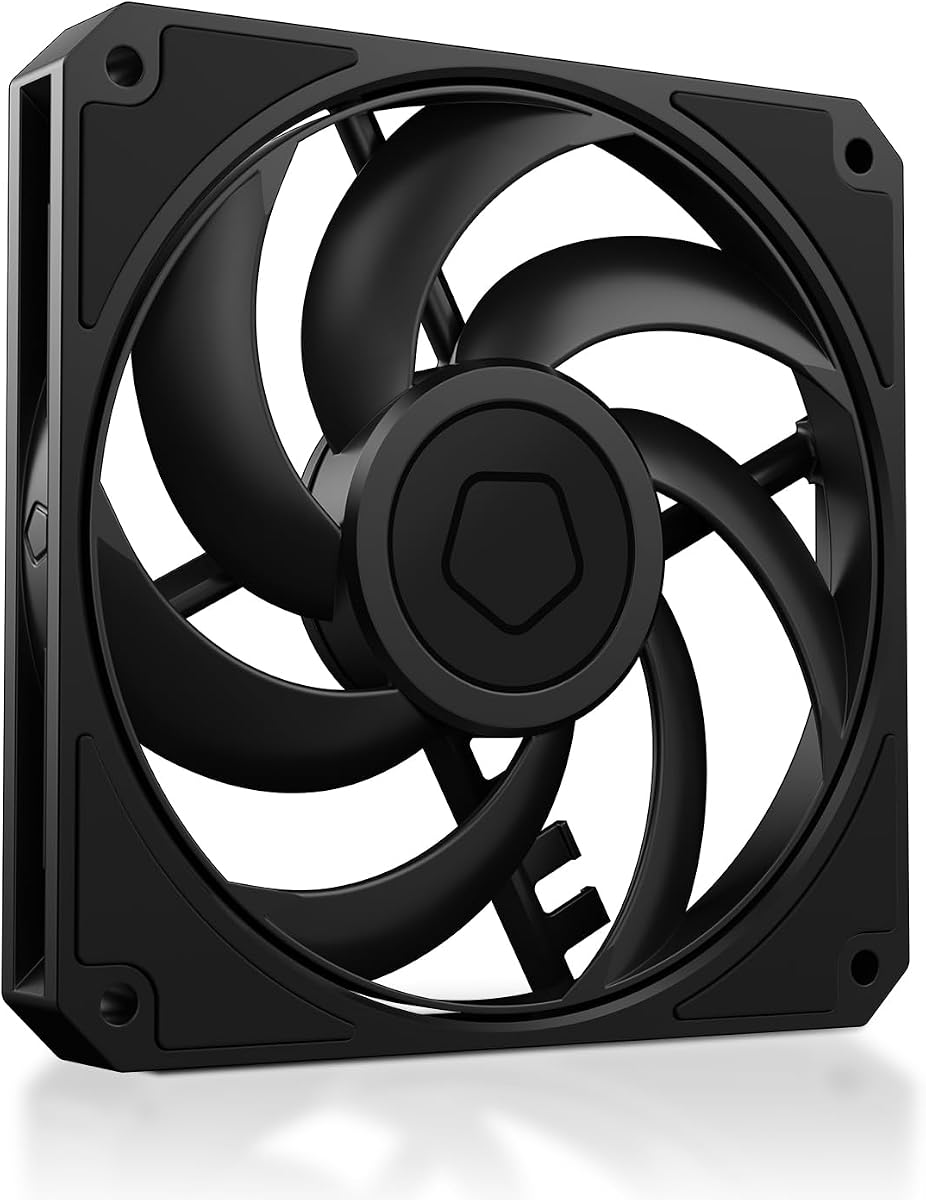
ID-COOLING AM-120-SLIM
4.8Editor score
Ultra-slim 15mm profile
High airflow at 59.6 CFM
Premium hydraulic bearing system
This guide compares the top low profile case fans for SFF builds, focusing on performance, noise, and slim 15mm designs to optimize cooling in tight spaces.
Choosing the right cooling solution for small form factor builds requires specialized hardware. Low profile case fans offer the necessary airflow while fitting into tight spaces where standard fans fail.
We evaluated ten top-rated models based on static pressure, noise levels, and build quality. Our analysis focuses on 15mm slim designs that maximize thermal performance without compromising silence.
Each pick highlights unique strengths like PWM control or premium bearings. Prices and availability change frequently, so verify current details before purchasing your next cooling upgrade for your PC.
4.8Editor score

4.9Editor score

4.8Editor score
The following table presents a side-by-side comparison of all ten selected low profile case fans. Review key specifications like dimensions, speed, and pressure to find the ideal match for your build.



The Noctua NF-A12x15 PWM stands out as the top choice for builders seeking maximum efficiency in a slim form factor. With a near-perfect rating, it delivers exceptional cooling and acoustic performance.
We may earn a commission when you buy through this link, at no additional cost to you.
Its award-winning A-series design features Flow Acceleration Channels that reduce turbulence and noise. The Advanced Acoustic Optimisation frame ensures smooth airflow even under high static pressure conditions.
While the price is higher than competitors, the included accessories like y-cables and anti-vibration mounts add significant value. The 150000-hour MTTF ensures long-term reliability for critical cooling tasks.
This fan is ideal for anyone prioritizing silence and performance in an SFF or HTPC build. If budget allows, it is the definitive choice for premium low-profile cooling.
The frame technology minimizes resonance, ensuring the fan remains whisper-quiet even at maximum speeds.
With a MTTF exceeding 150000 hours, this fan is built to last through years of continuous operation.
We may earn a commission when you buy through this link, at no additional cost to you.
The ID-COOLING AM-120-SLIM offers incredible value for builders on a budget who refuse to compromise on cooling performance. Its high airflow rating makes it a standout in the budget category.
We may earn a commission when you buy through this link, at no additional cost to you.
Equipped with a hydraulic bearing, it balances low noise with impressive static pressure suitable for radiators. The 2500 RPM speed range provides plenty of headroom for demanding thermal scenarios.
While it may not match the premium acoustic tuning of Noctua, it delivers robust cooling at a fraction of the cost. The slim profile fits perfectly into compact chassis without obstruction.
This fan is the perfect choice for those needing a reliable, cost-effective solution for Mini-ITX or tight SFF builds. It proves that high performance does not always require a high price tag.
Delivering nearly 60 CFM, this fan moves significant air to cool components in restricted spaces effectively.
With 2.7 mmH2O pressure, it pushes air through dense heatsinks and radiators with ease.
We may earn a commission when you buy through this link, at no additional cost to you.
For those seeking a premium build look without sacrificing acoustic quality, the chromax.Black.swap edition is the top contender. It combines the legendary performance of Noctua with a sleek all-black finish.
We may earn a commission when you buy through this link, at no additional cost to you.
The customizable anti-vibration pads allow for personalization while reducing unwanted noise from fan vibration. This design choice ensures a clean aesthetic that matches modern black-themed PC builds perfectly.
While the price reflects its premium status, the engineering justifies the cost. The ability to stop the fan completely in low-load scenarios adds to its versatility and efficiency in daily use.
This fan is best suited for users who value aesthetics alongside raw performance. It is an excellent choice for high-end SFF systems where visual appeal is as important as cooling power.
Includes self-adhesive pads in multiple colors to match your specific build theme perfectly.
Stops at 0% PWM for semi-passive operation, ensuring silence during light usage.
We may earn a commission when you buy through this link, at no additional cost to you.
Another excellent option from Noctua, this variant is functionally similar to the first pick but offers distinct accessories. It maintains the high performance and quiet operation expected from the brand.
We may earn a commission when you buy through this link, at no additional cost to you.
The Flow Acceleration Channels ensure consistent airflow, making it ideal for tight spots. The inclusion of a y-cable allows for daisy-chaining fans, simplifying cable management in complex builds.
Though it carries a premium price, the reliability and included hardware make it a solid investment. The slim design fits seamlessly into cases where standard fans cannot be installed.
This model is perfect for users who need reliable cooling with minimal noise. It is a great choice for SFF builds where space and acoustic comfort are top priorities.
The included y-cable simplifies wiring by allowing two fans on one header.
Over 150000 hours of expected life ensures consistent performance year after year.
We may earn a commission when you buy through this link, at no additional cost to you.
This pack of three offers unbeatable value for larger projects requiring multiple low-profile fans. The P-series design focuses on high static pressure to handle restricted airflow environments efficiently.
We may earn a commission when you buy through this link, at no additional cost to you.
The 4-pin PST connection allows daisy-chaining, reducing the number of motherboard headers needed. This makes wiring cleaner and simpler in small chassis with limited connector availability.
While noise levels are low, the primary focus is performance. The 2100 RPM speed ensures ample airflow for cooling sensitive components in tight spots effectively.
This is an excellent choice for users who need to cool a whole case without overspending. The three-pack ensures you have enough fans for all your intake and exhaust needs.
PST technology allows multiple fans to connect in a single chain for easier wiring.
Optimized to push air through dense components like heat sinks and radiators.
We may earn a commission when you buy through this link, at no additional cost to you.
For builds with 140mm space, this slim variant offers excellent performance while maintaining a low profile. The 16mm thickness ensures it fits where thicker fans simply cannot.
We may earn a commission when you buy through this link, at no additional cost to you.
The motor technology prioritizes low noise, ensuring quiet operation even at high speeds. This makes it ideal for quiet PC projects where silence is a critical factor.
While the RPM is lower than 120mm fans, the larger blade surface area moves more air effectively. This balance of size and speed optimizes thermal performance for specific chassis types.
This fan is best for users with 140mm clearance needing a slim option. It offers a practical solution for cooling larger systems in compact cases.
The motor is tuned to minimize acoustic output during continuous high-speed operation.
Fits into tight spots with only 16mm of depth required for installation.
We may earn a commission when you buy through this link, at no additional cost to you.
This variant emphasizes high performance for critical cooling tasks. Its slim design allows for flexible placement in modern compact PC chassis without compromising airflow efficiency.
We may earn a commission when you buy through this link, at no additional cost to you.
The PWM control ensures the fan speed adjusts automatically based on system load. This dynamic behavior keeps noise low during idle times while boosting power when needed.
Reliability is a key feature here, with a MTTF rating of over 150000 hours. This long lifespan ensures that the cooling solution remains effective for years without needing replacement.
This fan is ideal for users seeking a balance of power and silence. It is suitable for various applications from CPU coolers to case exhaust in small builds.
PWM technology adjusts speed automatically to balance cooling needs with noise levels.
With a long MTTF, this fan offers consistent performance over many years of use.
We may earn a commission when you buy through this link, at no additional cost to you.
For very tight spaces where even 120mm fans will not fit, this 92mm option is the go-to solution. It offers premium performance in an ultra-compact footprint ideal for specific low-profile coolers.
We may earn a commission when you buy through this link, at no additional cost to you.
The high max RPM ensures sufficient airflow despite the smaller blade size. Combined with advanced acoustic optimization, it remains quiet even when pushing air rapidly through small gaps.
The HS-PWM version supports semi-passive operation, stopping the fan during low loads. This feature saves power and ensures silence when system temperatures are comfortable.
This fan is essential for niche builds with restricted clearance. It is perfect for those using low-profile CPU coolers in compact chassis where space is at a premium.
The 92mm size allows use in extremely tight spaces where larger fans cannot fit.
Despite small size, it reaches 2500 RPM to maintain effective cooling performance.
We may earn a commission when you buy through this link, at no additional cost to you.
This variant is designed for users who prefer fixed speed settings over automatic PWM control. It offers three distinct speed options to tailor performance to your specific build needs.
We may earn a commission when you buy through this link, at no additional cost to you.
The included low-noise adaptors allow for reduced speeds when silence is paramount. This flexibility is useful in passive or semi-passive cooling setups where manual tuning is preferred.
While it lacks the automatic control of the PWM version, the manual adjustments are often sufficient for static environments. The build quality ensures reliable operation over many years of use.
This fan is best for users with 3-pin headers or specific noise preferences. It offers a simple, effective solution for low-profile cooling with manual speed control.
Fixed speed options via adaptors provide predictable and stable performance.
The 3-pin connector ensures broad compatibility with older or non-PWM headers.
We may earn a commission when you buy through this link, at no additional cost to you.
While not strictly 15mm, this fan offers a balanced alternative for builds needing quiet operation. It focuses on silent performance with optimized blades that reduce noise effectively.
We may earn a commission when you buy through this link, at no additional cost to you.
The 7-blade design ensures high airflow while maintaining a quiet environment. This makes it suitable for cases where acoustic performance is as important as thermal performance.
The rifle bearing provides a long operating lifetime of 80000 hours. This engineering ensures that the fan operates reliably for years without requiring replacement or maintenance.
This fan is ideal for users prioritizing silence and quality. It is a great choice for those who value German engineering and a quiet system over extreme slimness.
Seven optimized blades reduce turbulence, ensuring smooth and quiet air movement.
Long-life rifle bearings ensure reliability and consistent performance over time.
We may earn a commission when you buy through this link, at no additional cost to you.
Selecting the right low-profile fan requires balancing dimensions, performance, and noise. This guide helps you identify the key factors to ensure optimal cooling for your build.
Low profile fans typically come in 15mm or 16mm thicknesses. Ensure your case or cooler has enough clearance before purchasing a standard 25mm model.
Always measure your available space to confirm a 15mm fan fits securely.
PWM fans offer precise speed control via the motherboard, while DC fans often rely on voltage. PWM provides better silence and performance balance.
Check your motherboard headers to ensure compatibility with your chosen fan type.
High static pressure is crucial for radiators and heatsinks, while high airflow is better for open case ventilation. Match the fan to your application.
Prioritize static pressure if the fan pushes air through dense components.
Noise is measured in decibels (dB). Lower dB ratings mean quieter operation, but check ratings at both minimum and maximum speeds.
Select a fan with a low minimum speed for silent idle periods.
Hydraulic and fluid dynamic bearings offer long lifespans and low noise. Avoid sleeve bearings if you need long-term reliability.
Look for MTTF ratings over 100000 hours for maximum durability.
Some fans include anti-vibration mounts or extension cables. These accessories simplify installation and reduce unwanted vibrations.
Ensure the package includes the necessary screws and gaskets for your case.
Trusted brands like Noctua and be quiet! offer better quality control and customer support. Check warranty terms before buying.
Stick with reputable manufacturers to ensure consistent product quality.
Ensure the connector matches your motherboard header. 4-pin PWM is standard for modern boards, while 3-pin is common for older systems.
Check if a 4-to-3-pin adapter is included if you use an older motherboard.
Always ensure the fan is securely mounted with screws to prevent wobbling. Tighten them evenly to avoid unnecessary vibration that can increase noise.
Connect the fan to the correct header on your motherboard. Verify the PWM pin is seated correctly to ensure speed control features function as expected.
Keep the fan clean from dust accumulation to maintain performance. Use compressed air occasionally to clean the blades and prevent overheating.
Generally, yes. Because they spin at lower speeds to move similar amounts of air, 15mm fans often operate more quietly. However, high-performance models may spin faster and be louder.
Yes, but ensure the clearance matches your setup. Thin radiators designed for 15mm fans will benefit best, while thicker ones may struggle with reduced pressure.
PWM stands for Pulse Width Modulation. It allows the motherboard to control fan speed precisely based on temperature, ensuring silence when the system is idle.
Yes, they are specifically designed for small form factor cases where space is limited. They provide efficient cooling without blocking other components like RAM.
It is recommended to clean fans every three to six months. Dust buildup can restrict airflow and increase temperatures over time.
Yes, many users find the superior build quality and acoustic performance justify the price. They are often the best choice for silent or high-performance builds.
We have reviewed ten top low profile case fans offering a range of features and price points. Whether you need the premium quietness of Noctua or the budget value of ID-COOLING, there is a perfect match for your needs.
Prioritize thickness, PWM control, and airflow requirements based on your specific build constraints. Always check motherboard compatibility to ensure the fan works seamlessly with your system.
Prices and stock levels can change daily so confirm current details before purchasing. With the right low profile fan, you can keep your compact build cool and quiet.