
Dell 24 240Hz Gaming Monitor
4.7Editor score
240Hz refresh rate
0.5ms response time
AMD FreeSync Premium
Discover the top 24 inch G Sync monitors for gaming in October 2026. We compare refresh rates, response times, panel types, and features to help you choose.
Finding the right 24 inch G Sync monitor is crucial for competitive gamers who demand smooth visuals and responsive performance. These displays combine high refresh rates with NVIDIA G Sync compatibility to eliminate screen tearing and reduce latency during intense gaming sessions.
We evaluated ten leading models based on panel technology, refresh rates, response times, and color accuracy. Our analysis covers budget-friendly options alongside premium picks, ensuring you find a monitor that fits your setup and performance needs without compromise.
Each pick highlights key strengths like motion blur reduction, HDR support, and ergonomic stands. Prices and availability change frequently, so verify current details before purchasing. This guide ensures you invest in a display that delivers consistent value and superior gaming experiences.
4.7Editor score

4.4Editor score

5.0Editor score
This side-by-side comparison highlights the core specifications of all ten monitors to help you quickly identify which model best matches your gaming priorities and budget constraints.




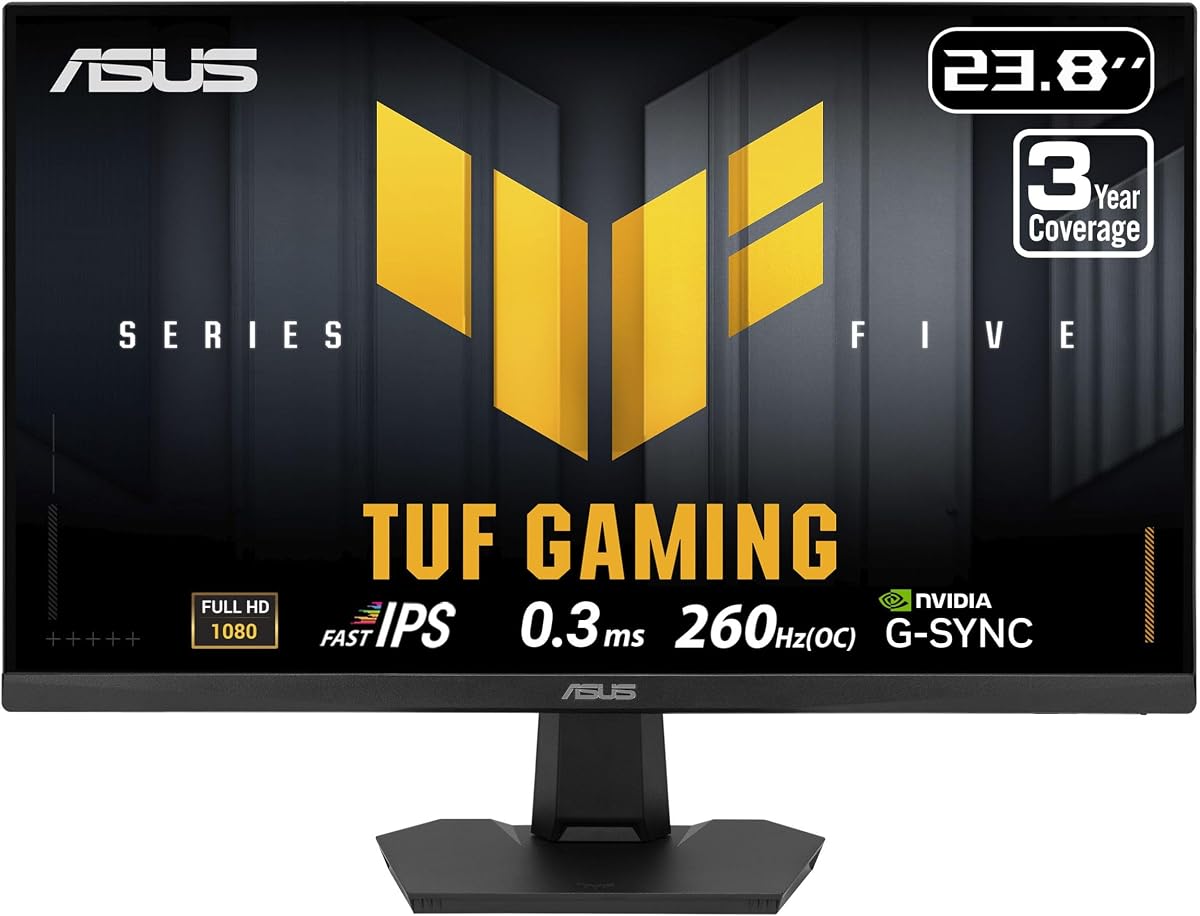
The ASUS TUF Gaming VG249QML5A stands out as a top choice for competitive gamers seeking seamless motion. With a 240Hz refresh rate and Fast IPS technology, it delivers crisp visuals and precise color accuracy essential for immersive gameplay experiences.
We may earn a commission when you buy through this link, at no additional cost to you.
Its 0.3ms response time minimizes motion blur significantly, ensuring every action remains sharp during fast-paced titles. ELMB SYNC further enhances clarity by combining variable refresh rates with motion blur reduction without tearing or ghosting artifacts.
While the price reflects premium features, the inclusion of a height-adjustable stand and Adobe Creative Cloud subscription adds tangible value. Users may find HDR performance modest compared to OLED alternatives but sufficient for gaming focused on frame rates.
Ideal for esports enthusiasts and content creators alike, this monitor balances performance with practical ergonomics. Its comprehensive warranty and robust feature set make it a reliable long-term investment for serious gaming setups.
ELMB SYNC combines motion blur reduction with adaptive sync to eliminate ghosting during high refresh rates.
The included Adobe Creative Cloud subscription enhances content creation capabilities alongside gaming performance.
We may earn a commission when you buy through this link, at no additional cost to you.
The Dell 24 240Hz Gaming Monitor offers exceptional performance at an accessible price point making it ideal for budget-conscious gamers. Its 240Hz refresh rate paired with a 0.5ms response time ensures fluid motion and minimal input lag during competitive play.
We may earn a commission when you buy through this link, at no additional cost to you.
Fast IPS technology delivers rich colors and wide viewing angles while FreeSync Premium prevents tearing effectively. TUV certification reduces blue light exposure to protect eye health during extended gaming sessions without sacrificing visual quality.
Although it lacks advanced ergonomic adjustments like height or pivot, the tilt functionality provides basic comfort. The simple design prioritizes performance over aesthetic flair appealing to players focused strictly on in-game advantages.
For those seeking top-tier speed without premium costs, this monitor is a smart choice. It delivers professional-level refresh rates and reliable color accuracy ensuring smooth visuals across various game genres and multimedia use.
TUV Rheinland 3-star certification lowers blue light to reduce strain during long play sessions.
This model brings 240Hz speeds to budget buyers without compromising on core gaming features.
We may earn a commission when you buy through this link, at no additional cost to you.
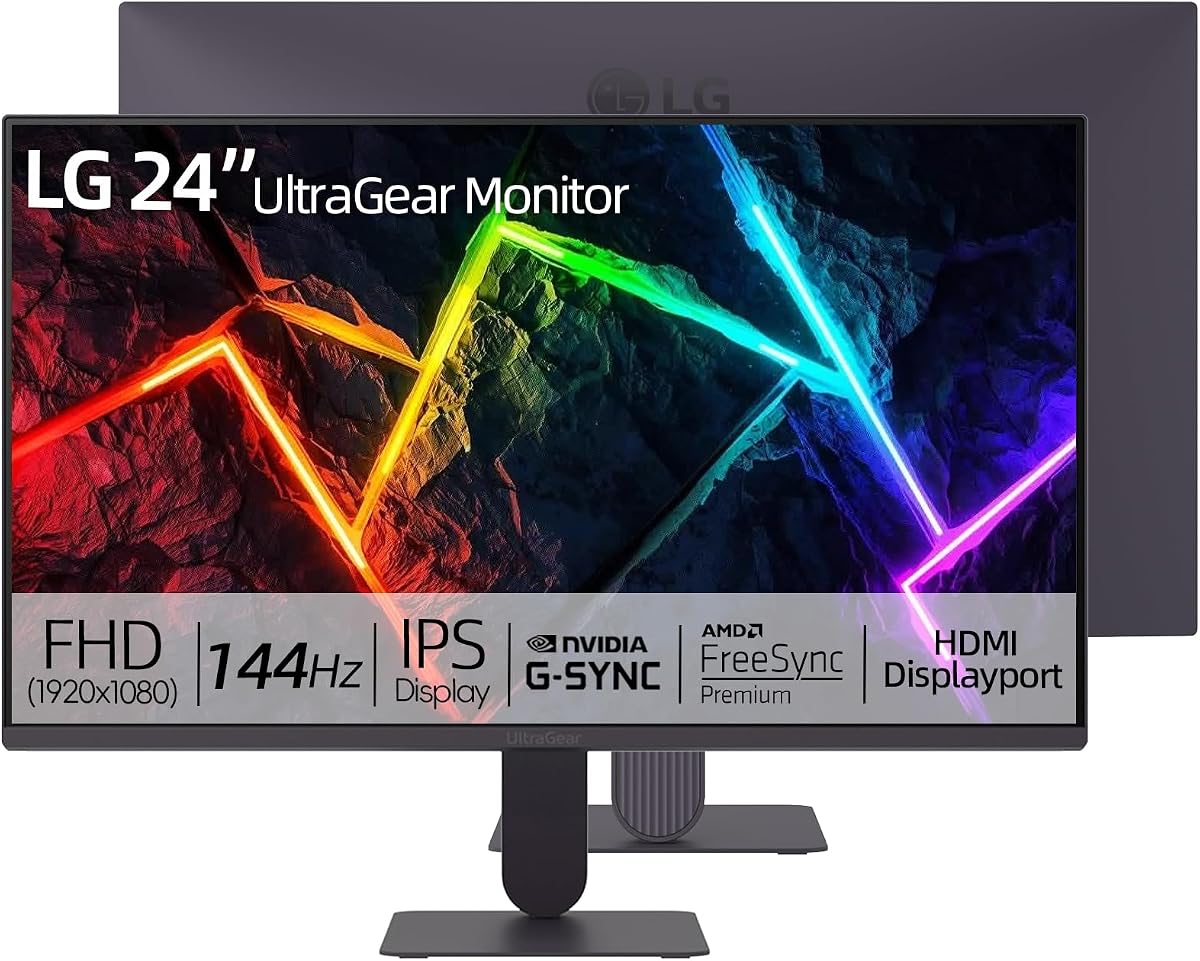
The LG 24 Inch Ultragear Gaming Monitor earns a perfect five-star rating from users who value visual fidelity and responsive gaming. Its IPS panel supports HDR10 and covers 99% of the sRGB color gamut for accurate and vibrant imagery across all content.
We may earn a commission when you buy through this link, at no additional cost to you.
While native refresh reaches 120Hz overclocking boosts it to 144Hz for smoother gameplay. Features like Black Stabilizer reveal dark scene details and Crosshair assists targeting enhancing competitive edges. The slim bezel maximizes immersion by reducing bezel distractions.
Trade-offs include a lack of height adjustability and reliance on overclocking for peak refresh rates. However, the VESA mount compatibility allows third-party arms for improved ergonomics if needed for specific setups.
This monitor suits players prioritizing color accuracy and premium design over absolute speed. Its robust feature set and outstanding user feedback confirm it as a high-end choice for immersive gaming and multimedia entertainment.
Black Stabilizer and Crosshair features provide tactical advantages in competitive shooter games.
Slim bezels and a minimalist stand create a clean look that focuses attention on gameplay.
We may earn a commission when you buy through this link, at no additional cost to you.
The LG 24G411A-B offers strong gaming performance with a 144Hz overclocked refresh rate that ensures fluid visuals. Its IPS panel delivers vivid colors and wide viewing angles making it suitable for both gaming and everyday multimedia tasks.
We may earn a commission when you buy through this link, at no additional cost to you.
Dynamic Action Sync reduces input lag to improve responsiveness while Black Stabilizer helps detect enemies in shadows. NVIDIA G-Sync Compatible and AMD FreeSync technologies eliminate screen tearing providing a seamless experience across different GPU brands.
The slim stand saves desk space but offers only tilt adjustment. Users requiring full ergonomic customization may need a VESA mount. Despite this limitation, the monitor delivers reliable speed and color accuracy for its class.
This model is ideal for gamers wanting high refresh rates without premium costs. Its balanced feature set and solid user rating confirm it as a dependable choice for budget-friendly competitive gaming setups.
Dynamic Action Sync minimizes input lag ensuring your commands register instantly during fast gameplay.
G-Sync Compatible and FreeSync synchronize refresh rates to prevent screen tearing effectively.
We may earn a commission when you buy through this link, at no additional cost to you.
The LG 24G414B-B combines gaming performance with multimedia convenience through built-in stereo speakers. Its 144Hz refresh rate and 1ms MBR reduce motion blur ensuring smooth action sequences during competitive titles without visible artifacts.
We may earn a commission when you buy through this link, at no additional cost to you.
Vivid HDR10 visuals and 99% sRGB coverage deliver accurate color reproduction for immersive gameplay. NVIDIA G-Sync Compatible and AMD FreeSync maintain tear-free gameplay while Dynamic Action Sync enhances input responsiveness effectively.
The slim bezel design enhances immersion though the stand offers only tilt adjustments. Built-in audio supports casual use but external headsets are recommended for serious gaming communication needs.
This monitor suits gamers valuing convenience alongside performance. Its reliable refresh rate and color accuracy make it a versatile choice for both gaming and everyday desktop usage.
Built-in stereo speakers provide convenient sound for media playback without needing external speakers.
1ms MBR reduces ghosting during fast scenes to keep visuals sharp during gameplay.
We may earn a commission when you buy through this link, at no additional cost to you.
The LG 24 Ultragear FHD gaming monitor delivers outstanding performance with a near perfect user rating. Its IPS display supports HDR10 and covers 99% of the sRGB color gamut for vibrant accurate colors essential for immersive gaming and media consumption.
We may earn a commission when you buy through this link, at no additional cost to you.
A 144Hz refresh rate and 1ms MBR ensure fluid motion with minimal ghosting. NVIDIA G-Sync Compatible and AMD FreeSync prevent screen tearing while Black Stabilizer improves visibility in dark areas for competitive edges.
The ultra-slim bezel design maximizes screen real estate and immersion. VESA mountability allows flexible setup options although the included stand offers only tilt adjustments which may limit ergonomic comfort for some users.
This monitor is ideal for competitive gamers seeking reliability and color fidelity. Its robust feature set and high user satisfaction confirm it as a trusted option for serious gaming environments.
G-Sync Compatible and FreeSync synchronize refresh rates for a seamless visual experience.
Black Stabilizer boosts brightness in dark areas to help spot enemies in shadows.
We may earn a commission when you buy through this link, at no additional cost to you.
The ASUS TUF Gaming 24 offers ultra-smooth visuals with a 200Hz refresh rate and 0.3ms response time. This combination eliminates motion blur and delivers rapid input response essential for competitive multiplayer gaming scenarios.
We may earn a commission when you buy through this link, at no additional cost to you.
Compatible with both NVIDIA G-SYNC and AMD FreeSync Premium it ensures seamless frame performance across various systems. An anti-glare matte screen reduces reflections supporting clear viewing in diverse lighting conditions.
Users may find HDR performance modest compared to higher-end models. The monitor excels in motion clarity and responsiveness making it suitable for fast-paced shooters and rhythm games demanding precise timing.
This monitor suits gamers prioritizing speed and reliable synchronization. Its broad system compatibility and solid refresh rates make it a versatile choice for diverse gaming environments.
Matte screen reduces reflections for better visibility in brightly lit rooms.
Works seamlessly with Windows Mac Chrome OS and Linux for broad compatibility.
We may earn a commission when you buy through this link, at no additional cost to you.
The ASUS 24 FHD Gaming Monitor provides competitive performance with a 200Hz refresh rate and 0.3ms response time. Fast IPS technology delivers vivid colors and wide viewing angles ensuring immersive visuals during intense gaming sessions.
We may earn a commission when you buy through this link, at no additional cost to you.
ELMB Sync technology reduces ghosting while G-Sync Compatible and FreeSync Premium eliminate tearing. Low Blue Light and Flicker-Free features help reduce eye strain during extended play or work sessions.
Stand adjustments are basic offering only tilt which may limit ergonomic comfort. Despite this the high refresh rate and color accuracy make it a strong contender for budget-conscious gamers.
Ideal for gamers seeking speed without excessive costs this model balances performance and affordability. Its robust feature set ensures smooth visuals and reliable color for various gaming needs.
Low Blue Light and Flicker-Free reduce eye strain during prolonged use.
200Hz and 0.3ms ensure sharp visuals without motion blur or ghosting.
We may earn a commission when you buy through this link, at no additional cost to you.
The LG 24 Ultragear FHD gaming monitor delivers consistent performance with a perfect five-star user rating. Its IPS display supports HDR10 and covers 99% of the sRGB color gamut ensuring accurate vibrant colors for gaming and multimedia.
We may earn a commission when you buy through this link, at no additional cost to you.
A 144Hz refresh rate and 1ms MBR reduce motion blur while G-Sync Compatible and FreeSync prevent tearing. Black Stabilizer improves visibility in dark areas and the slim bezel enhances immersion effectively.
Stand adjustments are limited to tilt but VESA mount compatibility offers flexibility for third-party arms. This model excels in visual quality and reliable synchronization for competitive gaming.
Ideal for gamers seeking dependable performance and color accuracy. Its feature set and user satisfaction make it a trusted option for immersive gaming and daily use.
1ms MBR ensures sharp visuals during fast action without ghosting artifacts.
Black Stabilizer brightens dark scenes to help spot enemies more easily.
We may earn a commission when you buy through this link, at no additional cost to you.
The ASUS TUF Gaming VG249QM5F offers the fastest refresh rate in this lineup with 260Hz capability. Its Fast IPS panel delivers crisp visuals and accurate color while ELMB SYNC eliminates ghosting during high frame rates.
We may earn a commission when you buy through this link, at no additional cost to you.
G-SYNC compatibility and FreeSync Premium ensure tear-free gaming across different GPUs. TUF Gaming AI features like Shadow Boost and GameVisual modes enhance gameplay settings for optimized performance and color profiles.
While HDR10 support is included brightness levels are moderate. The built-in speakers provide convenience but external audio is recommended for immersive sound experiences in competitive play.
This model suits competitive gamers prioritizing speed above all else. Its high refresh rate and robust feature set make it a top choice for esports and fast-paced gaming environments.
260Hz refresh rate ensures the smoothest motion for competitive advantage.
TUF Gaming AI optimizes settings for better visuals and gameplay performance.
We may earn a commission when you buy through this link, at no additional cost to you.
Selecting the right 24 inch G Sync monitor involves balancing refresh rates, response times, panel types, and ergonomic features to meet your specific gaming needs and budget constraints effectively.
A higher refresh rate like 144Hz or 240Hz ensures smoother motion which is critical for competitive gaming where every frame counts. Look for monitors that support overclocking for potential speed boosts.
Prioritize at least 144Hz for fluid visuals but consider 240Hz if you play fast-paced shooters.
Response time measures how quickly a pixel changes color with lower values reducing motion blur and ghosting. Aim for 1ms or less for competitive clarity during fast action scenes.
A 1ms response time is essential to keep moving objects sharp without distracting trails.
IPS panels offer wide viewing angles and superior color accuracy ideal for both gaming and content creation. They ensure vivid colors and consistent imagery from any seating position.
Choose IPS over TN for better color fidelity and more immersive visuals.
NVIDIA G Sync Compatible and AMD FreeSync technologies synchronize refresh rates to eliminate screen tearing and stuttering. Ensure the monitor officially validates G Sync Compatible for NVIDIA GPU users.
Always verify G Sync Compatible certification to guarantee smooth tear-free gameplay.
Look for 99% sRGB coverage to ensure accurate and vibrant colors across games and media. HDR10 support adds dynamic contrast though brightness varies by model.
99% sRGB ensures true-to-life colors while HDR10 enhances contrast in supported titles.
Adjustable stands with height and tilt options improve comfort during long sessions. VESA mount compatibility allows flexible positioning with third-party arms if needed.
Adjustable stands reduce neck strain so consider ergonomics before buying.
HDMI and DisplayPort support are essential for connecting consoles and PCs at high refresh rates. Ensure your cables match the monitor's specs for optimal performance.
DisplayPort 1.4 supports highest refresh rates for PC gamers.
Prices range widely from budget models under $100 to premium options over $200. Balance cost against features like refresh rate and stand adjustability.
Assess total value beyond price to ensure long-term satisfaction.
To achieve optimal gaming performance ensure your graphics drivers are updated and the monitor is set to its highest refresh rate via system display settings. Disable power saving modes that limit refresh rates.
Clean the screen regularly with a soft microfiber cloth and avoid harsh chemicals. Dusting frequently prevents buildup that can scratch the panel over time.
Adjust brightness and color settings to match ambient lighting reducing eye strain. Use blue light filters during evening sessions to maintain comfort during extended gaming.
G Sync is a technology that syncs the monitor refresh rate with the GPU frame rate to eliminate screen tearing and stuttering. It ensures smooth visuals and improves performance during demanding games. NVIDIA G Sync Compatible monitors work with NVIDIA GPUs to provide these benefits.
Yes 144Hz provides smoother motion and reduces motion blur compared to 60Hz. This improvement is crucial for competitive gaming where fast reaction times are necessary. Most gamers prefer 144Hz for better fluidity in action sequences.
To fully utilize 240Hz you need a powerful PC that can sustain high frame rates in games. Lower-end systems may not reach this speed but the monitor still offers benefits. Check your hardware capabilities before upgrading.
Most monitors support consoles via HDMI though features like G Sync are exclusive to PC. Ensure HDMI 2.0 or higher for best compatibility and refresh rates. Some models support 120Hz on compatible consoles.
Use DisplayPort 1.2 or higher for 144Hz and above. HDMI 2.0 works but some monitors require specific ports for full speed. Verify the monitor manual for recommended cable types.
Install NVIDIA drivers then open NVIDIA Control Panel to enable G Sync for Full Screen or Windowed Mode. Ensure your GPU supports G Sync Compatible monitors. Follow setup wizards for optimal configuration.
The top picks balance speed color accuracy and features to suit various needs. The Dell model stands out for budget buyers while ASUS TUF VG249QML5A leads overall performance.
Prioritize refresh rate and G Sync compatibility based on your hardware and game genres. Consider ergonomics and color needs for extended daily use beyond gaming.
Check current prices and stock as deals vary frequently. This guide ensures you find a reliable monitor that enhances gameplay and delivers long-term value.