
xTool F2 Ultra 60W MOPA
4.2Editor score
Dual MOPA and diode laser
100 plus vibrant color metal engraving
Industrial grade productivity speed
Choosing the right laser engraver can transform your creative projects into professional products. A 60W model offers the perfect balance of power and precision for cutting and engraving a wide variety of materials.
We evaluated ten leading models based on safety features, engraving speed, material compatibility, and software support. Our analysis highlights key differences to help you select the machine that fits your workflow needs.
Each pick below shows unique strengths for specific use cases ranging from hobbyist crafting to industrial production. Please note that pricing and availability can change so check the current listings for the latest details.
4.2Editor score

4.8Editor score

5.0Editor score
As an Amazon Associate we earn from qualifying purchases.
This side-by-side comparison highlights the core specifications of each model to help you quickly identify which machine aligns with your specific engraving and cutting requirements.




The Creality Falcon2 Pro stands out as the top choice for serious makers who need reliability and safety. It balances power with precision through its dual laser system and class 1 enclosure.
We may earn a commission when you buy through this link, at no additional cost to you.
Its adjustable power levels let you switch between heavy-duty cutting and fine engraving without changing heads. The built-in HD camera streamlines alignment for batch production runs significantly.
While the cost is higher than open-frame units the safety features justify the investment for home or small business use. The enclosure also contains smoke and noise better than most competitors.
Buy this if you prioritize safety and want a machine that scales with your growing production needs. It offers a professional experience without needing industrial facility space.
The fully enclosed design minimizes laser exposure and improves smoke containment for a safer workspace.
A powerful 60W laser handles cutting while a 1.6W laser enables precise positioning and fine engraving.
We may earn a commission when you buy through this link, at no additional cost to you.
This model focuses on speed and simplicity for rapid prototyping and small batch runs. The native 60W output ensures it can cut through thicker materials efficiently.
We may earn a commission when you buy through this link, at no additional cost to you.
The intelligent focus and camera system reduce manual setup time so you spend more time creating and less time measuring. It is designed for users who value throughput.
However the lower rating suggests some users have found setup quirks or inconsistencies. It is still a strong candidate if speed is your primary goal over ultimate refinement.
Consider this if you run a small studio where time saved on setup adds up quickly. It simplifies the workflow for consistent daily use.
Engraving speeds exceeding 500mm/s enable high-efficiency batch production and reduce processing time.
One key control and automatic positioning simplify operations for efficient creation and less manual measurement.
We may earn a commission when you buy through this link, at no additional cost to you.
For those who prefer CO2 technology this model offers reliable performance at a competitive price point. The included water chiller extends tube life significantly.
We may earn a commission when you buy through this link, at no additional cost to you.
Its large workspace allows you to work on bigger projects like furniture accents or signs without cutting pieces down. Autofocus removes the guesswork from setup.
While it lacks the closed safety of diode models the flame-retardant window and air assist keep operation clean. It is a robust choice for dedicated workshops.
Choose this if you work mostly with non-metals and want a larger bed without breaking the bank. It delivers commercial capabilities for hobbyists and small businesses.
The 20 by 28 inch work area fits most projects with four-way pass-through doors for longer items.
Autofocus automatically finds the right focal distance so you avoid manual adjustments and guesswork.
We may earn a commission when you buy through this link, at no additional cost to you.
This unit emphasizes user safety with a fire-resistant metal enclosure that auto-stops when opened. It is ideal for schools or shared spaces where safety is paramount.
We may earn a commission when you buy through this link, at no additional cost to you.
The HD camera visualizes operations making it easier to align designs without manual tracing. This reduces errors and speeds up the creation process.
Although the rating is moderate due to some software limitations the hardware remains solid. The lifetime technical support adds significant value for new users.
Buy this if safety is your top priority and you need a machine that is safe around beginners. It provides peace of mind without sacrificing performance.
An auto-stop function halts operations when the enclosure is opened to ensure user safety.
A high resolution camera visualizes operations to improve work efficiency without manual tracing.
We may earn a commission when you buy through this link, at no additional cost to you.
The F2 Ultra redefines what a desktop laser can do with dual MOPA and diode lasers. It handles everything from delicate engraving to cutting metals.
We may earn a commission when you buy through this link, at no additional cost to you.
Its ability to produce over 100 vibrant colors on metal without dyes is a game-changer for personalized gifts. AI cameras ensure precision down to 0.2mm.
Despite the high price tag the capabilities justify the cost for professionals needing versatility. It is a true all-in-one machine for complex projects.
Invest in this if you need the absolute best performance and are willing to pay for top-tier features. It delivers industrial results on your desktop.
Delivers over 100 consistent colors on metals with pre-set files to save testing time.
Equipped with a 60W MOPA fiber laser and a 40W diode laser to master all materials.
We may earn a commission when you buy through this link, at no additional cost to you.
Fiber lasers excel at marking metals and this compact unit makes that accessible for small workshops. The integrated design reduces footprint significantly.
We may earn a commission when you buy through this link, at no additional cost to you.
It offers high accuracy for precise markings on jewelry or industrial parts. The speed allows for rapid batch marking of multiple items.
While the work area is small it is optimal for the power level and prevents distortion. It is a specialized tool for metal professionals.
Select this if your focus is purely on metal engraving and you need portability. It delivers high precision in a compact footprint.
Engraves all metals including gold, silver, copper, and stainless steel with high precision.
Achieves a carving accuracy of 0.01mm with customized galvanometer systems and mirrors.
We may earn a commission when you buy through this link, at no additional cost to you.
With perfect ratings this model proves that budget friendly doesn't mean low performance. It offers a generous work area for the price point.
We may earn a commission when you buy through this link, at no additional cost to you.
The four-way pass-through design is great for long materials like signs or frames. Air assist keeps cuts clean and reduces burn marks.
Safety is basic but adequate for dedicated workshop use. It balances functionality and affordability well for hobbyists.
Buy this if you need a large bed without spending premium prices. It delivers solid performance for the cost.
The four-way pass-through design allows for longer materials and easy manual feeding.
Built-in air-assist clears dust and smoke to keep the workspace fresh and cuts clean.
We may earn a commission when you buy through this link, at no additional cost to you.
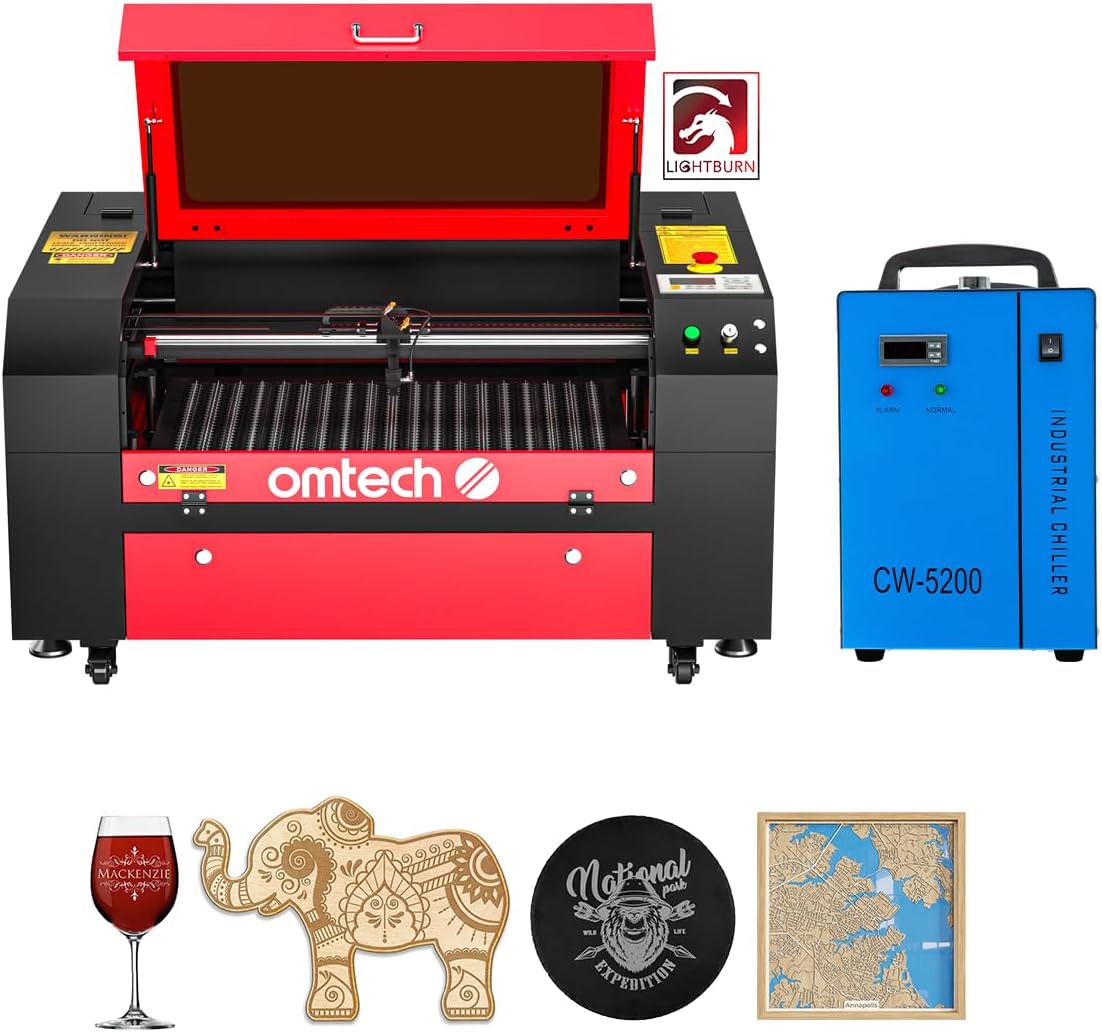
This commercial-grade unit offers high power and large bed for production work. The autolift feature saves setup time for daily projects.
We may earn a commission when you buy through this link, at no additional cost to you.
The high-performance tube ensures consistent output for deep engraving on non-metallics. Water chiller extends operational time without interruptions.
While it lacks camera features the motorized bed makes precision easier than manual adjustment. It is built for heavy-duty tasks.
Choose this for commercial environments needing robust performance. It provides consistent results for daily production work.
Motorized workbeds can be adjusted up and down at the touch of a button.
High-performance DC tube delivers 60W of power for up to 1000 hours of usage.
We may earn a commission when you buy through this link, at no additional cost to you.
The X1 Lite delivers industrial-level speed with advanced preview technology. You see exactly how the engraving will look before cutting.
We may earn a commission when you buy through this link, at no additional cost to you.
This saves time and materials by eliminating trial and error. The Class 1 safety ensures a secure environment for home use.
It balances speed with precision making it ideal for high volume work. The AI assistant helps troubleshoot setup quickly.
Select this if you need fast results without sacrificing quality. It is built for efficiency and accuracy.
Achieve industrial-level speed with built-in high frequency ensuring clean sharp results.
Space simulates engraving on material textures with less than 5 percent deviation.
We may earn a commission when you buy through this link, at no additional cost to you.
This portable unit brings color marking capabilities to mobile workshops. The JPT source ensures consistent and vibrant metal color.
We may earn a commission when you buy through this link, at no additional cost to you.
It includes two working areas for flexibility depending on your project size. Manual lift columns add to its adaptability.
While not for heavy industrial use it is powerful enough for most jewelry and custom metal work. It is a great travel option.
Buy this if you need a mobile fiber solution. It offers professional results in a portable package.
Capable of engraving metal fabrication quickly and producing 100 plus color markings.
Two F-Theta lenses offer different precision options for versatile engraving needs.
We may earn a commission when you buy through this link, at no additional cost to you.
Choosing a 60W laser engraver involves weighing power, safety, and workflow needs. Consider these factors to find a machine that matches your production goals.
60W units come in diode, CO2, or fiber types. Diode is versatile for mixed materials, CO2 for non-metals, and fiber for metal.
Select the type that matches your primary material to maximize efficiency.
Class 1 enclosed units are safest for home use as they block laser exposure. Class 4 requires goggles and strict controls.
Prioritize Class 1 for safety if working in shared spaces.
Bed size determines what projects you can run. 20×28 inches handles most medium to large items.
Choose a larger bed if you often work on signs or furniture.
Built-in cameras reduce alignment time for batch work. They allow live preview and positioning.
Use cameras if you need high throughput accuracy.
Check compatibility with LightBurn or proprietary tools. Open software allows more creative freedom.
Pick machines supporting industry standard software for best workflow.
Higher mm/s speeds reduce processing time. Look for models exceeding 500mm/s for efficiency.
Opt for speed if time is a critical constraint.
Look for warranty terms and customer service. Lifetime support helps resolve setup issues faster.
Ensure support is responsive to minimize downtime.
Start by setting up the machine on a level surface in a well-ventilated area. Connect power and ensure all safety locks are engaged before turning it on.
Always test your settings on a scrap piece to calibrate power and speed. Keep your work area clean to prevent debris from causing fires.
Clean lenses and mirrors regularly with appropriate solutions to maintain beam quality. Follow the manual for tube cooling maintenance.
Standard diode and CO2 60W engravers cannot cut metal. You need fiber or MOPA lasers for cutting metal effectively. Coated metals may work with standard units but bare metal will not.
Class 1 lasers are fully enclosed and safe for all users. Class 4 lasers emit high power beams and require protective eyewear. Class 1 is safer for home use.
CO2 tubes last around 3500 hours. Fiber and diode sources can last up to 100000 hours. Proper cooling and maintenance extend lifespan significantly.
LightBurn is not mandatory but is popular for its features. Many machines support free alternatives like LaserGRBL. Check compatibility before purchasing.
Yes 60W units support batch production. Choose models with cameras and large beds for efficiency. Safety and ventilation are vital for commercial use.
Cameras streamline alignment and reduce manual work. They are essential for batch runs. Basic models can work without cameras for single piece projects.
The Creality Falcon2 Pro stands out for balanced power and safety. The xTool F2 Ultra offers premium features for metal work. VEVOR provides excellent value for hobbyists.
Prioritize safety and material compatibility over raw speed. A machine that fits your workflow saves time and frustration.
Prices and availability change frequently. Check current listings for the most accurate options before purchasing.