10 Best 90 Degree Displayport Adapter And Cable in 2026
This guide compares ten top 90 Degree Displayport Adapter and Cable models for resolution support space management build quality compatibility value and setup
As an Amazon Associate we earn from qualifying purchases. We may earn a commission when you buy through links on this page, at no additional cost to you. Read our affiliate disclosure.As an Amazon Associate we earn from qualifying purchases.Purchases through our links may earn us a commission, at no extra cost to you. Read our affiliate disclosure.
Finding the right 90 Degree Displayport Adapter and Cable can transform your setup by reducing clutter and improving access. These adapters solve tight space issues behind monitors or wall mounted TVs while maintaining high bandwidth for modern displays and gaming rigs.
We evaluated ten real products based on resolution support cable shielding connector durability and compatibility with latest graphics standards. Each pick balances performance and practicality for desktop home theater and compact workstation environments requiring reliable signal transmission.
Each review highlights key strengths trade offs and ideal use cases so you can match a product to your specific needs. Note that stock availability and pricing fluctuate frequently so always confirm current details before purchasing from the retailer.
Top 3 Picks for Best 90 Degree Displayport Adapter and Cable
Best Budget
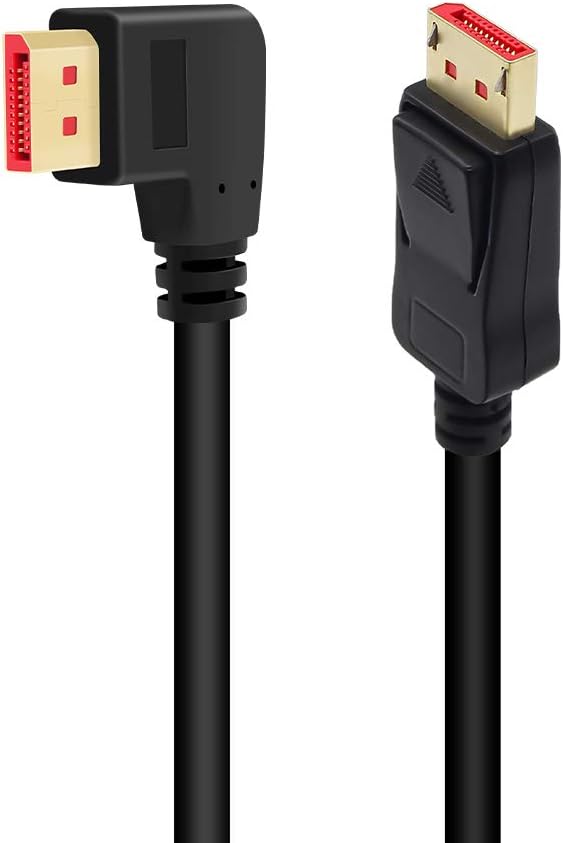
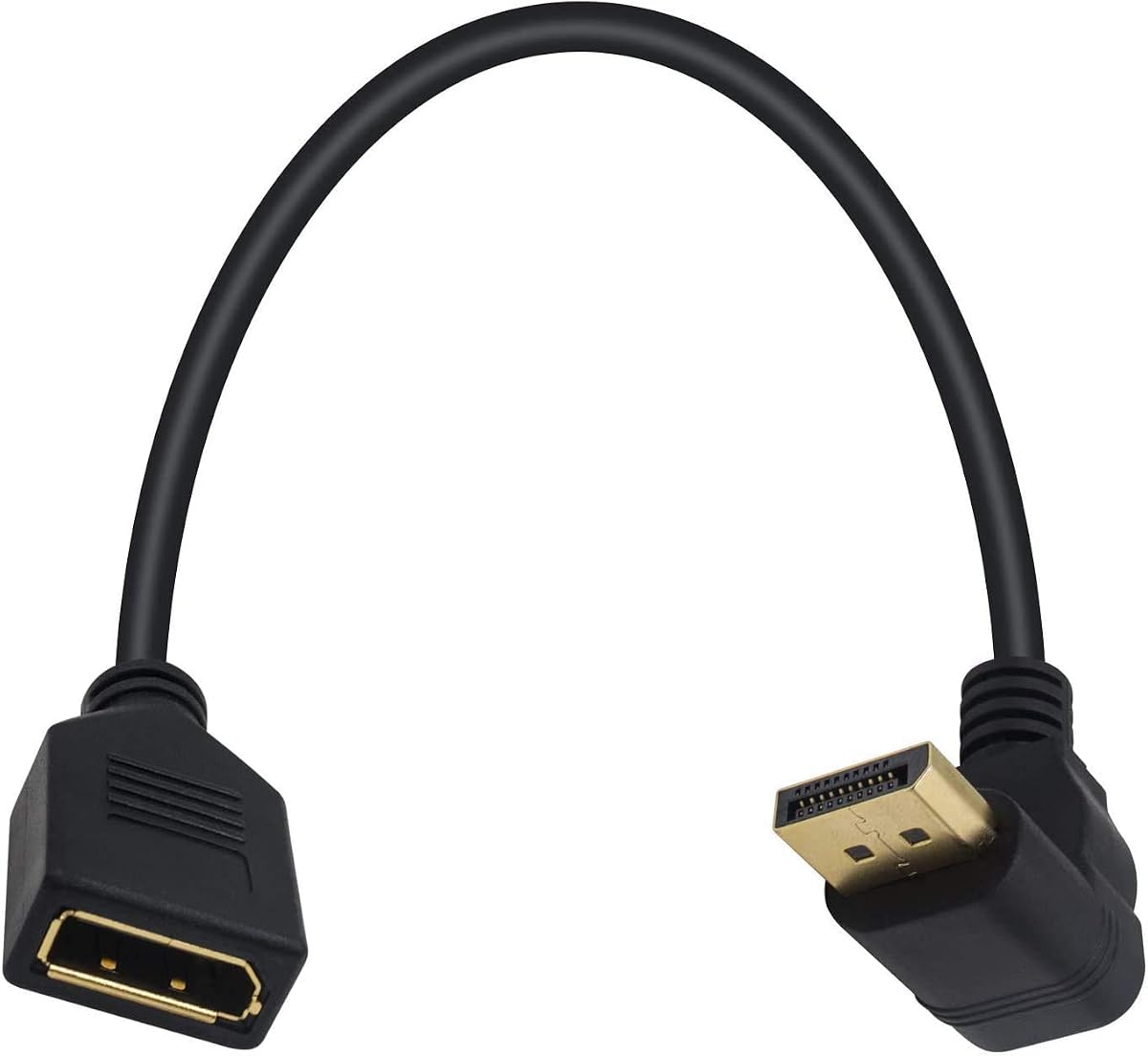
chenyang DisplayPort 1.4 Cable DisplayPort Male to Female 90 Degree Down Angled 8K@60Hz 4K@240Hz 32.4Gbps High Speed Gold Plated Ultrafine Extension Cable Panel Mount Type 0.98FT/0.3M
Top 10 Best 90 Degree Displayport Adapter and Cable in 2026 Compared
This side-by-side comparison evaluates all ten products across critical performance metrics and physical design attributes. Use the following table to quickly identify which adapter or cable matches your required resolution bandwidth and connector orientation needs.
ProductsSpecificationsEditor scorePrice
1
Editor's Choice
Cable Matters 4K@240Hz Right Angle DisplayPort 1.4 Adapter
Cable Matters 4K@240Hz Right Angle DisplayPort 1.4 Adapter
DisplayPort 1.4 standard
Up to 8K@60Hz
ALLM and VRR support
Multi channel surround audio
The Cable Matters adapter leads our list with a 4.8 rating and support for DisplayPort 1.4 features including 8K@60Hz and 4K@240Hz resolutions. Its right angle design helps manage space in cramped entertainment centers while maintaining high bandwidth for demanding displays and GPUs.
Pros
Exceptional bandwidth capacity
Flexible cable direction
High resolution support
Compact adapter design
Premium audio formats
Cons
Requires DP1.4 source
Adapter only not cable
We may earn a commission when you buy through this link, at no additional cost to you.
This adapter enables Auto Low Latency Mode and Variable Refresh Rate which are crucial for smooth gaming performance. It also passes advanced audio formats like Dolby TrueHD and Dolby Atmos ensuring your home theater setup delivers both stunning visuals and immersive sound quality.
The design redirects cables either upward or downward reducing strain on ports and keeping cables organized behind desks or wall mounted units. While it does not include a full cable length it excels as a connector for existing setups that need better orientation.
Ideal for users who prioritize high refresh rate gaming and modern audio standards this adapter balances build quality with essential features. Anyone with a DisplayPort 1.4 capable source looking to optimize port access will find this a reliable and efficient choice.
Advanced Gaming Features
Support for ALLM and VRR ensures minimal input lag and smooth frame delivery during high speed gameplay sessions.
Space Optimization
The right angle connector reduces cable clutter and protects ports from mechanical stress caused by tight cable routing.
The BolAAzuL cable offers a six foot length which is ideal for extending reach without signal loss. It supports DisplayPort 1.4 resolutions up to 8K@60Hz and 4K@144Hz making it suitable for modern gaming monitors and ultrawide displays that need reliable bandwidth.
Pros
Ideal cable length
Gold plated connectors
Triple layer shielding
Solid build quality
Cons
Angle direction varies
Heavier copper conductors
We may earn a commission when you buy through this link, at no additional cost to you.
Construction includes bare copper conductors and foil plus braid shielding to maintain signal integrity over distance. Gold plated connectors resist corrosion and ensure a stable connection for both video and audio transmission across compatible devices.
Note that the angle direction can vary by device so check your ports carefully before purchasing. While the cable is well built the added shielding and copper can make it slightly less flexible than thinner alternatives in tight spaces.
Buy this if you need a longer cable run with strong shielding and high resolution support. It serves well for connecting desktops to monitors or wall mounted TVs where distance and signal quality are both important factors.
Cable Length Utility
The six foot length provides ample slack to reach rear facing ports on desktop cases without excessive bending or tension.
Signal Shielding
Foil and braid layers minimize electromagnetic interference ensuring clean picture quality even near power sources or other cables.
This short extension cable from Poyiccot excels in tight spaces where port access is difficult. With support for 8K@60Hz and 4K@144Hz it uses DisplayPort 1.4 HBR3 bandwidth to deliver crisp images and smooth frame rates for gaming and media work.
Pros
High bandwidth capacity
Flexible short length
Triple layer shielding
Wide compatibility
Cons
Limited 15cm length
Small for long runs
We may earn a commission when you buy through this link, at no additional cost to you.
The cable includes 28AWG tinned copper conductors and triple layer shielding to ensure stable signal transmission. It is compatible with G-Sync and FreeSync monitors and supports HDR10 and high resolution outputs needed for professional and consumer displays.
At 15cm it is best for extending a port rather than running long distances. The right angle design helps avoid obstruction and reduces strain on the connector so you can route cables neatly behind PCs or wall mounted monitors.
Choose this if you need a compact adapter that maintains high bandwidth. It is perfect for connecting laptops to displays or extending ports on tight desktops where space is limited and performance cannot be compromised.
HBR3 Bandwidth
32.4Gbps bandwidth with DSC 1.2 allows high resolution and refresh rate combinations without signal degradation or flicker.
Compact Design
The short 15cm length is ideal for tight desktops and wall mounts where long cables would create clutter.
This extension cable features an up angle design that helps direct cables away from adjacent ports and reduces bending stress. It supports 4K and 1080p resolutions with pass through for 7.1 audio making it useful for multimedia setups and home theater connections.
Pros
Ergonomic up angle
Gold plated connectors
Molded strain relief
Low profile design
Cons
Lower refresh support
Fixed up angle
We may earn a commission when you buy through this link, at no additional cost to you.
Gold plated connectors resist corrosion and a fortified joint withstands repeated plugging and unplugging. Molded strain relief and ergonomically designed treads make connections secure and durable over years of daily use in home and office settings.
While it does not support the highest refresh rates it handles common 1080p and 4K signals well. The low profile design ensures it does not block adjacent ports on your computer so you can maintain full access to your connectivity options.
Buy this for reliable short range extensions on multimedia devices. Its durable construction and ergonomic design make it a practical choice for users who need steady video and audio transmission without complex high refresh requirements.
Ergonomic Design
The up angle and treads improve handling and reduce physical strain on both the port and the cable during plugging.
Port Protection
Low profile shape prevents blocking of adjacent ports so you retain access to nearby USB or HDMI connections.
This two pack offers both up and down orientations giving you flexibility for different port positions. It supports DisplayPort 1.4 resolutions including 8K@60Hz and 4K@144Hz and is built with 24k gold plated connectors for reliable connection and corrosion resistance.
Pros
Two adapter orientations
Aluminum alloy shell
High resolution support
Corrosion resistant
Cons
Short cable length
Orientation varies
We may earn a commission when you buy through this link, at no additional cost to you.
The aluminum alloy shell aids heat dissipation and protects the connector during use. It is compatible with devices like PCs TVs and Blu Ray players and includes a 12 month warranty with customer service support for peace of mind.
Each adapter is designed to reduce strain on the port and solve space limitations in wall mounted setups. While it lacks a long cable it works well as a connector adapter for existing runs where orientation is the primary challenge.
Ideal for households with multiple displays this pack provides versatile options at a reasonable value. Use it to optimize cable routing on wall mounted TVs or desktops where port direction and durability are key concerns.
Orientation Flexibility
Having both up and down adapters lets you route cables in the best direction for your desk or wall setup.
Heat Dissipation
Aluminum alloy housing keeps connectors cool during prolonged use ensuring stable signal and preventing thermal stress.
Cable Matters Combo-Pack 4K@240Hz Flat Right Angle DP 1.4 Adapter
Flat right angle pack
90 and 270
Dolby Atmos support
HDR high refresh
This combo pack includes both 90 degree and 270 degree adapters allowing flexible cable routing for compact desks or wall mounted units. It supports DP1.4 features including 8K@60Hz 4K@240Hz and advanced audio formats such as Dolby TrueHD and Dolby Atmos.
Pros
Two connector angles
DP1.4 high speed
Audio format support
Cleaner setup
Cons
No cable length
Variable rating
We may earn a commission when you buy through this link, at no additional cost to you.
These flat adapters help organize cables neatly and reduce strain on ports by redirecting cables left or right as needed. The design enables efficient setups with high refresh rates and HDR support so your display delivers stunning visuals and sound.
The pack offers convenience if you are outfitting multiple devices or need different orientations for varied installations. While it does not include a cable the adapters are useful for connecting existing runs to displays where port access is limited.
Choose this for flexible port access across multiple displays. The included angles ensure you can manage cable direction effectively while maintaining the bandwidth needed for modern gaming and multimedia experiences.
Dual Angle Utility
Both 90 and 270 degree connectors let you route cables in the optimal direction for your workspace layout.
Audio Formats
Dolby Atmos and TrueHD support ensures premium sound quality alongside high resolution video for a complete home theater.
This cable features an upward angled joint that helps solve space constraints behind compact cases or wall mounted units. It supports resolutions up to 8K and 4K@60Hz making it suitable for high end workstations and home theater systems that demand crisp visuals.
Pros
Upward joint design
8K visual quality
High speed transfer
Broad compatibility
Cons
Fixed upward angle
Limited length options
We may earn a commission when you buy through this link, at no additional cost to you.
High speed data transfer ensures lag free video and audio whether you are streaming or gaming at high frame rates. The design reduces cable bending and compression improving stability and durability for daily use in professional and consumer environments.
Compatible with most DP equipped computers graphics cards and monitors it offers plug and play convenience. While the angle is fixed the 3.3ft length provides moderate reach with reduced clutter compared to longer straight cables.
Buy this if you need a reliable upward angled cable for tight setups. It is ideal for connecting laptops or desktops to displays where routing upward prevents stress on the port and keeps the workspace tidy.
Upward Routing
The upward joint reduces bending stress and helps direct cables cleanly behind cases or monitors in compact spaces.
Visual Quality
Support for 8K and 4K ensures detailed accurate colors for both professional editing and immersive home theater viewing.
DisplayPort Extension Cable 90 Degree DP Male to Female Extender Ultra HD
16K support
52Gbps bandwidth
15cm length
Rtx 3080 compat
This short 90 degree extender supports high bandwidth up to 52Gbps enabling 8K@60Hz and 4K@144Hz outputs for gaming and professional workflows. Its compact 15cm length is perfect for tight connections on laptops or desktops where port access is difficult.
Pros
High bandwidth 52Gbps
15cm short length
High refresh support
Broad GPU support
Cons
Fixed upward angle
Short 15cm
We may earn a commission when you buy through this link, at no additional cost to you.
It is compatible with popular graphics cards including RTX 3080 and supports DP and DP++ signals for flexible device connections. The right angle design helps avoid twisting and simplifies routing in constrained environments behind monitors or desks.
The cable also supports 16K@30Hz and HDR10 for next generation displays although 15cm limits its use to extensions near the source. It is engineered to reduce signal loss while providing stable video and audio transmission for demanding applications.
Choose this for short high performance extensions on gaming rigs or workstations. It works well for connecting high end GPUs to displays where space is tight and maintaining high refresh rates and bandwidth is critical.
High Bandwidth
52Gbps bandwidth enables high resolution and refresh rates without flicker ensuring smooth visuals for gaming and content creation.
GPU Compatibility
Wide support for NVIDIA and AMD cards ensures reliable connections across most modern gaming and professional display setups.
This DisplayPort 2.1 cable delivers 54Gbps bandwidth which is three times that of DP1.4 enabling 16K@30Hz and 8K@120Hz outputs. It supports Dynamic HDR and lossless surround sound so your gaming and movie experiences feature deep contrasts and immersive audio.
Pros
2.1 standard
54Gbps throughput
Dynamic HDR
Wide GPU support
Cons
Short 15cm
No latch
We may earn a commission when you buy through this link, at no additional cost to you.
It works with popular RTX and AMD GPUs and is compatible with GSync and FreeSync for smooth frame delivery. The 24k gold plated connectors and triple shielding ensure stable high speed transmission without signal loss during demanding sessions.
The cable is short at 15cm which is ideal for tight port extensions but not for long runs. Its plug and play design with no latch simplifies connections though users should ensure their source supports DP2.1 for full performance.
Buy this if you need future proof bandwidth for next generation monitors. It is best for high end gaming setups and professional workstations where high resolution and refresh rates are essential for performance and visual fidelity.
Future Proofing
DP2.1 and 54Gbps prepare your setup for upcoming displays that demand higher bandwidth and resolution capabilities.
Immersive Audio
Lossless surround sound and Dynamic HDR enhance both gameplay and movies with detailed sound and picture quality.
chenyang DisplayPort 1.4 Cable DisplayPort Male to Female 90 Degree Down Angled
32.4Gbps bandwidth
Down angled design
Ultrafine 4mm
Panel mount type
This down angled cable from chenyang offers 32.4Gbps bandwidth and ultrafine 4mm diameter for flexible routing in tight spaces. Its 0.98ft length and panel mount style make it ideal for gimbal camera rigs and compact installations where space is limited.
Pros
Ultrafine cable
32.4Gbps
Gold connectors
Welded design
Cons
Down angle only
Short 0.98FT
We may earn a commission when you buy through this link, at no additional cost to you.
Gold plated connectors ensure solid connections and the welded cable ends prevent breakage from tugging. It supports 8K and 4K resolutions and is backward compatible with DP1.2 and DP1.3 so it works with most current devices without issues.
The flexible high speed cable is designed to fit perfectly in constrained areas and maintain signal integrity without loss. While the length is short it excels for applications needing compact connectors and reliable performance in specialized equipment setups.
Choose this if you need a compact reliable extension for small spaces or gear. Its durable design and high bandwidth make it an excellent budget friendly option for users who value flexibility and consistent signal quality.
Ultrafine Flexibility
The 4mm diameter allows routing through tight openings where standard cables would not fit without excessive bending.
Durable Connections
Welded cable ends and gold plated connectors resist wear and ensure stable signal over extended use in rugged settings.
We may earn a commission when you buy through this link, at no additional cost to you.
Buying Guide – How to Choose the Best 90 Degree Displayport Adapter and Cable
Selecting the right 90 Degree Displayport Adapter and Cable requires understanding resolution support bandwidth capabilities and physical design needs. This guide outlines the key factors to consider for optimal performance and reliability in your specific use case.
DisplayPort Version and Bandwidth
Always match the adapter or cable to your source and display DisplayPort version. DP1.4 supports 32.4Gbps for 8K@60Hz and DP2.1 offers 54Gbps for higher refresh rates. Using a lower version cable may cap performance even if your GPU and monitor support more.
Check your GPU and monitor specs to ensure the cable can deliver required bandwidth. For gaming prioritize higher refresh rates and for professional work prioritize resolution and color depth support.
Cable Length and Type
Decide between adapters and full cables based on your setup. Adapters suit tight spaces where only orientation matters while cables provide extra reach. For desks and wall mounts consider lengths between 15cm and 6ft depending on your distance needs.
Choose short extension cables for compact PCs or long cables for home theater setups. Ensure the length reduces tension on the port while avoiding excessive slack.
Connector Orientation and Angle
Determine if you need upward downward or flat 90 degree connectors. Orientation affects how cables route behind devices. Upward angles help with desktops while downward angles suit wall mounted TVs. Ensure the direction matches your space layout.
Verify angle compatibility with your devices. Some adapters may point the wrong way and require checking before purchase. Dual packs offer flexibility if port orientation varies.
Shielding and Signal Integrity
Look for cables with foil and braid shielding to prevent interference and maintain signal quality over distance. High bandwidth transfers need reliable shielding to avoid artifacts or dropouts in long runs.
Shielded cables are essential for gaming and 8K setups. Choose products with triple layer shielding for best results and stable performance.
Connector Build Quality
Gold plated connectors resist corrosion and ensure stable connections. Latched connectors provide secure fits but may be harder to unplug. Check for reinforced joints and strain relief to extend cable life and prevent breakage.
Prioritize durability if you frequently plug and unplug cables. High quality materials maintain performance and protect your devices from wear.
Compatibility and Features
Ensure the cable supports features like GSync FreeSync HDR and audio formats such as Dolby TrueHD. Check for backward compatibility with DP1.2 and DP1.3 if using older devices.
Confirm GPU and monitor compatibility before purchasing. This avoids signal loss and ensures your setup runs smoothly.
Value and Packaging
Consider value sets like 2 pack adapters for multiple devices. Check warranty terms and customer support for peace of mind. Often two adapters offer better flexibility than a single cable.
Buy multi packs for home theaters or workstation setups. This saves cost and provides options for different device needs.
Budget and Durability
Balance cost with expected lifespan. Higher priced options often use better shielding and materials that last longer. Evaluate whether a budget option meets your performance needs.
Invest in quality for critical setups. Reliability is key to avoiding interruptions during work or gaming.
How to Use and Care for Your 90 Degree Displayport Adapter and Cable
Before connecting ensure your devices support the DisplayPort version required for your target resolution and refresh rate. Verify the cable or adapter orientation matches your port layout to avoid bending stress. If unsure test the angle before final installation to confirm accessibility.
Plug the cable gently into the ports without forcing connectors and ensure latches click into place. Route the cable to avoid sharp bends and excess slack to reduce mechanical strain on the port and connector. Secure excess cable with clips or ties to maintain a clean setup.
Avoid pulling on the cable itself when disconnecting and instead grip the connector firmly. Regularly inspect connectors and cables for wear or oxidation. Store unused adapters flat and in protective cases to preserve connector quality and prevent accidental damage.
Frequently Asked Questions
Do 90 Degree Displayport adapters support 4K and 8K?
Yes modern DisplayPort 1.4 and 2.1 adapters and cables support up to 8K@60Hz and 4K@240Hz. Ensure your GPU display and the cable or adapter all support the required bandwidth to achieve these resolutions and refresh rates without loss.
Can I use a 90 degree adapter with a wall mounted TV?
Yes a 90 degree adapter is ideal for wall mounted TVs to reduce cable strain and improve access. Choose an upward or downward angled adapter that matches your cable routing needs and verify the connector points the right way before buying.
What is the difference between DisplayPort 1.4 and 2.1 cables?
DP1.4 supports up to 32.4Gbps bandwidth for 8K@60Hz while DP2.1 supports 54Gbps for 16K and higher refresh rates. DP2.1 also adds Dynamic HDR and improved audio. Check device compatibility to choose the right standard.
Are all 90 degree connectors the same direction?
No the direction can vary by manufacturer and product. Some point up others down and some allow switching. Check product images or descriptions carefully to confirm the angle suits your port layout before ordering.
Can I use these cables for gaming monitors?
Yes these cables support high refresh rates and features like GSync and FreeSync for smooth gaming. Ensure your GPU and monitor are compatible with the cable version to avoid performance bottlenecks and achieve desired frame rates.
How long should I choose for my setup?
Choose based on distance and clutter needs. Short 15cm extensions work for tight ports while 3 to 6ft cables suit desk or wall mounted setups. Avoid excessive length to prevent clutter but ensure enough reach for your space.
What audio formats do these cables support?
DisplayPort 1.4 and 2.1 cables support multi-channel surround sound including Dolby TrueHD and Dolby Atmos. They pass uncompressed audio alongside video so your receiver or display receives full quality audio without extra adapters.
Are these adapters compatible with MacBooks?
Yes many adapters work with MacBooks that support DisplayPort output via USB C or Thunderbolt. Ensure your MacBook has a DP++ or native DP output and use the correct adapter or cable to match your display connection requirements.
Final Thoughts on Choosing the Best 90 Degree Displayport Adapter and Cable
We reviewed ten top 90 Degree Displayport Adapter and Cable products offering varied solutions from short adapters to high bandwidth 2.1 cables. Top picks include the Cable Matters adapter for premium features the BolAAzuL cable for length and the Poyiccot DP2.1 for future proof performance.
Prioritize bandwidth version and orientation to match your display and GPU needs. Whether you need a compact extension for a wall mounted TV or a high refresh cable for gaming choosing the right spec will ensure smooth reliable performance.
Prices and availability change regularly so verify current details before purchasing. Use the comparison table to quickly identify the model that best fits your space and technical requirements for a successful setup.
Find the best Laptop Ventilation Stand to cool your device and improve ergonomics. This guide compares top models for airflow, stability, and portability.