
EurekaMind Lite
4.4Editor score
Unlimited transcription included free
Web search integration for deeper insights
Portable 3mm thin magnetic design
This guide compares the top AI meeting transcription devices for professionals, focusing on accuracy, battery life, privacy, and features to help you choose
AI meeting transcription devices have revolutionized how professionals capture conversations. These smart recorders use advanced speech-to-text technology to turn audio into actionable notes instantly. Choosing the right device ensures you never miss critical details during important calls or in-person meetings.
We evaluated ten leading models based on transcription accuracy, battery performance, privacy standards, and ease of use. Each product offers unique features like offline processing, multimodal input, or seamless cloud synchronization. Our analysis helps you find the perfect tool for your specific workflow and security needs.
Every pick includes detailed specs, pros, cons, and real-world performance insights. Prices and availability can change frequently, so check current listings before purchasing. We update this guide regularly to reflect the latest models and software updates in the rapidly evolving AI hardware market.
4.4Editor score

4.5Editor score

4.8Editor score
The following table provides a side-by-side comparison of all ten devices reviewed. It highlights key specifications like battery life, storage capacity, microphone setup, and unique AI capabilities to help you quickly identify the best fit for your needs.


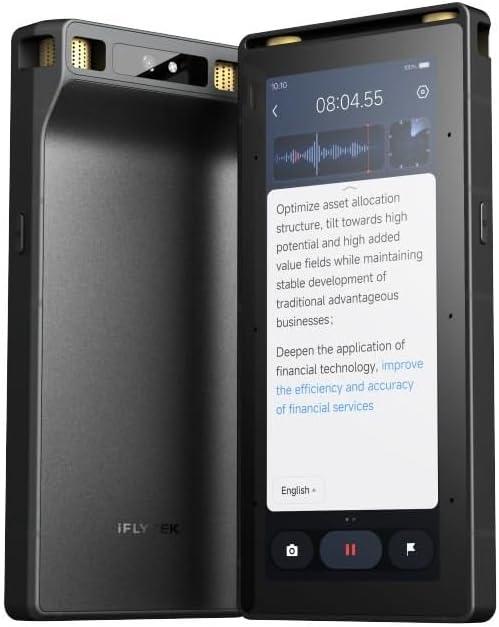

The Plaud Note Pro stands out as a top choice for professionals needing reliable transcription. It combines premium hardware with advanced AI to deliver clear audio and detailed summaries. Its unique ability to capture images and notes alongside audio creates a comprehensive record of meetings.
We may earn a commission when you buy through this link, at no additional cost to you.
Its AI directional audio minimizes background noise, ensuring voices are captured clearly even in crowded rooms. The device supports multimodal input, allowing you to snap photos of documents during recording for better context. Security is a priority with ISO and HIPAA compliance.
While it offers robust free features, some advanced AI tools require a subscription upgrade. The device is very slim and may feel too light for some users accustomed to bulkier recorders. However, the build quality remains high and durable for daily use.
Ideal for legal, medical, or business professionals who prioritize privacy and context. If you need a device that captures the full picture of a meeting beyond just audio, this is the recommended choice for reliability.
Combines audio with typed notes and photos for richer meeting records and better retrieval.
Built with enterprise-grade encryption and compliance standards for handling sensitive information securely.
We may earn a commission when you buy through this link, at no additional cost to you.
The Pocket AI Voice Recorder offers a unique hands-free experience specifically for iPhone users. Its MagSafe compatibility allows you to stick it directly to your phone, ensuring it is always ready to record. The interface is minimal and intuitive, focusing on simplicity.
We may earn a commission when you buy through this link, at no additional cost to you.
Its AI personal assistant features help organize meetings into clear summaries and action items automatically. The battery life is exceptional, lasting up to four days on a single charge, which is great for travel. It transforms conversations into organized content efficiently.
While powerful, some advanced tools require a subscription which might add to the cost over time. It is best suited for iPhone users since Android support may be limited or non-existent. The magnetic attachment can sometimes shift if bumped hard.
Perfect for mobile professionals who want a set-and-forget recording solution. If you use an iPhone and want a dedicated recorder that integrates seamlessly into your daily carry, this is an excellent option.
Attaches securely to your phone for effortless recording without holding a separate device.
Turns raw audio into structured conversation maps and key points for quick review.
We may earn a commission when you buy through this link, at no additional cost to you.
EurekaMind Lite delivers impressive features without a heavy price tag. It stands out because it includes unlimited transcription in its free plan, which is rare in the current market. This makes it highly accessible for students or freelancers with budget constraints.
We may earn a commission when you buy through this link, at no additional cost to you.
Its unique web search integration allows you to ask questions that go beyond your recordings, finding additional context from the internet. The device is extremely thin and slides easily into wallets or pockets. It provides reliable speaker recognition for organized notes.
While affordable, it lacks the robust build quality of more expensive models. Advanced productivity tools like calendar sync require a premium upgrade. The interface is functional but less polished than premium competitors.
Ideal for those who need basic transcription without ongoing costs. If you want a reliable entry-level device that handles unlimited notes without breaking the bank, this is the best choice.
Get unlimited transcription included with the free plan, saving money on monthly subscriptions.
Ask the AI to search the web for deeper insights related to your conversation topics.
We may earn a commission when you buy through this link, at no additional cost to you.
Comulytic Note Pro is engineered for professionals working in specialized fields like law or finance. Its vertical knowledge base ensures that industry-specific terms are transcribed accurately. This reduces the manual correction time significantly compared to generic models.
We may earn a commission when you buy through this link, at no additional cost to you.
The device supports 64GB of local storage along with unlimited cloud backup for safety. Its Wi-Fi sync transfers files to the cloud much faster than Bluetooth. It also includes a built-in real-time translator for bilingual conversations and meetings.
The free plan is generous but lacks deep analysis tools found in premium tiers. The interface offers many features which might feel overwhelming for casual users. Battery life is solid but slightly lower than top competitors.
Perfect for professionals needing accuracy in specific fields. If you deal with complex terminology or need a robust offline storage option, this device offers excellent value and performance.
Specialized models for industries like insurance and law ensure precise technical term transcription.
Pushes recordings to the cloud ten times faster than standard Bluetooth connections.
We may earn a commission when you buy through this link, at no additional cost to you.
Comu Action Pro takes productivity to the next level by generating editable documents automatically. It does not just transcribe; it creates presentation slides, emails, and to-do lists from your voice. This saves significant time when preparing follow-ups after meetings.
We may earn a commission when you buy through this link, at no additional cost to you.
Its six-mic setup ensures crystal-clear audio even in noisy environments. The battery life is exceptional at over seventy hours, making it perfect for long business trips. Core features like transcription are unlimited without hidden paywalls.
The higher price point might not be suitable for casual users. It is slightly heavier than card-sized models due to its robust build and battery. However, the productivity gains often justify the investment for heavy users.
Best for executives or frequent travelers needing long battery life. If you need your device to generate ready-to-use documents from meetings, this is the most capable premium device available.
Converts conversation audio into editable presentation slides, emails, and structured lists instantly.
Record continuously for days on a single charge, ideal for international travel.
We may earn a commission when you buy through this link, at no additional cost to you.
Note AI Voice Recorder focuses heavily on local data sovereignty and storage capacity. It offers 64GB of internal memory, allowing users to store thousands of hours of audio locally. This is ideal for users concerned about cloud privacy or connectivity.
We may earn a commission when you buy through this link, at no additional cost to you.
The included desktop software suite provides advanced editing and management tools. Its GPT engine delivers high accuracy transcription in many languages. End-to-end encryption ensures your data remains secure throughout the storage process.
The desktop software adds complexity for users wanting simple mobile access. Cloud synchronization features are limited compared to competitors unless you upgrade plans. The device is slightly thicker than card models due to storage hardware.
Perfect for researchers or archivists needing local storage. If you prioritize owning your data completely without relying on cloud connectivity, this is a robust and secure solution.
Store audio locally with full encryption to ensure complete control over your information.
Includes powerful PC tools for advanced audio management and detailed editing.
We may earn a commission when you buy through this link, at no additional cost to you.
Plaud Note Non-Pro offers most of the core features of the Pro model at a lower cost. It is an ideal entry point for users who do not need advanced directional audio but still want a reliable recorder. The slim design and magnetic case are included.
We may earn a commission when you buy through this link, at no additional cost to you.
It supports multimodal input to add images and notes alongside audio recordings. The vibration conduction sensor ensures high-quality phone call recordings without interference. Privacy standards remain high with strong encryption and compliance certifications.
The lack of directional audio means it is less ideal for large conference rooms. Starter plan minutes are limited compared to the unlimited options on other models. It is best suited for one-on-one meetings.
Great for casual users needing a slim design. If you want the Plaud ecosystem features without the premium price tag for directional audio, this is a smart alternative.
Captures internal phone sounds directly for clearer call recordings without external noise.
Add images and typed notes to enrich the context of your audio recording.
We may earn a commission when you buy through this link, at no additional cost to you.
This device is unique for its ability to process AI transcription offline without internet. This is critical for secure environments where connectivity is restricted or privacy is paramount. The eight-mic array captures audio from up to twenty meters away effectively.
We may earn a commission when you buy through this link, at no additional cost to you.
The full touchscreen interface makes navigation intuitive compared to button-heavy recorders. It includes hardware-level encryption and offline OCR features for processing documents locally. The inclusion of a five-year membership adds significant value for long-term users.
It is one of the most expensive options on the market. The offline models supports fewer languages compared to cloud-enabled models. Battery life and portability are average compared to lighter card-sized competitors.
Ideal for secure government or corporate environments. If you need a device that works completely offline with high security standards, this is the strongest contender available.
Transcribe and translate audio without internet connection for maximum security.
Uses multi-tier hardware encryption to protect sensitive data physically and digitally.
We may earn a commission when you buy through this link, at no additional cost to you.
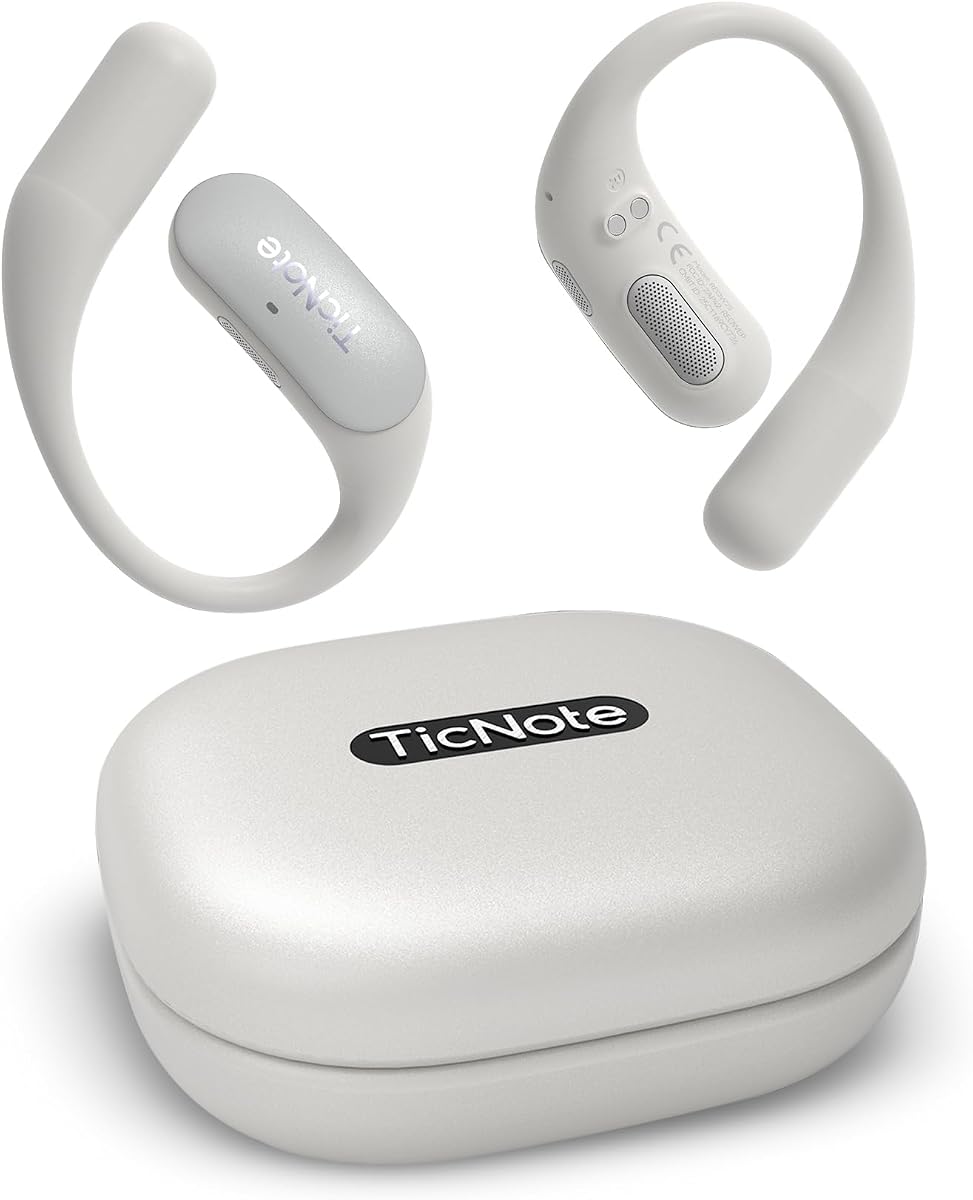
Mobvoi TicNote Pods is designed as a wearable voice recorder for active meetings. It uses advanced noise cancellation to capture speech clearly in loud lecture halls or busy offices. The team collaboration features allow sharing notes instantly with colleagues.
We may earn a commission when you buy through this link, at no additional cost to you.
The device supports Wi-Fi syncing for quick cloud access without needing a phone. Shadow AI helps organize information into more useful outputs for work. Storage is decent at 32GB for thousands of hours of recordings.
Battery life is only five hours, which is short for long business days. It requires Wi-Fi for full functionality and lacks cellular capabilities. The design is specific to wearable use and may not fit all pockets.
Best for team-based collaboration in offices. If you need a device that works well in noisy environments and supports shared workflows, these pods are a strong option.
Uses dual mics to isolate speech from background noise in busy rooms.
Share encrypted transcripts with teams via secure cloud servers for workflow efficiency.
We may earn a commission when you buy through this link, at no additional cost to you.
This model emphasizes reliability and dual storage options for data safety. It ensures you never lose recordings with local storage and unlimited cloud backup. The accuracy rate is high across many languages, making it versatile for international use.
We may earn a commission when you buy through this link, at no additional cost to you.
Its adaptive recording detects meeting modes automatically without switching settings. The triple-mic array ensures clear capture in various room sizes. It maintains high security standards compliant with CCPA for consumer protection.
The design is bulkier than card-sized competitors which may reduce portability. Advanced analytics features are locked behind premium plans. It is solid but lacks the unique features of the top three picks.
Ideal for users valuing data redundancy. If you need a reliable device with strong backup options and high accuracy without niche features, this is a trustworthy choice.
Combine local 64GB storage with unlimited cloud backup for redundant data protection.
Maintains 98% transcription accuracy across 113 languages for precise notes.
We may earn a commission when you buy through this link, at no additional cost to you.
Selecting the right device involves balancing hardware capabilities with software features. Here are key factors to consider when evaluating these transcription tools.
Accuracy is paramount for meeting notes. Look for devices using advanced models like GPT-5.5 or specialized vertical knowledge bases. Ensure the device supports your required languages if you work globally.
Battery life dictates usability during long meetings or travel. Aim for devices offering 30 hours or more on a single charge. Fast charging capabilities are also a valuable addition for busy schedules.
A multi-microphone array with noise cancellation ensures clear capture in loud rooms. Check for directional audio features or vibration sensors for phone calls. High-quality hardware reduces the need for post-processing corrections.
Encryption and compliance standards like HIPAA or ISO 27001 are essential for sensitive industries. Ensure data is encrypted at rest and in transit. Check if processing occurs locally or in the cloud.
Decide if you prefer storing files locally or in the cloud. Local storage offers privacy, while cloud offers accessibility. Look for devices offering both options or unlimited backup for safety.
Evaluate the free plan features versus paid upgrades. Some devices offer unlimited transcription for free while others cap minutes. Understand the long-term costs before purchasing.
Consider where you will carry the device. Slim designs fit in pockets easily while bulkier models may offer better battery life. Ensure the device is durable for daily use.
Features like summary generation, email drafting, or translation tools add significant value. Look for devices that integrate with calendars or email apps to streamline your workflow effectively.
Start by charging your device fully and downloading the companion app on your phone or computer. Sync the device with your account and explore the settings to enable preferred modes like offline processing or specific language models.
Many models offer a free starter plan with unlimited or limited transcription minutes. However, advanced features like deep analysis or extra cloud storage often require a paid upgrade. Always check the pricing model before buying.
Some devices support offline transcription and translation, while others require internet for cloud processing. Check the specifications to ensure the device meets your offline needs before purchasing.
Most top-tier devices offer encryption and compliance with standards like ISO or HIPAA. However, verify the specific security certifications and encryption protocols to ensure they match your company requirements.
While many devices offer cross-platform apps, some specific features like MagSafe compatibility are limited to iPhones. Check the manufacturer's app support list to confirm Android compatibility.
Most devices sync via Wi-Fi or the companion app. Some offer USB cable connections. Ensure the transfer method is seamless and supported by your operating system.
Most manufacturers provide a one-year warranty covering hardware defects. Some models include longer memberships that offer extended support or software updates for several years.
The Plaud Note Pro, Pocket AI Voice Recorder, and Comu Action Pro offer the best overall balance of accuracy and features. These models stand out for their unique capabilities and reliability in professional settings.