
8 Bay NAS Case
5.0Editor score
8 hot-swap 3.5 inch HDD bays
Supports Micro ATX and ITX boards
Dual-chamber design for cooling
Building a reliable home server requires a robust enclosure that balances storage capacity with thermal efficiency. An ATX NAS computer case provides the necessary space for multiple hard drives while supporting standard motherboard sizes. Choosing the right chassis ensures your data remains accessible and your hardware stays cool during extended operation.
We evaluated ten distinct models based on drive bay configuration, airflow design, and build quality. Each case was assessed for compatibility with ATX motherboards and power supplies. Our analysis focuses on real-world usability for network attached storage builds and media server applications in modern home environments.
Every selection in this list highlights specific strengths for different storage needs and budgets. From compact mini towers to expansive full tower solutions, there is an option for every builder. Please note that product availability and pricing can change frequently so verify details before purchasing.
5.0Editor score

4.7Editor score
4.6Editor score
As an Amazon Associate we earn from qualifying purchases.
This side-by-side comparison highlights the key specifications of each case to help you decide quickly. We focus on drive capacity, motherboard support, and physical dimensions to ensure a proper fit for your components.


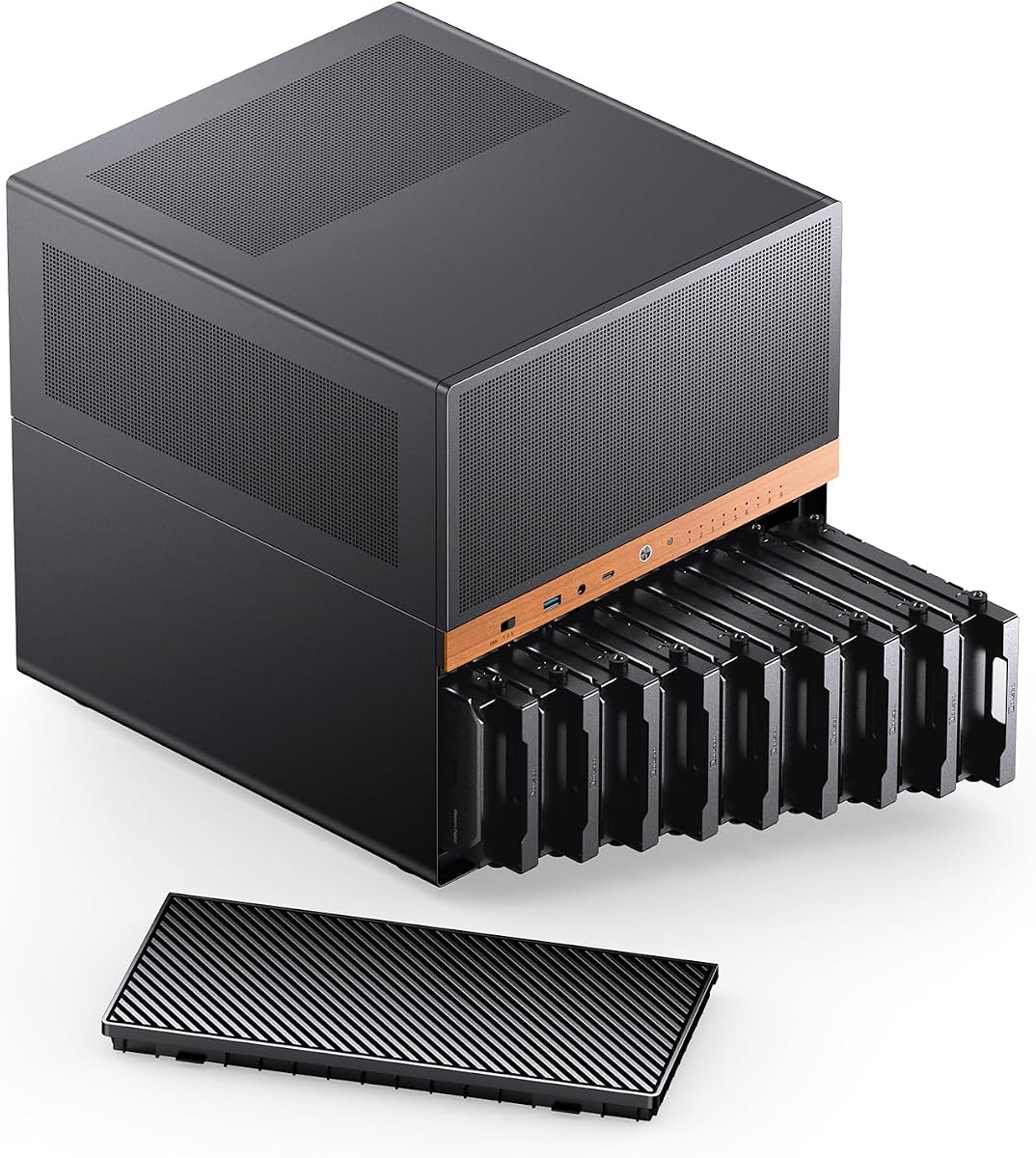
The JONSBO N5 is a premium enclosure designed for serious home server builders needing extensive storage. It holds a solid 4.7 rating due to its robust build quality and unique wood veneer aesthetic that blends well in living spaces.
We may earn a commission when you buy through this link, at no additional cost to you.
This case supports 12 hot-swap HDDs and 4 SSDs providing exceptional capacity for media libraries or data archives. It accommodates E-ATX motherboards and allows for up to four GPUs making it versatile for high-performance computing tasks.
The solid walnut veneer front panel is a standout feature that elevates the look above typical steel cases. While it is more expensive, the build materials and expansion capabilities justify the cost for professionals or enthusiasts.
Buy this if you need maximum storage density without sacrificing style or motherboard compatibility. It is ideal for home labs where aesthetics and performance are equally important priorities.
The North American black walnut veneer provides a sophisticated look that fits modern home offices better than standard metal panels.
Multiple fan mounting positions allow users to tailor airflow for optimal thermal performance across all installed drives.
We may earn a commission when you buy through this link, at no additional cost to you.
This 8-bay case offers exceptional value with a perfect 5.0 rating from users who appreciate its practical design. It focuses on core NAS functionality without unnecessary bells and whistles that drive up costs for average home users.
We may earn a commission when you buy through this link, at no additional cost to you.
The dual-chamber design separates heat generating components from storage drives ensuring cooler operation. It supports Micro ATX and ITX motherboards making it compatible with a wide range of cost-effective server builds.
While it cannot fit large ATX boards or tall GPUs it excels at its primary job of storing data. The included accessories like handles and screws simplify the build process significantly for first-time DIY builders.
Choose this for a reliable and affordable home NAS solution where storage density matters more than high-end expansion. It is perfect for media servers on a tight budget.
The dual-chamber layout keeps hot components away from data drives improving reliability and longevity of the system.
Included accessories ensure you have everything needed to install drives and manage cables without buying extra parts.
We may earn a commission when you buy through this link, at no additional cost to you.
The JONSBO N6 builds on the success of the N5 with a slightly smaller form factor but similar premium touches. It earns a 4.6 rating for its flexibility in power supply options and robust storage capabilities.
We may earn a commission when you buy through this link, at no additional cost to you.
Supporting both ATX and SFX power supplies makes this case adaptable to different build configurations. The removable HDD cage simplifies maintenance and cable management inside the chassis which is crucial for large storage arrays.
Solid walnut veneer adds a touch of luxury that is rare in computer cases. Users report that the build quality is excellent though the power requirements for enterprise drives should be carefully planned.
This case is ideal for those who want a high-end look with solid technical specs. It suits home offices where the server might be visible in the room.
Multiple installation positions allow for ATX or SFX power units giving you more options for your specific power needs.
One-piece top cover and removable cages make swapping drives or checking cables much easier than in fixed cases.
We may earn a commission when you buy through this link, at no additional cost to you.
This case stands out for offering high capacity at a very competitive price point. With a 4.4 rating it satisfies users who need to store many hard drives without breaking the bank.
We may earn a commission when you buy through this link, at no additional cost to you.
The mesh front and side panels ensure cool air reaches all internal components effectively. Vertical GPU mounting is included which prevents sagging and improves airflow around the graphics card area.
It supports up to thirteen hard drives which is a significant amount for a budget case. The only downside is the large physical size required which may not fit on smaller desks.
Choose this for budget-conscious builds needing massive storage. It is a practical choice for home servers where cost efficiency is key.
Vertical mounting allows better cable management and prevents GPU sagging over time.
Mesh panels facilitate maximum airflow ensuring all drives run at optimal temperatures.
We may earn a commission when you buy through this link, at no additional cost to you.
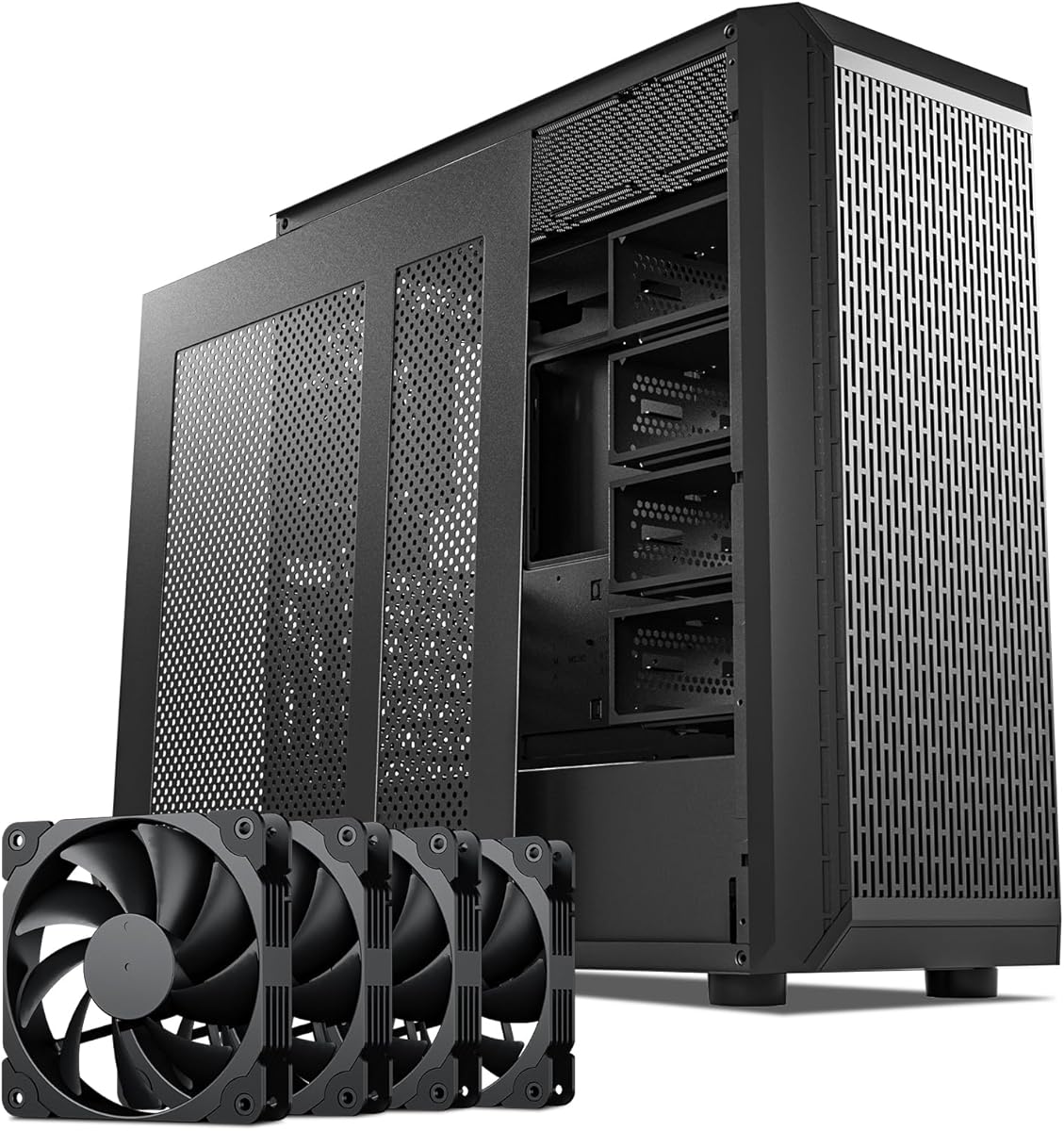
This mid tower is designed for NAS builds that need standard ATX motherboard support. While it has a lower rating it does offer useful features like USB-C and strong fan support.
We may earn a commission when you buy through this link, at no additional cost to you.
The inclusion of four 140mm PWM fans helps maintain consistent airflow throughout the chassis. It supports both ATX and Micro ATX boards making it flexible for different build sizes.
The USB 3.2 Type-C port adds modern connectivity for fast data transfers. However some users report mixed experiences which suggests careful assembly may be required.
This is a viable option for those needing ATX support in a NAS chassis. Ensure you check recent reviews before purchasing.
USB-C support allows for faster external data transfers directly from the front panel.
We may earn a commission when you buy through this link, at no additional cost to you.
The KM7B is a substantial full tower designed to hold thirteen hard drives plus two SSDs. Its 4.2 rating reflects its robust capacity and liquid cooling capabilities.
We may earn a commission when you buy through this link, at no additional cost to you.
It supports E-ATX motherboards which is rare for NAS cases. This allows for high-end components in a server build that needs extra expansion slots.
The magnetic front panel provides easy access to drive bays without removing screws. It is a practical touch for users who swap drives frequently.
Buy this if space is not a constraint and you need maximum storage. It is best for dedicated server rooms.
Liquid cooling support ensures high-performance components stay cool under heavy loads.
We may earn a commission when you buy through this link, at no additional cost to you.
This case offers an incredible fifteen bays for hard drives. It targets enterprise-level or advanced hobbyist needs with features like redundancy PSU support.
We may earn a commission when you buy through this link, at no additional cost to you.
It supports EEB and EATX boards which allows for serious workstation builds. The 8 PCI slots mean you can add multiple network cards or GPU adapters.
Shipping can take up to forty days by sea which is a significant consideration. However the build quality and capacity make it worth the wait for many.
This is the ultimate choice for massive data storage projects. Plan accordingly for the delivery time.
Support for redundancy PSUs means your server can stay online if one power supply fails.
We may earn a commission when you buy through this link, at no additional cost to you.
The Silverstone Temjin is a classic enclosure known for durability and unique drive cooling. It holds a 4.2 rating for its timeless design and solid construction.
We may earn a commission when you buy through this link, at no additional cost to you.
Its positive pressure design helps reduce dust accumulation inside the case over time. The innovative hard drive cooler ensures that storage components remain within safe temperature ranges.
While it is more expensive than modern competitors it offers proven reliability. The aluminum front panel looks professional and resists wear better than plastic.
Choose this if you prefer proven quality and a classic aesthetic. It is a long-term investment for a stable server setup.
Positive pressure keeps dust out by forcing air out through filter vents.
We may earn a commission when you buy through this link, at no additional cost to you.
The N4 is a compact option that balances storage capacity with a smaller footprint. It fits on desks easily and carries a nice walnut wood finish.
We may earn a commission when you buy through this link, at no additional cost to you.
It supports six 3.5 HDDs and two 2.5 SSDs which covers most home media needs. USB-C connectivity ensures modern speed for external transfers.
While not as expandable as the N5 it is sufficient for most users. The build quality remains high with a focus on aesthetics and usability.
Pick this for a living room server where looks and size matter. It is a great choice for compact home labs.
The smaller dimensions allow for placement in tighter spaces without sacrificing too much storage.
We may earn a commission when you buy through this link, at no additional cost to you.
The CS382 stands out for supporting both SAS and SATA drives making it versatile for performance needs. It holds a 4.2 rating for its reliable engineering and compact design.
We may earn a commission when you buy through this link, at no additional cost to you.
Hot-swap trays allow for quick drive changes without shutting down the system. This is critical for servers that need to stay online continuously.
While the total drive count is lower than some competitors the performance potential is higher. It supports up to eleven total drives including optical media.
Choose this if you prioritize speed and reliability over maximum capacity. It is a great option for professional environments.
Support for SAS-12G provides higher throughput for demanding storage applications.
We may earn a commission when you buy through this link, at no additional cost to you.
Selecting the right case involves balancing storage needs with physical space and cooling requirements.
Determine how many hard drives you need now and in the future. Cases range from 8 bays to 15 or more depending on the model.
Ensure the case supports hot-swap bays if you plan to change drives frequently without powering down.
Check that the case supports your specific motherboard form factor such as ATX or Micro ATX. Some NAS cases are limited to Micro ATX or ITX.
E-ATX support is rare but available in larger models for high-performance builds needing extra expansion slots.
Look for mesh panels and multiple fan mounting points to ensure proper airflow. Hard drives generate heat that can affect performance and longevity.
Liquid cooling support is a bonus if you plan to use high-end components alongside your storage drives.
Verify the power supply length limits and compatibility. Some cases accept SFX units which save space while others require standard ATX units.
Ensure the backplane power requirements match your chosen power supply wattage to avoid startup issues.
Measure your intended location carefully before purchasing. Full tower cases can be very large and heavy while mini towers are more compact.
Consider the depth and width to ensure it fits on your shelf or desk comfortably.
Steel thickness and panel materials impact durability and vibration reduction. Look for robust construction to protect sensitive data drives.
Premium cases may include wood veneers or higher quality finishes for better aesthetics in living spaces.
Check the number of PCIe slots available for network cards or GPUs. A standard NAS build usually needs at least 4 to 8 slots.
Full-height slots are better if you plan to add high-performance network interfaces or storage controllers.
USB ports like USB 3.2 or USB-C are useful for quick data transfers. Ensure the case provides the necessary I/O for your workflow.
Audio jacks are less critical for servers but can be helpful if the PC is used for other tasks.
Install drives securely using the provided screws or tools to prevent movement. Proper mounting reduces vibration which can damage data integrity over time.
Keep the case in a well-ventilated area to maximize cooling efficiency. Dust accumulation can block airflow and cause overheating issues.
Regularly check drive temperatures using software tools to ensure thermal levels are within safe limits. Replace thermal pads or fans if you notice rising temperatures.
ATX cases support larger motherboards allowing for more expansion slots. Micro ATX cases are smaller but still offer ample storage for most home builds.
Not all cases support 15 drives. Check the specifications carefully as most standard cases support between 8 to 13 drive bays.
Most cases work with standard ATX power supplies. However high-drive setups may require additional SATA power connectors or specific backplane support.
They are convenient for media servers where drives are swapped often. For static storage they are less critical but add flexibility.
Many cases support GPUs but clearance varies. Check max length limits especially if you plan to add hardware decoding for media.
Use compressed air to clear dust from filters and fans. Do this every few months to maintain optimal cooling performance.
Heavier cases often use thicker steel for better vibration damping. This protects hard drives from physical stress during operation.
It supports E-ATX ATX and Micro ATX boards making it one of the most compatible options on the market.
We have reviewed ten top models that balance storage capacity with build quality and cooling. The JONSBO N5 stands out for its premium features and large capacity.
Prioritize drive bay needs and motherboard size before finalizing your choice. A case that fits your current build is just as important as future expansion.
Check current pricing and availability before purchasing since these values can change quickly. We hope this guide helps you find the perfect NAS case for your needs.