
32GB Bootable Windows 10 & 11 USB Driver 3.2 Gen
4.2Editor score
Includes partitioning and data recovery tools
Works with Windows 11 and 10 Pro Home
Contains latest version without TPM restrictions
This guide compares the top bootable Windows 11 USB drives to help you choose the best recovery tool for system installation and repair needs.
Finding a reliable bootable Windows 11 USB drive is essential for system recovery and installation. These tools allow you to reinstall operating systems quickly without needing original discs or complex downloads for your computer.
We evaluated ten top-rated USB drives based on compatibility, ease of use, and included repair features. Our comparison focuses on products that support both legacy and UEFI systems while offering essential network drivers and recovery options.
Each pick highlights specific strengths like TPM bypass support or password reset tools to suit different user needs. Please note that prices and availability may change frequently so check current listings before purchasing your preferred drive.
4.2Editor score

4.3Editor score

4.2Editor score
The following table compares all ten selected USB drives side by side to help you evaluate their features and compatibility for your specific system requirements and recovery goals.



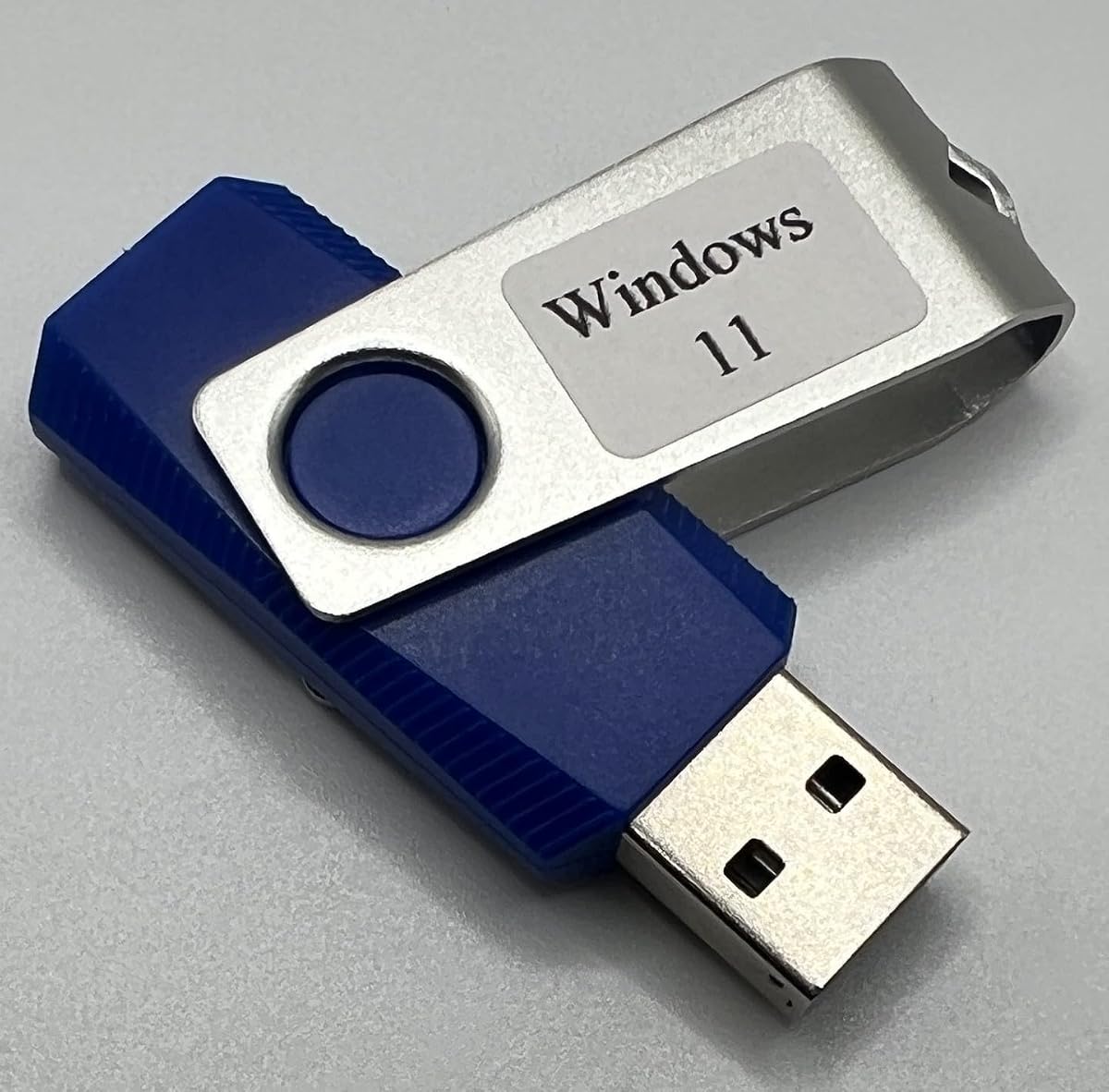


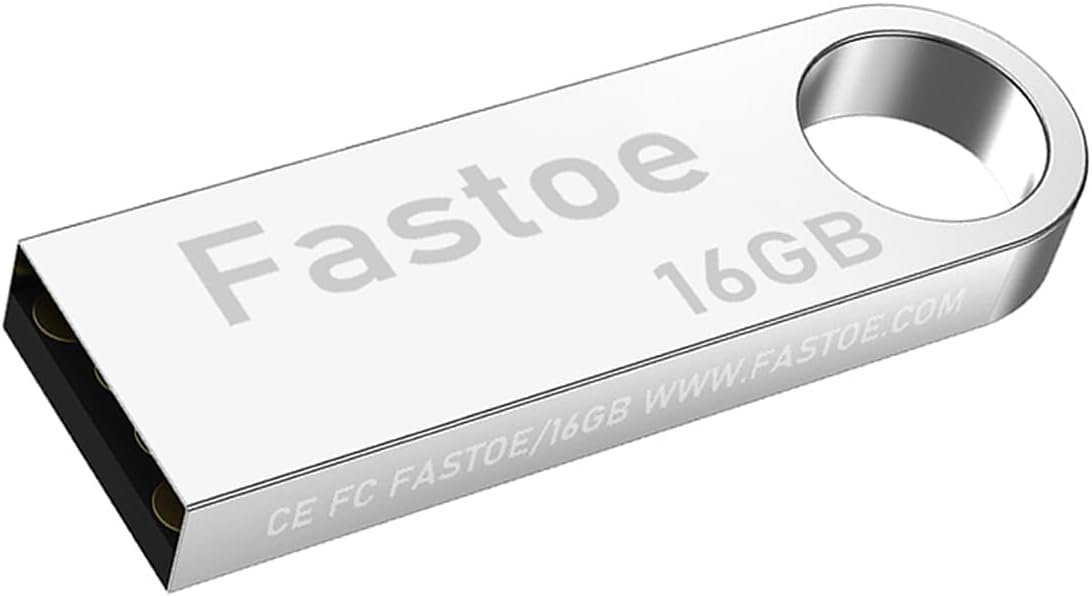
This 64GB USB drive stands out as the most comprehensive solution for reinstalling Windows 11 or 10 while supporting older versions like 8.1 and 7. It has earned a strong rating from users who appreciate its ability to bypass TPM requirements without compromising system integrity.
We may earn a commission when you buy through this link, at no additional cost to you.
The drive includes essential network drivers for both WiFi and LAN connections which ensures you can get online immediately after installation. It also provides useful maintenance tools like hard drive partitioning and data recovery options that help manage your storage effectively.
While the installation process requires disabling Secure Boot in the BIOS which might confuse some beginners the included video tutorials simplify the steps significantly. Existing Windows installations will be replaced so backing up important files before starting is essential.
This USB drive is ideal for anyone looking for a reliable all-in-one repair and install tool that works across multiple Windows versions. We recommend it for users who need a versatile solution to fix boot issues or refresh their systems without additional downloads.
The drive removes the need for TPM hardware checks during Windows 11 installation and includes network drivers so you connect to the internet immediately after setup.
Beginner-friendly video instructions guide you through booting from the USB and installing Windows ensuring even first-time users can complete the process successfully.
We may earn a commission when you buy through this link, at no additional cost to you.
This compact 8GB USB drive is designed specifically for users who need to reinstall or repair Windows 11 without dealing with complex TPM requirements. It has a solid rating among those looking for a straightforward installation tool for standard PCs.
We may earn a commission when you buy through this link, at no additional cost to you.
The product is made by a family-owned business that emphasizes manual testing which adds a layer of trust to its reliability. It works well with both UEFI and Legacy BIOS systems making it suitable for a wide range of computers.
Keep in mind that this drive only handles operating system reinstallation and cannot repair hardware issues like bad RAM or failing hard drives. It is not intended for devices like Chromebooks or Apple silicon Macs which limits its universal application.
Buy this USB drive if you have a standard PC that powers on but needs a clean Windows 11 installation and you want to avoid TPM hardware restrictions. It is a practical choice for basic recovery tasks when the hardware itself is functioning properly.
This USB drive focuses strictly on reinstalling Windows 11 so you can get a fresh start without extra bloat or complex repair suites that might confuse beginners.
It is important to understand that this tool cannot repair physical hardware failures so ensure your computer can power on and access BIOS before purchasing for best results.
We may earn a commission when you buy through this link, at no additional cost to you.
This 32GB USB drive offers excellent value for users needing a reliable tool to install Windows 11 or 10 without paying a premium. It carries a strong rating and includes essential features like TPM bypass and network drivers for seamless setup.
We may earn a commission when you buy through this link, at no additional cost to you.
The drive comes equipped with hard drive partitioning and data recovery utilities which allow you to manage storage and save files before reinstalling Windows. It supports UEFI and Legacy systems ensuring compatibility with both old and new machines.
Like many bootable drives it requires disabling Secure Boot in the BIOS which may need some guidance from the included video tutorials. The installation will overwrite existing Windows so backing up important data beforehand is highly recommended.
We recommend this USB drive for budget-conscious buyers who still want robust features like data recovery and network driver support. It is perfect for refreshing old systems or fixing boot errors without losing access to your important files during the process.
This drive includes tools to manage hard drive partitions and recover data which helps you organize storage or save important files before reinstalling the operating system.
The USB drive works with all major computer brands so you do not need to worry about compatibility issues whether you own a Dell HP or Lenovo machine.
We may earn a commission when you buy through this link, at no additional cost to you.
This 64GB USB drive is a powerful option for users who need to reset passwords alongside reinstalling Windows systems. It supports a wide range of Windows versions from 7 to 11 and includes WinPE tools for comprehensive system maintenance.
We may earn a commission when you buy through this link, at no additional cost to you.
The password reset feature is a standout capability that allows you to regain access to locked accounts without reinstalling the entire operating system. It also provides hardware testing tools which help diagnose potential issues before starting a fresh installation.
You will need to disable Secure Boot in the BIOS to use this drive which is a standard step for many bootable media tools. Automatic Repair options are not supported so this tool focuses on clean reinstallation and manual troubleshooting instead.
Buy this USB drive if you need advanced recovery tools like password resets and hardware testing in addition to standard Windows installation. It is an excellent choice for users who want more control over their system repair and maintenance tasks.
The included WinPE suite offers multiple tools including password reset and hardware testing which helps you troubleshoot and maintain your PC beyond just installing Windows.
This drive supports Windows 7 through 11 so you can use it to maintain older systems or upgrade to the latest version without needing different media for each OS.
We may earn a commission when you buy through this link, at no additional cost to you.
This unique USB drive stands out because it downloads genuine Windows directly from Microsoft during setup ensuring you always get the latest official version. It works with Secure Boot enabled which simplifies the process for modern systems.
We may earn a commission when you buy through this link, at no additional cost to you.
US-based human support is available via live chat or email which provides peace of mind if you encounter issues during installation. The drive is designed for 64-bit systems and requires UEFI BIOS making it ideal for computers from 2013 onward.
Keep in mind that legacy BIOS is not supported in the current version so older computers may not be compatible with this tool. A Windows product key is not included so you will need your own license or to purchase one separately.
This USB drive is perfect for users who prioritize security and official updates while avoiding complex BIOS changes. It is a strong choice for modern PCs where keeping things simple and ensuring authenticity are top priorities.
Unlike most recovery tools this drive works with Secure Boot enabled so you can install Windows without changing BIOS settings which reduces the risk of configuration errors.
The tool downloads genuine Windows directly from Microsoft ensuring you install a clean licensed copy without outdated files or potential security risks from third-party sources.
We may earn a commission when you buy through this link, at no additional cost to you.
This 16GB USB drive is designed to help resolve common Windows 11 issues like slow performance or boot failures with a variety of repair tools. It supports both Home and Professional editions which makes it suitable for most standard users.
We may earn a commission when you buy through this link, at no additional cost to you.
The drive offers multiple recovery options including system repair and fresh installation which gives you flexibility depending on the severity of the problem. Detailed instructions are included to help you set up the boot process correctly on different computer configurations.
Keep in mind that it is optimized for UEFI compliant systems so older machines with Legacy BIOS might not work as expected. It works best for specific Windows 11 scenarios rather than offering broad support across multiple older operating system versions.
We recommend this USB drive for users who need a targeted solution for Windows 11 specific problems and want clear step-by-step instructions. It is a solid choice for fixing boot errors or restoring system stability without needing complex technical knowledge.
This drive provides multiple recovery paths from system repair to fresh installation so you can choose the best approach based on your specific issue or preference.
Included instructions guide you through boot setup and recovery procedures which helps avoid confusion when working with different computer configurations or system types.
We may earn a commission when you buy through this link, at no additional cost to you.
This 64GB USB drive stands out by including a license key for Windows 10 or 11 which simplifies activation during installation. It supports both Home and Professional editions so users can choose the version that fits their needs.
We may earn a commission when you buy through this link, at no additional cost to you.
The drive also includes password recovery tools and hardware testing utilities which make it a versatile maintenance solution beyond simple installation. Video instructions help guide you through the redemption of the activation key which might otherwise be confusing.
Be aware that Secure Boot may need to be turned off temporarily to boot on newer systems which is a common requirement for many installation media. The key redemption process requires following specific instructions found on the USB or in the package.
Buy this USB drive if you want the convenience of having a license key included alongside robust recovery tools for Windows maintenance. It is a good option for users who need activation help along with a reliable way to reinstall or fix their systems.
This drive comes with a license key that can be redeemed for Windows activation which removes the need to purchase a separate key for a fresh installation of Windows 10 or 11.
The included software tools allow you to reset forgotten passwords which helps regain access to locked accounts without needing to reinstall the entire operating system immediately.
We may earn a commission when you buy through this link, at no additional cost to you.
This 64GB USB drive offers a comprehensive all-in-one solution for installing Windows and managing system repairs with advanced WinPE tools. It supports Windows 7 10 and 11 making it versatile for mixed environments or legacy system maintenance.
We may earn a commission when you buy through this link, at no additional cost to you.
The WinPE suite allows you to backup files and recover user passwords before reinstalling the operating system which protects your data during troubleshooting. Detailed instructions and video tutorials help ensure even new users can boot from the drive successfully.
Like many tools you may need to disable Secure Boot in the BIOS to use the drive effectively which is a standard step for most installation media. The large 64GB capacity ensures enough space for multiple system images and recovery tools.
We recommend this USB drive for users who need a complete rescue kit with advanced recovery tools and broad version support. It is ideal for tech enthusiasts or IT users who want a single drive to handle installation and troubleshooting tasks efficiently.
The included WinPE tools provide advanced options like file backup and password recovery which help you manage your system effectively before and after Windows installation.
Supporting Windows 7 through 11 this drive allows you to maintain older systems or upgrade to the latest version without needing multiple USB drives for each OS version.
We may earn a commission when you buy through this link, at no additional cost to you.
This bootable USB drive offers a wide variety of tools for installing and repairing Windows systems ranging from 7 to 11. It is designed as a reusable solution so you can use it multiple times without needing to recreate media manually.
We may earn a commission when you buy through this link, at no additional cost to you.
The drive works with both UEFI and Legacy BIOS systems which ensures compatibility with older computers that newer drives might not support. It helps keep older PCs useful by allowing you to reinstall systems or refresh them without replacing hardware.
No Windows license key is included so you will need your own activation or a separately purchased product key to fully use the installed operating system. Results may vary depending on the condition of your computer and the specific cause of any issues.
We recommend this USB drive for users who need a versatile tool to support multiple Windows versions and keep older machines running. It is a practical choice for maintaining legacy systems or refreshing workstations without additional software downloads.
This USB drive is designed to be reusable so you do not need to create new bootable media every time you want to repair or reinstall Windows which saves time and effort.
With support for Legacy BIOS and Windows 7 through 11 this drive helps keep older computers useful by allowing system refreshes or reinstallation without needing hardware upgrades.
We may earn a commission when you buy through this link, at no additional cost to you.
This simple USB drive focuses on providing a clean reliable installation of Windows 11 for 64-bit systems without additional bloat or complex options. It uses a high-quality 16GB flash drive ensuring stable performance during the installation process.
We may earn a commission when you buy through this link, at no additional cost to you.
The drive is designed to be plug and play with clear user guides to help you set it up quickly across different PC brands including Dell HP and Lenovo. It deploys the latest official version of Windows 11 which ensures you get the most recent features.
Keep in mind that this drive is specifically for Windows 11 so it is not suitable for installing older versions like Windows 10 or 7 if you need multi-version support. The 16GB capacity is sufficient for installation files but may not hold extra recovery tools.
Buy this USB drive if you want a straightforward and clean Windows 11 installation tool that works out of the box. It is ideal for users who prioritize simplicity and official versions without needing advanced recovery utilities.
This drive comes with clear user guides and is designed to work across major PC brands so you can start installing Windows quickly without complex setup or configuration steps.
It deploys the latest official version of Windows 11 which ensures you get the most recent updates and features without needing to download additional files or patches after installation.
We may earn a commission when you buy through this link, at no additional cost to you.
Choosing the right bootable USB drive depends on your specific needs such as version support recovery tools and system compatibility. This section breaks down the key factors to consider.
Check whether the drive supports Windows 11 10 or older versions like 8.1 and 7. Some drives focus only on Windows 11 which limits flexibility if you need to maintain multiple systems.
For maximum utility choose a drive that supports multiple versions unless you are certain you only need Windows 11.
Many Windows 11 installations require TPM hardware which older computers may lack. Drives that offer a bypass or workaround allow you to install Windows 11 without upgrading hardware.
Verify that the drive explicitly mentions TPM bypass features if your system does not meet standard requirements.
After installing Windows you need network access to download updates and drivers. Drives that include WiFi and LAN drivers ensure you can connect immediately without needing secondary downloads.
Prioritize drives that list network driver support especially if you install Windows on devices without internet.
Look for drives that include additional tools like data recovery partitioning and password reset utilities. These features extend the value beyond simple installation and help you troubleshoot deeper issues.
A comprehensive suite saves time by offering multiple solutions in one device rather than separate tools.
Newer computers typically use UEFI while older systems use Legacy BIOS. Ensure the drive supports the BIOS type your system uses to avoid boot failures or configuration errors.
Most modern drives support both but verify compatibility if you have an older computer from before 2015.
Many bootable drives require you to disable Secure Boot in BIOS which can be a security trade-off. Drives that work with Secure Boot enabled simplify the process for users unfamiliar with BIOS settings.
Consider if disabling Secure Boot is acceptable for your needs or choose a drive that supports it without changes.
Some drives come with Windows license keys while others require you to provide your own. If you do not have a valid key this can save costs during installation.
Check product details carefully as keys may have specific redemption steps or activation limitations.
Installation can be challenging for beginners so look for drives that include video tutorials or US-based technical support. These resources help resolve issues quickly if you encounter boot errors.
Prioritize sellers that offer clear instructions or live chat support for a smoother experience.
Begin by connecting the USB drive to your computer and restarting the system. Enter the BIOS or boot menu using the appropriate key like F12 or Del to select the USB drive as the boot source.
Once booted follow the on-screen instructions to install Windows or use recovery tools. Keep your computer powered on throughout the process and do not remove the USB drive until the system has fully rebooted or the task is complete.
Store the USB drive in a safe dry place to prevent physical damage. Avoid bending the connector and keep it away from extreme heat or magnetic fields to maintain data integrity and longevity for future use.
Most drives do not include a product key so you will need your own license to activate Windows after installation. Some premium models include a redeemable key but check the product details to confirm before purchasing.
These drives work on most 64-bit PCs that support USB booting but may not work on ARM devices Chromebooks or Macs with Apple silicon. Verify that your system can access the BIOS and boot from USB before buying.
Most drives require you to disable Secure Boot in the BIOS to boot successfully which simplifies installation on older or custom systems. However some models are designed to work with Secure Boot enabled if needed.
Installation typically overwrites existing Windows so you should back up important files before starting the process. Some drives include data recovery tools to help save files prior to reinstalling the system.
Insert the USB drive restart your computer and press the boot key like F12 or Esc to select the USB as the boot device. Follow on-screen prompts to enter BIOS if needed to change boot order settings.
Reputable drives scan for viruses and malware before shipping and include official Windows installation media. Always download or purchase from trusted sellers to ensure the files are clean and free from security risks.
This guide highlights ten versatile options ranging from budget-friendly installers to comprehensive recovery kits with password tools. The top picks offer balanced features like TPM bypass and network driver support to suit most users.
Prioritize drives that support your specific BIOS type and include essential utilities like data recovery if you plan to manage older systems or complex setups. Consider whether Secure Boot compatibility or license inclusion matters for your workflow.
Prices and availability can change quickly so check current listings to confirm the features and specs before purchasing. Use this guide to find the best match for your needs and ensure a smooth Windows installation experience.