
TEEHO TE001 Keyless Entry Deadbolt
4.5Editor score
20 Access Codes Included
Auto Lock Feature
Easy Screwdriver Install
This expert guide compares the top ten digital door locks of October 2026 to help you choose the best smart lock for your home security needs.
Digital door locks have transformed how we secure our homes by offering keyless entry and remote control capabilities. These modern devices provide convenience and peace of mind for homeowners who want to manage access without traditional keys.
We evaluated ten top-rated models based on security features, ease of installation, connectivity options, and user feedback. Our comparison covers smart locks with WiFi, fingerprint recognition, and keypad entry to help you find the right fit.
Each pick highlights unique strengths and potential drawbacks to guide your decision-making process. Please note that product availability and pricing can change over time so check current listings before purchasing your preferred model.
4.5Editor score

4.3Editor score
4.2Editor score
This side-by-side comparison table details the key specifications and features of each digital door lock to help you evaluate their capabilities at a glance.
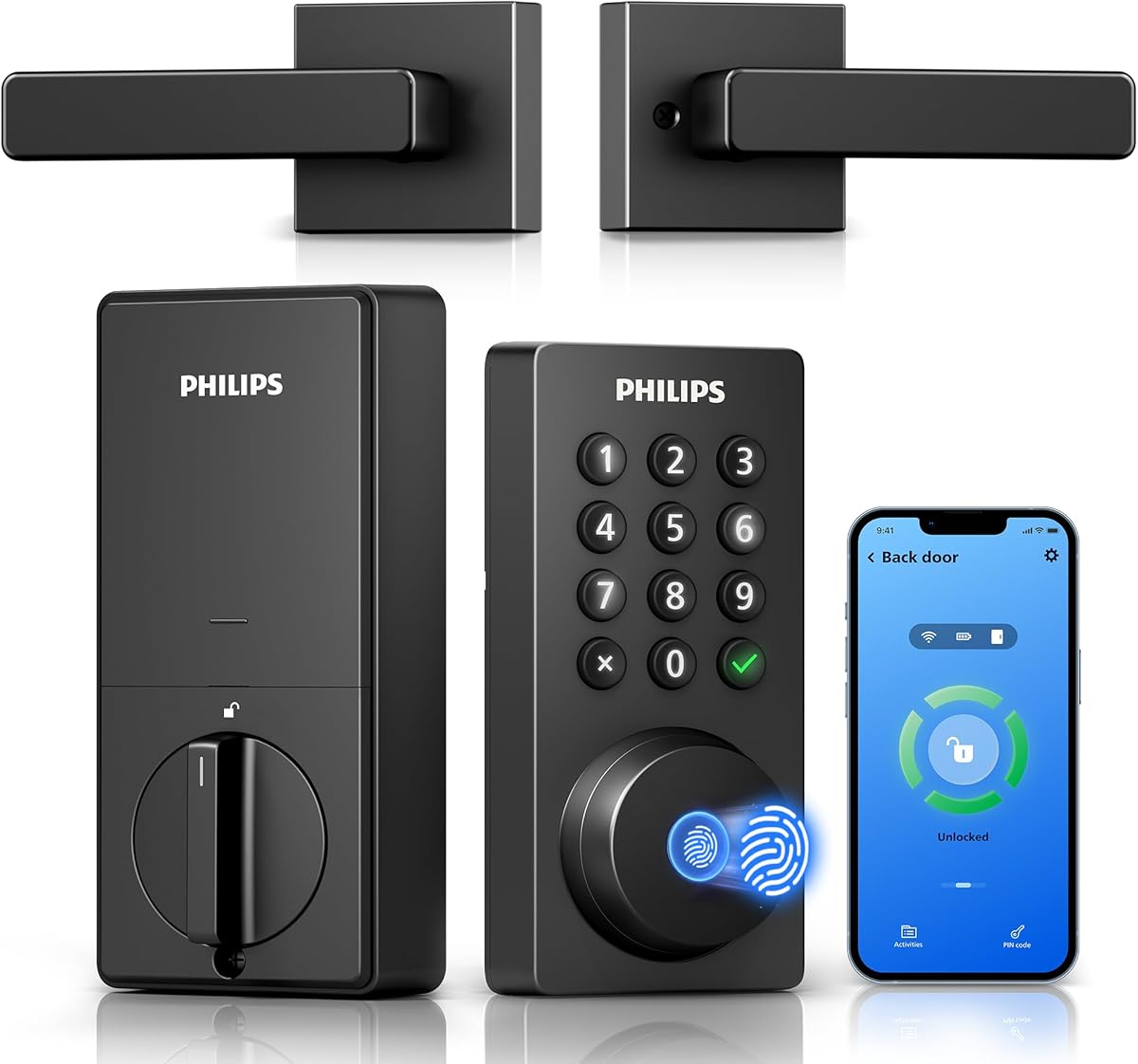




This Philips model stands out as a top contender for homeowners seeking a complete smart lock solution with integrated WiFi. It allows you to manage your door from anywhere using the Philips Home Access App without needing extra hardware bridges or hubs.
We may earn a commission when you buy through this link, at no additional cost to you.
The lock supports multiple entry methods including fingerprint scanning that takes just 0.3 seconds and a versatile keypad for PIN codes. You can also control it with voice commands through Alexa or Google Assistant and track who enters your home via real-time alerts.
While the auto-lock feature is disabled by default which may surprise some users it can easily be enabled through the app. Additionally it requires a stable 2.4GHz WiFi connection and keeping the router close ensures optimal performance for remote access.
This is an excellent choice for families or property managers who want detailed access logs and flexible user codes. If you value a complete handle set and reliable connectivity this lock delivers strong security and convenience for your front door.
The built-in WiFi lets you lock or unlock the door from anywhere without a hub making remote access seamless and reliable.
Choose from fingerprints codes keys or voice commands to ensure everyone in your household can enter easily and securely.
We may earn a commission when you buy through this link, at no additional cost to you.
This Philips Wi-Fi Smart Deadbolt offers premium features including built-in WiFi that lets you manage your door from anywhere. It supports up to 100 custom passcodes and provides instant alerts when the door is locked or unlocked.
We may earn a commission when you buy through this link, at no additional cost to you.
You can unlock using your fingerprint passcode physical key voice or app giving everyone flexibility. The Away Mode adds extra security by disabling most unlock methods while you are on vacation ensuring your home stays safe.
One limitation is the lack of a door sensor so it cannot detect if the door is left ajar. Also batteries are not included so you will need to purchase alkaline ones separately for operation.
Ideal for tech-savvy users who want comprehensive control and detailed access logs this lock balances convenience with strong security. It is a solid upgrade for any home needing flexible access management and remote monitoring.
Enjoy six ways to unlock your door including fingerprint app voice and key for maximum convenience in any situation.
Activate Away Mode to restrict access to the master code only ensuring heightened security while you travel or are away.
We may earn a commission when you buy through this link, at no additional cost to you.
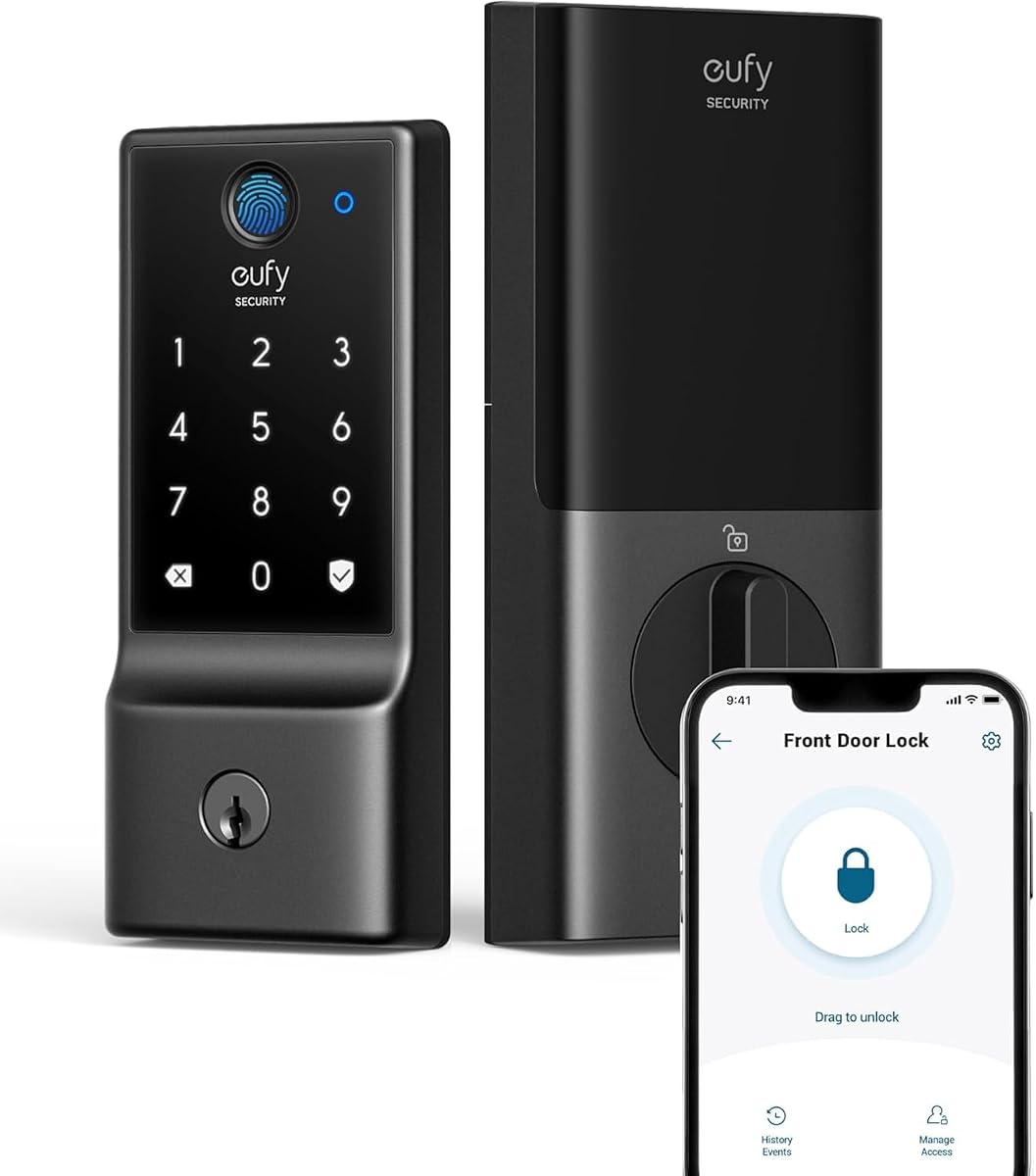
The eufy Security Smart Lock C220 delivers long battery life and self-learning AI that improves fingerprint recognition over time. It supports six unlock methods including Apple Watch and voice commands for broad compatibility and ease of use.
We may earn a commission when you buy through this link, at no additional cost to you.
This lock features built-in WiFi so you can control it without a bridge and integrates well with other eufy devices like doorbells. It is BHMA Grade 3 certified and withstands temperatures from -22°F to 158°F.
The IP53 waterproof rating means it is suitable for most covered entryways but may not handle heavy rain exposure. Also installation might require removing a spacer to fit bores under 54mm.
This is a great pick for eufy ecosystem users or anyone wanting reliable fingerprint tech and smart home integration. Its long power span and flexible entry options make it a strong everyday smart lock choice.
The AI learns your fingerprint patterns with each touch improving speed and accuracy so you never get locked out awkwardly.
If you own eufy devices you can create routines that control multiple smart products at once for a streamlined experience.
We may earn a commission when you buy through this link, at no additional cost to you.
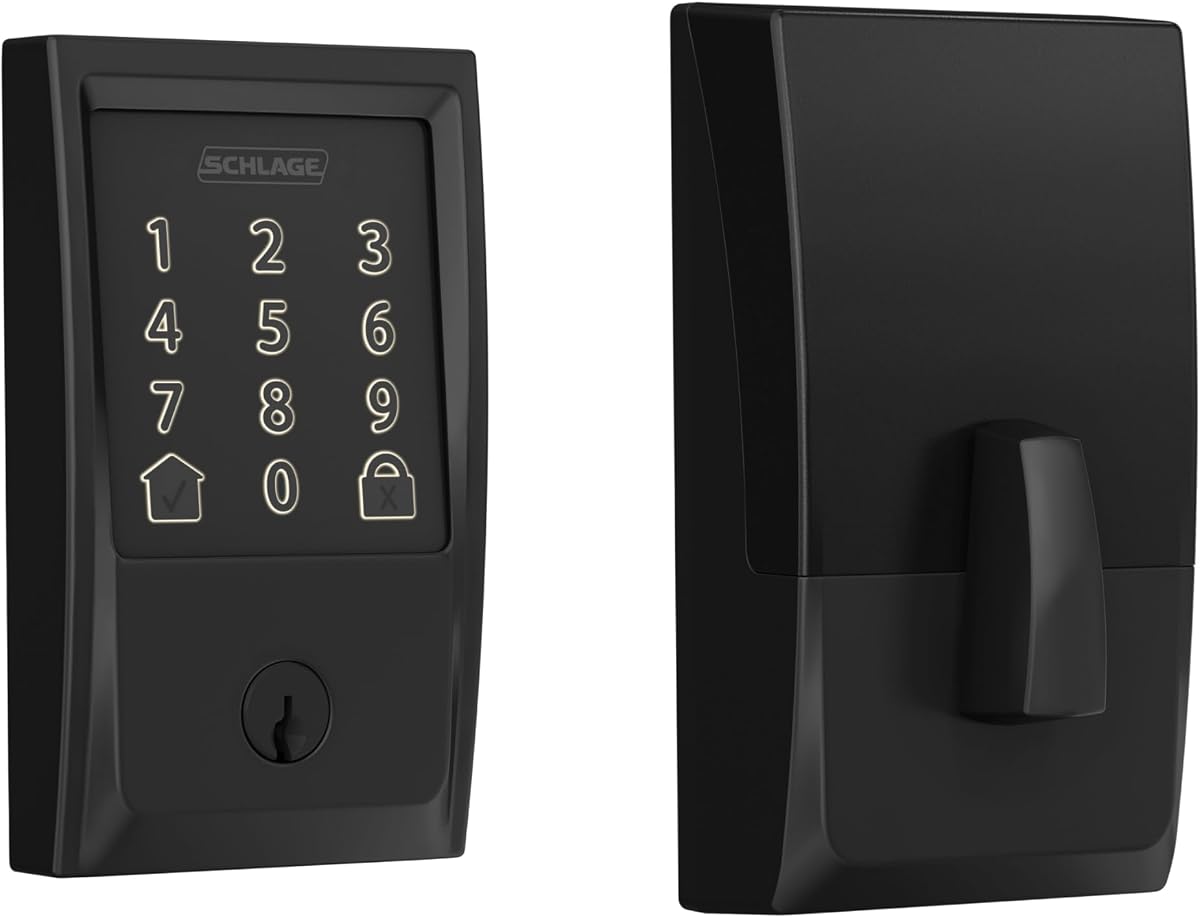
The Schlage Encode is a premium smart lock known for its high security standards and built-in WiFi connectivity. It features a customizable alarm for forced entry attempts and lets you manage up to 100 access codes via the app.
We may earn a commission when you buy through this link, at no additional cost to you.
Installation is simple with a Snap-n Stay design that holds the lock in place while you secure it. The touchscreen is fingerprint resistant and the lock includes a physical backup key for emergencies.
While it offers robust protection and ease of use it comes at a higher price than some competitors. Also the included batteries are standard so you might need to replace them periodically.
This lock is ideal for homeowners who prioritize certified security and brand reliability. Its strong encryption and alarm features provide peace of mind for those seeking a dependable smart door solution.
Certified by BHMA experts this lock offers top tier security durability and finish ratings for residential front doors.
A one-touch exterior button lets you lock the door immediately when leaving saving time and preventing accidental unlock.
We may earn a commission when you buy through this link, at no additional cost to you.
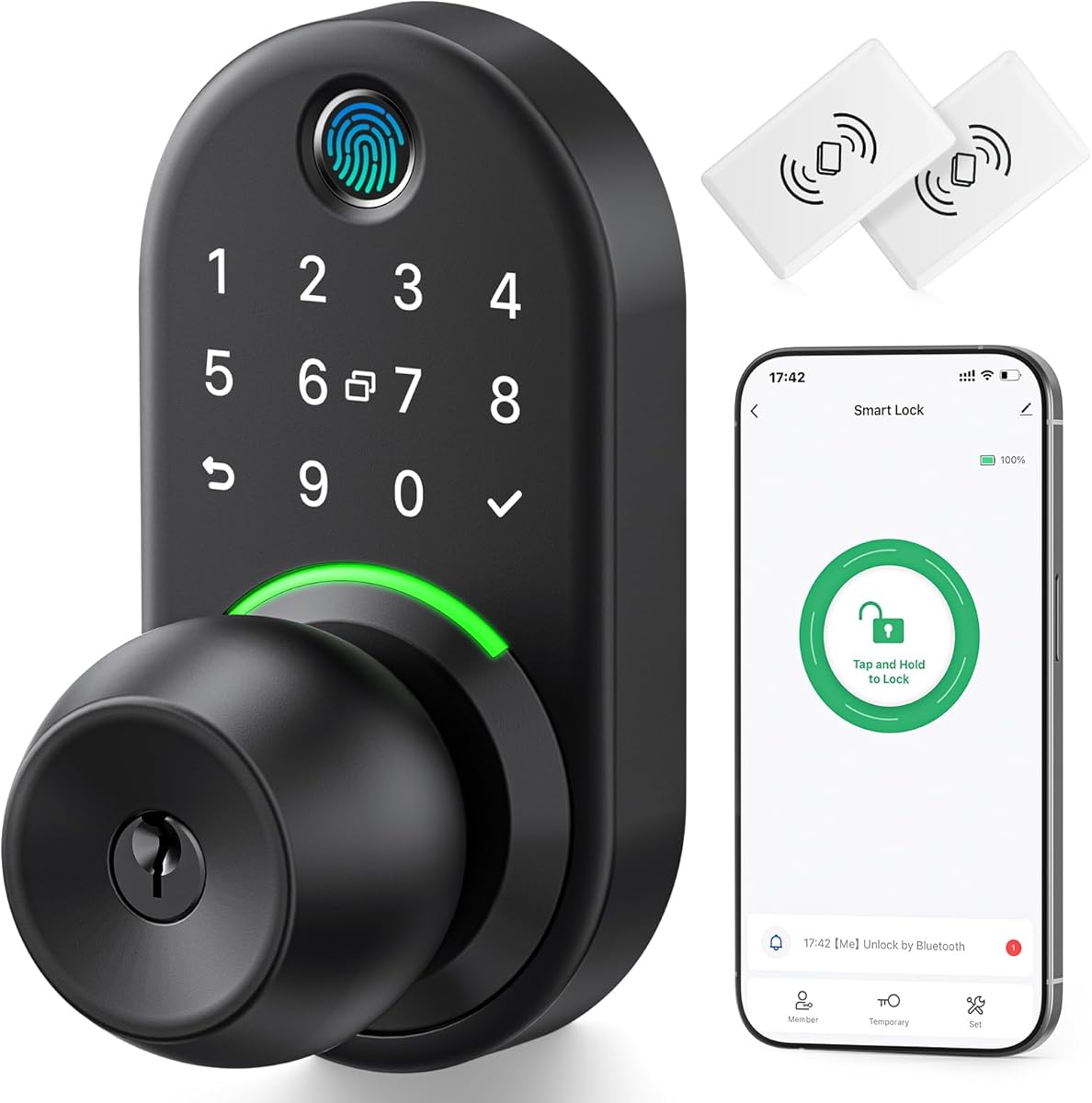
This Yamiry handle lock combines a traditional look with modern smart features including fingerprint recognition and keypad entry. It supports six unlock methods and allows you to grant temporary access through the app for guests or rentals.
We may earn a commission when you buy through this link, at no additional cost to you.
The reversible handle makes it suitable for both left and right-handed doors and installation takes about ten minutes with a screwdriver. It is well-suited for landlords managing multiple properties or short-term rentals.
Remote control requires a separately sold WiFi gateway which is an additional cost. Otherwise Bluetooth app control works well for those nearby but you cannot access it without extra hardware.
Choose this lock if you want a cost-effective handle upgrade with strong access management tools. Its landlord-focused features make it a practical choice for property managers needing flexible entry control.
Manage multiple units through a single app and generate codes for cleaners or guests without visiting the property in person.
Access your door via fingerprint app passcode key fob mechanical key or voice for maximum flexibility.
We may earn a commission when you buy through this link, at no additional cost to you.
The TEEHO TE001 is a budget-friendly deadbolt that provides reliable keyless entry without smart connectivity. It includes twenty access codes for family and guests and features an auto-lock function that engages after a set time.
We may earn a commission when you buy through this link, at no additional cost to you.
Powered by four AA batteries it can last up to 365 days with normal use. The IP54 rating ensures it withstands dust and rain making it durable for exterior doors.
It lacks WiFi so remote access is not possible and it fits only specific door hole sizes which limits compatibility. Always check your door thickness before buying to ensure a proper fit.
This lock is perfect for those needing a simple secure keypad entry without extra smart features. Its long battery life and low cost make it an excellent value for basic security upgrades.
Get reliable deadbolt protection with keypad entry at a fraction of the cost of smart models without losing essential security.
The battery lasts up to a year reducing the frequency of replacements and keeping your lock ready to use.
We may earn a commission when you buy through this link, at no additional cost to you.
This Yamiry knob lock offers a simple keypad solution for doors needing a compact digital entry point. It stores twenty codes for family members and supports one-time guest codes for secure access management.
We may earn a commission when you buy through this link, at no additional cost to you.
The backlit keypad ensures visibility at night and the auto-lock feature can be customized to engage between five and ninety-nine seconds. Its aluminum alloy build provides durability against weather and daily use.
It does not have smart app control so you will need to set codes manually on the device. Also you must use a mechanical key for physical backups since there is no fingerprint or WiFi option.
Ideal for back doors or side entries where basic keypad convenience is needed this lock offers reliability and ease of use. It is a straightforward upgrade for homes wanting keyless access without smart complexity.
The keypad lights up automatically when touched so you can enter codes easily even in complete darkness.
Adjust the auto-lock timer to suit your routine ensuring your door is secure soon after you step inside.
We may earn a commission when you buy through this link, at no additional cost to you.
This handle lock from Yamiry adds fingerprint recognition and app control to standard entry. It can store fifty passwords fingerprints and key fobs allowing multiple household members to use unique credentials.
We may earn a commission when you buy through this link, at no additional cost to you.
You can unlock via app password fingerprint key fob or physical key and lock via auto-lock or app. The aluminum material resists corrosion and makes the lock sturdy for regular use.
Remote access requires a WiFi gateway sold separately which adds cost. Also it lacks broader smart home compatibility like voice assistant support limiting its integration capabilities.
This lock is great for households wanting fingerprint convenience without breaking the bank. Its high storage capacity and simple app make it a flexible choice for families needing personalized access.
Unlock your door with a single touch eliminating the need to fumble with keys or remember codes daily.
Use the companion app to program the lock and manage access codes easily from your smartphone via Bluetooth.
We may earn a commission when you buy through this link, at no additional cost to you.
This Veise model stands out for its AI-driven fingerprint recognition that improves over time and local AES128 encryption that keeps data secure. It offers eight unlock methods and silent mode for quiet entry during nighttime.
We may earn a commission when you buy through this link, at no additional cost to you.
Remote access needs the G1 gateway but once connected you get real-time logs and voice assistant support. The lock has a USB-C emergency port and lasts up to twelve months on batteries.
Initial setup can require checking alignment and resetting door direction carefully. Remote functions depend on buying extra hardware which may deter budget-focused buyers.
Perfect for tech-conscious users who value privacy and speed this lock delivers modern security and reliable access. Its strong encryption and flexible codes make it a powerful tool for smart home security.
The chip learns each fingerprint detail improving accuracy and speed over time for seamless daily entry.
Credentials stay encrypted on the lock itself reducing cloud risks and protecting your privacy from external leaks.
We may earn a commission when you buy through this link, at no additional cost to you.
This WiFi smart deadbolt from Veise comes with two knobs and offers direct 2.4GHz connectivity without a hub. It accepts fingerprints in 0.2 seconds and supports over 100 PIN codes for extensive access management.
We may earn a commission when you buy through this link, at no additional cost to you.
You can control it with voice commands and track activity logs via the app. The IP65 rating and Grade 3 build ensure it handles tough weather and heavy use reliably.
Batteries are not included and installation might require careful alignment for smooth operation. Also the initial pairing needs stable network conditions for best results.
This lock is ideal for those wanting a full WiFi deadbolt with two knobs and strong weatherproofing. Its high capacity for codes and remote alerts make it a top pick for busy households.
Connect directly to your home network without extra hubs for streamlined remote control and monitoring.
The IP65 rating protects against rain and dust ensuring reliable operation in outdoor front door settings.
We may earn a commission when you buy through this link, at no additional cost to you.
Choosing the right digital door lock depends on your specific needs regarding connectivity, security, and budget. This guide helps you understand key factors to consider before purchasing.
Consider whether you need WiFi for remote access or if Bluetooth is sufficient for local control. WiFi locks require your home network to function remotely while Bluetooth works only within range. Some models need extra hubs or gateways which adds cost and setup steps.
Look for built-in WiFi if you want true remote control without extra hardware. Check compatibility with your router frequency especially 2.4GHz requirements for stable performance.
Digital locks offer various ways to enter including fingerprints keypad codes voice commands and keys. Choose a lock with multiple methods so everyone in your household can access the door easily. Fingerprint scanners should be fast and accurate to avoid frustration.
Prioritize models that support at least three entry options like fingerprint code and key. This ensures access even if one method fails or battery levels run low.
Security should be your top priority when buying a digital lock. Look for encryption standards like AES128 and BHMA certifications which verify durability and resistance to tampering. Alerts and access logs help you monitor who enters your home.
Ensure the lock has anti-peep codes and auto-lock functions to prevent unauthorized access. A physical backup key is also essential in case of power or technical issues.
Battery life varies significantly between models so check how long a set lasts before needing replacement. Most locks use AA batteries and some offer low-battery alerts or USB emergency ports for quick charging. Longer battery life reduces maintenance frequency.
Choose a lock with at least six months of battery life for convenience. Features like auto-low battery alerts help prevent being locked out unexpectedly.
Since digital locks are often installed on exterior doors they must withstand environmental conditions. Look for IP ratings like IP54 or IP65 which indicate resistance to water and dust. Operating temperature ranges should cover your local climate extremes.
Verify the lock is rated for outdoor use if placed on a front door. Weatherproofing ensures reliable function during rain snow or high temperatures.
Most digital locks are designed for DIY installation with basic tools like a screwdriver. Check compatibility with your door thickness and backset dimensions to ensure a proper fit. Some models may require drilling or adjusting existing hardware.
Look for auto-detect swing direction features to simplify setup. Ensure the package includes all mounting hardware and instructions for trouble-free installation.
If you already use smart home devices choose a lock that integrates with your ecosystem. Voice assistant support like Alexa or Google Assistant allows hands-free control. Some locks also work with automation platforms like Apple HomeKit or IFTTT.
Check app compatibility with your phone system for seamless remote management. Integration lets you create routines that automate other devices when you lock or unlock your door.
For families or rental properties the ability to manage user access is crucial. Look for locks that support multiple custom codes and allow you to revoke access remotely. One-time codes are useful for guests or service providers.
Choose a model with detailed activity logs to track who enters and when. Remote user management ensures you control property access without visiting the site.
After installation set up the admin account and add authorized users through the app. Ensure your WiFi connection is stable and test each unlock method to confirm it works correctly. Keep the backup key in a secure off-site location for emergencies.
Regularly update the firmware via the app to benefit from security patches and new features. Check battery levels every few months and replace them promptly when low-battery alerts appear. Avoid using rechargeable batteries if the manufacturer advises against them.
Clean the keypad and fingerprint sensor with a soft dry cloth to prevent dust buildup. Inspect the lock periodically for any signs of wear or loose screws. Contact customer support if you experience connectivity issues or mechanical problems.
Yes most digital door locks are battery operated so they work during power outages. They are designed to operate independently of your home power supply. If the batteries die there is usually a backup mechanical key or USB emergency port to restore access.
Remote control requires a lock with built-in WiFi or an additional hub. Models without internet connectivity work only within Bluetooth range. Check the product details to ensure it supports remote access via a smartphone app.
Fingerprint locks use biometric data which is more secure than traditional keys. Many models store data locally with encryption to prevent unauthorized access. They also offer additional methods like codes and keys for backup access if needed.
Most locks send low battery alerts via the app giving you time to replace them. Some locks allow entry with external power like a USB battery pack. Always keep a backup mechanical key handy for critical situations.
Yes many digital locks allow you to create temporary or one-time codes through the app. These codes expire after use or on a set date. This feature is ideal for guests housekeepers or short-term rentals.
Many models have IP ratings like IP54 or IP65 indicating resistance to water and dust. However always check the specific rating to ensure it suits your climate. Covered entryways provide extra protection for the lock electronics.
Not always as some locks have built-in WiFi and work without extra hubs. Others require a bridge or gateway for remote access. Review product specifications to confirm what hardware is necessary for your setup.
Most locks have a reset button or sequence in the settings menu to restore factory defaults. Refer to the user manual for model-specific steps. Resetting can help resolve common issues or clear old user data.
Choosing the right digital door lock depends on balancing features with your budget and security needs. The top picks like Philips and Veise offer strong connectivity while budget options like TEEHO deliver value for basic access.
Prioritize connectivity that matches your lifestyle whether you need remote control or local convenience is Also consider installation complexity and weatherproofing for outdoor durability to ensure long-term reliability.
Always check current pricing and availability before purchasing as offers and stock levels change frequently. Investing in a quality lock today can enhance your home security and convenience for years to come.