
TobenONE 18-in-1 DisplayLink Docking Station
4.5Editor score
Four HDMI ports for quad displays
120W power adapter included
18 total ports for expansion
Compare top docking stations with quad monitor support for productivity. This guide reviews ten models for 4K displays, power delivery, and port options.
Finding the right docking station with quad monitor support can transform your workspace. These devices let you connect multiple screens and peripherals through a single cable. A good dock offers stable performance and ample ports for all your tools.
We compared ten popular models based on display capabilities, power delivery, and connectivity. Each entry includes real specifications and user feedback to help you choose. Our list covers various budgets and professional needs for 2026.
Every pick shows key features like resolution support and charging speed. Prices can change quickly so check the current offer before buying. This guide helps you build a powerful multi-screen setup with confidence.
4.5Editor score

4.7Editor score
4.6Editor score
This table provides a side by side view of all ten models. It highlights key specs like port counts and power output so you can see differences quickly.
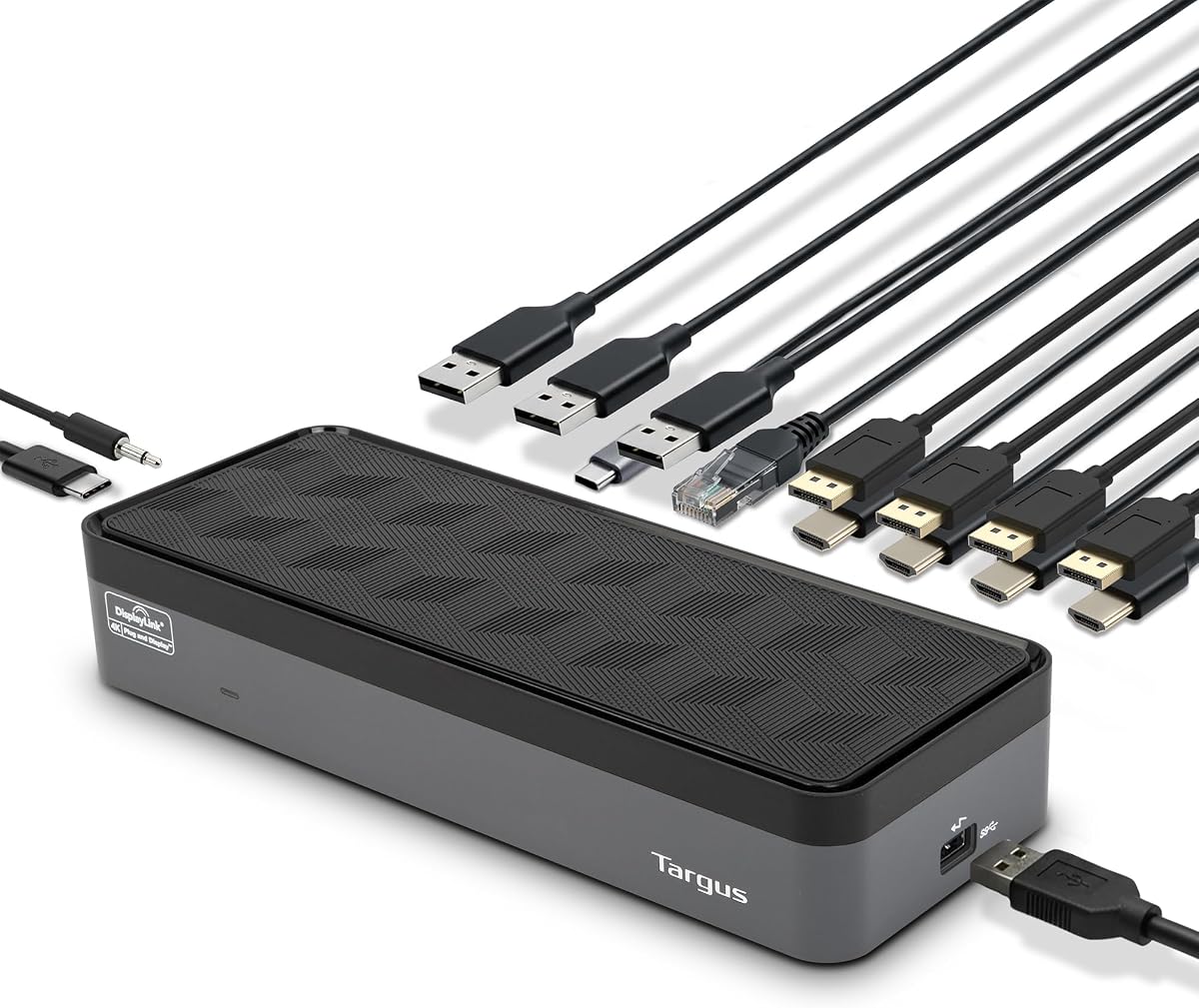

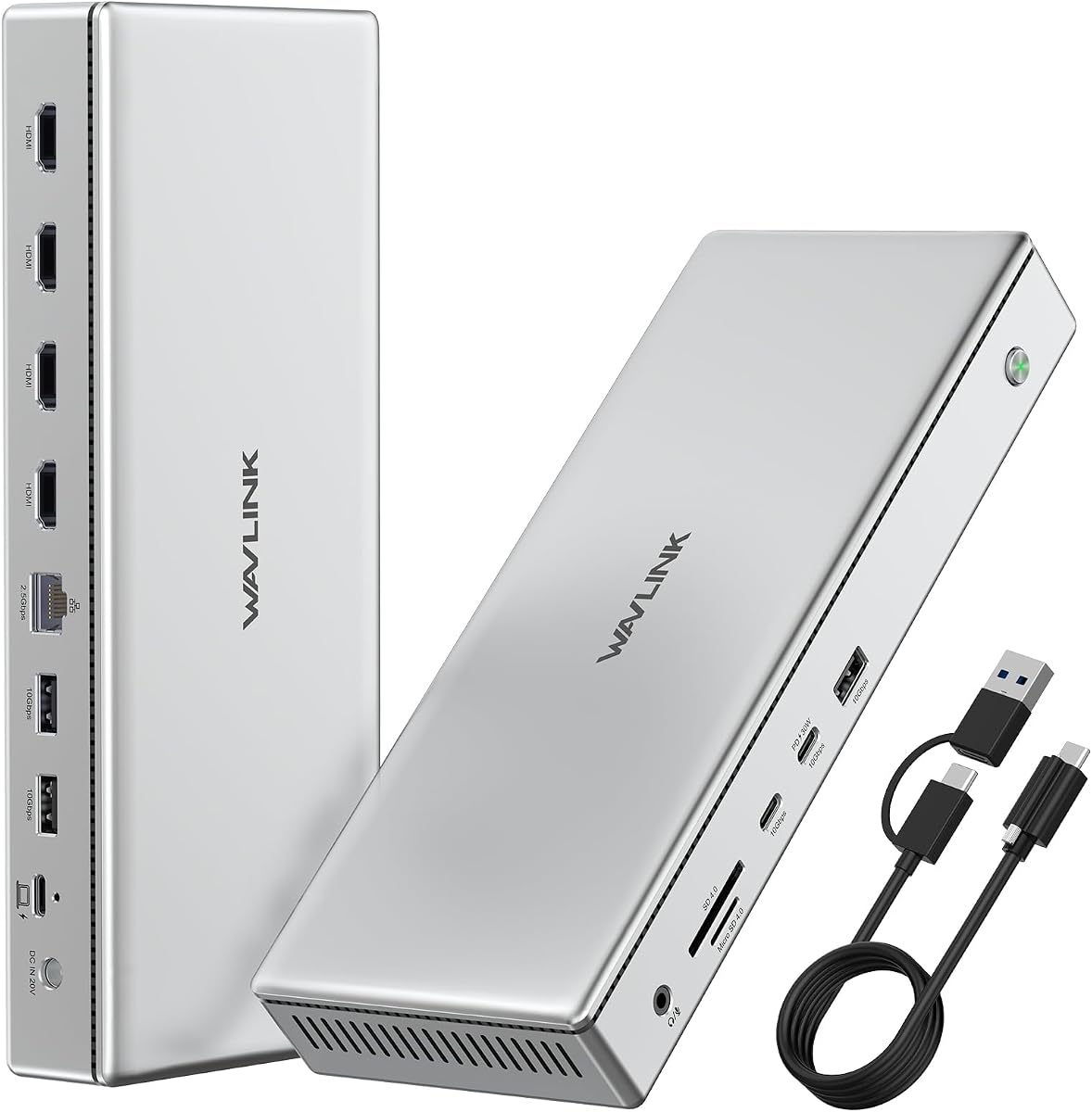
The Targus USB-C Universal Quad 4K Docking Station is a robust solution for expanding your desktop. It earns a solid rating for its ability to connect multiple 4K displays while providing ample power for your laptop. Users appreciate its versatility with various host systems.
We may earn a commission when you buy through this link, at no additional cost to you.
This dock supports up to four 4K UHD displays through DisplayPort or HDMI ports. It features 100W power delivery to keep your laptop charged while in use. The inclusion of five USB ports and an Ethernet connection ensures you can link all your peripherals without extra hubs.
Some users note that driver installation is required for full functionality which might be a hurdle for quick setups. The size is also larger than compact travel docks which means it is best suited for fixed workstations rather than frequent travelers.
If you need a reliable docking station with quad monitor support for an office setup this model is a strong choice. It offers the connectivity and power needed for multitasking environments where stability and port variety are essential.
This dock allows combinations of HDMI and DisplayPort outputs so you can use different monitor types seamlessly.
With included adapters it works with many legacy laptops from major brands making it easy to upgrade old systems.
We may earn a commission when you buy through this link, at no additional cost to you.
The TobenONE DisplayLink Docking Station offers extensive connectivity for modern workstations. It supports multiple 4K displays and comes with a powerful 120W power adapter. Users find it excellent for expanding a single laptop port into a full desk setup.
We may earn a commission when you buy through this link, at no additional cost to you.
This model provides eighteen ports including HDMI and DisplayPort options for triple or quad setups. It supports fast data transfer and includes Gigabit Ethernet for reliable networking. The 120W adapter charges your laptop and other devices simultaneously reducing cable clutter.
However streaming services like Netflix may not work due to screen recording restrictions inherent in DisplayLink technology. You must also install specific drivers for your operating system which can be an extra step during initial setup.
For professionals who need many ports and strong charging capabilities this dock is a great option. It is ideal for office environments where streaming is not the primary focus and productivity tools are key.
The included 120W adapter can charge your laptop up to 100W and phone simultaneously keeping all devices powered.
With eighteen ports you can connect almost any peripheral from hard drives to printers without needing extra hubs.
We may earn a commission when you buy through this link, at no additional cost to you.
The WAVLINK Pro Docking Station is designed to overcome Mac display limitations with four 4K HDMI outputs. It delivers strong performance for creative work and trading setups. The aluminum build helps with heat dissipation during long usage sessions.
We may earn a commission when you buy through this link, at no additional cost to you.
It comes with a 160W power adapter that can charge your laptop and mobile devices at the same time. The dock includes 2.5G Ethernet for fast network access and multiple USB ports for peripherals. Card readers allow quick access to external storage.
Some users report that the unit can get warm during heavy use which might be a concern for quiet environments. Like other DisplayLink docks it requires driver installation which adds a step to the initial setup process.
If you use a Mac and need more than one external monitor this dock is a viable solution. It offers a balance of power and connectivity that suits creative professionals and power users effectively.
This dock allows Mac users to connect four 4K displays overcoming the usual limit imposed by Apple hardware.
The 2.5G Ethernet port ensures your network connection is fast and stable for large file transfers.
We may earn a commission when you buy through this link, at no additional cost to you.
The StarTech Thunderbolt 5 Universal Docking Station stands out for its driverless operation and strong performance. It supports up to four 4K displays and delivers 140W of power. This makes it ideal for environments where reliability is critical.
We may earn a commission when you buy through this link, at no additional cost to you.
Its driverless setup means IT departments can deploy it easily without managing software updates. The dock includes security slots to prevent theft which is valuable in shared workspaces. It supports advanced display setups for Apple Silicon devices when needed.
The main drawback is the cost which is higher than many competitors. You also need a laptop with Thunderbolt 5 support to get the full benefits of this dock limiting its compatibility with older devices.
For businesses or users who want a top tier docking station with quad monitor support this model is worth the investment. It provides the stability and features needed for demanding professional workflows.
Driverless plug and play performance reduces help desk tickets and ensures consistent behavior across devices.
Integrated lock slots allow you to secure the dock in public or high traffic areas effectively.
We may earn a commission when you buy through this link, at no additional cost to you.
The TobenONE 18-in-1 DisplayLink Docking Station offers exceptional port variety for the price. It supports up to four HDMI 4K displays on Windows and provides ample connectivity for peripherals. Many users find it reliable for home and office use.
We may earn a commission when you buy through this link, at no additional cost to you.
With 120W power adapter it can charge your laptop and phone at the same time. The sixteen USB ports and card readers allow you to connect multiple devices without needing extra hubs. Support from the manufacturer is generally positive and responsive.
As with other DisplayLink devices you cannot stream protected content like Netflix directly through the dock. Drivers must be installed for the dock to function which can be tricky for non tech savvy users.
If you need many ports and multiple screen support on a budget this dock is a solid choice. It works well for tasks like coding or trading where screen real estate is more important than video streaming.
Eighteen ports mean you can connect all your devices and still have room for future expansion.
The 120W adapter ensures your laptop stays powered even with multiple external displays running.
We may earn a commission when you buy through this link, at no additional cost to you.
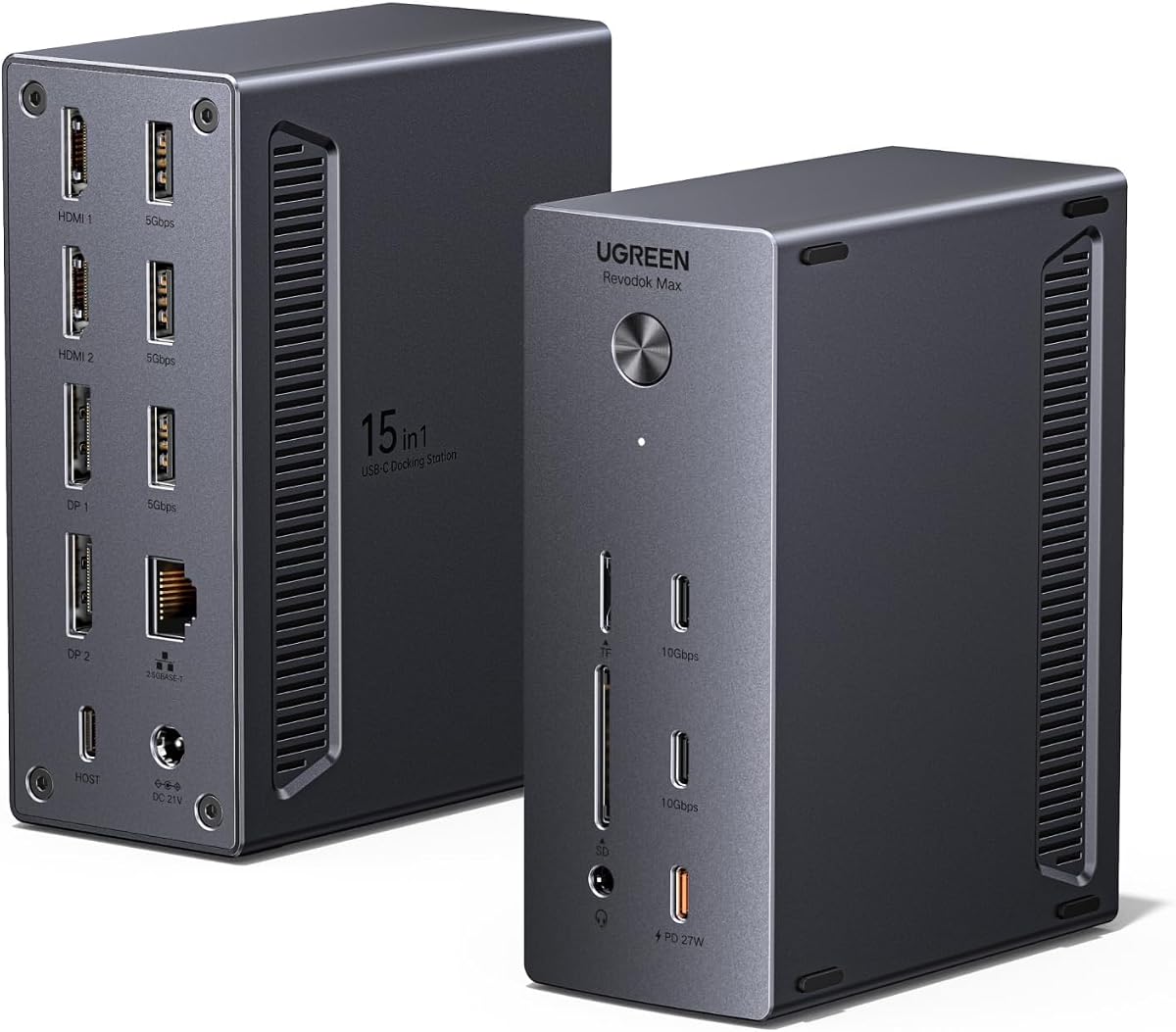
The UGREEN USB-C DisplayLink Docking Station offers high resolution support including up to 8K on certain ports. It is built for users who need exceptional visual clarity and strong performance. The 150W power adapter ensures plenty of charging headroom.
We may earn a commission when you buy through this link, at no additional cost to you.
This dock features 2.5G Ethernet for fast network connections and multiple USB-C ports for data transfer. It includes a flash drive with the necessary drivers to simplify installation. Dual charging ports allow you to power both your laptop and phone.
The higher price point may not suit everyone but the features justify it for professionals. You must install drivers for it to work which can be a minor hurdle for some users during setup.
If you need a premium docking station with quad monitor support and high resolution capabilities this model is excellent. It delivers the performance needed for design work and high end computing tasks.
Support for 8K resolutions on specific ports provides unmatched clarity for detailed visual work.
The 2.5G Ethernet port ensures your network speed is not a bottleneck for large file transfers.
We may earn a commission when you buy through this link, at no additional cost to you.
This entry level model provides basic docking functionality for users with minimal needs. It connects to a laptop via USB and offers standard ports for peripherals. It serves well for simple setups without complex requirements.
We may earn a commission when you buy through this link, at no additional cost to you.
It supports basic display connections though specific resolution details are not listed. The design is compact which makes it suitable for desks with limited space. Users report it works for casual office work without issues.
The lack of detailed specifications means you should verify compatibility before buying. It may not support quad displays effectively so check your needs carefully before purchasing this model.
If you need a simple and affordable docking solution this model might work for you. Just be aware of its limitations when planning a multi monitor setup.
The small footprint makes it easy to fit into tight workspace arrangements without clutter.
We may earn a commission when you buy through this link, at no additional cost to you.
This mid range model offers more ports than basic docks but lacks detailed specs. It connects via USB and supports standard peripherals. Users find it adequate for typical office tasks without advanced needs.
We may earn a commission when you buy through this link, at no additional cost to you.
It provides standard display support though specific resolution limits are not listed. The build is typical for its price point with no standout features. It works well for general productivity setups.
The lack of detailed data means you may need to test compatibility with your monitors. It is best suited for users who do not require high resolution or power delivery.
For a simple mid range docking solution this model offers decent value. Just ensure it meets your specific display needs before purchasing.
This dock provides typical connectivity options for everyday use without specialized capabilities.
We may earn a commission when you buy through this link, at no additional cost to you.
This portable model is designed for users who need basic connectivity on the go. It connects via USB and offers standard ports for peripherals. It is ideal for laptops that need occasional external display support.
We may earn a commission when you buy through this link, at no additional cost to you.
It supports basic display connections though specific resolution details are not listed. The compact size makes it easy to carry in a laptop bag. It works well for simple office tasks.
The limited port count means it is not suitable for complex setups. It should be viewed as a travel accessory rather than a full office workstation solution.
If you need a simple portable docking option this model is worth considering. Just be aware of its limitations for multi monitor setups.
Its small size makes it easy to transport and set up in temporary work locations.
We may earn a commission when you buy through this link, at no additional cost to you.
This entry level model provides basic docking functions for simple use cases. It connects to laptops and offers standard ports for peripherals. Users find it suitable for minimal setups without complex needs.
We may earn a commission when you buy through this link, at no additional cost to you.
It supports basic display connections though specific resolution limits are not listed. The design is compact which makes it easy to place on a desk. It works well for occasional external display use.
The limited port count means it is not suitable for complex workflows. It should be used only when you need a few extra connections.
If you need a simple and affordable docking solution this model is a good start. Just ensure it meets your basic needs before purchasing.
This dock offers straightforward connectivity for users who do not need advanced features.
We may earn a commission when you buy through this link, at no additional cost to you.
Selecting a docking station with quad monitor support requires attention to resolution power and port counts. This guide outlines the key factors to consider for your needs.
Ensure the dock supports your desired number of displays at your preferred resolution. Look for models that offer 4K60Hz on all outputs for smooth performance.
Check if the dock requires DisplayLink drivers for Mac systems and verify compatibility with your laptop.
Choose a dock with enough power delivery to charge your laptop while in use. Most models offer 100W or more which is sufficient for most laptops.
Confirm the wattage matches your laptop requirements to avoid under power issues.
Look for a mix of USB-C USB-A Ethernet and audio ports based on your peripherals. A higher port count reduces the need for extra hubs.
Ensure you have enough HDMI or DisplayPort outputs for your monitor setup.
Many docks require driver installation especially for multiple displays on Mac. Research the software needed before buying to avoid compatibility issues.
Driverless models are available but often at a higher price point.
Durable materials like aluminum help with heat dissipation during heavy use. Check reviews for comments on overheating or physical build quality.
A solid build ensures longevity and consistent performance over time.
USB-C is the standard for modern docks but Thunderbolt support may offer better performance. Check your laptop ports to ensure compatibility.
Thunderbolt 5 models provide high speed but require specific laptop support.
Higher priced models often offer better performance and support. Decide if you need premium features or a basic setup.
Balance your budget with the features you truly need for daily work.
Some docks include security slots to prevent theft in public spaces. This can be vital for shared offices or travel use.
Check if the dock has a physical lock slot for extra security.
Start by connecting your laptop to the dock using a high quality USB-C cable. Plug in the power adapter to ensure stable power delivery to your laptop.
Install any required drivers from the manufacturer website before connecting monitors. This ensures proper display detection and resolution settings.
Keep the dock in a well ventilated area to prevent overheating. Regularly clean the ports to avoid dust buildup and ensure good contact.
You need a laptop with enough video output bandwidth usually USB-C with DisplayPort Alt Mode or Thunderbolt. Some docks use DisplayLink to extend support to more monitors regardless of laptop limits.
Most docks allow mixing HDMI and DisplayPort outputs. Check the manual to confirm supported combinations for your desired setup.
DisplayLink docks often block DRM protected streaming to comply with content protection laws. This limitation affects services like Netflix on some models.
Many docks require drivers especially for multiple displays. Driverless models exist but may have fewer features or higher cost.
Look for at least 65W to 100W for laptop charging while connected. Higher wattage helps when running multiple displays simultaneously.
Most docks support Mac but may require drivers. Some models break Mac display limits using DisplayLink technology for more screens.
Docks can get warm during heavy use due to power processing. Proper ventilation helps manage heat and ensures stable operation.
Many docks offer USB ports with power delivery to charge phones. Check specific port wattage to ensure it meets your needs.
We reviewed ten models including top picks from StarTech Targus and UGREEN. Each offers unique strengths for different needs and budgets.
Prioritize display support power delivery and port counts based on your workflow. Driverless options are great but may cost more.
Prices change frequently so check current offers before purchasing. This guide helps you make a confident choice for your setup.