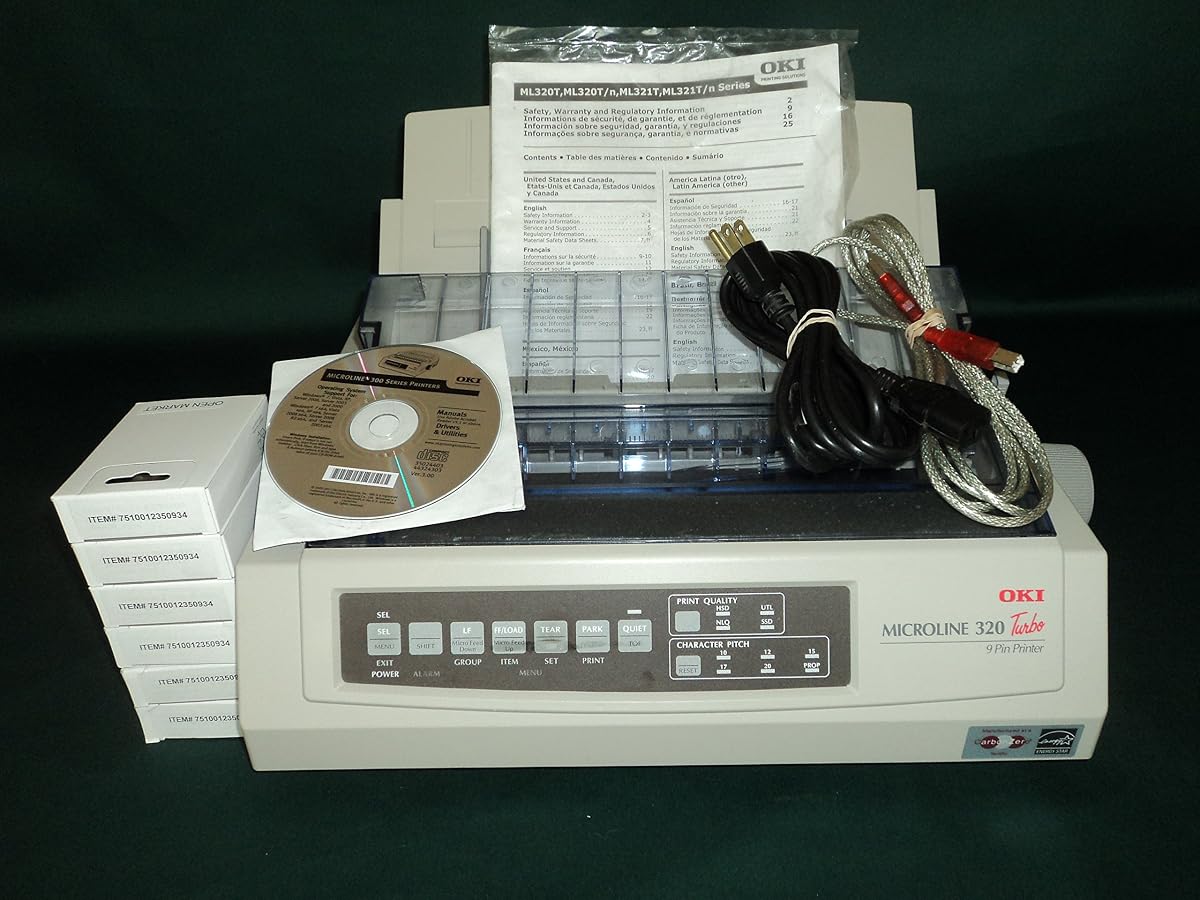
OKI MICROLINE 320 Turbo
4.5Editor score
9-pin fast drafting
435 cps speed
Durable duty cycle
Dot matrix computer printers remain essential for businesses needing carbon copies and multi-part forms. Their impact technology ensures durability and consistent performance in high-volume environments where modern printers fail.
We evaluated ten top models based on print speed, connectivity options, and duty cycles. Our analysis highlights reliability, energy efficiency, and compatibility with legacy systems used across various industries.
Each selection details specific strengths and weaknesses to help you choose wisely. Prices and availability fluctuate frequently, so verify current listings before purchasing to ensure you get the best value available.
4.5Editor score

4.3Editor score

4.5Editor score
As an Amazon Associate we earn from qualifying purchases.
This table provides a side-by-side comparison of all ten selected dot matrix computer printers. Review the key specifications to determine which model aligns best with your operational requirements.


The Epson LQ-590II stands out as a top performer in impact printing. With a 4.3 rating, users praise its speed and reliability for business tasks requiring multipart forms.
We may earn a commission when you buy through this link, at no additional cost to you.
Its 24-pin mechanism delivers crisp text at 584 mono characters per second. This speed ensures minimal wait times during high-volume printing tasks in busy office environments.
While it operates louder than laser printers, the noise is acceptable for dedicated print rooms. The lack of color is expected for this specialized impact technology category.
Buyers seeking robust form printing should prioritize this model. It balances speed and durability effectively for industries relying on carbon copy capabilities.
The 584 mono cps rate ensures quick document turnover for invoices and shipping labels.
USB and Parallel ports allow seamless integration with both modern and legacy systems.
We may earn a commission when you buy through this link, at no additional cost to you.
The Epson LQ-590II NT offers Energy Star certification for reduced power consumption. Users appreciate its balanced performance for sustainable office printing workflows.
We may earn a commission when you buy through this link, at no additional cost to you.
It maintains a solid 584 mono print speed suitable for general business documents. The 24-pin system ensures clear text even on carbon copies.
The price point may be higher than basic models but justifies long-term energy savings. It remains a strong contender for eco-conscious buyers.
Choose this if you need green credentials alongside impact durability. It is ideal for offices prioritizing efficiency without sacrificing output quality.
Energy Star rating helps lower utility bills for offices running printers continuously.
Parallel and Serial ports support integration with older accounting and inventory systems.
We may earn a commission when you buy through this link, at no additional cost to you.
The Oki Microline 320 Turbo boasts a high user rating of 4.7. This indicates strong satisfaction with its print quality and longevity in real-world applications.
We may earn a commission when you buy through this link, at no additional cost to you.
Its turbo mode accelerates print speeds for draft documents. This feature is essential when speed takes precedence over perfect fidelity in internal memos.
Descriptions are limited, but the product type confirms standard dot matrix functionality. Expect robust hardware suited for tough industrial environments.
Buyers looking for a proven workhorse should consider this model. It delivers consistent performance for routine high-volume printing needs.
A 4.7 rating suggests users find this printer reliable and easy to maintain.
Draft mode speeds up output for internal documents where precision is less critical.
We may earn a commission when you buy through this link, at no additional cost to you.
The OKI MICROLINE 320 Turbo (62411601) is defined by its 435 cpm speed and 240 x 216 dpi resolution. These specs ensure adequate clarity for business forms and labels.
We may earn a commission when you buy through this link, at no additional cost to you.
A maximum duty cycle of 20,000 pages supports regular office use without frequent maintenance. This durability makes it a solid investment for daily operations.
While 9-pin technology is slower than 24-pin, it excels in draft modes. It is best suited for users prioritizing cost-effectiveness over high-fidelity graphics.
Invest in this unit if you need a trusted medium-duty solution. It provides a strong balance of speed and reliability for standard impact printing tasks.
A 20,000-page monthly cycle ensures continuous operation for busy retail or logistics teams.
240 x 216 dpi delivers sharp text for receipts and shipping documentation clarity.
We may earn a commission when you buy through this link, at no additional cost to you.
The OKI MICROLINE 420 stands out with a faster 570 cps speed and 128 KB memory. This memory allows for larger buffers, reducing host computer dependence during jobs.
We may earn a commission when you buy through this link, at no additional cost to you.
Energy Star certification contributes to lower operational costs over time. Users value this eco-friendly feature alongside its impressive 24,000-page monthly duty cycle.
Despite being 9-pin, it offers strong drafting capabilities. The trade-off is acceptable for users needing speed without the cost of 24-pin mechanisms.
Select this printer for high-volume draft needs. It is an excellent choice for warehouses or logistics centers requiring fast, reliable output.
128 KB memory buffers large documents efficiently for uninterrupted printing.
570 cps ensures quick turnaround for internal memos and preliminary reports.
We may earn a commission when you buy through this link, at no additional cost to you.
The Oki MICROLINE 320 Turbo (91907101) holds a perfect 5.0 rating. Users appreciate its zero-tear technology and comprehensive connectivity options including USB, Parallel, and Serial.
We may earn a commission when you buy through this link, at no additional cost to you.
A monthly duty cycle of 20,000 pages ensures it can handle demanding schedules. The auto-park feature helps eliminate paper waste during operation.
Its full connectivity makes it adaptable to older industrial equipment. This versatility is a key reason for its high user satisfaction scores.
Consider this for offices needing legacy support. It is an ideal choice for environments requiring versatile connection types for older systems.
USB, Parallel, and Serial ports ensure compatibility with diverse hardware setups.
Auto-park and zero-tear features minimize paper waste and save operational costs.
We may earn a commission when you buy through this link, at no additional cost to you.
The Epson LQ-2090II delivers a 550 mono speed using 24-pin technology. While it has a lower user rating, it remains Energy Star certified for efficiency.
We may earn a commission when you buy through this link, at no additional cost to you.
This model prioritizes speed for mono impact printing. The parallel port may limit modern USB connectivity unless adapters are used.
Its impact technology is designed for durability in tough environments. Users seeking pure performance over modern connectivity often find it suitable.
Choose this for speed-focused legacy environments. It serves well in warehouses needing fast print throughput without complex networking needs.
550 mono cps allows rapid processing of invoices and shipping labels in bulk.
Energy Star status ensures lower power consumption during long operational hours.
We may earn a commission when you buy through this link, at no additional cost to you.
The OKI MICROLINE 320 Turbo (62411601) features zero-tear and auto-park technology. This ensures paper feeds properly through the rear push standard tractor without jamming.
We may earn a commission when you buy through this link, at no additional cost to you.
With emulation support for Epson and IBM systems, it integrates well into legacy environments. A rate of 5 inches per second maintains steady throughput.
Users value the ability to produce up to 5 carbonless copies. This is vital for businesses needing immediate physical records for shipping or invoicing.
Select this for legacy compliance and copy needs. It is perfect for offices requiring multiple carbon copies for official documentation.
Zero-tear technology prevents paper jams by ensuring smooth feeding through tractors.
Production of up to 5 carbonless copies streamlines record-keeping processes efficiently.
We may earn a commission when you buy through this link, at no additional cost to you.
The Oki Microline 620 earns high praise for high-volume versatility and precise, sharp printing. A 4.8 rating reflects its reliability in demanding professional environments.
We may earn a commission when you buy through this link, at no additional cost to you.
Simplified media loading reduces downtime when changing paper types or refilling trays. Its reliable performance ensures consistent output even during peak operational hours.
While it lacks detailed spec sheets, the focus on high-volume suggests industrial robustness. Users pay for premium reliability rather than just raw speed.
Buy this for high-end industrial applications. It is ideal for logistics companies needing dependable printers for continuous operation.
Precise, sharp printing ensures clear legibility for critical shipping and billing documents.
Designed for heavy duty use, this model handles continuous printing without overheating.
We may earn a commission when you buy through this link, at no additional cost to you.
The Epson LQ-590 supports ESC/P, IBM PPDS interfaces. This legacy compatibility makes it a valuable choice for older systems needing specific command sets.
We may earn a commission when you buy through this link, at no additional cost to you.
Its 24-Pin impact mechanism provides clear text and multipart form handling. USB connectivity simplifies installation compared to parallel-only models.
While basic in features, it fulfills core impact printing needs effectively. Users appreciate the straightforward approach to legacy form processing.
Opt for this if you rely on legacy software. It is best suited for offices maintaining older POS or financial management systems.
Support for IBM PPDS ensures seamless operation with older financial and retail software.
USB connectivity offers easier setup and integration with modern host computers.
We may earn a commission when you buy through this link, at no additional cost to you.
Selecting the right dot matrix computer printer requires evaluating specific technical features and operational needs. This guide breaks down critical factors to ensure you find a model that suits your business.
Print speed is measured in characters per second (cps) or lines per minute (lpm). Faster speeds are crucial for high-volume environments where document turnaround time is critical.
Prioritize models with higher cps ratings if you need to process invoices or shipping labels quickly.
Dot matrix printers use either 9-pin or 24-pin impact heads. 24-pin models generally offer higher print resolution and better quality for multipart forms.
Choose 24-pin for professional documents and 9-pin if draft speed is your primary requirement.
Ensure the printer supports your current infrastructure. Options typically include USB, Parallel, and Serial ports for legacy compatibility.
Modern networks may require USB, but older systems might still rely on Parallel or Serial connections.
The monthly duty cycle indicates the maximum number of pages the printer can handle monthly. Exceeding this can lead to premature wear.
Select a printer with a duty cycle that exceeds your estimated monthly volume for longevity.
Consider how the printer feeds paper. Tractor feeds are essential for multipart forms, while friction feeds work for single sheets.
Look for features like auto-park to reduce paper waste during continuous operation.
Energy Star certified models consume less power. Over time, this saves money and reduces your office carbon footprint.
Check for Energy Star labels if you plan to run the printer continuously.
A longer warranty period indicates manufacturer confidence. Check the warranty terms and service availability in your region.
Reliable support ensures minimal downtime if technical issues arise during business hours.
Impact printers are inherently noisy. If the printer will be in an open office, consider sound-dampening enclosures or dedicated print rooms.
Check decibel ratings if noise is a significant concern for your workspace.
Proper setup is crucial for longevity. Ensure the printer is on a stable surface and the paper tractor aligns perfectly with the paper margins.
Regular cleaning prevents paper jams and print quality issues. Use a soft brush to remove dust from the print head and platen regularly.
Replace ribbons when print quality fades or ribbons are frayed. Store unused ribbons in a cool, dry place to prevent drying out.
Dot matrix printers excel at printing multipart forms with carbon copies, which inkjets cannot do. They are also more durable in high-volume environments.
Yes, impact printers produce significant noise during operation. If used in open spaces, consider sound isolation cabinets or dedicated print rooms.
Most modern dot matrix printers offer USB connectivity. For legacy parallel models, USB-to-Parallel adapters may be required for connection.
Most standard dot matrix printers are monochrome. While some models support color ribbons, they are generally not recommended for high-quality color graphics.
A high-duty cycle means the printer can handle many pages per month without damage. It is essential for businesses with continuous printing schedules.
Open the top cover, remove the ribbon cartridge, and install a new one. Ensure the ribbon is not twisted and the printer is powered off.
The Epson LQ-590II and OKI MICROLINE series lead the market for speed and reliability. These models offer the best balance for most business needs.
Prioritize 24-pin technology for quality and ensure your chosen model supports your specific legacy software requirements.
Verify current pricing and availability on official retailer sites before making your final purchase decision today.