
Time Clock for Small Business, Employee Hours Calculation H4
4.8Editor score
Standalone operation without WiFi
Automatic hours calculation
Three verification methods
This guide compares the top fingerprint time clocks for employees, evaluating features like cloud access, security, and ease of use to help businesses choose.
Finding the right time tracking solution is crucial for modern businesses aiming to streamline operations and ensure accurate payroll processing. Fingerprint time clocks offer a reliable and secure method for employees to clock in and out, eliminating common issues like buddy punching.
We have rigorously evaluated the leading models available on the market based on their recognition speed, storage capacity, and connectivity options. Our comparison considers both standalone devices and cloud-connected systems to provide a comprehensive overview for business owners of all sizes.
Each selection below highlights specific strengths such as offline capabilities, multi-factor authentication, or remote management features. Please note that product availability and pricing can change frequently, so always check the latest details before making a final purchasing decision.
4.8Editor score

4.6Editor score

4.4Editor score
The following table provides a side-by-side comparison of the top ten fingerprint time clocks. It highlights key specifications such as user capacity, connectivity types, and unique features to help you identify the model that best fits your operational needs.

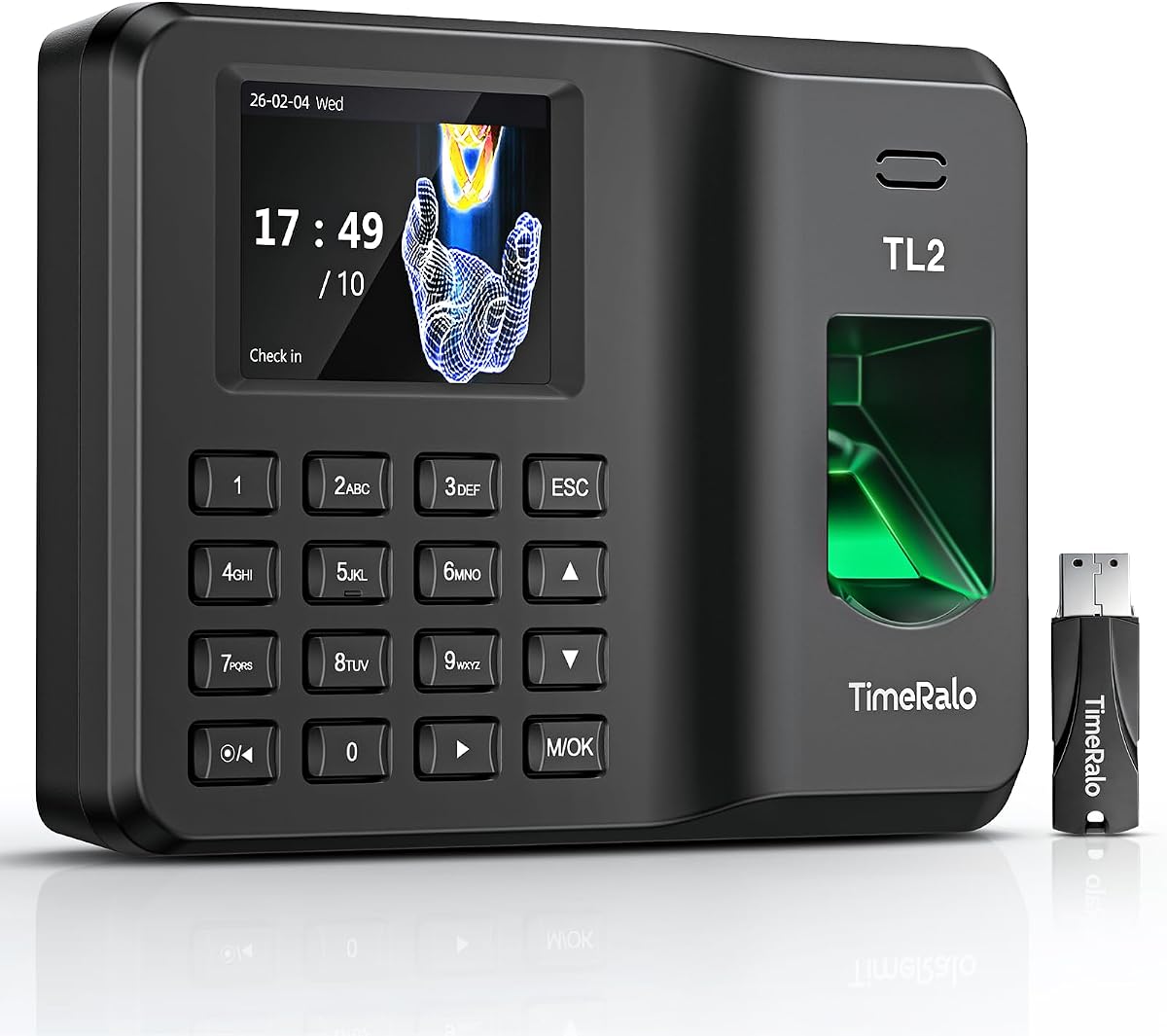


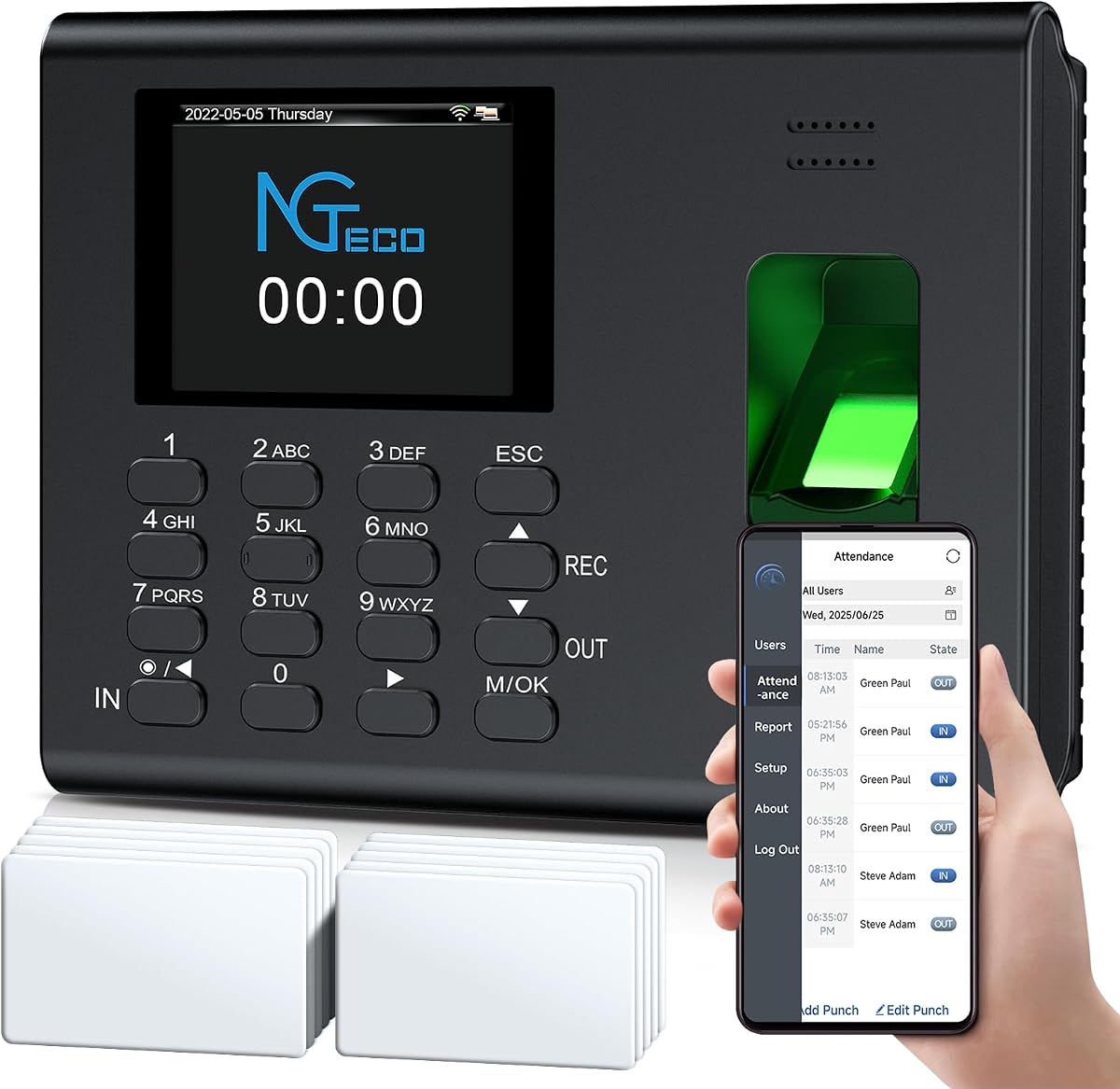
The NGTeco Time Clock stands out as a top contender for small businesses seeking efficiency and reliability. With a high user rating and advanced features like real-time punch detection, it simplifies attendance management significantly.
We may earn a commission when you buy through this link, at no additional cost to you.
Its standout feature is the advanced sensor that authenticates fingerprints in just 0.5 seconds, ensuring quick clock-ins even for large teams. The app allows managers to edit punches instantly and sync data across the system without complex IT knowledge.
While it requires a local network for syncing, the built-in backup ensures no data is lost during power outages. Some users might prefer facial recognition, but the current fingerprint and PIN options are robust and secure for most environments.
This model is ideal for owners who want a blend of hardware durability and software flexibility. It balances cost and performance effectively, making it a smart investment for accurate payroll processing and streamlined shift management.
Auto-calculated work hours reduce admin time, while real-time detection ensures records are always up to date for quick payroll export.
Integrated backups protect against power failures, and US-based support offers peace of mind for ongoing technical assistance.
We may earn a commission when you buy through this link, at no additional cost to you.
The H4 model offers exceptional value for businesses operating without reliable internet access. Its high rating reflects a strong user experience focused on simplicity and direct functionality without hidden costs.
We may earn a commission when you buy through this link, at no additional cost to you.
Users can manage up to 500 employees using fingerprint, PIN, or RFID cards. The automatic calculation of working hours eliminates manual entry errors, and night shift support ensures accurate logging for 24-hour operations.
While it lacks cloud connectivity, this isolation ensures data privacy and prevents online breaches. The only downside is the lack of remote monitoring, which might be a limitation for managers who are frequently off-site.
Best for small workshops or retail spots needing a simple, robust solution, this clock delivers reliable performance at a lower price point. It is a perfect choice for those prioritizing cost savings over advanced remote features.
Setup is incredibly fast with no technical skills required, allowing businesses to start tracking attendance immediately upon unboxing.
Eliminating paper cards and subscription fees makes this a long-term savings solution for businesses aiming to reduce overhead.
We may earn a commission when you buy through this link, at no additional cost to you.
This premium unit features a large touchscreen that enhances the user experience significantly. Its high rating and comprehensive feature set make it suitable for businesses needing advanced customization and remote oversight capabilities.
We may earn a commission when you buy through this link, at no additional cost to you.
The device supports facial recognition, fingerprint, RFID, and PIN inputs, reducing wait times during peak hours. Managers can adjust schedules and view reports remotely, ensuring flexibility for remote or distributed teams.
While the initial cost is higher, the durability and feature depth justify the investment. The optional subscription for full app features might be a consideration, but the base functionality remains robust for daily operations.
Ideal for growing companies needing scalability and professional management tools, this model leads in user interface quality. It is the best choice for businesses that value a modern, efficient, and secure attendance system.
The high-definition display simplifies the clocking process, reducing errors and improving efficiency for all employees.
Cloud storage and web access allow managers to oversee attendance and adjust rules from any location securely.
We may earn a commission when you buy through this link, at no additional cost to you.
Designed for businesses that prefer complete independence from cloud services, this standalone model offers robust functionality. Its rating reflects consistent performance in demanding environments like warehouses and factories.
We may earn a commission when you buy through this link, at no additional cost to you.
The device supports up to 500 profiles and handles 50,000 punch records easily. Exporting data via USB to Excel simplifies payroll tasks without needing software subscriptions or complex internet configurations.
While it lacks the convenience of app-based management, its simplicity ensures fewer technical points of failure. The durable build is perfect for industrial settings where reliability is more critical than digital connectivity.
Best for small businesses needing a no-frills solution, this clock is easy to deploy and maintain. It provides accurate time tracking and secure data storage without requiring ongoing technical support or monthly fees.
No WiFi or software setup is needed, allowing for immediate use right out of the box with minimal admin effort.
Built to scale with your business, it can handle growing teams without the need for frequent hardware upgrades.
We may earn a commission when you buy through this link, at no additional cost to you.
This model emphasizes affordability and straightforward functionality. It appeals to businesses looking for a reliable clock without the complexity of cloud systems or ongoing fees, maintaining a solid user rating.
We may earn a commission when you buy through this link, at no additional cost to you.
The device stores up to 500 fingerprints and 50,000 records, suitable for growing teams. It ensures data safety even during power outages, which is crucial for maintaining accurate historical records.
While it lacks remote access, the plug-and-play nature makes it ideal for static work environments. The industrial-grade ABS plastic ensures longevity, making it a practical choice for long-term use.
Suitable for schools, retail, and offices, this clock offers a green and efficient alternative to paper cards. It balances cost savings with essential security features to keep attendance tracking simple and accurate.
Replacing paper cards with digital records reduces supply costs and environmental impact while maintaining precise attendance tracking.
Built-in backup systems preserve all employee data and timesheets during unexpected power losses for hassle-free recovery.
We may earn a commission when you buy through this link, at no additional cost to you.
This cloud model provides robust remote management tools for modern business needs. Its connectivity features allow managers to monitor attendance from anywhere, which is highly beneficial for flexible work environments.
We may earn a commission when you buy through this link, at no additional cost to you.
The dual-band WiFi ensures a stable connection, while the auto-report generation simplifies payroll processing. Customizable shift and overtime rules cater to complex scheduling requirements, making it versatile for different industries.
Some users may need a subscription to unlock full app features, but the core functionality remains strong. It is designed for businesses that prioritize digital integration and remote oversight over standalone simplicity.
Ideal for companies needing detailed reporting and flexible management, this clock is a powerful tool for HR efficiency. It combines reliability with advanced features to help manage teams effectively across different locations.
Managers can access real-time data and generate reports via mobile app or web portal from any location.
Customizable overtime and shift configurations allow precise payroll calculation to match diverse business needs.
We may earn a commission when you buy through this link, at no additional cost to you.
This system offers an all-in-one approach to attendance and payroll management. It is designed for businesses looking to automate tasks and ensure secure data storage through cloud services.
We may earn a commission when you buy through this link, at no additional cost to you.
The JR2000 supports fingerprint, RFID, and PIN inputs, providing flexibility for different employees. Real-time access to attendance data allows for quick decisions and adjustments by management teams.
While the rating indicates some user variability, the core value lies in its cloud automation features. The option to integrate with payroll software saves time, though it may require ongoing subscription costs.
Best for businesses wanting automated payroll and tax filing assistance, this clock is a strong contender for administrative efficiency. It helps reduce manual workload while keeping accurate and accessible employee records.
Automating payroll with time data and handling tax filings simplifies financial management for growing businesses.
Automatic cloud backups ensure employee data is secure and always available whenever needed for audit or review.
We may earn a commission when you buy through this link, at no additional cost to you.
This model highlights flexibility with four punch modes and free cloud access for core features. It is ideal for businesses requiring a mix of offline reliability and cloud convenience without immediate extra costs.
We may earn a commission when you buy through this link, at no additional cost to you.
The device supports offline punching and syncs once the network is restored, ensuring no data loss during internet outages. Customizable shifts and overtime rules make it adaptable to various workforce structures.
Security is a strong point with bank-grade encryption, appealing to privacy-conscious businesses. The limitation in user capacity might require a closer look for larger teams, but it works well for smaller operations.
Great for global teams due to multi-language support, this clock balances connectivity with local storage. It serves businesses needing secure, scalable tracking without immediate commitment to higher-tier software plans.
AWS servers and end-to-end encryption ensure that workforce records are protected against unauthorized access.
Offline punch capture syncs automatically to the cloud once network is restored, ensuring no data loss.
We may earn a commission when you buy through this link, at no additional cost to you.
This device focuses on employee transparency and ease of use. Its self-service feature allows staff to view their own timesheets, reducing administrative queries and improving accountability within the team.
We may earn a commission when you buy through this link, at no additional cost to you.
Smart calculation rules handle overtime and breaks automatically, ensuring accurate payroll data. The ability to correct attendance via the mobile app adds a layer of flexibility for managers on the move.
While it relies on WiFi, the offline mode prevents data loss during network issues. The simple 3-step setup makes it accessible for non-technical managers looking for a quick solution.
Best for businesses needing transparent tracking and simple setup, this clock is a practical tool for retail and office environments. It balances user-friendly interfaces with solid remote management capabilities.
Staff can view timesheets on their phone without approval, eliminating delays and boosting transparency for the whole team.
Built-in intelligence calculates hours, OT1, OT2, and weekly overtime to ensure accurate timesheets and save time.
We may earn a commission when you buy through this link, at no additional cost to you.
The NGTeco APP Time Clock emphasizes flexibility and hardware resilience. Its battery backup ensures continuous operation, which is vital for maintaining accurate records during power fluctuations.
We may earn a commission when you buy through this link, at no additional cost to you.
Employees can use fingerprint, PIN, or card swiping, with auto alerts ensuring precise hour calculation. The included cards make it ready to use immediately for teams needing multiple entry methods.
Setup is straightforward, making it easy to deploy without IT support. While it relies on a local network for syncing, the offline recording capability ensures data is never lost during interruptions.
Ideal for offices needing quick deployment and flexible scheduling, this model combines durability with app convenience. It is a solid choice for businesses looking for a reliable and adaptable attendance system.
Equipped with a 2000mAh backup battery for continuous operation during power outages and unstable networks.
Durable wear-resistant ABS construction withstands long-term high-frequency use in demanding workplace environments.
We may earn a commission when you buy through this link, at no additional cost to you.
Selecting the right time clock involves evaluating several factors to ensure it meets your specific operational needs. This guide outlines the key considerations to help you make an informed decision.
Consider whether you need a standalone device that works offline or a cloud-connected model that allows remote access. Cloud systems offer real-time data viewing from anywhere but require stable internet, whereas standalone devices are more independent and secure.
Choose based on your location's internet reliability and whether you need remote monitoring capabilities for distributed teams.
Ensure the device supports enough user profiles for your current team and allows for future growth. Most models support up to 500 users, which is sufficient for small to medium businesses, but check if the system allows easy user additions.
A device with high storage capacity ensures you can maintain long-term records without needing to replace hardware frequently.
Fingerprint recognition is standard, but some models also offer RFID cards or PIN codes as backups. Having multiple methods reduces wait times and provides alternatives if a finger is injured or dirty.
Select a model with diverse verification options to maximize efficiency and minimize downtime during peak hours.
Look for features that automate payroll calculations, such as overtime rules and shift tracking. Some models export directly to Excel or integrate with payroll software, saving hours of manual data entry.
Prioritize devices that generate automated reports to simplify your administrative workflow and reduce calculation errors.
Security is critical to prevent data tampering and ensure compliance with privacy laws. Cloud models often use encryption and server backups, while standalone devices rely on internal storage protection during power outages.
Ensure the device has robust data protection features to safeguard sensitive employee information and maintain accurate records.
A user-friendly interface reduces training time and minimizes employee confusion during clock-in. Models with plug-and-play setups and intuitive menus are preferred for businesses without dedicated IT staff.
Choose a system that is simple to configure and navigate to ensure smooth daily operations for all users.
Consider the physical environment where the clock will be installed, such as a factory floor or an office. Industrial-grade materials and water-resistant designs are necessary for harsh conditions to ensure longevity.
Select a device with a build quality that matches your workplace conditions to avoid premature wear and tear.
Evaluate whether the device requires ongoing subscription fees for full functionality or if a one-time purchase is sufficient. Cloud services may add recurring costs, while standalone models are often free after purchase.
Balance the initial hardware cost against potential monthly fees to determine the most cost-effective solution for your budget.
Begin by installing the device on a stable surface or wall mount at a comfortable height for all users. Connect it to a power source and follow the initial setup instructions to register the administrator and employee profiles using the enrolled fingerprints.
Teach employees how to place their fingers correctly on the scanner to ensure quick and accurate recognition. Encourage consistent behavior, such as keeping fingers clean and dry, to prevent scanning errors and reduce wear on the sensor.
Regularly back up data by exporting reports via USB or cloud sync to prevent loss. Clean the device surface periodically with a soft, dry cloth to maintain performance and extend its lifespan in high-traffic areas.
Yes, modern sensors are designed to detect both wet and dry fingerprints efficiently. Advanced models use multi-modal scanning to capture the unique ridge patterns regardless of skin condition. This ensures consistent clock-in speeds without frustrating delays.
Most reliable time clocks have a built-in battery backup system. This feature keeps the device running long enough to save pending data or maintains records stored in internal memory. You should check for a backup battery spec before purchasing.
Many models allow you to configure rules that track lunch breaks and overtime hours automatically. You can set specific thresholds to ensure accurate payroll calculations. This feature significantly reduces manual calculation efforts for administrators.
Not all cloud time clocks require subscription fees; some offer free core features with limited storage or access. However, advanced remote features often come with optional paid plans. Always review the pricing structure before buying to avoid surprises.
You can export attendance data to Excel via USB or sync it directly to cloud-based payroll platforms. Check the device's compatibility with your specific software to ensure seamless data transfer. This process helps streamline your payroll workflow.
Yes, they are generally secure due to encrypted data storage and unique biometric identification. Cloud models often use bank-grade encryption standards to protect sensitive employee records. This level of security is essential for compliance and privacy.
The NGTeco Time Clock for Small Business stands out as the top overall pick due to its fast recognition and excellent app control. Its balance of reliability and smart features makes it ideal for a wide range of business needs.
For budget-conscious buyers, the H4 Time Clock offers incredible value with standalone functionality and zero subscription fees. If you require advanced remote capabilities, the NGTeco Touchscreen model provides the premium features necessary for modern management.
Remember to check the current prices and availability before finalizing your order as these details can fluctuate. Investing in the right system now can save significant time and administrative effort in the long run.