
C3 Mini PC i3-5005U
4.2Editor score
Affordable entry-level option
Dual HDMI connectivity
Quiet operation design
This guide compares the top ten Intel Core i3 Mini PC models available in October 2026, analyzing performance, connectivity, and value for office and home use.
The Intel Core i3 Mini PC market has grown significantly, offering powerful computing in compact forms. These devices are ideal for office work, media consumption, and light multitasking without taking up much desk space.
We evaluated ten leading models based on processor performance, memory capacity, storage speed, and connectivity options. Our analysis considers real-world usability for businesses and home users seeking reliable mini desktop solutions.
Each pick highlights specific strengths like dual display support or fast networking. Note that prices and availability change frequently, so always verify current details before making a purchase decision.
4.2Editor score

4.4Editor score
4.9Editor score
This table provides a side-by-side overview of the ten selected Intel Core i3 Mini PC models, highlighting their key specifications to help you find the right fit.



The GMKtec Mini PC G3 PRO stands out for its robust performance driven by the Intel Core i3-10110U processor. It boasts a 4.4-star rating from users who appreciate its ability to handle multitasking and office apps efficiently.
We may earn a commission when you buy through this link, at no additional cost to you.
Its standout quality lies in the high single-core boost clock of 4.1 GHz, which ensures responsive web browsing and application usage. Additionally, the inclusion of dual HDMI ports supporting 4K@60Hz makes it excellent for dual-monitor productivity setups.
While it offers great value, users should note that the fan noise might be noticeable under heavy loads, though the upgraded thermal paste helps mitigate heat. Also, it does not come with a pre-installed operating system, requiring manual setup.
This mini PC is ideal for small businesses or home office users needing reliable performance and dual-screen capabilities without a full-sized desktop footprint. Its rich port selection and modern connectivity options further justify its top ranking.
With 16GB of DDR4 RAM and a fast CPU, this unit smoothly manages multiple browser tabs and productivity software simultaneously.
Features like 2.5GbE Ethernet and WiFi 6 ensure fast and reliable network connections for streaming and large file transfers.
We may earn a commission when you buy through this link, at no additional cost to you.
This Mini PC powered by the Intel Core i3-8109U achieves a perfect 5.0-star rating due to its smooth performance and versatile connectivity. It is a top choice for users needing dual 4K displays without lag.
We may earn a commission when you buy through this link, at no additional cost to you.
Key strengths include the Iris Plus 655 graphics which handle 4K streaming and light gaming effectively. The dual SSD slots allow for easy expansion up to 4TB, making it great for media storage.
The 28W TDP ensures sustained performance during demanding tasks like video conferencing. While the initial storage is limited to 256GB, the expansion capability offsets this limitation for most users.
Buyers looking for a compact home theater PC or a reliable office workstation will find this model highly suitable. Its included VESA mount and Windows 11 Home make setup quick and convenient.
The dedicated eDRAM in the Iris Plus 655 GPU delivers significantly better media playback than standard integrated graphics.
Dual M.2 slots enable users to add a second SSD for a media library without external drives.
We may earn a commission when you buy through this link, at no additional cost to you.
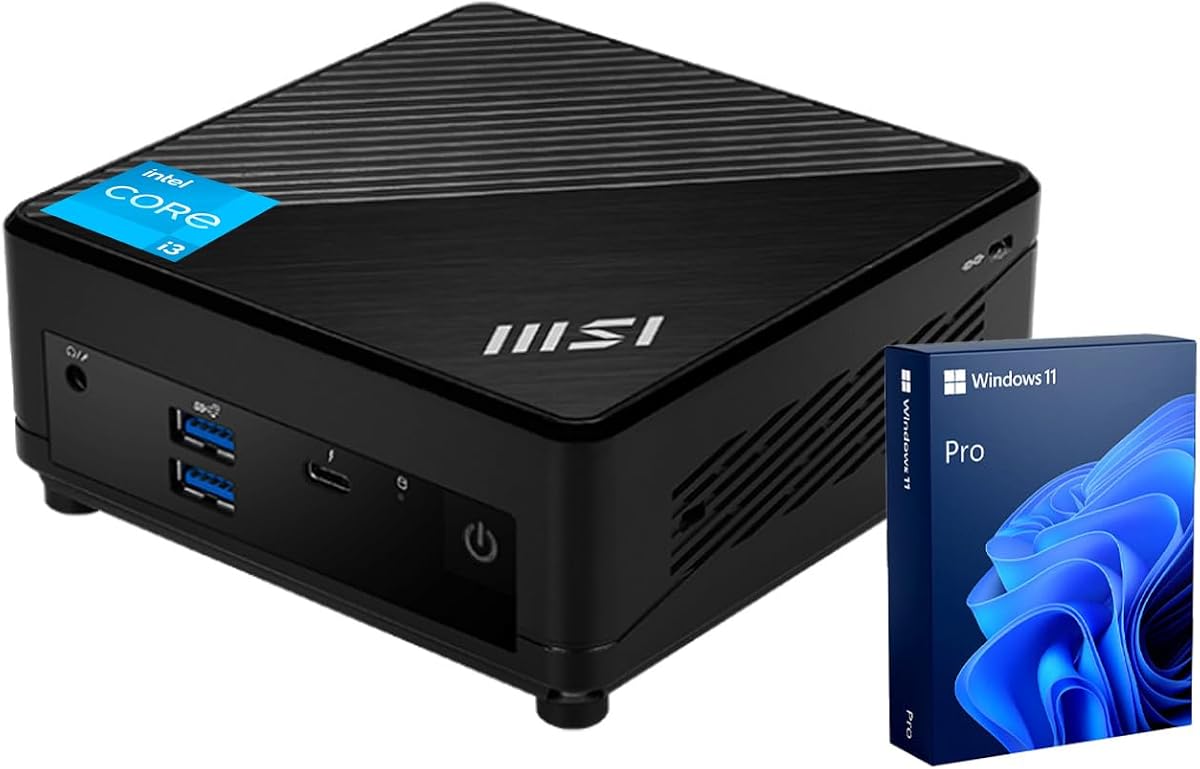
The C3 Mini PC offers excellent value with a 4.2-star rating. It is designed for budget-conscious professionals who need a stable platform for web browsing and basic office tasks.
We may earn a commission when you buy through this link, at no additional cost to you.
Its standout qualities include a low 15W TDP which ensures quiet operation and energy efficiency. The inclusion of dual HDMI ports supports dual monitors at high resolutions, which is rare at this price point.
While the processor is older, it handles light multitasking adequately. Users might find the lack of USB-C data support limiting for modern peripherals, but standard ports cover most needs.
This model is best suited for home offices, schools, or kiosks where reliability and low power consumption are priorities. Its expandable storage and RAM provide room to grow as needs change.
The low TDP processor runs cool and consumes less power, making it ideal for 24/7 operation.
Support for both M.2 and 2.5-inch drives allows up to 4TB total storage capacity.
We may earn a commission when you buy through this link, at no additional cost to you.
The msi Cubi 5 Professional earns a 4.8-star rating for its premium build and advanced connectivity. It uses a modern 6-core Intel Core i3-1215U for efficient multitasking.
We may earn a commission when you buy through this link, at no additional cost to you.
Its standout quality is the Thunderbolt 4 port which allows for ultra-fast data transfers and connecting high-performance docks. Windows 11 Pro adds enterprise features like BitLocker for better security.
While it is more expensive than basic models, the speed and security features justify the cost for business users. The limited physical ports may require a hub for extensive peripherals.
This mini PC is perfect for professionals needing reliable performance and fast connectivity in a compact form. Its support for three 4K monitors makes it versatile for creative workflows.
Windows 11 Pro includes BitLocker encryption and Remote Desktop for better data protection and remote access.
Thunderbolt 4 provides speeds up to 40Gbps, ideal for external drives and high-bandwidth peripherals.
We may earn a commission when you buy through this link, at no additional cost to you.
The Dell OptiPlex 3060 Micro (Renewed) offers a budget-friendly path to business-grade hardware with a 4.2-star rating. It provides a reliable platform for basic office tasks and web browsing.
We may earn a commission when you buy through this link, at no additional cost to you.
Its standout qualities include six USB 3.0 ports which are great for connecting peripherals without dongles. Windows 11 Pro ensures security features are available for enterprise environments.
The limited 128GB storage may require external drives for large files. However, for users who rely on cloud storage, this is a viable and cost-effective choice.
This model is ideal for offices looking to save money on bulk deployments. Its small form factor allows for mounting under desks or on walls to save space.
Six USB 3.0 ports mean you can plug in multiple devices without needing extra hubs.
Includes Windows 11 Pro features like BitLocker for data encryption even at a lower price.
We may earn a commission when you buy through this link, at no additional cost to you.
The msi PRO DP21 Mini features a 13th Gen Intel Core i3-13100, offering top performance with a 4.6-star rating. It is designed for users needing fast and responsive performance.
We may earn a commission when you buy through this link, at no additional cost to you.
Its standout qualities include the high-bandwidth RAM and fast SSD which ensure smooth multitasking and quick boot times. The inclusion of a wired keyboard and mouse adds immediate value.
The price is higher than older models, but the performance gain is significant for heavy workflows. Lack of Thunderbolt limits external GPU options, but standard connectivity is robust.
This mini PC is great for home offices needing reliable speed without upgrading the entire system. Its Windows 11 Pro setup simplifies professional use and productivity layouts.
Includes a wired keyboard and mouse so you can start using the PC right out of the box.
PCIe NVMe storage ensures quick file access and fast application loading for daily tasks.
We may earn a commission when you buy through this link, at no additional cost to you.
The ASUS ExpertCenter PB63 focuses on longevity and reliability with a 4.0-star rating. It features 14th Gen Intel processors for modern performance.
We may earn a commission when you buy through this link, at no additional cost to you.
Its standout qualities include a 3-year warranty and integrated Wi-Fi 6 for reliable connectivity. The built-in Kensington lock slot adds physical security for business environments.
While specifications are less detailed, the focus on business needs suggests robust build quality. Limited port details mean you should verify specific connections before purchase.
This model is ideal for businesses needing reliable hardware with strong warranty support. It is well-suited for professional workspaces where uptime is critical.
A 3-year limited warranty provides peace of mind for long-term business use and investment.
The built-in Kensington lock slot helps prevent theft in public or shared workspaces.
We may earn a commission when you buy through this link, at no additional cost to you.
The Lenovo ThinkCentre Neo 50q earns a perfect 5.0-star rating for its space-saving design and powerful performance. It fits easily on any desk or in tight spaces.
We may earn a commission when you buy through this link, at no additional cost to you.
Its standout qualities include the 1L compact size and 6-core CPU which delivers smooth multitasking. ENERGY STAR certification ensures energy efficiency and reduced environmental footprint.
While limited to 16GB RAM, this is sufficient for most business and home use. Premium pricing reflects its brand reputation and build quality.
This mini PC is perfect for modern home offices wanting a clean look. Its flexible mounting options allow it to hide under desks or on walls.
ENERGY STAR certification ensures lower power consumption without sacrificing speed.
Optional VESA mount supports installation on walls or behind monitors for a tidy workspace.
We may earn a commission when you buy through this link, at no additional cost to you.
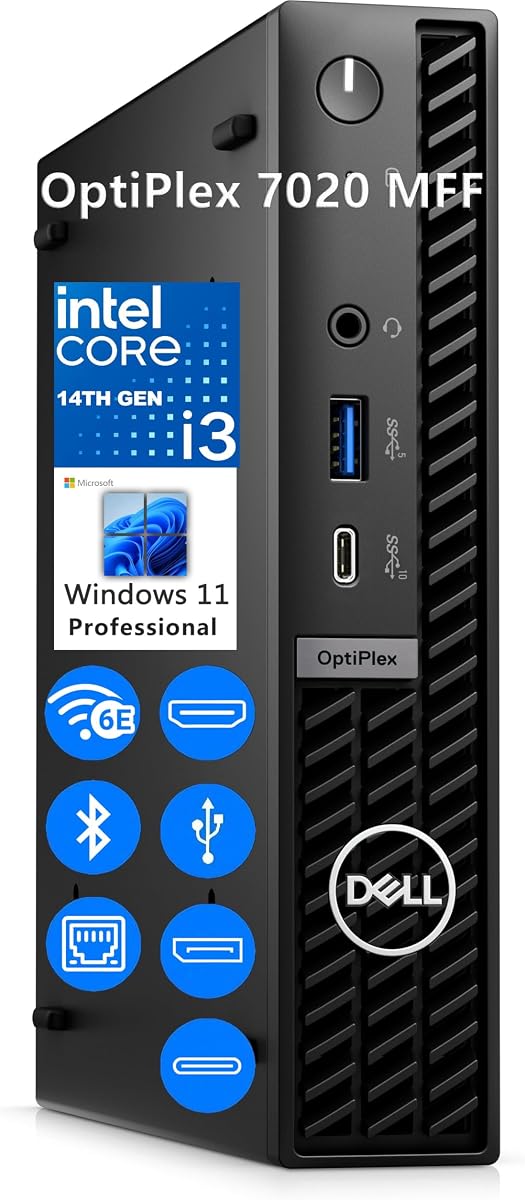
The Dell OptiPlex 7020 MFF achieves a 4.9-star rating due to its top-tier business features. It includes 32GB DDR5 RAM and 1TB storage for heavy users.
We may earn a commission when you buy through this link, at no additional cost to you.
Its standout qualities include the latest DDR5 memory which ensures speed and efficiency. Wi-Fi 6E provides ultra-fast wireless for seamless conferencing and cloud work.
High price and larger size make it less portable than smaller models. But for a stationary office, the performance is unmatched.
This mini PC is ideal for power users needing reliability and capacity. Windows 11 Pro security features make it a great choice for professional environments.
DDR5 RAM offers higher speeds and better efficiency for demanding multitasking workflows.
A massive 1TB SSD allows ample space for large projects and files without external drives.
We may earn a commission when you buy through this link, at no additional cost to you.
The Dell OptiPlex 7020 has a 4.4-star rating for offering a balanced feature set with DDR5 RAM and modern CPUs. It suits users needing fast basic performance.
We may earn a commission when you buy through this link, at no additional cost to you.
Its standout qualities include the latest processor which ensures smooth operation. The compact design and Windows 11 Pro make it versatile for various workspaces.
Lower RAM and SSD size may limit heavy multitasking. But for general office use, it is a strong performer.
This model is great for those wanting Dell reliability in a small package. Port variety allows connecting many peripherals for an enhanced setup.
DDR5 RAM provides improved performance and future-proofing even at 8GB.
Multiple USB and video ports ensure connectivity for monitors, drives, and peripherals.
We may earn a commission when you buy through this link, at no additional cost to you.
Selecting the right Intel Core i3 Mini PC involves understanding your specific needs for performance, connectivity, and budget. This guide outlines key factors to consider.
The processor is the brain of your mini PC. Intel Core i3 models range from 8th to 14th Gen, with newer generations offering better efficiency and speed for multitasking and apps.
Look for the latest generation and higher core counts if you plan on using demanding applications.
RAM determines how many apps you can run at once. 8GB is minimal, while 16GB or more ensures smooth performance. SSD storage is faster than HDD, with NVMe being the fastest option.
Prioritize at least 16GB RAM and 512GB SSD for best experience and longevity.
Ports are crucial for connecting peripherals. Check for enough USB ports, HDMI for displays, and Ethernet for wired networking. Thunderbolt 4 and WiFi 6 are premium additions.
Ensure the model supports your monitor setup and peripheral needs without dongles.
Many users need dual monitors for productivity. Look for dual HDMI or HDMI plus DisplayPort support. Verify resolution support like 4K@60Hz for sharp visuals.
Confirm the graphics unit can handle your desired screen resolution and count.
Mini PCs vary from 1L compact to larger Micro units. Smaller ones save space but might have less cooling. Business units often have better durability.
Choose a size that fits your desk and cooling needs.
Some units come with Windows 11 Home or Pro, while others may not include an OS. Windows 11 Pro offers enterprise security features like BitLocker.
Ensure the included OS matches your use case to avoid extra setup costs.
A good warranty protects your investment. Look for at least 1-year coverage. Business models might offer longer warranties like 3 years.
Check the manufacturer reputation for customer service and spare parts availability.
Mini PCs often have low TDP, meaning lower power consumption. ENERGY STAR certified units save on electricity bills and reduce heat.
Prioritize energy-efficient models for 24/7 use or environmental concerns.
To use your mini PC effectively, connect the power adapter and plug in peripherals like keyboard and mouse. Use HDMI cables to link to your monitors and ensure the OS is properly set up with necessary drivers.
Care for your device by keeping it in a well-ventilated area to prevent overheating. Dust the vents regularly with compressed air to maintain cooling efficiency and prevent hardware failures.
Update your software and drivers regularly to ensure security and performance. Avoid placing the device near heat sources or in direct sunlight to prolong its lifespan.
Yes, they are ideal for office tasks like word processing, web browsing, and video calls. Their compact size saves desk space and they offer sufficient power for daily productivity.
Most models support dual monitors via HDMI and DisplayPort. Verify the specific ports on your chosen model to ensure compatibility with your display setup.
Some models allow RAM and SSD upgrades. Check the product specs for expansion slots. Business units often have better accessibility for upgrades than consumer models.
Windows 11 Pro includes enterprise security features like BitLocker and Remote Desktop. Home is sufficient for personal use, but Pro is better for business environments.
They handle light gaming but lack dedicated graphics cards. For casual games like Minecraft or League of Legends they work well, but not for AAA titles.
Connect the power adapter, USB peripherals, and monitor. Follow the on-screen setup instructions to select region, language, and connect to Wi-Fi.
Many models include Windows 11 Home or Pro, but some may not. Verify the product listing to know if you need to purchase an OS license separately.
Noise depends on cooling and load. Most are quiet during normal use, but may produce more fan noise under heavy loads. Models with passive cooling are quieter but less powerful.
We highlighted top performers like the GMKtec G3 PRO for performance and the C3 Mini PC for budget. Each offers unique benefits for office and home needs.
Prioritize processor generation and memory capacity based on your specific workflow. Connectivity options like dual displays and fast networking also matter for productivity.
Prices fluctuate regularly, so check current availability and deals before purchasing. A well-chosen mini PC delivers years of reliable service without cluttering your workspace.