for iPad mini 7 Keyboard Case A17 Pro/Mini 6 Gen Case with Keyboard
4.4Editor score
Detachable keyboard design
Stain-resistant case material
Built-in pencil holder
Finding the right iPad Mini Folio Case with Keyboard can transform your tablet into a powerful laptop alternative. You need a case that offers protection, typing comfort, and versatile viewing angles without adding too much bulk to your device.
We analyzed ten highly rated products based on compatibility, build quality, trackpad functionality, and user feedback. Our team reviewed specifications, design features, and real-world performance to ensure you get the most reliable options available this month.
Each pick highlights specific strengths like battery life, key travel, or magnetic stability. Prices and availability change frequently so please verify current listings before purchasing to ensure you get the best value for your specific needs.
4.4Editor score

4.3Editor score

4.6Editor score
As an Amazon Associate we earn from qualifying purchases.
This table provides a side-by-side view of the top ten keyboard cases for the iPad Mini 6th and 7th generations. Compare key features like weight, trackpad support, and backlight options to find your ideal match.


The Dexnor Floating Case is our top choice for its impressive combination of features and build quality. With a 4.3 rating, it stands out as a reliable companion for the iPad Mini 7th and 6th generations.
We may earn a commission when you buy through this link, at no additional cost to you.
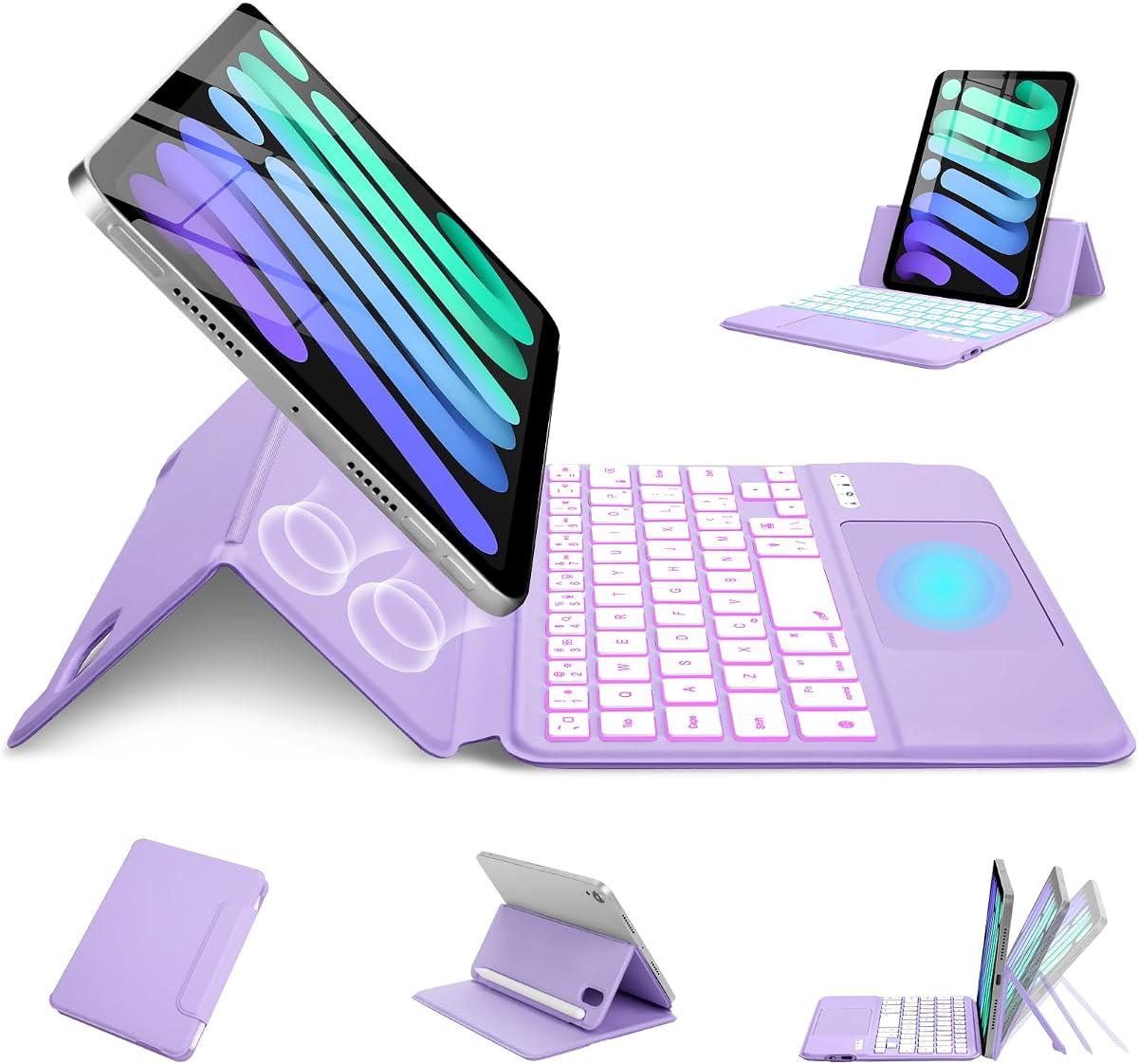
This keyboard case features a high-precision multi-touch trackpad that supports gestures like pinch and swipe, transforming your iPad into a true laptop. The floating cantilever stand offers customizable angles, while the durable aluminum hinge ensures stability during typing sessions.
While the key size is compact at 0.5 inches, the scissor-switch mechanism provides a quiet and comfortable typing experience. Users may find the keys too small for extended use but the long battery life compensates for this trade-off.
If you need a complete laptop replacement with excellent trackpad support, the Dexnor case is the ideal solution. Its robust construction and feature-rich design make it perfect for professionals and students alike.
The ultra-precise trackpad supports multi-finger gestures, allowing for seamless navigation and faster task completion without needing an external mouse.
With up to 150 hours of working time on a single charge, you can work all day without worrying about running out of power during important tasks.
We may earn a commission when you buy through this link, at no additional cost to you.
For those on a tight budget, this generic keyboard case offers excellent value with a high 4.4 rating. It provides essential functionality without breaking the bank.
We may earn a commission when you buy through this link, at no additional cost to you.
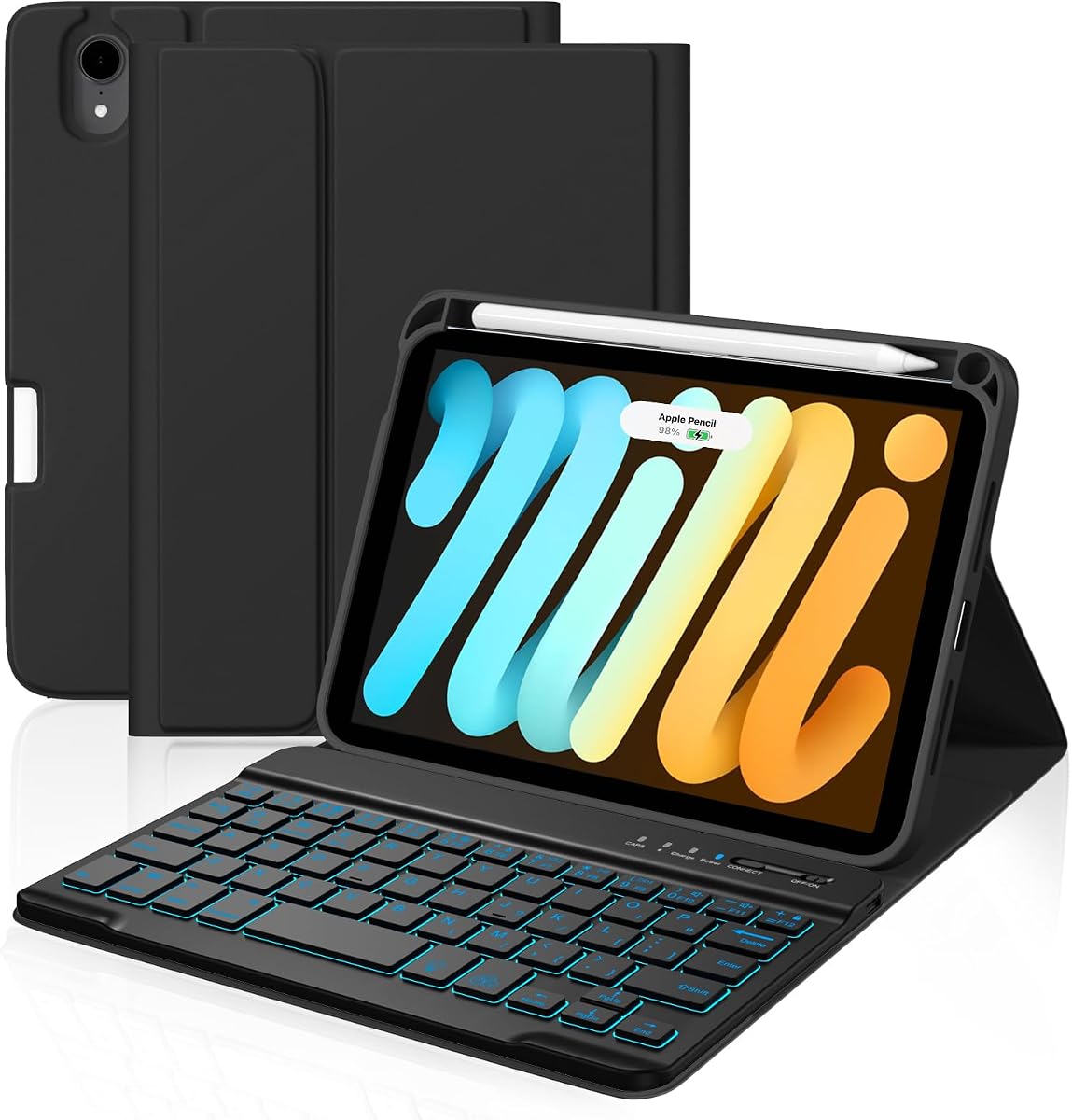
The detachable keyboard design allows you to use the keyboard separately or attach it magnetically. The case is made from durable, stain-resistant material that keeps your iPad safe from scratches and spills.
While it lacks a trackpad, which limits navigation compared to premium options, the keyboard features 7-color backlighting for typing in dim environments. The battery life is robust, offering up to 80 hours of use.
This option is best for casual users who primarily need a typing solution and protection. It is a practical choice if you do not require advanced navigation features like a trackpad.
The detachable keyboard provides versatility, allowing you to use it for typing on your lap or keep it separate for a cleaner screen experience.
The stain-resistant material ensures your case remains looking fresh and clean over time, protecting your device from daily wear and accidental spills.
We may earn a commission when you buy through this link, at no additional cost to you.
The Magic-Style Keyboard Case delivers a premium experience with its lightweight design and high-quality features. With a 4.6 rating, it is arguably the best option for those seeking elegance and performance.
We may earn a commission when you buy through this link, at no additional cost to you.
Weighing only 70 grams for the detachable case, it offers protection without adding bulk. The transparent acrylic back showcases your iPad's design while providing durability. The upgraded widened hinge prevents tipping and supports 125-degree angles.
The trackpad supports multi-finger gestures, making navigation intuitive and efficient. The 7-color backlight includes a unique breathing mode that adds a touch of style to your typing setup.
If you prioritize build quality and a sleek aesthetic, this is the top choice. It is perfect for professionals who want a lightweight yet powerful accessory that looks and feels expensive.
At just 70 grams, the detachable case is ultra-thin and light, making it easy to carry anywhere without burdening your bag or hands.
The breathing mode backlight with adjustable speed provides a comfortable soft glow, enhancing your typing experience in low-light environments.
We may earn a commission when you buy through this link, at no additional cost to you.
The typecase Keyboard Case stands out with its 360-degree rotating design, offering seven distinct modes for different tasks. It is highly rated at 4.3 stars for its flexibility and trackpad support.
We may earn a commission when you buy through this link, at no additional cost to you.
The sturdy swivel hinge allows you to switch between typing, reading, and presenting modes effortlessly. The trackpad is responsive, supporting scrolling and swiping for smooth navigation. The hinge is tested for 20,000 cycles.
While the rotating mechanism adds some bulk compared to flat folios, the versatility is unmatched for various scenarios. The 11-color backlight adds a fun element to your setup.
This case is ideal for students or presenters who need to adapt their device for different situations. Its lifetime technical support adds peace of mind for long-term use.
The 360 rotating design lets you switch between typing, reading, and watching modes, adapting the iPad to your current activity seamlessly.
With a hinge tested for 20,000 cycles, this case is built to withstand daily use and frequent adjustments without losing its stability.
We may earn a commission when you buy through this link, at no additional cost to you.
The GreenLaw 360 Rotating Case is designed for users who want a notebook experience on the go. It features a multi-gesture trackpad and a free rotation hinge for maximum flexibility.
We may earn a commission when you buy through this link, at no additional cost to you.
The touchpad allows precise navigation, making it easy to edit documents or browse the web. The 7-color backlight with adjustable brightness ensures comfortable typing in any lighting condition.
Its energy-saving design includes an automatic sleep function, which conserves power when not in use. However, the Type-C cable for charging the keyboard is not included in the package.
This case is perfect for mobile professionals who need a versatile device that can transform easily. The rotation hinge provides freedom to position your iPad for typing, reading, or presentations.
The smart touchpad supports multi-gesture controls, allowing you to navigate your iPad as smoothly as a traditional laptop.
With automatic sleep features and long battery life, this case helps keep your device charged for extended work sessions without constant recharging.
We may earn a commission when you buy through this link, at no additional cost to you.
The Ultra Magic Keyboard Case features a unique design that shifts the center of gravity forward to prevent tipping. It is constructed from anti-yellowing fabric that resists stains and wear.
We may earn a commission when you buy through this link, at no additional cost to you.
The upgraded hinge design allows smooth adjustment up to 130 degrees, ensuring stability during typing. The touchpad is responsive and supports seamless navigation similar to a laptop.
While it has a slightly lower rating of 3.8 due to potential issues with stability, the fabric material ensures longevity and a clean look. The backlight offers 11 colors for personalization.
This case is a good option for those who prioritize a clean and durable look. It is suitable for users who need a sturdy case that looks professional.
The improved hinge shifts the center of gravity forward, preventing the keyboard from tipping backward and ensuring stable typing on any surface.
The anti-yellowing fabric repels dirt and stains, keeping your keyboard clean and fresh with minimal effort over time.
We may earn a commission when you buy through this link, at no additional cost to you.
The Boriyuan Detachable Case combines protection with a removable keyboard, offering a clean solution for iPad users. It boasts a 4.2 rating for its practicality and full protection features.
We may earn a commission when you buy through this link, at no additional cost to you.
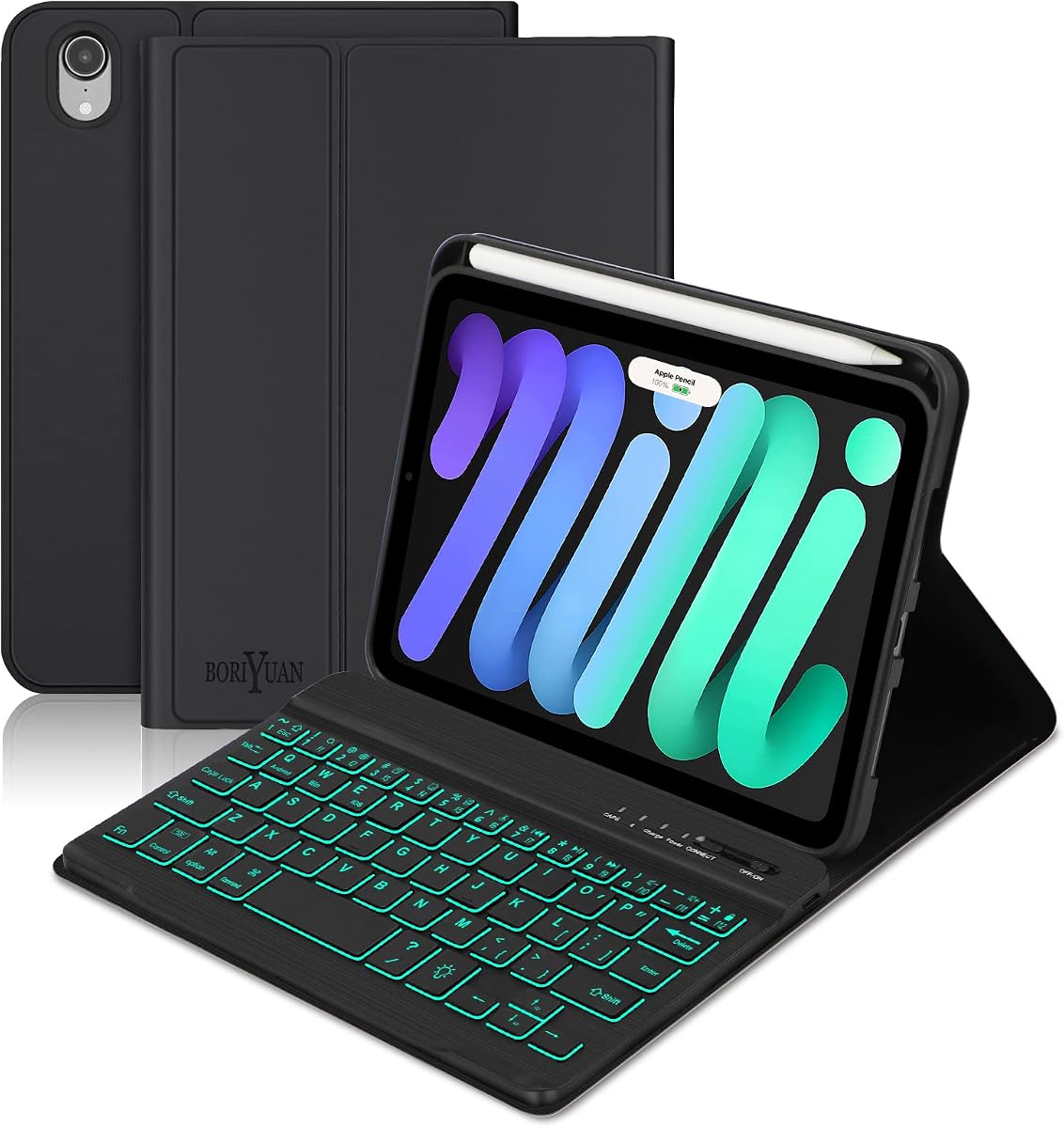
The keyboard connects via Bluetooth and can be attached magnetically or used separately. The case includes a silicone soft shell inside for drop protection and three viewing angles in landscape mode.
With a 420mAh battery, it provides up to 230 hours of use, ensuring longevity. The auto sleep/wake function helps save power when the case is folded or unfolded.
This is a great choice for casual users who value protection and battery life. The detachable keyboard allows for more flexibility in how you use your iPad.
The built-in 420mAh battery ensures at least 230 hours of use, meaning you can go days without needing to recharge the keyboard.
The auto sleep/wake feature automatically saves power when you open or close the case, extending the battery life of your iPad.
We may earn a commission when you buy through this link, at no additional cost to you.
The ZAGG Slim Book mini is designed for productivity with its smooth, ergonomic typing experience. It offers a reliable 4.0 rating for its solid build and detachable design.
We may earn a commission when you buy through this link, at no additional cost to you.
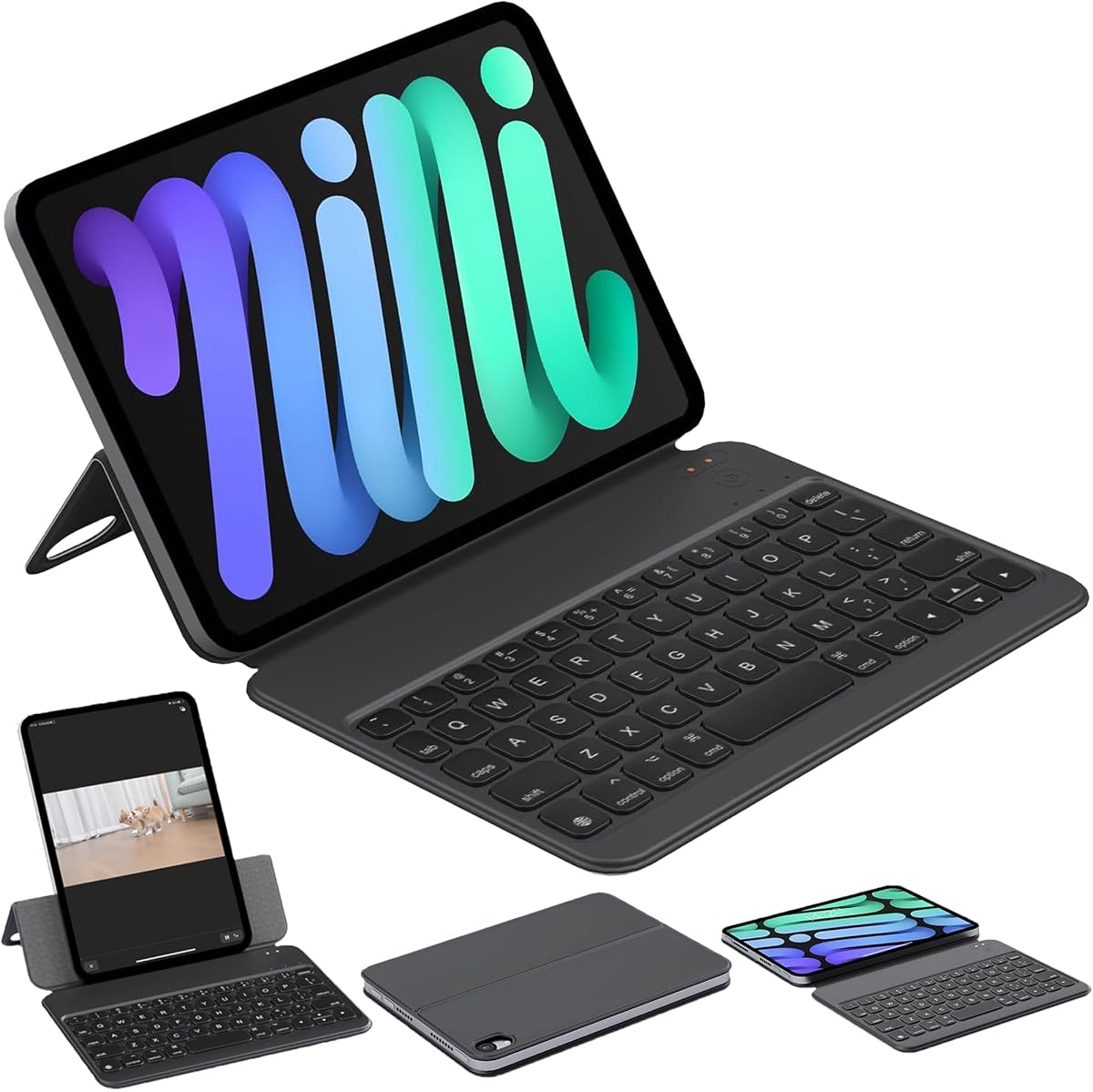
You can use the protective case alone or detach the Bluetooth keyboard for distance typing. The magnetic hinge securely holds your iPad at multiple angles for comfortable viewing.
Its ultra-compact form factor makes it easy to slip into backpacks. The sturdy case shields your device from bumps and scratches while maintaining a clean, professional aesthetic.
This case is ideal for mobile professionals who need a laptop-like experience. The ergonomic keys reduce strain during long typing sessions.
The smooth, ergonomic keys provide a premium typing experience that is ideal for productivity and long hours of work.
The detachable keyboard allows you to type at a distance or switch work setups easily without losing functionality.
We may earn a commission when you buy through this link, at no additional cost to you.
The MePadKey Magic Touchpad Keyboard Case offers smart features like multi-touch gestures and tap-to-click functionality. It holds a 4.0 rating for its practical design.
We may earn a commission when you buy through this link, at no additional cost to you.
The smart touchpad supports one, two, and three-finger gestures for efficient editing and browsing. It charges via Type-C for convenient power management.
The magnetic case stabilizes the tablet horizontally and vertically, allowing easy switching between work and entertainment. It folds like a book to save space.
This case is perfect for users who want advanced touch capabilities without a complex setup. It offers a balanced mix of functionality and portability.
The built-in smart touchpad supports 1-finger, 2-finger, and 3-finger multi-touch gestures for efficient navigation and editing.
The Type-C charging port is convenient for charging the keyboard quickly, ensuring you are always ready to type when needed.
We may earn a commission when you buy through this link, at no additional cost to you.
The HOU Keyboard Case is a lightweight folio designed for easy portability. It has a 3.9 rating but offers practical features for daily use.
We may earn a commission when you buy through this link, at no additional cost to you.
At only 240g, it weighs very little, making it easy to carry. The magnetic charging method ensures a slimmer profile. The gravity-sensing technology locks the keyboard in reading mode.
The infinitely adjustable shaft provides stable support without looseness. It is ideal for use on a desk or lap without adding significant burden to your device.
This case is best for those who prioritize weight and simplicity. While it lacks a trackpad, its stability and light weight make it a solid choice for casual typing.
Weighing only 240g with a folding thickness of 8mm, this case ensures you can carry it without the burden of extra weight.
The gravity-sensing technology automatically locks the keyboard in reading and entertainment modes to prevent accidental touches.
We may earn a commission when you buy through this link, at no additional cost to you.
Choosing the right keyboard case requires balancing protection, functionality, and budget. We break down the key factors to consider before making a purchase.
Ensure the case is explicitly designed for your specific iPad Mini model. The 6th and 7th generations share the same 8.3-inch size, but older models like the 5th generation are incompatible.
Always verify the model number in Settings before buying to avoid fit issues.
A trackpad adds significant value by enabling multi-touch gestures and cursor control similar to a laptop. Look for cases that support scrolling and swiping.
This feature is essential for productivity tasks like document editing and web browsing.
Adjustable backlighting is vital for typing in low-light environments. Options with multiple colors and brightness levels allow you to personalize your experience.
Ensure the brightness levels are adjustable to suit different environments.
Check the battery capacity and estimated usage hours. A good case should offer at least 50 hours of continuous typing on a single charge.
Longer battery life means fewer interruptions during your workday.
Look for durable materials like aluminum hinges and anti-yellowing fabrics. A sturdy hinge prevents the keyboard from tipping over.
High-quality materials ensure longevity and better protection for your device.
A lightweight case preserves the portability of the iPad Mini. Aim for a total weight under 300g if you plan to carry it frequently.
Lightweight designs make it easier to work on a plane or in a coffee shop.
Prices range from budget-friendly options under $40 to premium models over $80. Determine what features you truly need before deciding.
Budget options often lack trackpads, while premium ones offer more durability and features.
A built-in pencil holder keeps your Apple Pencil secure and charged. This is a convenient feature for users who sketch or take notes.
Ensure the holder accommodates your specific Pencil generation.
First, align the iPad Mini with the magnetic connectors or hinges gently to attach it securely. Ensure the device is centered to maintain stability during typing.
Second, charge the keyboard using the provided USB-C cable if applicable. A fully charged keyboard ensures you can use it for extended sessions without interruption.
Third, clean the keys and surface regularly with a soft, dry cloth. Avoid harsh chemicals to prevent damage to the materials or the screen.
No, these cases are designed specifically for the iPad Mini 6th and 7th generations. The dimensions differ from older models, so compatibility cannot be guaranteed for earlier versions.
Most of these cases connect via Bluetooth. You will need to pair them through your iPad settings initially, but subsequent connections are usually automatic when you open the case.
Yes, most cases feature a dedicated holder for the Apple Pencil. They allow wireless charging or easy access without needing to remove the device from the case.
Many models use scissor-switch mechanisms that provide a quiet typing experience. However, some budget options might produce more noise compared to premium choices.
Detachable models allow you to separate the keyboard easily. This gives you the freedom to use the iPad as a handheld tablet when typing is not required.
To reset the keyboard, turn off Bluetooth on your iPad, disconnect the keyboard, and then turn Bluetooth back on. Re-pairing the device often resolves connectivity issues.
We reviewed ten top-rated keyboard cases, highlighting the Dexnor Floating Case as the best overall choice. It offers a perfect balance of trackpad precision, battery life, and build quality.
Prioritize features like trackpad support and battery life if you need a true laptop replacement. For casual use, a budget-friendly option without a trackpad may suffice.
Prices and stock levels change frequently so always check current listings before finalizing your purchase to ensure you get the best deal available today.