
DYMO LetraTag Bundle, Handheld 100T Printer
4.6Editor score
Handheld Portable Design
Includes Black on Clear Labels
Auto-off Power Saving
This guide compares the top label printers with clear tape for home and office organization, highlighting features like portability, app connectivity, and tape
Finding the right label printer with clear tape can transform how you organize your home or office. These devices offer versatile labeling solutions that blend seamlessly into various surfaces. Whether you need to identify storage bins or label electronic cables, clear tape ensures your messages remain visible and professional.
We evaluated ten top-rated models based on ease of use, tape compatibility, and overall functionality. Each product was reviewed for its ability to print crisp text on clear backgrounds. Our analysis focuses on practical features that matter most to everyday users seeking reliable organization tools.
Each pick below highlights key strengths and ideal use cases for different needs. Prices and availability may change, so check current listings before purchasing. Our goal is to help you find the perfect device that fits your specific labeling requirements without unnecessary complexity or cost.
4.6Editor score

4.5Editor score

4.6Editor score
This comparison table provides a side-by-side look at all ten selected label printers. It highlights key specifications to help you quickly identify the model that best suits your organizational needs and budget constraints.




The SUPVAN E11 offers a robust combination of keyboard speed and app versatility for labeling tasks. With a high rating, it stands out for its ability to print efficiently using minimal tape. The included tapes provide immediate utility for various organizational needs.
We may earn a commission when you buy through this link, at no additional cost to you.
Its standout feature is the minimal margin printing which reduces waste while maintaining professional look. The rechargeable battery supports extended use without frequent charging. Users can switch between direct keyboard input and custom app designs effortlessly.
While it relies on Bluetooth for some advanced features, the connection is generally stable. The compact size makes it easy to carry but some might prefer a larger screen for complex editing. Overall the trade-offs are minor compared to its versatility.
This model is ideal for home organization and small office needs where speed and customization matter. If you need a reliable device that balances ease of use with advanced options, this is a top choice to consider.
The minimal margin design ensures you use less tape per label without sacrificing readability.
Switch between quick keyboard typing and detailed app design for different labeling scenarios.
We may earn a commission when you buy through this link, at no additional cost to you.
The DYMO LetraTag Bundle is a practical solution for those needing clear tape labeling on a budget. It includes both white and clear tapes so you can start immediately. The high rating reflects its reliability for basic home and office tasks.
We may earn a commission when you buy through this link, at no additional cost to you.
Its QWERTY keyboard makes typing fast and intuitive. The device is lightweight and fits easily in a drawer or tool kit. Auto-off features ensure batteries last longer during intermittent use.
While it lacks app connectivity, the simplicity is a benefit for users who prefer physical controls. The clear tape is high quality and adheres well to smooth surfaces. Battery reliance is a minor inconvenience but ensures long shelf life.
Choose this if you need a straightforward, no-fuss label maker that comes ready to use. It is perfect for occasional labeling where cost and ease of use are priorities.
The bundle includes necessary tapes so you do not need to buy accessories separately.
Keyboard controls make labeling quick without needing to pair with a smartphone.
We may earn a commission when you buy through this link, at no additional cost to you.
This DYMO model offers a premium experience with three types of tapes included. The clear tape option allows for seamless integration on transparent or dark surfaces. Its graphical display ensures you see exactly what will print before you commit.
We may earn a commission when you buy through this link, at no additional cost to you.
The build quality is solid and the device is designed for frequent use. You can customize labels with multiple fonts and box styles easily. The auto-off function helps extend battery life significantly.
Although it costs more than some alternatives, the included tapes and display features justify the value. It is slightly larger than the bundle version but still very portable. Some users may find the battery requirement inconvenient compared to rechargeable options.
Ideal for home or office organization where appearance and functionality are key. If you want a reliable device with versatile tape options and clear previews, this is a strong candidate.
The graphical display helps prevent errors by showing the label layout before printing.
Included tapes cover paper, plastic, and clear needs for different labeling scenarios.
We may earn a commission when you buy through this link, at no additional cost to you.
The SUPVAN T50M Pro is designed for both home and small business users needing versatile labels. It supports a wide range of sizes which is useful for various packaging or storage needs. The Bluetooth connectivity allows for rich design capabilities.
We may earn a commission when you buy through this link, at no additional cost to you.
The app processes images well allowing you to include logos or graphics. You can choose from many icons and frames to match your branding. The device itself is small and easy to store in an office drawer.
While the app is free, having to use a smartphone might be a slight hurdle for some users. The device screen is limited so complex edits are better done via phone. Still the print quality is sharp and professional.
This model is best for those who want professional-looking labels without buying a large desktop printer. It suits small businesses or tech-savvy users who prefer digital design tools.
Supports labels from three quarters to two inches wide for various applications.
App processing ensures images and text are clear and precise on the final label.
We may earn a commission when you buy through this link, at no additional cost to you.
The Brother P-Touch PT-N20 brings a creative twist to labeling with its Btag tapes. These narrow colorful tapes are great for personalization and small items. The desktop form factor keeps your workspace tidy while remaining accessible.
We may earn a commission when you buy through this link, at no additional cost to you.
It features a built-in cutter which ensures every label is neat and professional. The display allows you to preview content before printing reducing errors. There are many pre-loaded frames and symbols to choose from.
The main limitation is the specific tape size which may not suit all needs. It is less versatile than models that support wider tapes. However for personal items and decor it offers a unique value proposition.
Choose this if you want to add color and creativity to your organization. It is perfect for dorm rooms studios and spaces where visual appeal matters alongside organization.
The cutter ensures every label has clean edges for a professional finish.
Color tapes and frames allow for vibrant and personalized labeling solutions.
We may earn a commission when you buy through this link, at no additional cost to you.
The Brother P-Touch PTD220 is designed for everyday office and home use. It produces durable laminated labels that resist wear. The large memory allows you to save and reprint frequently used labels quickly.
We may earn a commission when you buy through this link, at no additional cost to you.
With many fonts and pre-set templates it simplifies the labeling process. You can create professional labels for files cables or storage bins easily. It runs on batteries or an optional AC adapter for flexibility.
While it is reliable the 12mm width limits it for larger labels. Battery use is convenient for portability but AC is better for heavy use. Overall it is a sturdy tool for standard labeling tasks.
This is a great choice for office environments or home organization where durability is key. It balances cost and performance well for standard labeling needs.
Save up to thirty labels for quick reprinting of common items.
Pre-set templates speed up the creation of standard labels.
We may earn a commission when you buy through this link, at no additional cost to you.
This Dymo starter kit provides everything needed to start labeling immediately. It includes both paper and clear tapes which cover basic needs. The thermal printing ensures no need for ink or toner replacements.
We may earn a commission when you buy through this link, at no additional cost to you.
The LCD screen helps you see what you are printing before it is done. Features like date stamp add utility for tracking items over time. The device is lightweight and easy to carry around.
While it is a bit basic compared to advanced models it is highly functional for most users. The display is small which might make editing longer text harder. Still it is a solid entry point.
Choose this if you want a simple reliable device to get started with organizing. It is ideal for home use where advanced features are not required.
Thermal printing means you never need to buy ink or toner refills.
Use the date stamp option to keep track of item freshness or dates.
We may earn a commission when you buy through this link, at no additional cost to you.
The Phomemo D30 is a highly portable thermal printer designed for mobile use. It comes with clear tape and other options to suit various needs. The Bluetooth connection allows printing from phones and tablets directly.
We may earn a commission when you buy through this link, at no additional cost to you.
Its small size makes it perfect for travel or on-the-go labeling. The rechargeable battery ensures long use without searching for outlets. The app provides extensive templates and icons for creative designs.
Since it is monochrome it cannot print colored text directly without colored tape. The device itself is tiny which may require steady hands for setup. Despite these limits it is very convenient.
This is a great option for students or travelers who need to label items quickly. Its portability and battery life make it a useful tool for mobile tasks.
Thermal printing reduces cost and need for consumable ink cartridges.
Bluetooth allows you to create labels directly from your mobile device.
We may earn a commission when you buy through this link, at no additional cost to you.
This Dymo kit includes three rolls of tape covering paper plastic and clear options. It is a complete package for varied labeling tasks. The high rating indicates strong user satisfaction with reliability and ease of use.
We may earn a commission when you buy through this link, at no additional cost to you.
You can create labels with clear tape for items where surface color matters. The memory function allows quick reprinting of common labels. It is a reliable tool for home and office use.
While batteries are not included the device is efficient with power. The size is standard for handheld units but may not suit larger labels. Overall it is a balanced choice.
Pick this if you want a versatile set of tapes included. It is ideal for households with diverse labeling needs from kitchen to office.
Includes plastic paper and clear tapes for immediate use on different surfaces.
Store common labels for quick reprinting without retyping.
We may earn a commission when you buy through this link, at no additional cost to you.
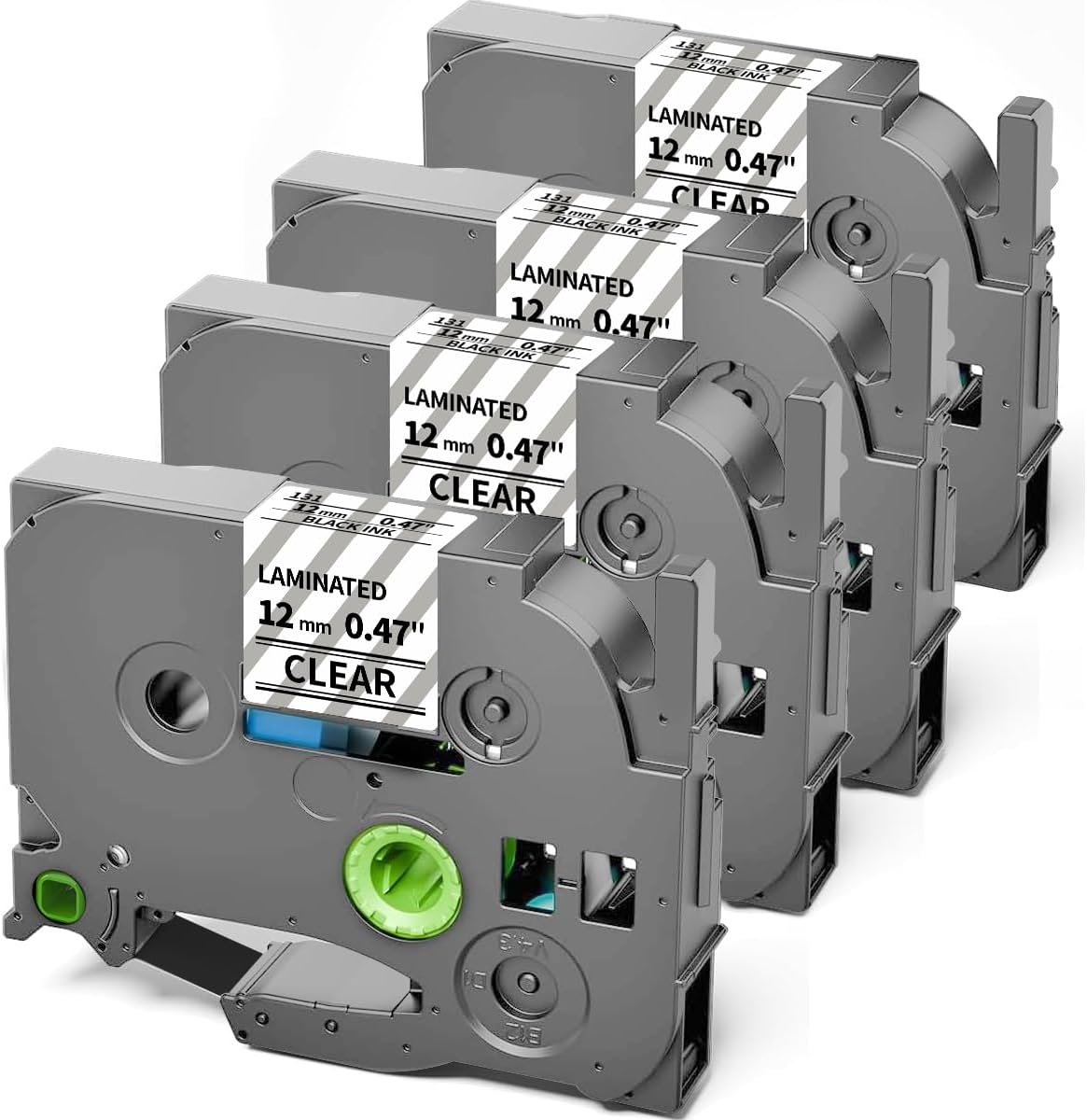
This tape is an essential accessory for Brother P-Touch users seeking clear labels. It is laminated to resist wear and fading over time. The clear background makes text stand out on transparent or colored surfaces.
We may earn a commission when you buy through this link, at no additional cost to you.
At over twenty six feet long this roll provides significant value. The split backing makes it easy to apply without wrinkles or bubbles. It works with many common P-Touch models.
While it is not a printer it completes your labeling setup. The compatibility is broad but ensure it fits your specific model. It is a cost-effective way to get clear labels.
This is a must-buy if you own a compatible Brother printer and need clear tape. It ensures your labels look professional and last long.
Laminated layers protect labels from abrasions and spills.
Split backing simplifies the application process for clean results.
We may earn a commission when you buy through this link, at no additional cost to you.
Selecting the right label printer involves considering several key factors that align with your organizational needs.
Ensure the printer supports clear tape as a primary feature. Some models include clear tapes in bundles which adds value. Check the width and type to match your intended surfaces.
Decide if you need a handheld device or a desktop unit. Handheld options are better for on-the-go labeling and small spaces. Desktop models might offer more features but require a fixed spot.
Some printers use rechargeable batteries while others rely on AA or AAA cells. Rechargeable models are more convenient for frequent use. Check battery life to ensure it meets your daily needs.
Modern printers often offer Bluetooth or app connectivity for design flexibility. If you need custom graphics or text, app support is key. Keyboard-only models are simpler and may be faster for basic text.
A good display allows you to preview labels before printing. LCD or graphical screens reduce errors and save tape. Larger displays make editing easier but may increase device size.
Look for features like fonts, icons, and templates. More options mean you can tailor labels for specific uses. Some devices allow saving templates for quick access later.
Choose a printer with solid build quality to withstand regular use. Consider the type of labels it produces whether laminated or standard. Long-lasting labels ensure your organization remains intact.
Factor in the ongoing cost of tape and batteries. Some models are more expensive upfront but have cheaper consumables. Compare the total cost of ownership before buying.
Start by loading the clear tape carefully into the printer's slot to ensure it feeds properly. Align the tape so the clear side faces outward for the best visibility. Once loaded, test a sample label to check alignment and print quality.
When typing, use the keyboard or app to enter text and select fonts. Preview the label on the screen to catch any errors before printing. This step helps save tape and ensures professional results.
After printing, use the cutter if available for clean edges. Store the printer in a dry place and replace batteries as needed. For rechargeable models, charge fully before long use sessions to maintain performance.
Clear tape allows text to blend seamlessly with surfaces like glass or plastic. It is ideal for labeling containers where the label should not stand out.
Not all printers support clear tape natively. Check the product details to confirm compatibility before purchasing a model for this specific use.
Many clear labels are laminated for resistance to water and wear. Durability depends on the brand and type of tape used with your device.
Yes, most models allow font changes and custom text input. Use the app or keyboard to adjust text styles and sizes before printing.
Keep spare tape rolls in a cool dry place away from direct sunlight. Proper storage prevents adhesive degradation and ensures they remain usable.
Most use standard AA or AAA batteries, but some have rechargeable options. Check the power requirements to ensure you have the right supplies.
The SUPVAN E11 DYMO LetraTag Bundle and DYMO Label Maker are top choices for different needs. Each offers unique benefits regarding portability design and tape versatility.
Prioritize features like battery life and app support if you need flexibility. For simple tasks models with keyboards and basic displays may suffice.
Always check current listings for the best value. Prices may change but quality remains consistent across these reliable options.