
HP OmniBook 3 14 inch
4.1Editor score
2K OLED display
Snapdragon X processor
41 hours battery life
Modern computing demands vibrant visuals and sharp clarity. Laptops with OLED displays deliver deep blacks and vivid colors that transform work and entertainment into immersive experiences. Finding the right device requires balancing screen quality with performance and portability.
We analyzed ten standout models released in 2025 and 2026. Our selection covers various needs from budget-friendly options to premium creator machines. Each entry highlights key specifications and unique selling points to help you decide quickly.
Every pick in this list showcases a specific strength whether it is battery life or processing power. You will see what makes each model stand out in its category. Remember that availability and offers change frequently so check current stock before buying.
4.1Editor score

4.0Editor score
4.5Editor score
As an Amazon Associate we earn from qualifying purchases.
This table provides a side-by-side look at the key specifications of all ten selected laptops. Compare display sizes processor types and memory to find the device that matches your specific workflow and budget needs today.



The Lenovo IdeaPad Pro 5-2025 stands out as a robust choice for professionals needing high fidelity visuals. It scores solid marks for performance and display quality. The combination of AI acceleration and discrete graphics makes it ideal for content creators and power users.
We may earn a commission when you buy through this link, at no additional cost to you.
Its 16-inch OLED panel offers stunning detail with a 120Hz refresh rate that smooths out scrolling and animation. The AMD Ryzen AI 7 processor handles multitasking well while the RTX 5050 provides extra muscle for video editing and 3D tasks. Connectivity is generous with USB4 HDMI 2.1 and an SD card reader.
Trade-offs include a weight that feels substantial for travel and average battery endurance compared to ultra portable models. These are acceptable given the performance target. Users prioritizing raw capability over portability will find this balance appealing for stationary or semi-mobile work setups.
Buy this if you need a reliable creator machine with excellent color reproduction and processing power. It fits well into professional workflows requiring secure features and durable build quality. This is a strong recommendation for those seeking a balanced high performance laptop.
The display supports VRR and HDR ensuring smooth playback and accurate colors for design work.
Built to MIL-STD-810H standards it resists daily wear and includes hardware security features like TPM.
We may earn a commission when you buy through this link, at no additional cost to you.
The Acer Swift Go 16in OLED delivers a premium viewing experience for media professionals. Its high resolution panel ensures crisp text and deep blacks. The laptop is optimized for creators who need accurate colors and efficient workflows on a portable chassis.
We may earn a commission when you buy through this link, at no additional cost to you.
The 3.2K WQXGA+ display features VESA Certified HDR True Black 500 which brings out true shadows in images and video. Eye Comfort Certification reduces fatigue during long sessions. The Ultra 5 processor provides AI acceleration and strong connectivity via Thunderbolt 4 ports for fast transfers.
A significant limitation is the 8GB RAM which may limit heavy multitasking without external storage solutions. This restricts its use for large scale projects. However for general photo editing and web based tasks it remains a sleek and efficient tool for mobile professionals.
Choose this model if you value screen real estate and portability for creative work. It excels in color accuracy and modern connectivity. Users needing more memory should look elsewhere but for focused media tasks this laptop is a compelling option.
The 3.2K resolution offers more pixels for detailed editing and clear text rendering.
Thunderbolt 4 and 40Gbps data transfers make it easy to connect high speed drives and monitors.
We may earn a commission when you buy through this link, at no additional cost to you.
The ASUS Vivobook S16 shines with long battery life and modern AI capabilities. It is designed for users who need reliable performance throughout the day without constant charging. The 32GB RAM ensures smooth operation for heavy multitasking and productivity apps.
We may earn a commission when you buy through this link, at no additional cost to you.
This model is a Copilot+ PC with up to 50 TOPS of NPU performance for fast local AI tasks. The 16-inch OLED display provides vivid visuals and the 21-hour battery life allows all-day work. Fast charging gets you 60 percent power in under an hour.
While it lacks discrete graphics for gaming it excels in daily computing and efficiency. The slim design makes it easy to carry. This balance of power and portability suits students and business travelers who prioritize staying productive over long periods.
Buy this laptop if you need endurance and AI features without bloat. It is a smart choice for office work and media consumption. The ample memory and storage future proof the device for evolving software requirements over the next few years.
The large battery and fast charging ensure you never run out of power during long meetings.
Copilot+ features allow for faster searches and intelligent text generation directly on device.
We may earn a commission when you buy through this link, at no additional cost to you.
The HP OmniBook 3 offers a budget friendly entry into the OLED laptop market. It combines an accessible price with solid features for everyday users. The Snapdragon processor focuses on efficiency and connectivity making it ideal for travel and remote work.
We may earn a commission when you buy through this link, at no additional cost to you.
Its standout feature is the extraordinary battery life reaching up to 41 hours for normal usage. The 2K OLED panel ensures vibrant visuals and the device includes Otter.ai for meeting transcription. Windows Hello access and fast charging add convenience to the daily workflow.
Storage is limited to 256GB which may fill up quickly with large files. Performance is tuned for efficiency rather than raw speed. Despite this it handles web browsing and media consumption well and its low weight makes it easy to carry everywhere.
This is the best value pick for students or casual users needing an OLED screen. If you prioritize long battery life and affordability it fits the bill perfectly. It serves as a reliable secondary device or primary machine for light productivity.
The Snapdragon processor optimizes power usage ensuring you rarely need to find an outlet.
Built-in AI assistants like Otter help manage meetings and notes automatically on the device.
We may earn a commission when you buy through this link, at no additional cost to you.
The Intel version of the ASUS Vivobook S16 delivers high-end performance in a slim chassis. It targets power users who need robust processing for heavy applications. The 32GB RAM and 1TB SSD provide ample room for multiple projects and large datasets.
We may earn a commission when you buy through this link, at no additional cost to you.
Powered by the Core Ultra 9 processor this laptop handles multitasking and AI workloads efficiently. It offers up to 25 hours of battery life for extended mobility. The OLED display brings vibrant colors and narrow bezels for an immersive viewing experience.
This device is built with durability in mind meeting MIL-STD standards for resistance to shocks. It is slightly more expensive than the AMD variant but offers more raw power. Professionals needing a reliable daily driver for complex workflows will appreciate its stability.
Buy this model if you require speed and reliability for demanding tasks. It bridges the gap between thin laptops and desktop replacement power. The combination of memory and storage makes it a future proof choice for long term business use.
The Core Ultra 9 handles complex calculations and rendering tasks faster than mid range chips.
Military grade testing ensures the laptop survives drops and bumps during travel or daily use.
We may earn a commission when you buy through this link, at no additional cost to you.
The HP OmniBook 5 16 inch brings touch interaction to an OLED laptop. This feature enhances usability for artists and note takers who prefer direct screen input. The Snapdragon X Plus ensures efficient power usage and long battery life for daily tasks.
We may earn a commission when you buy through this link, at no additional cost to you.
With 34 hours of battery life this device supports extended use without a charger. The display offers crisp visuals and touch responsiveness. Connectivity is robust with Wi-Fi 6E and Bluetooth 5.3 ensuring fast speeds on modern networks and peripherals.
Storage is decent but not expandable. It suits general users who do not need massive local archives. The privacy shutter adds a layer of security for video calls. It is a versatile machine for hybrid work environments.
Choose this if touch input and battery life are priorities. It balances modern features with practical performance. The high rating reflects user satisfaction with its screen quality and reliability in everyday scenarios.
The touchscreen allows for intuitive navigation and drawing on high resolution OLED panels.
Wi-Fi 6E ensures high throughput and low latency for seamless cloud collaboration.
We may earn a commission when you buy through this link, at no additional cost to you.
The Lenovo Slim 7i is designed for on-the-go creators needing portability. It is light and durable with a premium aluminum build. The Core Ultra 7 processor balances power and efficiency making it suitable for creative apps.
We may earn a commission when you buy through this link, at no additional cost to you.
Its 32GB RAM handles heavy multitasking while the OLED touchscreen offers true to life colors. The 17-hour battery supports full day workflows. Quad speakers and advanced thermal design ensure cool quiet operation even under load.
The device is thinner and lighter than many competitors which aids in travel. However it lacks some traditional ports. This makes it ideal for users who rely on cloud storage and minimal peripherals. It supports a modern flexible workflow.
Buy this for travel or field work where weight matters. It combines high specs with a sleek design. The focus on audio and video call quality makes it great for remote collaboration.
Weighing less than 3 lbs it slips easily into bags for commuting or travel.
Internal blowing tech keeps the system cool during long rendering sessions without noise.
We may earn a commission when you buy through this link, at no additional cost to you.
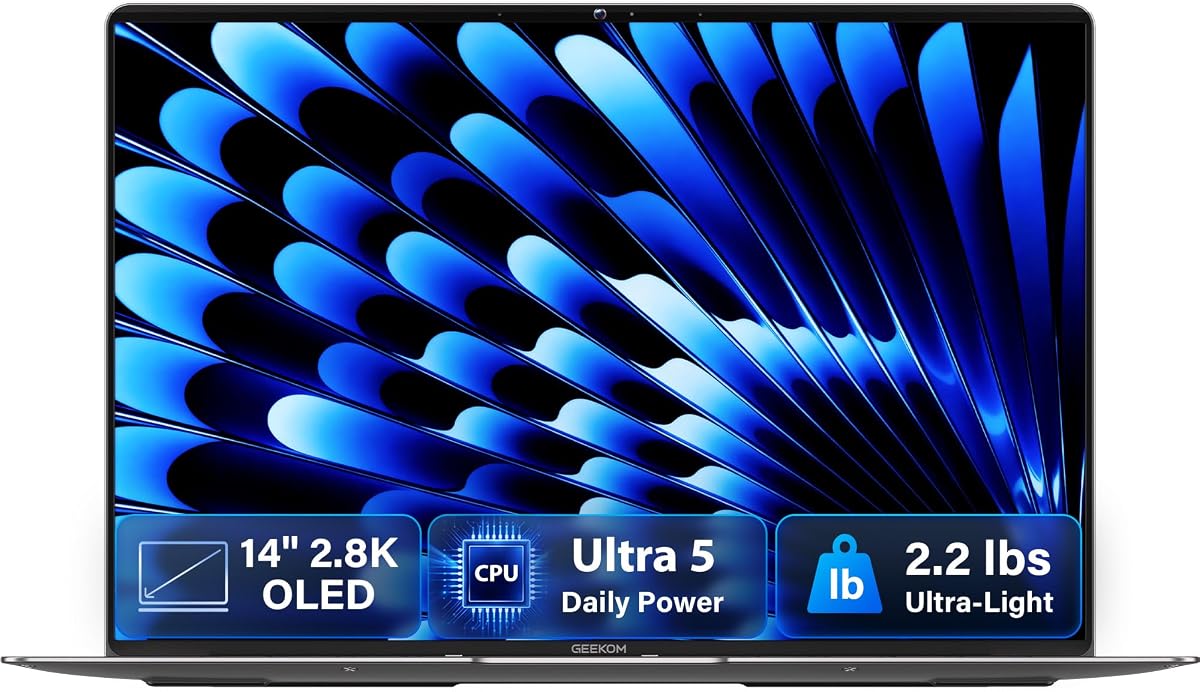
The GEEKOM GeekBook X14 Pro prioritizes extreme portability. At just 2.2 lbs it is one of the lightest options available. The 2.8K OLED panel delivers vibrant visuals and a 120Hz refresh rate for smooth scrolling.
We may earn a commission when you buy through this link, at no additional cost to you.
It features a solid magnesium alloy chassis that is durable yet light. The Core Ultra 5 processor supports AI tasks and efficient computing. A 72Wh battery provides up to 16 hours of use for mobile productivity.
While the 14-inch screen is smaller it is sharper due to the high resolution. This suits users who value screen clarity over screen real estate. It lacks the raw graphics power of larger gaming models but excels in efficiency.
Choose this for frequent travelers needing a premium feel. Its compact size does not compromise on build quality. The USB4 ports support fast connections making it versatile despite the thin profile.
The lightweight design ensures comfort during long flights or commutes.
120Hz smooths out UI movements and video playback for a premium feel.
We may earn a commission when you buy through this link, at no additional cost to you.
The Lenovo Legion 5a brings gaming to OLED with high refresh rates. It features an RTX 5060 GPU for smooth play and vivid effects. The 165Hz panel ensures fluid motion and accurate colors for competitive and casual play.
We may earn a commission when you buy through this link, at no additional cost to you.
With 32GB DDR5 RAM and 1TB SSD it handles large games and multitasking. The Ryzen 7 processor and AI acceleration support streaming and content creation. Wi-Fi 7 provides the latest wireless speeds for lag-free online gaming.
It is heavier and bulkier than ultrabooks. This limits portability but suits desktop replacement needs. Battery life is shorter due to the power-hungry components. It fits stationary setups or dedicated gaming sessions well.
Buy this for immersive gaming and rendering. It balances high-end graphics with a stunning screen. The high rating reflects user satisfaction with performance and display quality.
RTX 5060 enables ray tracing and high frame rates for realistic visuals.
Wi-Fi 7 ensures fast speeds and low latency for competitive online play.
We may earn a commission when you buy through this link, at no additional cost to you.
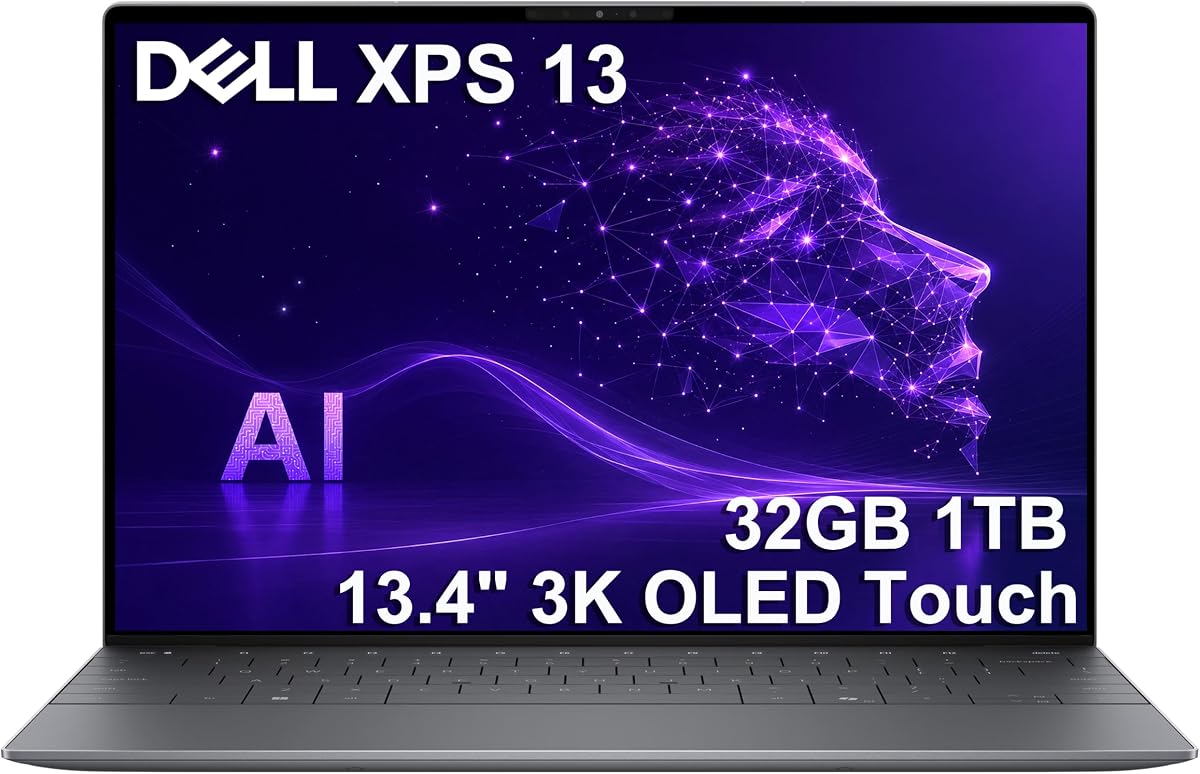
The Dell XPS 13 9345 offers a premium ultrabook experience. It is thin light and built with quality materials. The Snapdragon X Elite processor delivers desktop class power with exceptional efficiency.
We may earn a commission when you buy through this link, at no additional cost to you.
Its 3K OLED touchscreen is stunning and anti-reflective for clarity. Battery life reaches 27 hours allowing all-day work. The 32GB RAM and 1TB SSD provide robust storage and multitasking capabilities.
Ports are limited to USB-C which may require dongles. The price reflects its premium position and features. It suits users who want style and performance in a small package. It is a top choice for professionals.
Buy this for a high-end portable workspace. It combines power and portability seamlessly. The build and screen quality justify the cost for those seeking the best.
CNC machined aluminum ensures a solid durable chassis for daily use.
Long battery life and light weight make it ideal for travel and remote work.
We may earn a commission when you buy through this link, at no additional cost to you.
Selecting the right OLED laptop involves more than just screen size. You must consider how the display interacts with your daily tasks and how the battery life supports your mobility needs.
Larger screens like 16 inches offer more workspace but reduce portability. Higher resolutions ensure sharp text and detail which is critical for design work.
Choose a size that fits your travel habits and a resolution that meets your clarity standards.
A 60Hz panel is standard for basic tasks while 120Hz or higher smooths out animations and gaming. This reduces eye strain during long browsing sessions.
Prioritize higher refresh rates if you view video or play games frequently.
AI processors like Snapdragon X and Core Ultra provide efficiency. Ryzen AI and Core Ultra 9 offer more raw power for heavy workloads.
Match the CPU to your apps for general work choose efficiency chips for heavy tasks pick powerful ones.
16GB is the minimum for smooth multitasking. 32GB ensures longevity and handles large datasets. 1TB storage is recommended for media and games.
Invest in more RAM if you run many apps simultaneously to avoid slowdowns.
OLED panels consume more power than LCDs so battery endurance varies. Some models reach 20 hours while others last less due to performance.
Check real world battery tests if you plan to work away from outlets.
Aluminum or magnesium builds add durability. Weight impacts travel comfort with 3 lbs being a tipping point for portability.
Select a chassis that balances robustness with lightness for your commute.
USB-C with Thunderbolt or USB4 support fast data and charging. Wi-Fi 6E ensures fast network speeds.
Ensure the ports match your monitor and storage needs to avoid extra hubs.
Premium laptops cost more for better build and specs. Budget options trade performance for affordability.
Evaluate which features matter most to justify the cost.
To protect your OLED screen avoid static images for long periods. Use dark themes and adjust brightness to reduce wear.
Keep the device clean with a microfiber cloth and mild cleaner. Avoid touching the panel with harsh chemicals.
Store in a cool dry place to prevent battery damage. Regular updates keep performance optimized.
Yes OLED screens offer deeper blacks and higher contrast. This improves text clarity and reduces eye strain. However they may be less bright in direct sunlight compared to high end IPS panels.
Burn in is less common on modern OLEDs but still possible. Using auto dimming and moving content helps prevent it. Most laptops include software features to minimize this risk.
Yes most models support external displays via HDMI or USB-C. You can mirror or extend your screen for more workspace.
Battery life varies by usage. Some models reach 20 hours while others last less. OLED panels consume power differently so usage habits affect endurance.
High refresh OLEDs are excellent for gaming. They offer vibrant colors and fast response. However gaming drains battery quickly so use a charger.
It depends on your needs. Snapdragon and Core Ultra provide efficiency. AMD Ryzen and Intel Core Ultra 9 offer more power. Choose based on your workload.
Our top picks include the Lenovo IdeaPad Pro 5-2025 the HP OmniBook 3 and the Dell XPS 13. These models balance performance portability and value.
Prioritize features like battery life and screen size based on your daily needs. A well chosen device enhances your workflow and entertainment.
Prices and availability change often so check current listings before buying. This guide helps you make an informed choice for your next laptop.