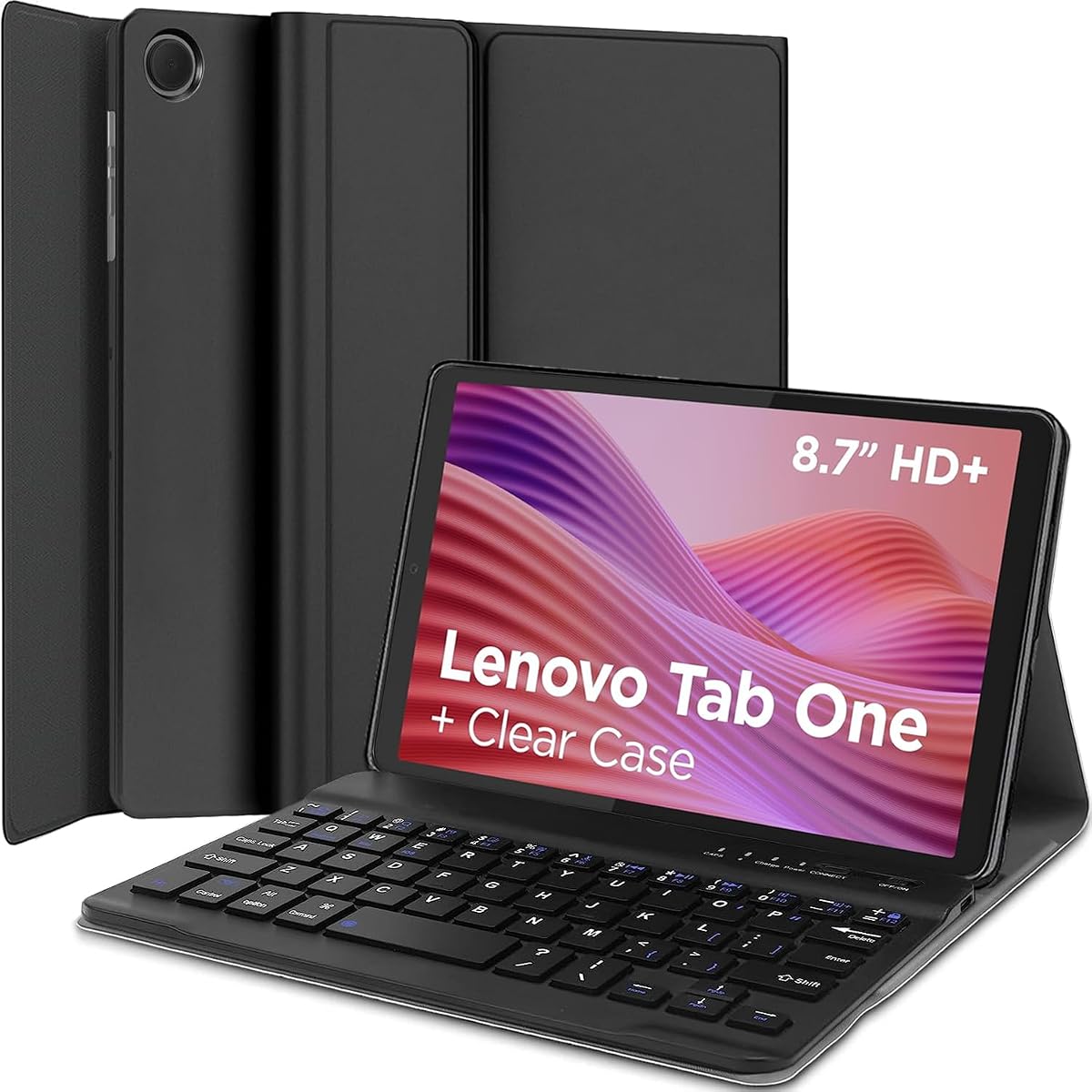
Case with Keyboard for Lenovo Tab One
5.0Editor score
Magnetically detachable wireless Bluetooth keyboard
Premium TPU leather wood grain finish
Up to 100 hours battery life
Transforming your Lenovo Tab One into a productive workstation requires the right keyboard accessory. Whether you need a slim standalone unit or a protective case with integrated typing, selecting the best option enhances your workflow significantly.
We evaluated ten top-rated products based on compatibility, build quality, typing experience, and battery life. Each entry offers unique features like backlighting, trackpads, or multi-device connectivity to suit various user preferences and budgets.
Every pick highlights key strengths and potential trade-offs to guide your decision. Prices fluctuate frequently, so verify current availability and deals before purchasing to ensure you get the best value for your specific needs.
5.0Editor score

4.8Editor score

4.3Editor score
As an Amazon Associate we earn from qualifying purchases.
This side-by-side comparison highlights the unique specifications and strengths of each keyboard option to help you quickly identify the model that best fits your specific usage scenarios and budget constraints.


This keyboard case stands out as the top choice for Lenovo Tab One users seeking a blend of protection and productivity. With a high rating and robust features, it transforms your tablet into a portable workstation effortlessly.
We may earn a commission when you buy through this link, at no additional cost to you.
The standout quality lies in its versatile backlighting system offering seven colors and three brightness levels for typing in any lighting condition. The durable PU leather case provides full protection while the detachable wireless keyboard allows for flexible viewing angles.
While it lacks a trackpad which might hinder cursor navigation for some users, the responsive keys and stable magnetic connection make up for it. The battery life is exceptional allowing hours of continuous typing without frequent recharging.
If you need a reliable all-in-one solution for travel or office work, this case delivers exceptional value. It is highly recommended for those prioritizing typing comfort and tablet safety over advanced navigation features.
The customizable backlight ensures clear visibility during night work or dim environments enhancing productivity significantly.
Premium materials protect against dust drops and collisions keeping your device safe during daily transport.
We may earn a commission when you buy through this link, at no additional cost to you.
Rated perfectly by users this budget option offers incredible value for Lenovo Tab One owners. It combines style with function providing a reliable typing experience without breaking the bank.
We may earn a commission when you buy through this link, at no additional cost to you.
The wood grain finish adds a premium look while the magnetic detachment ensures easy conversion between typing and viewing modes. Battery life is superior allowing weeks of use on a single charge making it ideal for travelers.
The lack of backlighting may be a downside for night users but the daylight visibility is excellent. Tactile keys ensure accurate typing reducing errors compared to on-screen keyboards.
Choose this if you prioritize battery longevity and aesthetics over lighting features. It is a solid choice for students or professionals needing a cost-effective productivity boost.
Extended battery life ensures uninterrupted work sessions without constant recharging interruptions.
Unique wood grain texture elevates the visual appeal of your tablet setup.
We may earn a commission when you buy through this link, at no additional cost to you.
This official Lenovo accessory offers a premium experience for supported models with a dedicated trackpad and instant connection. It removes the hassle of Bluetooth pairing and charging while delivering laptop-like performance.
We may earn a commission when you buy through this link, at no additional cost to you.
The pogo pin connection provides immediate power and data sync making setup effortless. The spacious trackpad supports gestures for smooth navigation which is rare in tablet accessories.
Potential buyers must verify model compatibility as it excludes certain generations. However the build quality and ergonomic keys justify the investment for those seeking top-tier integration.
Ideal for users wanting a true laptop substitute this pack delivers unmatched convenience. Prioritize this if you value official support and advanced navigation features.
Pogo pin technology ensures seamless power and data transfer without batteries.
Integrated trackpad allows intuitive scrolling and clicking without needing a mouse.
We may earn a commission when you buy through this link, at no additional cost to you.
A standalone keyboard designed for power users this model allows seamless switching between multiple devices. It is perfect for those managing work and personal tablets on the go.
We may earn a commission when you buy through this link, at no additional cost to you.
The ability to connect via Bluetooth or USB-C ensures flexibility across different operating systems. Keys are optimized for comfort reducing fatigue during long typing sessions.
Without a protective case you will need to carry the keyboard separately. The battery life is good though not as high as some all-in-one cases.
Choose this for versatility if you work across several devices. It enhances workflow efficiency significantly for multitasking professionals.
Quick switching keys enable effortless transitions between Android iOS and Windows devices.
Slim design fits easily into bags for daily commuting.
We may earn a commission when you buy through this link, at no additional cost to you.
Tailored for the 11-inch Idea Tab this case combines protection with typing comfort. The included screen protector adds extra value for users worried about scratches.
We may earn a commission when you buy through this link, at no additional cost to you.
The backlight system allows customization to suit your mood or environment. Detachable features let you use the tablet as a book when not typing.
While designed for a larger model it offers similar benefits to the 8.7-inch options. The build quality ensures durability against drops and bumps.
Recommended for Idea Tab 11 owners needing full protection. It is a practical upgrade for daily use.
Tempered glass layer safeguards your display from scratches without affecting touch sensitivity.
Multiple colors and brightness settings enhance typing visibility in dark settings.
We may earn a commission when you buy through this link, at no additional cost to you.
This model adds a trackpad for easier cursor control which is rare in budget cases. The backlighting zones allow targeted illumination for the keys.
We may earn a commission when you buy through this link, at no additional cost to you.
While the hardware looks complete user feedback suggests consistency issues with the touchpad. This might affect precision tasks like graphic design.
If trackpad is essential to your workflow this is worth trying despite mixed reviews. It saves carrying a separate mouse.
Consider this if you need navigation control on the go. Ensure you understand the limitations before purchasing.
Trackpad enables mouse-like movement without needing external peripherals.
Separate backlight zones highlight specific keyboard areas for efficiency.
We may earn a commission when you buy through this link, at no additional cost to you.
Offering a vibrant pink finish this case appeals to those seeking style with function. It protects the device from water and dust effectively.
We may earn a commission when you buy through this link, at no additional cost to you.
Type-C charging ensures modern connectivity for the keyboard. The magnetic design keeps the keyboard secure while allowing easy detachment for portability.
Without backlighting it is less suitable for night use. However the protective features are robust for daily handling.
Select this for aesthetics and protection. It is ideal for students or casual users.
Type-C port ensures fast efficient charging compatible with modern adapters.
Pink design adds personality to standard black tablet accessories.
We may earn a commission when you buy through this link, at no additional cost to you.
This comprehensive kit includes a mouse for precise navigation making it suitable for power users. The backlighting allows visibility in dark rooms.
We may earn a commission when you buy through this link, at no additional cost to you.
The adjustable stand supports various activities like typing or media consumption. Protection covers are designed to withstand drops and bumps effectively.
Adding a mouse increases weight slightly but improves usability. It reduces the need for extra peripherals in your bag.
Ideal for those needing full control options. Prioritize this if you want keyboard and mouse in one package.
Included mouse enhances cursor precision for detailed work tasks.
Multiple angles ensure comfortable viewing for media or typing.
We may earn a commission when you buy through this link, at no additional cost to you.
A standalone portable keyboard this model focuses on slimness and backlighting. It is perfect for travel when space is limited.
We may earn a commission when you buy through this link, at no additional cost to you.
The LED lighting enhances usability in dark areas. Power switch helps save battery when not in use.
Bluetooth 3.0 is reliable but slightly slower than newer versions. It lacks case protection meaning you must carry it safely.
Select this for portability. It works well for quick typing tasks.
Slim profile ensures the keyboard fits into small compartments easily.
Dedicated switch conserves battery during travel or storage.
We may earn a commission when you buy through this link, at no additional cost to you.
Focusing on weight this keyboard offers a slim profile for maximum portability. The chiclet keys provide a tactile feel similar to laptop keyboards.
We may earn a commission when you buy through this link, at no additional cost to you.
Pairing is fast via Bluetooth 3.0 ensuring quick setup. It is energy efficient extending battery life on the go.
Without backlight it is less versatile in dark environments. It is best for users prioritizing light weight above all.
Recommend for travelers needing minimal bulk. It adds typing power without adding weight.
Chiclet-style design offers tactile feedback similar to standard laptops.
Efficient power usage extends battery life during travel.
We may earn a commission when you buy through this link, at no additional cost to you.
Selecting the right keyboard accessory requires considering compatibility features and your specific usage needs to ensure optimal productivity and device protection.
Verify your tablet model number carefully as many keyboards are designed for specific versions like TB305FU or Idea Tab 11. Mismatched models will not fit correctly or connect properly.
Always check product descriptions for exact model matches before purchasing to avoid returns or unusable accessories.
Choose between standalone Bluetooth keyboards and integrated folio cases based on whether you prioritize typing comfort or portability. Cases offer protection while standalone units are lighter.
Consider your daily environment: use a case for travel and a standalone for office work.
Most options use Bluetooth which allows wireless freedom but requires pairing. Some offer USB-C connections for direct power and data transfer.
Bluetooth is generally more versatile for mobile use while USB-C ensures stable power without separate charging.
Look for rechargeable batteries with long runtimes like 60 to 100 hours to minimize charging interruptions. Some models consume power faster when backlight is on.
Prioritize models with sleep modes to extend battery efficiency during daily usage.
Backlights help typing in low light conditions and often come with multiple colors and brightness settings. This feature is optional but useful for night work.
Ensure you can customize brightness to avoid glare during daytime use.
Premium materials like PU leather protect your tablet from scratches and drops while providing a comfortable touch. Look for sturdy hinges and magnetic connectors.
Durable construction ensures longevity and protects your investment in the long term.
Some models include trackpads mice or kickstands which enhance navigation and viewing angles. These features can replace separate peripherals.
Decide if you need these extras based on your workflow requirements.
Budget options offer good value but may lack advanced features like backlighting or trackpads. Higher priced models provide better build quality and official support.
Check warranty coverage to ensure protection against defects during use.
Pair the keyboard with your tablet via Bluetooth settings. Ensure the device is powered on and enter pairing mode if required for connection.
Use the included stand or kickstand to position your tablet at a comfortable typing angle. Adjust viewing angles to reduce neck strain during long sessions.
Clean the keyboard gently with a dry cloth to remove dust. Keep liquids away from the device to prevent damage to electronic components.
Most keyboards are designed specifically for the Tab One 8.7-inch or Idea Tab 11-inch models. Always check the product title for exact model numbers like TB305FU or TB-336ZU before buying to ensure a proper fit.
Yes, detachable wireless keyboards require charging via USB or USB-C. Integrated keyboards often share power or have their own batteries. Always check the charging specifications in the product details.
Standalone Bluetooth keyboards may work with other Android or Windows devices. However, case-bound keyboards rely on physical ports that are unique to Lenovo tablets and will not fit others.
Many models feature adjustable backlight colors and brightness levels. This helps typing in different lighting environments. Check product specs to confirm customization options.
Some premium and third-party options include a built-in trackpad for cursor control. Others require a separate mouse or touch input for navigation on the screen.
Battery life varies from 60 to 100 hours depending on usage and backlight settings. Sleep modes help extend life when not in use for long periods.
The Backlit Keyboard Case and Slim Keyboard Case stand out as top choices for most users due to their balance of features and protection. The Lenovo Keyboard Pack offers a premium alternative for specific models.
Prioritize compatibility and battery life to ensure long-term usability. Features like backlighting and trackpads should match your daily environment and work needs.
Always verify current prices and model availability before purchasing. The market changes rapidly so checking the latest listings ensures you get the best value for your investment.