
Amazon Basics Stereo 2.0
4.4Editor score
USB-powered with 3.5mm aux input
Inline volume control for quick access
Compact design with metal finish
This guide compares the top 10 external speakers for MacBook setups, covering connectivity, sound quality, and design to help you choose the right audio
Finding the right external speakers for your MacBook can transform your workflow and entertainment experience. Whether you are editing videos or streaming music, quality audio is essential for productivity and enjoyment.
We have carefully evaluated ten top-rated speakers based on connectivity options, sound clarity, build quality, and user feedback. This list includes models that work seamlessly with macOS and various USB standards.
Each pick highlights specific strengths like USB-C support or Bluetooth versatility. Please note that availability and pricing may fluctuate over time, so verify details before purchasing your final choice.
4.4Editor score

4.4Editor score
4.5Editor score
This side-by-side comparison highlights key specifications for each model to help you find the perfect audio companion for your MacBook or desktop workstation.




The Creative Pebble V3 stands out as a top choice for MacBook users seeking a balance of modern connectivity and audio quality. It earns high marks for its streamlined USB-C connection and clear sound reproduction.
We may earn a commission when you buy through this link, at no additional cost to you.
Its standout feature is the Clear Dialog audio processing which enhances speech clarity without muddying background audio. This makes it excellent for video calls or watching content on your MacBook. The 45-degree angled drivers ensure sound projects directly at you.
While it offers a gain switch for louder volume, this requires a specific USB port wattage which might limit some older setups. Additionally, the AUX cable is sold separately if you need wired analog backup beyond USB or Bluetooth.
This speaker is ideal for professionals and students who value a tidy desk and clear audio. It delivers reliable performance for daily tasks and entertainment, making it a strong recommendation for most MacBook setups.
The Clear Dialog processing ensures that spoken words remain distinct during calls and movies without needing to crank the volume.
With just a single USB-C cable and no external power brick, the Pebble V3 keeps your workspace looking clean and organized.
We may earn a commission when you buy through this link, at no additional cost to you.
The Amazon Basics Stereo 2.0 speakers offer a straightforward and economical solution for MacBook users needing extra audio power. They provide reliable sound without breaking the bank.
We may earn a commission when you buy through this link, at no additional cost to you.
Their primary strength is simplicity and cost-effectiveness. You can plug them into a USB port for power and use the 3.5mm aux input or USB for audio. The inline volume control adds convenience for quick adjustments during use.
However, they are best for casual listening rather than audiophile experiences. The bass is modest and the materials are functional but not premium. If you need high-fidelity sound, you might look elsewhere.
This model is perfect for students or office workers who need basic, reliable speakers for meetings and media. It is a practical choice when budget is a priority and basic quality suffices.
These speakers require no complex configuration; just connect the cables and you are ready to start listening immediately.
For those looking to boost sound from weak laptop speakers at a low cost, these provide a solid entry-level option.
We may earn a commission when you buy through this link, at no additional cost to you.
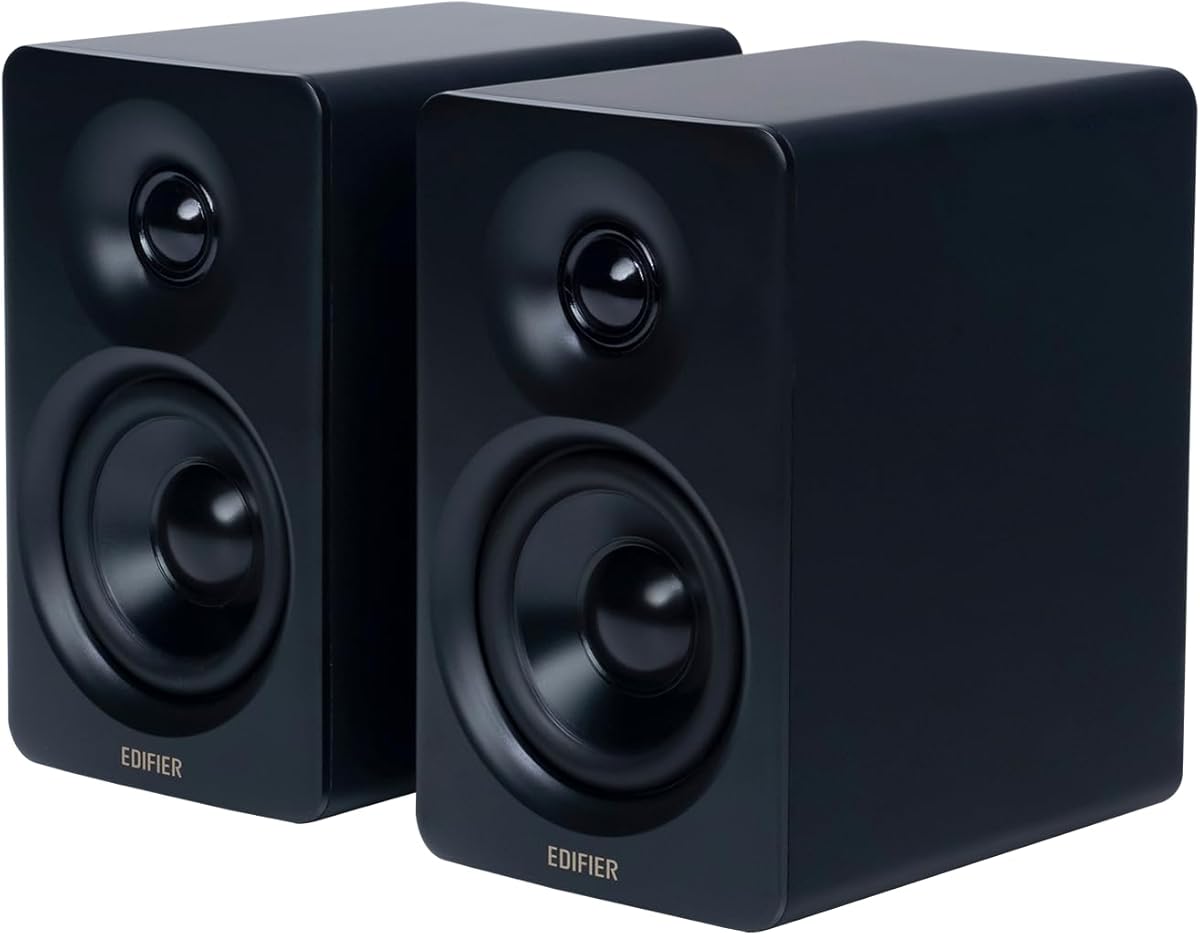
The Edifier M60 delivers premium audio performance that matches the high standards of modern MacBooks. It is designed for users who want rich, detailed sound for music and media.
We may earn a commission when you buy through this link, at no additional cost to you.
Its 66W RMS power ensures dynamic volume levels with clear highs and deep bass. The inclusion of Hi-Res Audio certification and LDAC Bluetooth support means you get the best wireless audio quality possible from your MacBook.
The aluminum speaker stands included help position drivers at ear level for better immersion. However, the size and price are significant investments. This is not a basic solution but a serious upgrade for enthusiasts.
Ideal for creatives and audiophiles, this setup enhances both work and leisure audio experiences. If you prioritize sound fidelity and wireless capability, the M60 is a compelling choice for your desk.
With precise audio processing and high power, these speakers reproduce music with clarity that rivals much larger home systems.
Bluetooth 5.3 and LDAC ensure that wireless streaming from your Mac retains high fidelity without compression artifacts.
We may earn a commission when you buy through this link, at no additional cost to you.
These monitor clip-on speakers are designed to save desk space while providing loud and deep sound. They are particularly useful for MacBook users who want a clean workstation.
We may earn a commission when you buy through this link, at no additional cost to you.
The adaptive channel switching uses a G-sensor to flip left and right channels depending on how the speaker is clipped. This ensures stereo imaging stays correct. The USB-C adapter makes it easy to connect to newer MacBooks.
However, compatibility depends on your monitor's thickness. The clamp has a limit so check before buying. Also, touch controls might register accidental inputs. Despite this, the space-saving benefit is significant.
This is a great pick for users with small desks who still want powerful audio. It combines practical design with good sound output for a reasonable price point.
By attaching directly to your monitor, these speakers clear up valuable desk real estate for notebooks or paperwork.
The G-sensor ensures you always hear sound from the correct left or right channel regardless of mounting position.
We may earn a commission when you buy through this link, at no additional cost to you.
The Logitech Z207 is a flexible choice for MacBook users who also use phones or tablets. Its Easy-Switch feature makes it simple to move audio between devices.
We may earn a commission when you buy through this link, at no additional cost to you.
You can pair via Bluetooth and switch to a wired 3.5mm input easily. The headphone jack on the speaker lets you listen privately without unplugging. This makes it versatile for both work and personal use.
The Bluetooth version is not the newest, but it works reliably for most tasks. Wired users need to manage an extra cable which might be messy. Still, the convenience of switching is a strong point.
Best for households or multitaskers, these speakers offer reliable wireless performance and decent sound quality. They are a safe bet for anyone needing multi-device support.
The Easy-Switch technology lets you jump between your MacBook and phone with just a button press and play command.
A built-in headphone jack allows you to take calls or listen to music without disturbing others nearby.
We may earn a commission when you buy through this link, at no additional cost to you.
The Edifier MR3 brings studio monitor quality to the desktop, making it ideal for Mac users involved in content creation. It provides accurate sound reproduction.
We may earn a commission when you buy through this link, at no additional cost to you.
Its balanced inputs and Hi-Res certification mean it can handle detailed audio mixes. You can switch modes to tune sound for music or monitoring. This flexibility helps when working on different projects throughout the day.
However, it is a tool rather than a lifestyle product. The look is functional and setup might take a moment to get right. It is not plug-and-play casual but requires some tuning for best results.
If you edit video or produce music on your MacBook, these speakers will serve you well. They are professional tools that elevate the quality of your creative work.
Flat frequency response ensures what you hear is exactly what is in your audio file without coloration.
Custom EQ settings allow you to tailor sound to specific genres or tasks as needed.
We may earn a commission when you buy through this link, at no additional cost to you.
These upgraded speakers offer a simple USB solution for MacBook users who want better sound without complexity. They provide loud stereo audio in a small bar.
We may earn a commission when you buy through this link, at no additional cost to you.
They include passive radiators that boost bass beyond what you expect from a tiny unit. The USB plug-and-play nature means you just plug it in and select it in sound settings. It works across macOS and other systems.
The soundstage is naturally narrow due to the compact design. It is not surround sound. But for a budget upgrade over built-in speakers, it is effective. It saves desk space while improving volume.
For quick setup and decent volume, this is a good choice. It is ideal for small offices where space is limited but audio quality matters more than default laptop speakers.
No software installation is required; simply connect the USB cable and the system recognizes it immediately.
The passive radiator design adds depth to music and movies that standard small speakers usually lack.
We may earn a commission when you buy through this link, at no additional cost to you.
The FUNLOGY Speaker is engineered with ergonomics in mind. The 30-degree tilt ensures sound reaches your ears directly, improving clarity for MacBook users.
We may earn a commission when you buy through this link, at no additional cost to you.
It offers strong 14W output and includes a gold-plated AUX input for durability. The award-winning design reflects attention to build quality. The physical volume dial allows quick adjustments without touching the computer.
Setup involves managing two cables which might be less tidy than USB-only options. The specific angle works well for standard desk heights but might not fit all chair setups perfectly.
Ideal for comfort-focused users, this speaker delivers sound where you need it. The build quality promises reliability. It is a solid choice for those who prioritize ergonomics and quality materials.
The angled design directs audio precisely to your listening position for a clearer experience.
Gold-plated inputs resist corrosion and ensure stable connections over long periods of use.
We may earn a commission when you buy through this link, at no additional cost to you.
The Dell Speakerphone SP3022 focuses on clarity for meetings and calls. It is designed for professionals who need reliable audio for work on their MacBook.
We may earn a commission when you buy through this link, at no additional cost to you.
Its AI noise cancellation ensures you are heard clearly even in noisy environments. Full duplex audio allows natural conversation flow. LED indicators make it easy to see call status at a glance.
However, it is not a music speaker. The sound tuning prioritizes voice. This means music might lack depth compared to dedicated music speakers. It is a tool for productivity.
Best for remote workers, this device streamlines conference calls. If your primary goal is clear communication during video meetings, this is a highly effective investment for your setup.
Noise cancellation technology filters out ambient noise so your voice comes through clearly to others.
Certification with Teams and Zoom ensures seamless compatibility with the apps you use daily.
We may earn a commission when you buy through this link, at no additional cost to you.
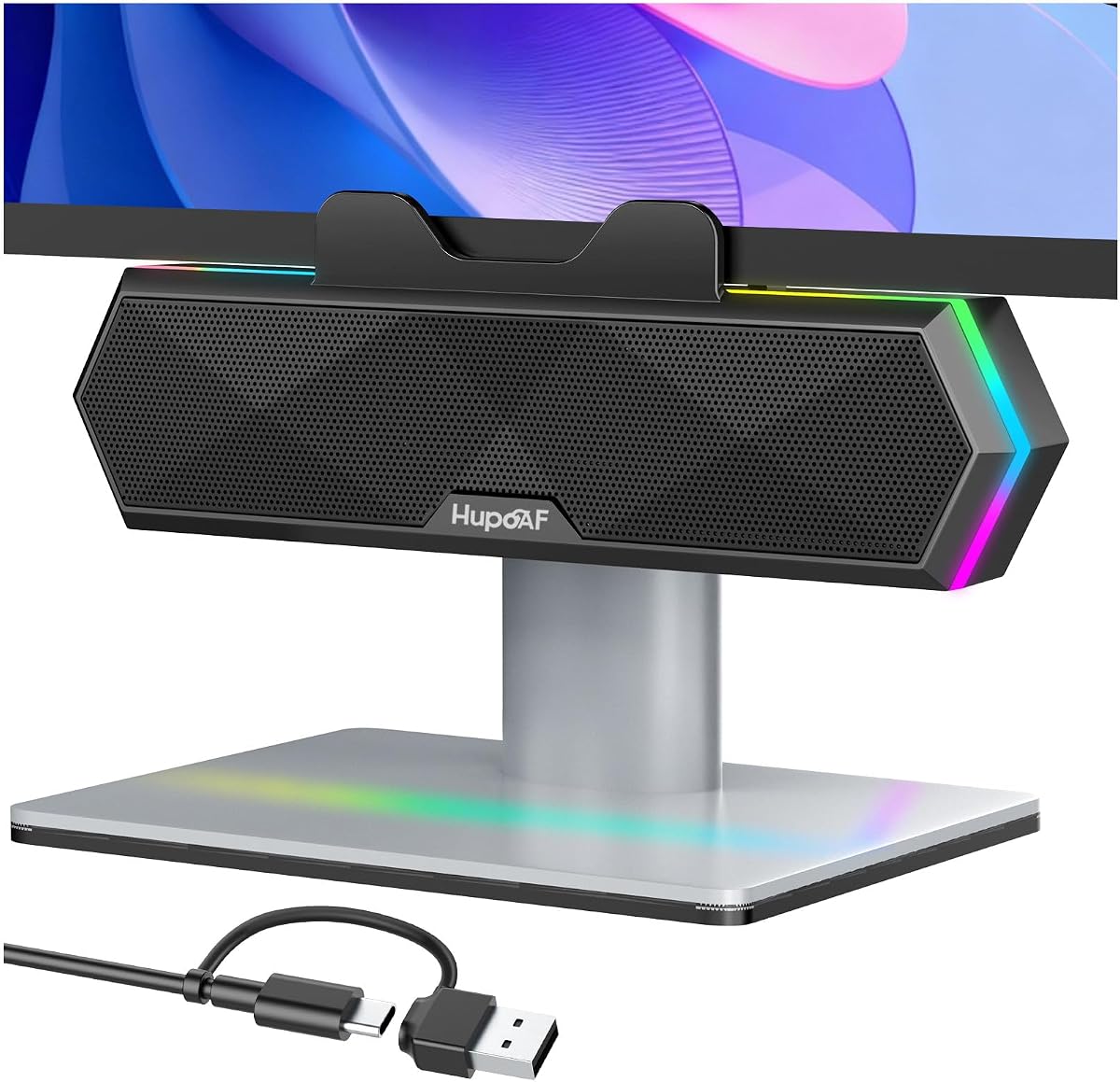
These speakers are designed to appeal to gamers and users who like visual customization. They offer loud sound and RGB lighting to enhance your MacBook setup.
We may earn a commission when you buy through this link, at no additional cost to you.
The six RGB modes allow you to match lighting to your mood or game. The clip-on design saves desk space and the dual drivers provide good volume for gaming and movies. It is easy to plug in via USB.
The clamp has thickness limits so ensure it fits your monitor. While you can turn off the lights, you cannot change their color beyond presets. This is a minor limitation for a fun accessory.
For those who value style as much as sound, this is a great pick. It delivers solid audio performance and adds a modern touch to your workspace.
Customizable RGB lighting makes your desk setup look more personalized and immersive during use.
Despite their small size, the drivers produce sound that fills a room for games and videos.
We may earn a commission when you buy through this link, at no additional cost to you.
Selecting the right speakers involves balancing connectivity, sound quality, and design to fit your workspace needs effectively.
Look for USB-C compatibility if you have a modern MacBook. Many speakers offer USB-A or aux inputs which may need adapters. Bluetooth is convenient for wireless setups but USB provides stable audio.
Prioritize USB-C or adapters if you want to avoid dongles cluttering your Mac.
Consider wattage and driver size for volume and bass. For music, look for drivers and passive radiators. For calls, clear dialogue processing is more important than raw power.
Higher wattage and dedicated drivers generally mean better audio fidelity and volume.
If you have a small desk, clip-on or monitor speakers save space. Desktop speakers take more room but often offer better stereo separation. Measure your workspace before buying.
Choose clip-on models to maximize desk real estate for other tools.
Metal finishes often feel more durable than plastic. Look for features like scratch-free bases to protect your desk. High-end models may include aluminum stands for better positioning.
Sturdy materials ensure longevity and protection for your workspace surfaces.
Some speakers have EQ modes or noise cancellation for work. Others have RGB lights for gaming. Identify which features add real value to your routine.
Only buy advanced features like EQ modes if you need them regularly.
Basic speakers can be found for under thirty dollars while premium models cost more. Determine your budget early and focus on core needs first. Expensive does not always mean better for all users.
Set a price range and find the best balance of quality within it.
Plug-and-play models save time. Avoid speakers that require complex drivers or software. Ensure the system recognizes the device immediately upon connection.
Choose USB plug-and-play speakers to avoid installation hassle.
If you use a phone and MacBook, Bluetooth switching helps. Wired speakers with aux inputs offer flexibility for different devices. Multi-point connectivity is a bonus for professionals.
Check if the speaker supports switching between Mac and other devices easily.
Connect the speakers using the appropriate cable like USB-C or aux. Go to System Settings on your Mac and select the speakers as the default output device.
Position the speakers at ear level for the best sound. Angle them slightly inward to create a focused listening zone. Avoid placing them on vibrating surfaces.
Keep the speakers clean by wiping them with a soft dry cloth. Do not use harsh chemicals that might damage the finish or drivers. Store them properly if moving to prevent damage.
It depends on your MacBook model and speaker inputs. Newer MacBooks use USB-C so you may need a USB-C to USB-A adapter for older speakers. Many new speakers now include USB-C cables.
Check the output settings in System Preferences to ensure the speakers are selected. Verify the USB port works and the speakers are turned on. Updating audio drivers may also resolve issues.
Yes, most MacBooks support Bluetooth speakers easily. Pair the speaker via Bluetooth settings on your Mac. Ensure the speaker is in pairing mode and within range for a stable connection.
USB offers more stable and higher quality audio for wired setups. Bluetooth is more convenient for flexibility. For video editing, USB reduces lag. For general use, Bluetooth works well.
Measure the thickness of your monitor's bezel or edge. Many clip-on speakers have a maximum thickness limit often around one and a half inches. Check the product specifications for compatibility.
Active speakers have built-in amplifiers and need power like USB. Passive speakers need a separate amp. Most external computer speakers are active and ready to use out of the box.
Most modern speakers are plug-and-play and work with standard macOS drivers. You generally do not need to install extra software for basic functionality or sound settings.
Many speakers have physical volume dials or touch controls for quick adjustments. This lets you change volume without reaching for your keyboard or trackpad during use.
We have reviewed ten excellent options ranging from budget basics to premium studio monitors. The Creative Pebble V3 stands out for its balance of features and USB-C connectivity.
Prioritize connectivity and sound quality that match your workflow. If you work on video choose accurate audio. If you game, consider RGB and bass. Match the choice to your needs.
Prices and availability change frequently so check current offers before buying. We hope this guide helps you find the perfect audio upgrade for your MacBook experience.